Learn how to hire forward deployed engineers in 6 steps: define the role, benchmark pay, source candidates, screen for delivery and run a four-round loop.


Best AI Stock Trading Tools for Retail Investors
Apr 10, 2024
about 15 min read
Compare the best AI stock trading tools for retail investors: what each does, who it fits, plans and broker links, plus the risk controls to set first.
“AI stock trading software” covers a lot of ground, from tools that only read charts and news to ones that place orders in your brokerage account while you sleep. With that second kind, a bad pick can cost you real money.
This guide first compares the popular tools: what each one does, who it fits, what it costs. Then it covers the broker checks and stop rules to set up before any automated idea gets near real money.
Leading AI Stock Trading Platforms and Tools
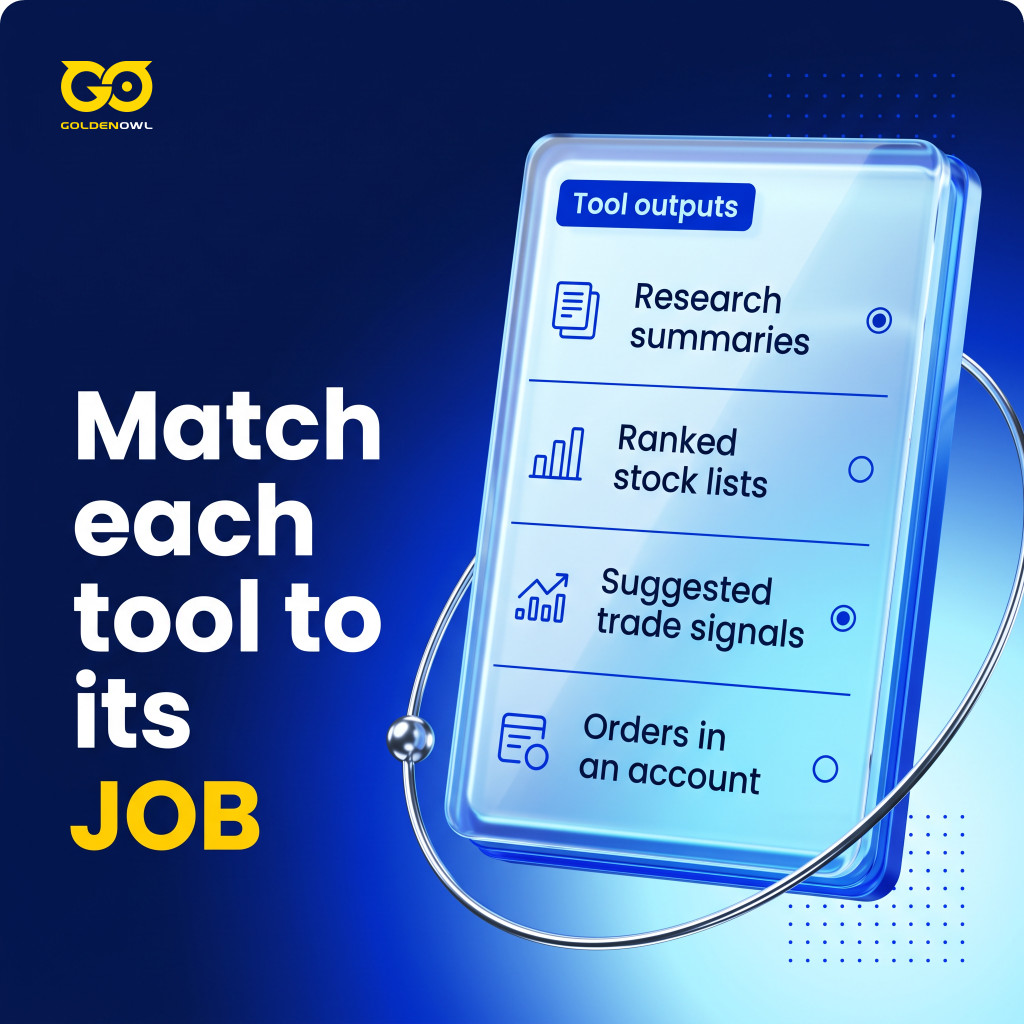
Start with one question: what does the tool hand back to you? It might be a summary, a ranked list, a trade idea or a live order — and the risk climbs at each step (the table below sorts the tools by that output).
| Category | Output | Main question |
|---|---|---|
| Research assistant | Explanations or summaries | Are sources, dates, and statements verifiable? |
| Screener or ranker | Lists or scores | What data and rules create the ranking? |
| Signal service | Suggested entries and exits | Are results complete, net of costs, and independently supported? |
| Auto-trader | Orders in an account | Which permissions, limits, and shutdown controls apply? |
So the questions you ask should change with the category.
Older trading bots follow fixed rules written ahead of time: “If the 50-day moving average crosses above the 200-day moving average, buy.” They’re fast and they don’t get tired. They don’t usually adapt when the market changes, though.
Agentic AI trading systems work differently: you give them a goal, not a fixed rule. (Building custom autonomous workflows like this may require AI development services.) Tell one to “maximise risk-adjusted returns on this watchlist within these constraints,” and it splits the goal into pieces — research, signal analysis, risk checks, execution. Then it watches what happens and adjusts inside your limits. TradingAgents is one documented example, a research framework from UCLA, MIT and Tauric Research. Separate agents cover fundamentals, sentiment and technicals, and they argue with each other; a trader agent and a risk review make the call. It’s a research project. It isn’t a retail product or a live deployment, and the backtest results are the authors’ own.
Most retail investors won’t build anything like that; they’ll pick from the platforms below, and three checks narrow the list fast: what’s free, how much skill it takes, how far it automates.
| Platform | Free access | Skill needed | How far it automates | Brokers named in this guide |
|---|---|---|---|---|
| Trade Ideas | Free account (15-minute delayed dashboards) | Low (scanner and signals) | Holly signals and auto trading on the Premium plan | Interactive Brokers, E*TRADE, TradeStation, Alpaca |
| TrendSpider | No permanent free tier | Low (no-code strategy lab) | Pattern finding and backtests | Not covered here |
| Composer | Free Starter plan | None (visual editor) | Runs and rebalances strategies daily | Its own brokerage (Alpaca Securities, Apex Clearing) |
| StockHero | Paid plans; check trial terms | None (no-code bots) | Runs bots, paper trading | TradeStation and others (varies by plan) |
| QuantConnect | Free plan (no live trading) | Coding (C# or Python) | Full live algorithms on paid plans | Interactive Brokers, TradeStation, Alpaca, Tradier, Webull and others |
| TradingView | Free Basic plan | Low; Pine Script for alerts | Alerts a connected broker can execute | Varies by country and plan |
If you want an AI stock trading bot free of monthly fees, the table shows the limits. Composer’s Starter plan costs $0, and its pricing page says no subscription is needed to start automated trading. Most other tools here keep live trading or signals behind paid plans: QuantConnect’s free plan has no live trading nodes, and Trade Ideas’ free account only offers delayed dashboards. A free AI trading bot is still useful for learning a tool and testing ideas, but check what each plan includes before you connect a brokerage account.
Trade Ideas
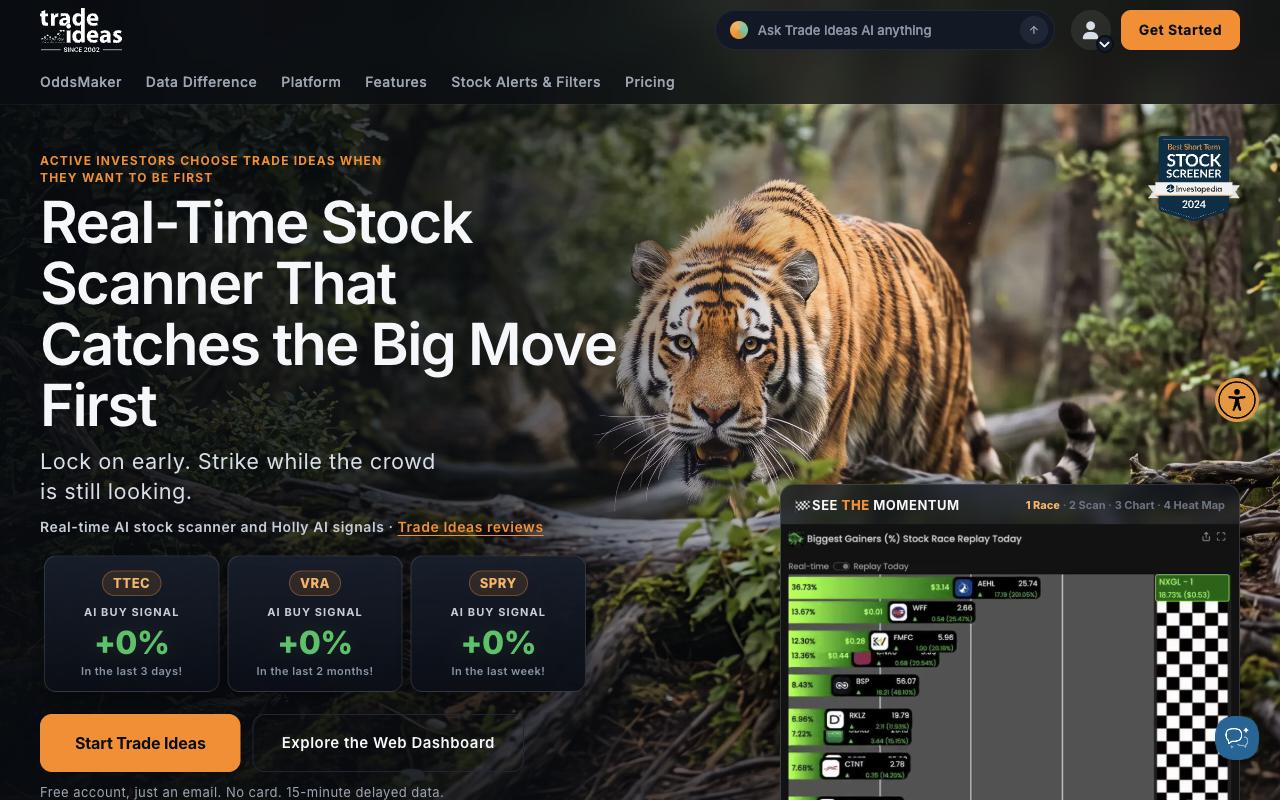
Holly AI is the signal engine inside Trade Ideas, built for active stock traders who want ideas but still want to make the final call. It tests strategies overnight and hands them a short list of setups before the open.
Holly AI
Holly is Trade Ideas’ best-known product. According to Trade Ideas’ own guide, it backtests more than 60 strategies every night, adjusts their settings and keeps only the ones with the best statistical chance for the next trading day. Those strategies appear in the Holly window each morning, and on average Holly takes 5 to 25 trades a day.
Signal filtering
Holly does not show you every strategy it tests. It keeps only the ones its nightly tests rate best, so you see fewer ideas. Check the entry, exit and risk on each one yourself before you act.
Testing and execution
OddsMaker, the testing tool inside Trade Ideas, lets you backtest your own strategies, meaning it runs them on Holly’s past data to see how they would have done, before any money goes in. In practice Trade Ideas works more like an assistant (or a scanner) than a bot that runs itself. Auto trading is the exception: Trade Ideas lists it on the Premium plan, where it can place trades for you at a supported broker, on rules you set.
Trade Ideas’ pricing page lists Interactive Brokers, E*TRADE, TradeStation and Alpaca for broker connections.
Here is how the free version compares with the paid plans.
- The free account is limited: market dashboards on 15-minute delayed data.
- Standard costs $127/month ($89/month billed yearly), but it does not include Holly AI.
- Premium costs $254/month ($178/month billed yearly) and is the plan with Holly AI signals and auto trading.
TrendSpider
TrendSpider is a charting platform that finds chart patterns, trendlines and support levels for you. That’s hours of drawing lines by hand you skip — and more time to check whether a setup holds up.
Sidekick and chart analysis
Sidekick, its chat assistant, is built on language models; it can’t browse the internet or place trades. For chart traders the pattern engine is the bigger draw: it marks chart patterns without manual input, and its help center says it auto-recognizes more than 100 candlestick patterns. Support and resistance levels, multi-timeframe trend overlays, heat maps — it draws those on its own too.
Rules and machine learning
Not all of this is AI, though: TrendSpider has drawn trendlines and found candlestick patterns since 2016, and its help center says the trendlines come from “the mathematical properties of the chart.” Those are rules. The machine learning sits in the AI Strategy Lab, where users build and backtest strategies without code (using models such as Random Forest and K-nearest Neighbours).
TrendSpider’s Strategy Tester, its backtesting tool, runs on intraday data; how far back it goes depends on your plan.
- Pricing: Paid plans only. Prices change with the billing period and with promotions, so check TrendSpider’s pricing page.
- Free tier: No permanent free plan. Trial terms vary, so check the current offer.
Composer
Composer lets you build and run your own strategies in a visual editor, and you never write code.
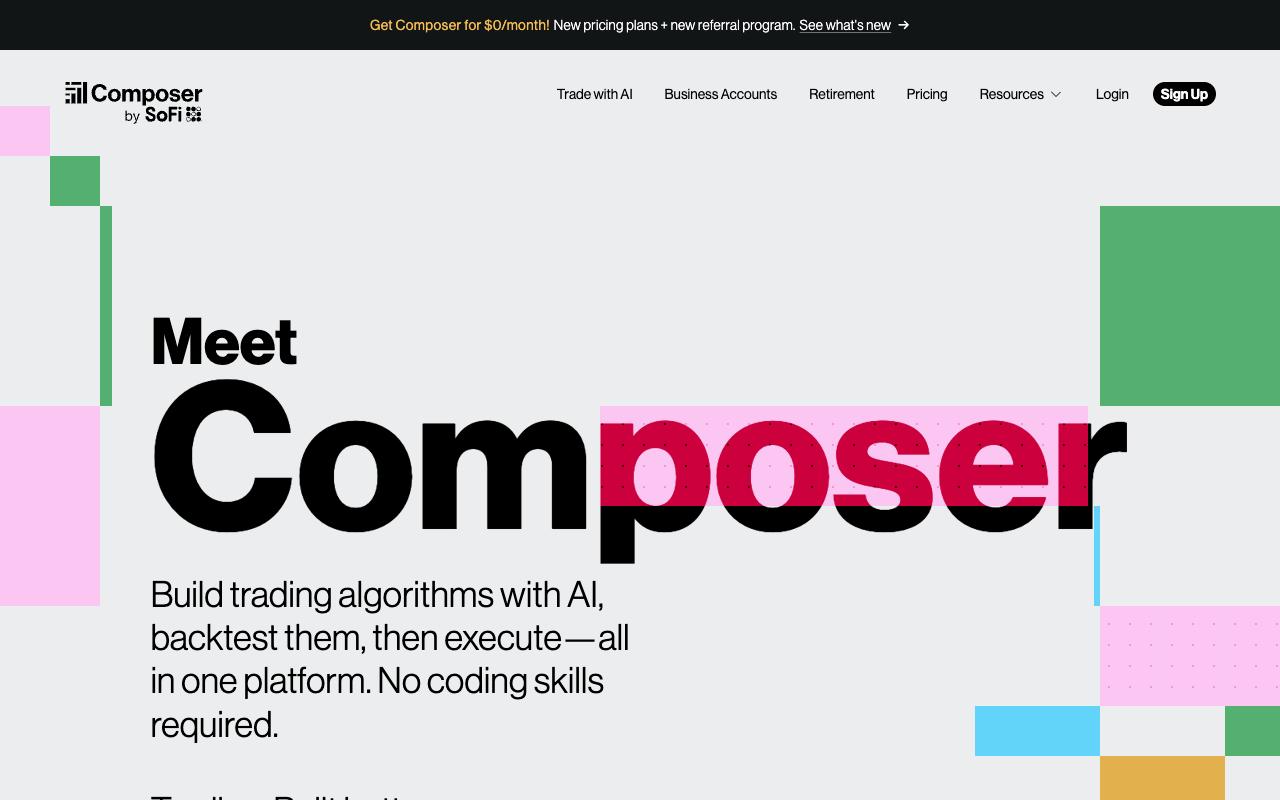
- Automated portfolios with backtested performance records
- Unlimited backtesting
- No-code custom trading strategies using a "drag-and-drop" style editor
You can describe a strategy or piece it together, then backtest it on daily prices going back up to 30 years. Composer is upfront about the catch: “All backtest results are hypothetical and benefit from hindsight”.
Composer Securities LLC is the builder and the broker at once — an SEC-registered broker-dealer, and a FINRA and SIPC member, with trades cleared through partners (more on that below). It runs and rebalances your strategy once a day, near the close. Its AI can write the rules. It “doesn’t make trading decisions for you,” though, and every strategy waits for your confirmation before it runs (a sensible default).
- Starter: $0, with no subscription needed to start automated trading.
- Advanced: $10/month. Pro: $32/month, billed yearly.
- FINRA and SEC regulatory fees are charged on sales of securities; Composer links to a full fee schedule.
StockHero
StockHero is a no-code bot platform for beginners and experienced traders alike. You build a bot, or rent a pre-built one from its marketplace. Either way, it gets tested before it trades.
What it offers:
- Backtesting on historical data and paper trading in a simulated account before real funds go in.
- Connections to major brokers.
- Trades triggered by TradingView signals.
StockHero connects to TradeStation and other brokers. Support can depend on your plan, so confirm your broker on StockHero’s site before you subscribe.
- Platforms: Web, Mobile (iOS & Android)
- Pricing: Paid plans. Trial and free-tier terms change, so check StockHero’s pricing page.
QuantConnect
QuantConnect is for people who write code — quants, developers, traders with their own logic. You build, test and run strategies in the cloud, across asset classes and markets around the world.
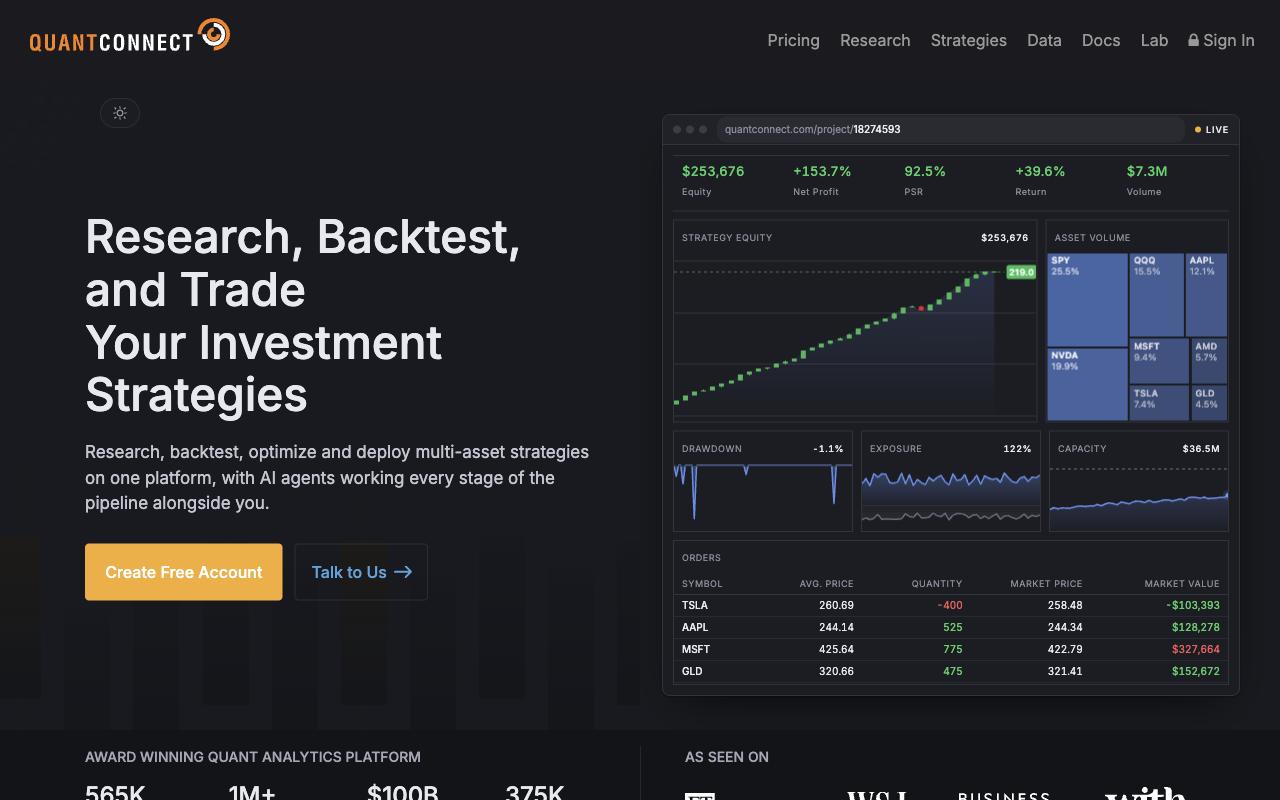
- Multi-Asset Support: Trade stocks, options, futures, forex and crypto on one platform.
- Cloud-Based IDE: Code, backtest and tune strategies online, with nothing to install.
- Algorithm Backtesting: Test algorithms on a large library of historical market data before they go live.
- Multi-Language Support: Mainly C# and Python, with F# also available.
- Brokerage Integrations: Live trading through brokers such as Interactive Brokers, TradeStation, Alpaca, Tradier and Webull.
A free plan is available, but it has no live trading nodes: you can research and backtest, not trade live. Live trading needs a paid plan, so check QuantConnect’s pricing page for current prices.
TradingView
TradingView is a charting and analysis platform, not a trading bot out of the box. Pine Script changes that a little, though: you write custom alerts and strategies, and a connected broker turns those alerts into real trades.

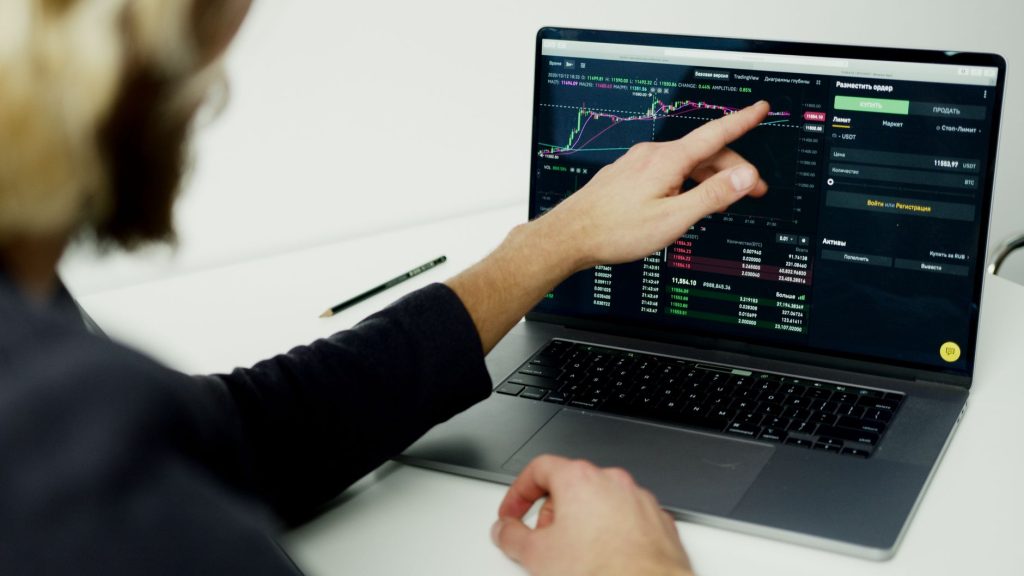
People use it for:
- Deep market screening
- Strong chart types and 100+ technical indicators
- A huge community sharing scripts and ideas
Broker connections vary by country and plan, so check TradingView’s supported-broker list for yours before you rely on an alert to place a trade.
- The free Basic plan allows 2 indicators per chart.
- Paid plans start at around $13/month and remove ads, with more indicators and alerts.
Framework for Choosing an AI Stock Trading Platform
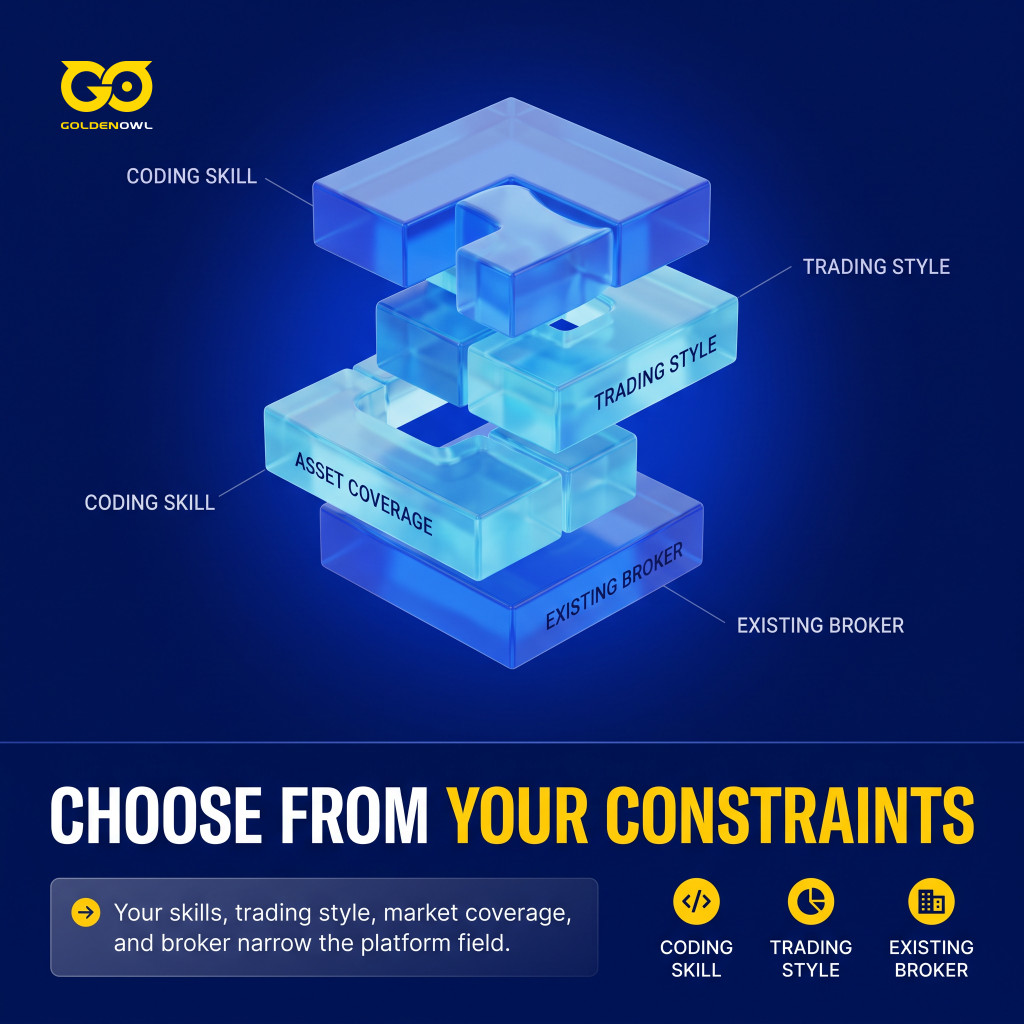
Three things cut the list down fast: whether you code, what you trade, and which broker already holds your money.
Technical Skill and Code Requirements
Start with coding skill. Do you write code and want full control over the logic, the data and the orders? Then look at QuantConnect or Superalgos — both give you a programmable environment and direct API access.
If you don’t code, look at Composer, StockHero or Tickeron instead. They lean on visual builders, templates or AI helpers. You’ll still need some comfort with settings and logs, though. Sooner or later, even on a no-code tool, you’ll have to edit a config file or read an error message.
Investment Style and Asset Coverage
Then decide what job you want the tool to do. (Traders who mainly want crypto automation should also compare the best AI crypto trading bots.)
Analysis and charting:
TradingView is the standard pick for technical analysis and advanced charts. It has strong indicators, community scripts and real-time data.
Idea generation:
Trade Ideas and Kavout find trading opportunities, screen markets and flag unusual activity. Mostly they suggest trades rather than place them.
Full automation:
Composer and StockHero suit traders who want to build, test and run strategies — and then do little hands-on work once those strategies are live.
Your timeframe sets your data needs, too. Intraday strategies usually need 1-minute or 5-minute bars. For swing trading, daily bars are enough (and cost less in API calls).
Direct Broker Integration and API Compatibility
Check your broker before you look at features or prices. If a platform can’t connect to your account — or can’t paper trade, size positions and enforce limits there — it’s probably the wrong platform for you, however clever its AI is. Firms building their own software will need custom broker API work, which is where stock trading app development comes in.
Don’t assume your current broker will work. Composer, for example, sends trades through its clearing partners, Alpaca Securities and Apex Clearing. It doesn’t use an account you already have elsewhere.
Before you connect any brokerage account, confirm these controls:
- the app cannot withdraw funds unless that permission is genuinely required;
- API credentials can be revoked independently;
- maximum order size, position size, daily loss, and symbol restrictions exist;
- duplicate and rejected orders generate alerts;
- the system stops on stale data or lost connectivity;
- every order has a traceable reason; and
- a manual kill switch has been tested.
Step-by-Step Implementation Roadmap for Beginners
Once the broker controls are in place, getting from an idea to live automation is a sequence. Write the rules, test them and run them on paper. Then host them (only if you coded the bot yourself) and go live with small limits.
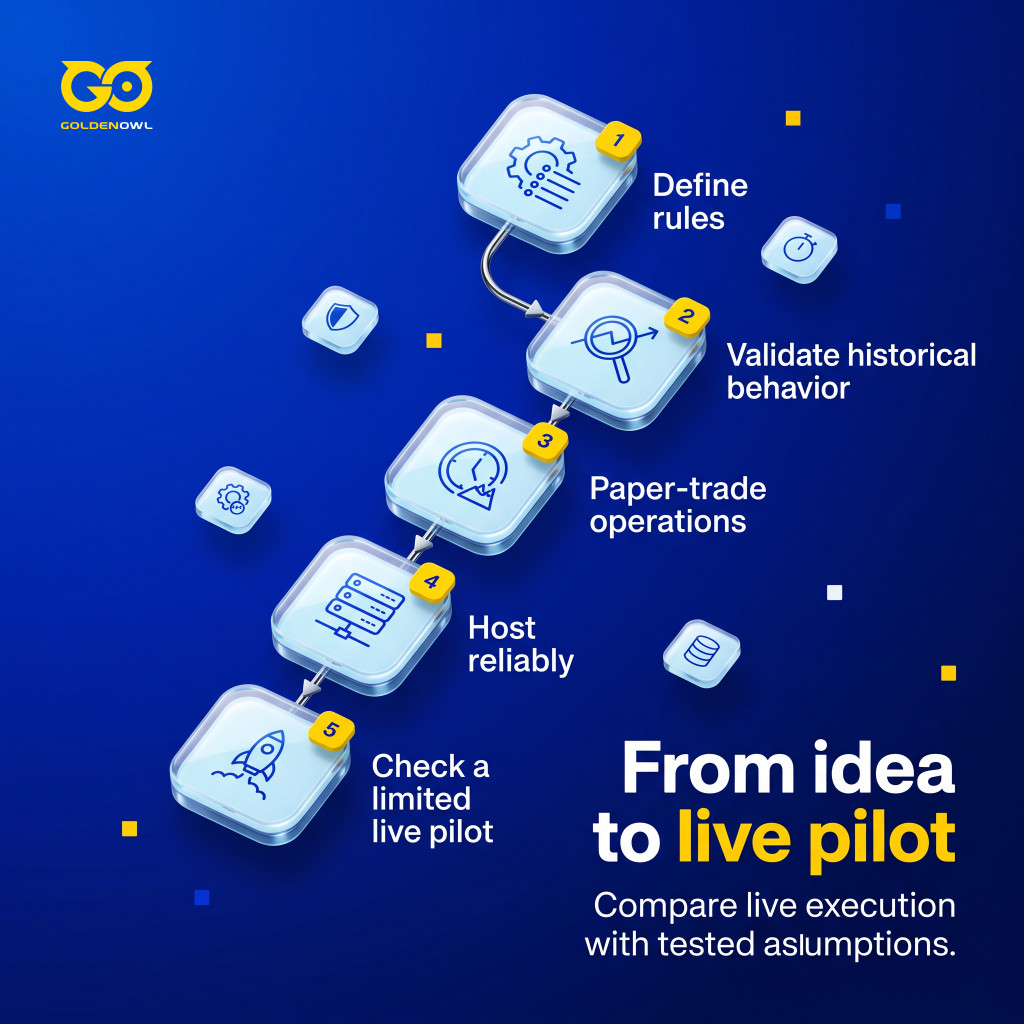
Step 1: Formulating Explicit Strategy Parameters
Write the strategy in plain language first, before you touch any settings.
- What’s the entry signal? (e.g., RSI below 30, price crossing above the 20-day moving average, an earnings beat with positive guidance)
- What’s the exit signal? (e.g., RSI above 70, a stop loss at -5%, a profit target at +8%)
- How much of the portfolio goes into one position? (Many traders cap this at a small, fixed share of the account)
- What conditions pause trading entirely? (e.g., VIX above 30, major news, the days before earnings)
Explain the rules as if to a friend who has never traded. If you can’t say them clearly, a bot probably won’t follow them reliably either.
Strategies that suit a bot usually have a few traits in common.
- Rule-based, not judgment-based. Reading context, sensing mood, making gut calls — those are hard to automate well.
- High signal-to-noise ratio. A strategy that fires 40 signals a day, when you would only act on 3, will make the bot overtrade.
- Clear exit conditions. A bot that can enter positions but has no exit rule piles up problems fast.
Step 2: Historical Strategy Validation
Backtest the rules next. Use point-in-time data where you can get it, and include delisted stocks, corporate actions, realistic spreads, commissions, slippage and the delay between a signal and an order.
> Leave a later period untouched while developing the rule, so the final evaluation does not become another round of tuning.
Walk-forward testing uses different data to build a strategy and to check it. You train the strategy on older data, then test it on data it has never seen. If the results fall apart in that second window, the rule was probably fitted to random noise rather than a real pattern.
Costs matter more than most beginners expect. A backtest can fill every order at the exact mid price; real trading can’t. So add commissions and slippage (the gap between the price you expect and the price you actually get) to the test, and err on the pessimistic side. Small, frequent trades often look profitable before fees and lose money after them.
Step 3: Operational Paper Trading
Paper trading means running the bot with simulated money on live prices. It checks one thing: whether the system copes with live market conditions before real money is at stake.
Run paper trading
Run it for at least two weeks before you go live.
Track
Watch these numbers during that period:
- Signals generated vs. trades executed (a big gap means the risk rules are blocking too many trades, or too few)
- Average win/loss ratio per trade
- Maximum drawdown (the biggest drop from a peak) in a single session
- Any error logs from the execution agent
Export logs
Export the logs to a spreadsheet and read through them by hand. Reading them by hand takes time, but it is how you find the odd cases the bot will run into again once real money is involved.
Test the whole chain
Cover market hours, order types, partial fills, rejections, duplicate protection, data outages and restarts. After each session, compare the bot’s record of its positions with the broker’s simulated account.

Step 4: Infrastructure Setup and Dedicated Hosting
Step 4 only applies if you wrote your own bot and run it on a schedule. Hosted platforms such as Composer, StockHero or Trade Ideas run your strategy on their own servers, so if you use one, skip ahead to Step 5.
If the bot is yours, run it on a VPS (virtual private server), not as cron jobs on a home computer. A home machine can sleep, restart or lose its internet connection. A few habits make the setup safe.
- A basic, low-cost VPS is usually more than enough for one trading bot.
- Put the server in the same region as your broker’s API servers to cut delay.
- In each cron line, set the day-of-week field to `1-5` so the job runs on weekdays only. Without it the bot may run on weekends, throw errors, or, with some broker APIs, place orders in extended-hours sessions you never meant to trade.
- Add a simple health check by having every cron run write a timestamp to a log file.
- Send yourself a Slack or email alert whenever a run fails. Silent failures are the dangerous ones: if the job that closes positions fails quietly, you could end up holding overnight trades you never wanted.
Step 5: Live Pilot Testing with Capital Constraints
Only after the earlier steps should you try a small live pilot, with tight limits. Its job is narrow: check whether live trading matches what your tests assumed.
- Start with minimum permissions, hard position and daily-loss limits, alerts and a manual kill switch.
- Set conservative limits first, and loosen them only as you gain confidence in the system.
- Check your account statements yourself. The pilot tests execution — a short run of profits doesn’t prove a lasting edge.
- Compare real trades with your written rules. Take 20 trades from the log, replay them by hand on the same data, and confirm the bot did what the rules say.
- Check whether signals arrive about as often as you expected.
- Review fill quality to make sure slippage stays acceptable, and watch whether the risk rules reject too many trades or too few.
Capabilities and Limits of AI for Stock Trading
Good AI for stock trading helps you organize evidence. It doesn’t hand you certainty. It can scan whole markets and weigh technical, news and macro factors at once. That is one example of how AI is used in finance. Even with Holly’s morning shortlist, you still have to check liquidity, news and your own risk limits before placing the order. AI is decent at spotting chart patterns, too. Patterns aren’t predictions, and the levels need checking by eye (especially from a blurry screenshot). If a bot turns an idea straight into an order, any mistake in the analysis becomes a loss right away. So use automation only for rules you have already tested.
Backtesting is good at killing weak ideas. It can’t prove a strategy will keep working. Turn the idea into a clear rule first, include trading costs, and test on periods the rule wasn’t tuned on. Your own trade journal helps too: export your trades, group them by setup and time of day, and treat any group with fewer than 20 trades as too small to judge.
Price prediction deserves the most doubt. Market signals are small. They also fade as more traders start using them. So treat any claim that an AI can reliably predict a stock’s price with suspicion, and ask to see results after costs, on data the model never saw.
A model may also have memorized the past prices it was trained on, so its calls on that period look better than they are. Overfitting is a related trap: the model fits old data so closely that it stumbles on new data. So judge an AI’s calls only on data from after its training cutoff, or through live paper trading. Try enough strategy variants and one of them will look strong by pure chance.
Essential Risk Controls for Automated Trading
Decide three things before you go live: how much you can lose, when the system stops, and whether it can trade at realistic prices. Investment risk management software can help enforce allocation limits and other safety rules. Size positions so one bad trade can’t do outsized damage. Set a fixed cap on the risk per trade and on any single stock, and write it down before you go live; many traders keep both to a small share of the account.
A daily loss limit and an automatic kill switch put a hard cap on how much the bot can lose. When losses hit that limit, the bot has to stop — not keep firing orders into a falling market — and you should test that stop on purpose before real money is at risk. Knight Capital shows what happens without it. At that broker-dealer, weak automated controls helped produce more than 4 million executions in about 45 minutes, and losses above $460 million. The SEC documented the failure. Stop and position limits have to work on their own, before a human has time to step in.

Scheduled events need their own rule. Consider pausing trend-following bots around earnings reports: a price gap can jump straight past a normal stop-loss.
Trading costs can wipe out an edge that looks real on paper. Market orders may fill well away from the price on screen; limit orders may not fill at all. Chen and Velikov looked at 120 published stock anomalies. They allowed for effective bid-ask spreads, the decay that follows publication and the shift to modern markets. After all that, the average expected return came to about 8 basis points per month. A basis point is one hundredth of a percent, so that is close to nothing.
Options need even tighter discipline, because the usual stock assumptions break down. Defined-risk trades such as covered calls, cash-secured puts or vertical spreads are a safer place to start, since you know more about the worst case before you enter (a covered call can still lose a lot if the stock falls). A bot selling naked puts (puts with no cash set aside to buy the shares) is a different story: it can keep following its signal through a sharp drop and trigger margin calls, where the broker demands more cash. Every automated strategy needs risk limits, event pauses and realistic execution tests from the first day.
Key Takeaways for Choosing an AI Stock Trading Tool
An AI stock trading bot can place the trade. The responsibility stays with you, though.
- AI is good at high-volume, repetitive pattern work, and it leaves people with the decisions that need judgment.
- Your role shifts from clicking buttons to setting the task, checking the logic and managing risk.
- AI can reduce emotional decisions in trading and process data at scale, but it does not remove market risk.
- Judge a bot as a whole chain from data to order, not as a model on its own.
- Stock selection bias, portfolio rules, execution, security and monitoring decide whether that chain behaves.
The model is only one part of the system, and the risk is still yours. Try one strategy on paper for two weeks before you pay for a subscription.
Share this page


Table of Content

Subscribe to Golden Owl blog
Stay up to date! Get all the latest posts delivered straight to your inbox