
Choosing a React Native mobile app development company? Learn how to pressure-test technical depth, evaluate pricing models, and avoid budget bleed.


How to Choose the Right Enterprise Application Architecture
Jan 21, 2025
about 20 min read

Learn how enterprise application architecture works, explore key patterns and layers, and discover how to choose the right architecture.
Your Enterprise Application Architecture (EAA) is the master plan for all your company's software, the blueprint that dictates how every piece fits together.
The biggest mistake is treating this like a technical puzzle. Choosing an EAA is a business decision. The technical patterns are just tools, and the real job is to match those tools to what the business actually needs to do next year, and the year after that. Get this one decision right, and the rest is just execution.
What is Enterprise Application Architecture (EAA)?
Enterprise application architecture is the behind-the-scenes structure that defines how all of a company's software, both internal and external, works together to achieve business goals.
It sets the rules for how different parts of your tech environment, applications, services, data, and user interfaces, communicate and behave over time. It covers everything from how apps are built, to how they connect, to how data flows and how systems scale.
This is where architecture differs from software design. A house's architecture is distinct from its interior design: one makes sure the skyscraper stands up, the other picks the paint colors. Architecture operates at a higher level than code. It's the set of guardrails that guides how any new software you buy or build has to plug into your core systems, like middleware and databases. The connections are everything.
In a typical enterprise, you have dozens or even hundreds of tools, many owned by different teams, built at different times, often using different technologies. Without a deliberate EAA strategy, you end up with fragmented data, brittle jury-rigged connections, and inefficient integrations. The EAA model tames that chaos by breaking your systems into four core layers.
How to Choose the Right Enterprise Application Architecture
The best enterprise application architecture for your company is a compromise between what your business needs, who you have on your team, and what you're trying to achieve. It has almost nothing to do with what's trendy. Pick the wrong structure and you can watch your upkeep budget multiply over five years while your developers get slower. Think through these core factors before you commit.

Align with Business Goals and Functionality
Start with what the business actually needs to get done. A really complex, event-driven system can be a technical marvel that solves a problem you don't actually have, and the whole project becomes a write-off. Match the pattern to the goal, not to what's elegant.
Consider Performance, Scalability, and Flexibility
Let your workload point you to the right family of patterns:
- Simple CRUD app (create, read, update, delete): a basic tiered setup or a monolith is fine.
- High-volume data processing: an architecture based on message passing.
- System that talks to everything else: an API-first design.
Speed and scale are business questions, so ask what the real-world value of that raw performance is before over-engineering for it.
Evaluate Deployment Preferences (Cloud vs. On-Premise)
The physical location of your software closes some doors and opens others. Running on your own hardware gives you total control, but makes scaling a very hard problem. A cloud-native approach opens up far more ways to connect things and gives you more architectural freedom.
If your company is all-in on a vendor like AWS, use the patterns they recommend. The big cloud providers have already done the thinking for you, so don't reinvent their solutions.
Assess Team Skillsets and Existing Capabilities
A beautiful architecture on paper becomes a huge risk if your team lacks the skills to build it. That learning curve is never zero, and pushing a team toward an unfamiliar approach means they lose time getting up to speed. Take an honest look at the actual, day-to-day technical skills of your engineering team before you make a call.
Plan for the Rate of Evolution and Future Roadmap
The expected rate of change is a huge factor. If your roadmap is packed with constant, major new features, a services-based approach makes sense. But if you're building a simple, single-purpose tool that will hardly be touched after launch, a monolith is the right tool, and you avoid complexity you don't need.
Factor in Team Size and System Complexity
The number of developers you have is the simplest guide, because team size drives how much coordination everyone needs. Match your architecture to your headcount:
Team size | Recommended pattern |
| 1 to 15 developers | Modular monolith or classic tiered design |
| 15 to 50 developers | Microservices with 3 to 8 services |
| 50+ developers | Full microservices or event-driven |
If you have several independent teams, combine micro-frontends with microservices so they can work on different parts of the product without stepping on each other. Consider serverless platforms for specific jobs with really unpredictable workloads.
Key Components and Layers of Application Architecture
Good architecture provides strict rules that prevent future business disruptions. Most systems are built on layers, and a primary rule dictates that a layer can send requests to the layers below it, but never to the layers above. This prevents a tangled mess of dependencies.
Presentation Layer
The presentation layer is what users see and touch: the screens, buttons, and forms. Keep this layer as "dumb" as possible, meaning free of business logic. When checkout logic creeps into the UI, a simple button change can break your entire payment process. Keeping this layer separate lets your design team change the app's look and feel without requiring a full system re-test.
Business Logic Layer
The business logic layer is the engine room where all your company's rules live. This code calculates sales tax, checks item stock, or blocks a customer over their credit limit. To stay clean, this layer can only get information from the data layer directly beneath it.
Data Access / Data Layer
The data layer is a simple vault, with the sole job of storing and retrieving information when asked. It should be completely blind, unaware of who is asking for data or why. If the data layer knows about the user interface, a small database change can break a user's screen.
Integration Layer
The old three-tier model is too simple for modern development, because an application must talk to the outside world. A fourth tier, the integration layer, provides the dedicated, controlled pathway for connecting to a CRM system, a payment gateway, or any external service, using tools like APIs or middleware. Treat this layer with the same discipline, enforcing the same rules on partners that you enforce on your own teams.
Why is Application Architecture Important for Enterprises?
A good architecture plan changes how your company works day to day. When you invest in a real plan, you get rid of the hidden friction that kills momentum and frustrates your best people. Here's what that looks like in practice.

Reduces Complexity and Prevents Tech Sprawl
A deliberate architecture creates a clear map that sets standards for what tools to use and how they connect. Without one, your tech stack becomes a junk drawer: different teams buy tools that don't talk to each other, money gets wasted on duplicate software, and engineers spend half their time figuring out where things are.
A good architecture puts a stop to that. It locates primary data stores, outlines revision protocols, standardizes which platforms employees access, and restricts duplicate tooling. It also blocks unauthorized departments from deploying their own software, so random unapproved tools stop popping up all over the place.
Shifts Resources from Maintenance to Innovation
Stable, predictable systems free your most expensive people from fixing the same bugs over and over. They can use that time to build new features and experiment instead. McKinsey found that companies with a smart architecture can shift up to 20 percent of their tech team's time away from maintenance and toward building what's next.
Improves System Responsiveness and Team Agility
A well-built system lets you roll out a big update or plug in a new data source without the whole thing grinding to a halt. This directly impacts how fast your company can move. For your teams, it's the difference between shipping new code in hours versus weeks, or finding a critical file in seconds versus days. When the foundation is solid, you can jump on opportunities when they appear.
Enables Trustworthy Data and Informed Decisions
Clean data is the direct result of an architecture that enforces a single source of truth and strict controls on who can touch what. You cannot sprinkle AI on top of a messy, disorganized system and expect magic; all those fancy models are worthless without clean, reliable data. A good architecture makes information easy to find and to trust.
Supports Strong Governance and Compliance
Building automated policies into the architecture from day one makes meeting regulations a simple, repeatable process. Your system has to enforce your company's rules automatically, with protected channels for sensitive data and clear access controls designed in from the beginning. Retrofitting this later is expensive and stressful.
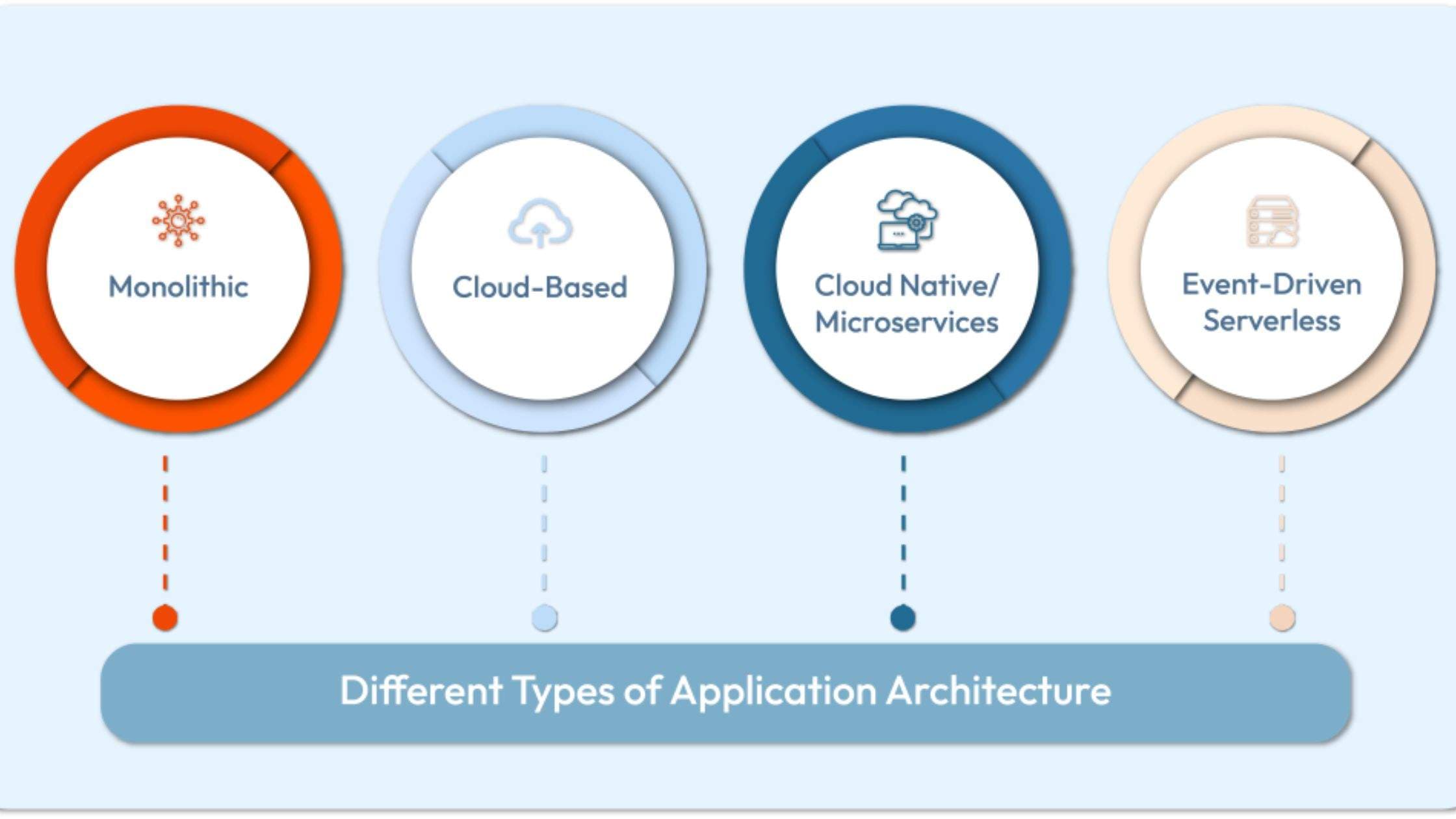
Types of Application Architecture Patterns
Each pattern is a different path, and each comes with a fundamental trade-off between how fast you can build, how complex your operations become, and how your teams can grow.
Monolithic Architecture
A monolith is a single, big codebase. Dismissing it as an outdated relic is a mistake: when you're starting out, a clean monolith is far simpler to build, launch, and monitor than a complex distributed system. It doesn't scale well and can be a pain to update, but it's still the right tool for small jobs with simple needs and low traffic, like a basic online calculator or a straightforward blog.
Layered (N-Tier) Architecture
This pattern separates your code into logical layers, like floors in a building: one for presentation, one for business logic, one for data. That structure makes code easier to maintain, but adds a bit of rigidity you don't get with other patterns.
Modular Monolith
The modular monolith is a smart compromise. You get the best parts of separate services, clear boundaries between features, independent work for different teams, and simple testing, without the operational headaches. Build clean walls inside your monolith and teams can work on their own modules, while it's still just one application to deploy.
Service-Oriented Architecture (SOA)
SOA rose to prominence in the 1990s. The idea was to break big programs into separate, reusable services that talk to each other through a central enterprise service bus. In the real world, that shared bus often turns into a massive bottleneck: every update requires multiple departments to coordinate, which slows down every new feature.
Microservices Architecture
Microservices give you maximum team scalability in exchange for a huge amount of operational complexity. Lots of independent teams can ship features whenever they want, but the price is managing a far more intricate network of services, which makes troubleshooting, tracking, and security a whole different ballgame.
Event-Driven Architecture (EDA)
In an event-driven system, different parts of your application communicate by publishing and listening for events, which are just status changes like a customer signing up or a package being dispatched. These occurrences launch asynchronous processes, making the pattern a great fit for real-time or fast-scaling needs. Many companies run these with tools like Apache Kafka and RabbitMQ, or cloud services such as AWS EventBridge.
API-First Architecture
Going API-first means a lot of design work upfront. REST patterns remain common in corporate setups thanks to established tooling and team familiarity. For complex data relationships, GraphQL is becoming more popular, letting client applications request very specific data subsets from a single endpoint.
The risk is wasted effort: you might draft complex APIs for features that never get built, and you create future work managing different versions over time.
Serverless Architecture
Going serverless trades control over your infrastructure for a pay-per-use cost model. It's ideal for jobs with unpredictable workloads. In return, you accept the risks of vendor lock-in and "cold start" delays.
Web Application Architecture
Web application architecture is really a mix of other patterns, like a layered or microservices approach, chosen to serve the specific business needs of an application that runs in a browser.
Mobile Application Architecture
Designing for mobile forces a different set of trade-offs. You prioritize network lag, battery consumption, and the ability to work offline. The choices here are very different from what you'd pick for a web or backend system.
Micro-Frontend Architecture
This applies the microservice trade-off to the user interface: more team autonomy at the cost of more complexity. It creates new problems around routing between UI parts, sharing application state, and keeping visual style consistent.
If every component loads its own frameworks, page load times balloon, and the experience can feel disjointed without design coordination. Techniques like Module Federation, Web Components, IFrames, or server-side composition help manage this, but it's work.
Architecture Patterns at a Glance
| Pattern | Best for | Trade-off |
|---|---|---|
| Monolithic Architecture | Small applications with simple requirements and low traffic | Simple to build and deploy, but harder to scale and update independently |
| Layered (N-Tier) Architecture | Enterprise applications that need clear separation of presentation, business logic, and data | Easy to maintain, but can become rigid and tightly coupled |
| Modular Monolith | Growing applications that need clear domain boundaries without distributed-system complexity | Requires strong module boundaries and discipline to prevent coupling |
| Service-Oriented Architecture (SOA) | Large enterprises integrating reusable services across departments and systems | Centralized governance and ESBs can create bottlenecks and coordination overhead |
| Microservices Architecture | Large organizations with many independent teams and rapidly evolving services | High operational complexity for deployment, monitoring, debugging, and security |
| Event-Driven Architecture (EDA) | Real-time systems, asynchronous workflows, and highly scalable applications | More difficult to trace, test, debug, and reason about across distributed events |
| API-First Architecture | Organizations building multiple clients, integrations, or independently developed applications | Requires upfront API design and ongoing versioning and governance |
| Serverless Architecture | Event-driven workloads and applications with unpredictable or variable traffic | Less infrastructure management, but greater vendor dependence and potential cold starts |
| Web Application Architecture | Browser-based applications with requirements that may combine layered, modular, or distributed patterns | The architecture must balance browser, backend, network, performance, and security concerns |
| Mobile Application Architecture | Mobile apps where network reliability, battery usage, device resources, and offline support matter | Requires additional handling for intermittent connectivity and device-specific constraints |
| Micro-Frontend Architecture | Large frontend teams that need independent development and deployment of UI areas | Increases frontend complexity around performance, routing, state, and design consistency |
Implementation Strategy and Migration
A total rewrite won't happen all at once. A "big bang" migration is a fantasy that ends in chaos. A smart transition is done piece by piece, managing risk every step, so the business keeps running. Here's how you do it.
Analyze Business Needs and Map the Current State
Start by writing down what you're trying to achieve in dollars and cents. The goal might be to ship code faster, make customers happier, expand to a new country, or get off ancient software that's holding you back. Decide this before you think about a framework or a database.

Next comes discovery. Build a full list of every tool the company is using, including unauthorized department utilities. Talk to everyone: execs, product managers, security folks, database admins, and the engineers in the trenches. Collect existing capability blueprints, flow diagrams, design files, and corporate policies. You can't draw a map to the future without knowing where you are now.
Define Architectural Principles
Set up a handful of clear, high-level rules so teams can make their own decisions and still have everything line up. These need to fit your company's culture and what your tech can actually do. Good examples:
- Prefer APIs over direct DB access
- Buy before build for everything except your core IP
- Security is non-negotiable
- Cloud-first, but ready for a hybrid setup
Draft a vision statement for the architecture that backs up your company strategy, and lay out core engineering guidelines for things like code reuse and data safety. You can lean on established playbooks like TOGAF and DMBoK for a solid foundation.
Choose Architectural Styles and Tech Stack
Base your choices on the business needs and principles you just laid out, not on shiny object syndrome. What's trendy doesn't matter. This is a business decision.
Build a Roadmap for Evolution and Migration
Rewriting an entire system at once is a very high-risk bet you should never make. Successful moves happen in small, gradual steps using specific risk-lowering techniques:
- Strangler Fig Pattern: carve off one piece of functionality from your old system, build it as a new service, and route users to it for that feature while the old monolith handles everything else.
- API Gateway: introduce a unified API proxy layer on top of your legacy applications, giving client applications a stable connection point while the back-end is rebuilt.
- Database decomposition: partition shared databases into isolated, service-specific data stores. This is often highly complex because relational databases typically span service boundaries.
- Event Sourcing: log every data event across the company to build the foundation you need to pull services apart later.
Establish Governance, Roles, and Standards
Your architecture team can be central (one group dictating all standards) or federated (architects embedded in business units). For big companies, a mix works best: a small central team supporting federated architects in the field. This keeps systems aligned while giving domain teams enough freedom to move quickly.

Define clear roles: Chief Enterprise Architect, Business Architect, Solution Architect, Data Architect, Security Architect, Domain/Platform Architect, and EA Analysts. To make governance real, start the meetings and stick to them: an Architecture Board for big-picture strategy and an Architecture Review Board (ARB) for tactical calls. The ARB might meet every two weeks, the main board every quarter.
Deploy the Architecture
Start with a small project that delivers a big win, something that gives immediate business value at very little risk. For example, if your sales reps waste hours copying client info from an old system into Salesforce, a great first project is a small microservice that syncs that data automatically. It helps the business right away and lets you test your new architectural rules on something small and manageable.
Monitor, Measure, and Iterate
Architecture is a cycle of constant adjustment, not a finish line. You'll always be tweaking your technical plans as the business changes and new tools come along. Set up clear metrics to see if you're creating business value: system speed, how fast your developers ship code, and service uptime. These tell you if the architecture is working, and when you need to change course.
Context
We're picking a relational database, the system that holds all your core data: user accounts, product details, sales history. It's the single source of truth for your entire company, so every other service depends on it being right. The system has to guarantee that transactions are all-or-nothing, so you never end up with corrupted data or partial updates. It also has to handle complex queries across multiple tables, because that's how you get the analytics and reports you need.
Decision
PostgreSQL is our primary relational database, for every new service that needs one. The major caveat: you can't run it yourself. The operational drag of patches, backups, and failovers is a killer, so make it a hard rule that every new service uses a managed instance like AWS RDS to offload that pain.
Consequences
The upsides show up fast. Your team probably already knows PostgreSQL, so they can build things instead of learning a new system. You also get powerful tools out of the box, like native JSONB for flexible data models without extra hassle. This simplifies everything for new projects.
But you can't pretend the old systems don't exist. The biggest headache is that you now have to create a migration plan. If your existing services run on MySQL, you've signed up for a parallel project to move them over. Ignoring it is worse: your whole roadmap grinds to a halt while you manage two different database worlds.
Guiding Application Architecture Principles for Enterprises
These are guardrails learned from expensive mistakes. Teams tend to ignore them when a project deadline feels more urgent than long-term health, and that trade-off costs you every time.
Align Architecture with Business Goals
The single job of your architecture is to help the business achieve its goals. When the structure of your software supports the direction of your company, you get a much better return on your effort. A technically brilliant system your team can't build or maintain is worthless, just a diagram on a whiteboard.
Design for Scalability, Performance, and Longevity
Prepare for expansion from the start. Build with modular components and select technical pathways that prevent future friction. Design your APIs with an eye toward who might use them later, and set up core servers that adapt to heavier transaction volumes. Ignoring technical problems creates a painful cycle of rework that burns out engineers and drains budgets.
Prioritize Security by Design
Security has to be a ground rule from day one, not a feature bolted on at the end. Retrofitting protective measures onto an existing platform results in messy, fragile patches. Build in defenses from the beginning: cryptographic encryption, granular access controls, and early anomaly detection to stop breaches before they do damage.
As you connect more systems, be strict about limiting each one's access to only what it needs. IBM research shows that fixing a security problem after release can cost up to 30 times more than fixing it during design.
Ensure Flexibility, Adaptability, and Maintainability
Favor modular engineering and open standards. When platforms are tightly woven together, you can't change one part without creating problems for the whole application. Build with independent blocks you can reuse in other internal tools, which makes coding faster and more consistent and cuts down on duplicate work.
Focus on Integration and Separation of Concerns
Your core business rules should not be tangled up with your database or your user interface. When your UI, processing logic, and data storage are all mixed together, even a small change can set off a chain reaction of failures.
A simple test: your user interface should have no idea how data is stored, and your database shouldn't care how that data is displayed. If a design change like adding a currency symbol in the UI breaks the tax calculation engine, your presentation layer isn't properly isolated.
On the other hand, if two things like customer accounts and sales agreements are truly inseparable, house them together in one module.
Establish Strong Governance and Standards
Without clear rules, developers create their own rogue setups, which leads to chaos and political fights. A structured workflow removes that confusion by mandating things like secure HTTPS protocols and standard ETL routines for processing data. Set data governance policies from the very beginning to enforce best practices for role-based access and audit trails.
Foster Collaboration and an Iterative Approach
The real work is shipping a steady stream of operational improvements, one cycle at a time. Your architecture has to support how your teams actually work, whether they use agile methods or DevOps pipelines. Chasing a flawless final product just delays your launch indefinitely.
Architectural Health Check: 5 Red Flags

When you violate these principles, the problems show up as clear symptoms:
- The Ripple Effect: a minor change in the 'Users' directory forces you to re-test the entire 'Invoicing' and 'Reporting' modules. Symptom of Poor Separation of Concerns.
- The Database is the Hub: your front-end interfaces and other services all query a single centralized database directly. A sign of Tight Coupling, Poor Integration.
- Performance Mysteries: finding the root cause of a slowdown requires a days-long, system-wide investigation. A product of Poor Scalability & Observability.
- Hero-Driven Development: your release process is so brittle that only one or two senior programmers are trusted to deploy to production. Signals Poor Maintainability, High Complexity.
- One Size Fits All: your entire system is locked into a single technology, even for tasks where another tool would be 10 times more efficient. A dead giveaway for a Lack of Flexibility.
The Role of the Enterprise Application Architect
The architect's main job is to be a strategic translator, making sure every piece of the enterprise application architecture helps the company hit its goals. Many software projects go sideways because the people building them design for their own egos, not for the business.
Strategic Alignment with Business
The most effective systems aren't built with the trendiest tech, they're the ones that directly help the business make money or move faster. Making that connection is the core job of the Enterprise Architect, and it's a shared process that needs real input from department heads, IT managers, and the executives signing the checks.
Architectural Design and Oversight
The architect draws the master blueprint for the entire system. This means choosing the right fundamental pattern, like microservices versus a monolith, that fits the agreed business strategy, then laying out the high-level framework every development team will follow. This one decision locks in the direction for years of work.
Technology Evaluation and Selection
Your job is to be the skeptic who weighs new tools against concrete business problems. A new piece of tech has to solve a real-world need; its purpose is more than giving a developer a cool line on their resume. The buzz from a conference talk means nothing if the tool doesn't deliver.
Setting Governance and Standards
Without clear rules for how code is written, how APIs are built, and how systems connect, each team makes up their own way of doing things. These standards are the law of the land, not suggestions.
Collaboration and Communication
A huge part of this role is being a translator between the engineers building the product and the executives running the business, explaining company goals to one side and technical limits to the other. The two groups rarely speak the same language.
Risk Management
Risk isn't just worrying whether a server will crash. The real work is answering questions like, "What if a developer pushes a change that accidentally leaks private customer files?" or "What if a newly integrated CRM crashes when it receives corrupted data?" A skilled architect builds resilience, security, and compliance into the system's DNA from the start.
Real-World Applications and Examples
Architectural diagrams are clean, but real-world decisions are messy, driven by urgent business needs like servers crashing during your biggest sale of the year or a dev team slowed to a crawl. Here are the choices real companies have made.
Common Enterprise Systems (CRM, ERP, SCM)
The big software you already use offers a clear example, and each has a different architecture because it has a different job:
- CRM (Salesforce, HubSpot): manage customer data.
- ERP (SAP ERP): organize a company's financials and operations.
- SCM (SAP SCM, Oracle SCM): manage supply chains.
- Specialized tools (BambooHR, WordPress, Tableau): HR, content, and analytics.
Virgin Voyages and Matthews Case Studies
At Virgin Voyages, a new policy let non-engineers build their own tools, and the result was more than 15 live business applications across seven departments; one analyst turned 15 scattered spreadsheets into a single cohesive app. At the real estate firm Matthews, a marketing coordinator with no engineering background built a program that cut document processing time from multiple days down to a few hours.
Netflix's Cloud Migration
Netflix is the most famous example of architecture following business needs. When their on-premise servers couldn't handle growth, they moved to a cloud infrastructure with hundreds of separate microservices as a direct response to scaling pressure. The project started in 2008 and took 7 years, finishing in early 2016, during which the subscriber base grew by 8×. The architecture had to follow the business.

Shopify's Modular Monolith
Shopify is a powerful counter-narrative to the microservices trend. They chose a "modular monolith," which let them scale without the high costs and complexity of a distributed system. This wasn't a standard monolith: they enforce very firm boundaries between over 300 categorized areas inside their 2.8 million lines of Ruby code. The lesson isn't to copy the trend, it's to understand the trade-off.
Future Trends in EAA
The first instinct with new technology is to tack it onto existing systems, but future trends demand a bigger shift in thinking.
AI requires a fundamental architectural change, not just a new plug-in. Making a few API calls to OpenAI or Anthropic is not a true AI integration; the real work is building supportive plumbing from the ground up. The architecture must route new kinds of information, with real-time data pipelines for model inference and feedback loops to keep models sharp. It also needs new infrastructure like vector databases, feature stores, and MLOps pipelines, some of it pushed to the edge to maintain performance.
Frequently Asked Questions (FAQ)
What is the difference between enterprise architecture and application architecture?
Enterprise architecture is the high-level strategic plan for all technology across the company. Application (or solution) architecture is the nuts-and-bolts design for a single project that has to work within that larger strategic world. Using the city analogy: enterprise architecture is the master plan for the entire city, while application architecture is the design of a single building within it.
How does TOGAF relate to an enterprise application architecture?
TOGAF is a formal process, a management framework you use to do the work of creating an architecture. The enterprise application architecture (EAA) is the actual blueprint you produce by following that process. TOGAF is the act of drawing the map; the EAA is the map itself.
Can a small company have an enterprise architecture?
Yes, and it should. You have an enterprise architecture from the moment you write your first line of code. The only question is whether you chose it on purpose or got a bad one by accident, and the accidental ones are always a mess.
Are microservices always the best choice for modern applications?
No. Microservices solve one specific problem: coordinating huge numbers of engineers working on one product. They come with massive operational overhead. For most teams, a clean, well-organized monolith is simpler and better.
Your enterprise application architecture are core business decisions that directly impact how fast your company can move. Every system, every connection, every database is a trade-off. Look at the map of your own systems and ask whether it truly supports where your business needs to go. If it doesn't, you have work to do.
Share this page


Table of Content

Subscribe to Golden Owl blog
Stay up to date! Get all the latest posts delivered straight to your inbox