Digital transformation in utilities explained: five pillars, self-service CX, predictive maintenance, and AI use cases, with real utility results.


ERP vs Supply Chain Management: What’s the Difference?
Nov 15, 2024
about 35 min read
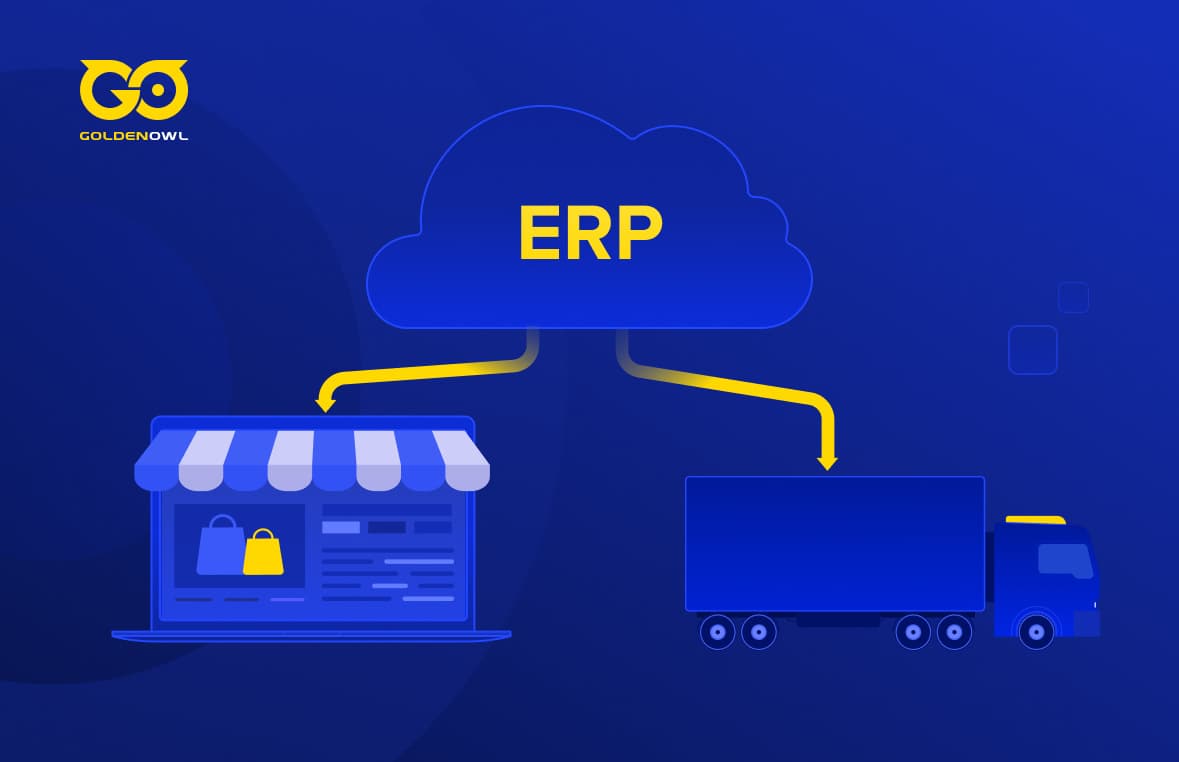
What's the difference between ERP vs Supply Chain Management? Stop comparing and start seeing how they work together.
People love to pit ERP against SCM like it's a boxing match. That misses the point entirely when it comes to ERP vs supply chain management. These two systems do completely separate things, and they're meant to be paired, not compared.
ERP is your internal ledger, the single source of truth for financials, inventory levels, order status. Supply chain management handles the messy external side: suppliers, carriers, warehouses, actual deliveries. One without the other is a half-built engine.
Trying to pick just one leaves that critical gap between your internal numbers and real-world execution unfilled, and that gap costs you a hell of a lot more than any software license. The hard part isn't choosing a tool; it's figuring out which pain is screaming loudest, then wiring the two systems together so they actually fix it.
What Is an ERP System?
Most people will tell you ERP is a back-office consolidation move. That framing misses the real cost companies keep paying: the reconciliation tax. The hours, the errors, the decisions that get postponed while finance and ops compare two different versions of the truth. That tax compounds with every spreadsheet someone has to trust and verify.

Definition and Core Purpose
The reconciliation tax is easiest to spot just after you scale past the simple stage. In a tiny operation with steady demand, it might barely register. Add a second distribution center and watch what happens.
The month-end close splinters into three separate spreadsheets, purchasing, production, and accounting, and every column somebody re-keys introduces a new chance to get out of sync. Sit through a close with your team and count every manual data transfer. You'll see the tax clearly then.
One shared repository changes the game. It ties purchasing, inventory, production, order management, and financial records together so every department works off the same live data, not a stale snapshot. That's the definition: a single source of internal truth that stops teams from spending their energy reconciling instead of deciding.
Key Characteristics
Four traits make the reconciliation tax go away: integration, real-time data, scalability, and comprehensive reporting.
Demand that any ERP you evaluate unites procurement, production, and accounting under one roof. A single invoice should post without a manual journal entry. For scalability, the same system needs to work for a 50-person manufacturer and a 5,000-person distributor without forking the codebase, and adding a new business unit should never force a multi-month reimplementation.
Live updates move inventory the moment a pallet leaves the dock, and built-in reports surface margin per customer without a single export to Excel.
Key Components and Functionalities
Every module is a seam where data reconciliation either holds or cracks open. It holds when finance, HR, and production all write to the same ledger and read from the same schedule.
For a fast diagnostic, sit through a weekly production meeting and listen for the phrase "according to my numbers." In a company without an integrated ERP, you'll hear it at least three times before anybody's coffee cools down, because inventory, orders, and financial records live in separate silos.
Under the hood, finance modules pull invoices, general ledgers, payables, receivables, and fixed assets into one place. Production, sales, marketing, and personnel records all feed the same repository, so automated workflows eliminate the hand-keying that used to eat entire afternoons. That's where the tax savings show up, in hours given back to your team.
History and Evolution
In the 1960s, manufacturing ran on Material Requirements Planning (MRP) systems that calculated raw material needs straight from a production schedule. MRP II broadened the scope by pulling finance and personnel into the same planning logic, so for the first time a purchase order could automatically trigger a journal entry. The 1990s brought organization-wide ERP platforms linking everything from HR to distribution. Through every decade, the throughline stays the same: a single shared database that refuses to let finance and operations live in separate spreadsheets.
Importance in Business Operations
Linking every internal function to one live data source gives you a unified, immediate view of the business. Seeing today's cash position against tomorrow's scheduled shipments without a manual reconciliation isn't a luxury, it's the baseline. Without that link, small discrepancies compound, and reconciliation meetings never shrink on their own.
What Is Supply Chain Management (SCM)?
You glance at your ERP and see a purchase order confirmed, but the actual shipment won't arrive for three days, and you won't know it's late until the pallets fail to show up at the dock. That gap is exactly what supply chain management exists to close.
Where ERP handles what happens inside your four walls, SCM picks up everything that crosses the boundary: the flow of goods, data, and money with partners you don't control. Its focus is outward, on suppliers, manufacturers, distributors, and logistics providers, which means the moment a handoff leaves your in-house platforms, your visibility drops to zero.
Definition and Core Purpose
SCM's central job is to shrink the uncertainty that comes from relying on outside players. It manages the movement of goods, data, and money through every stage from raw material to finished item, but because those stages run on someone else's systems and someone else's timeline, a clean handoff on your side becomes an invisible gap on theirs.
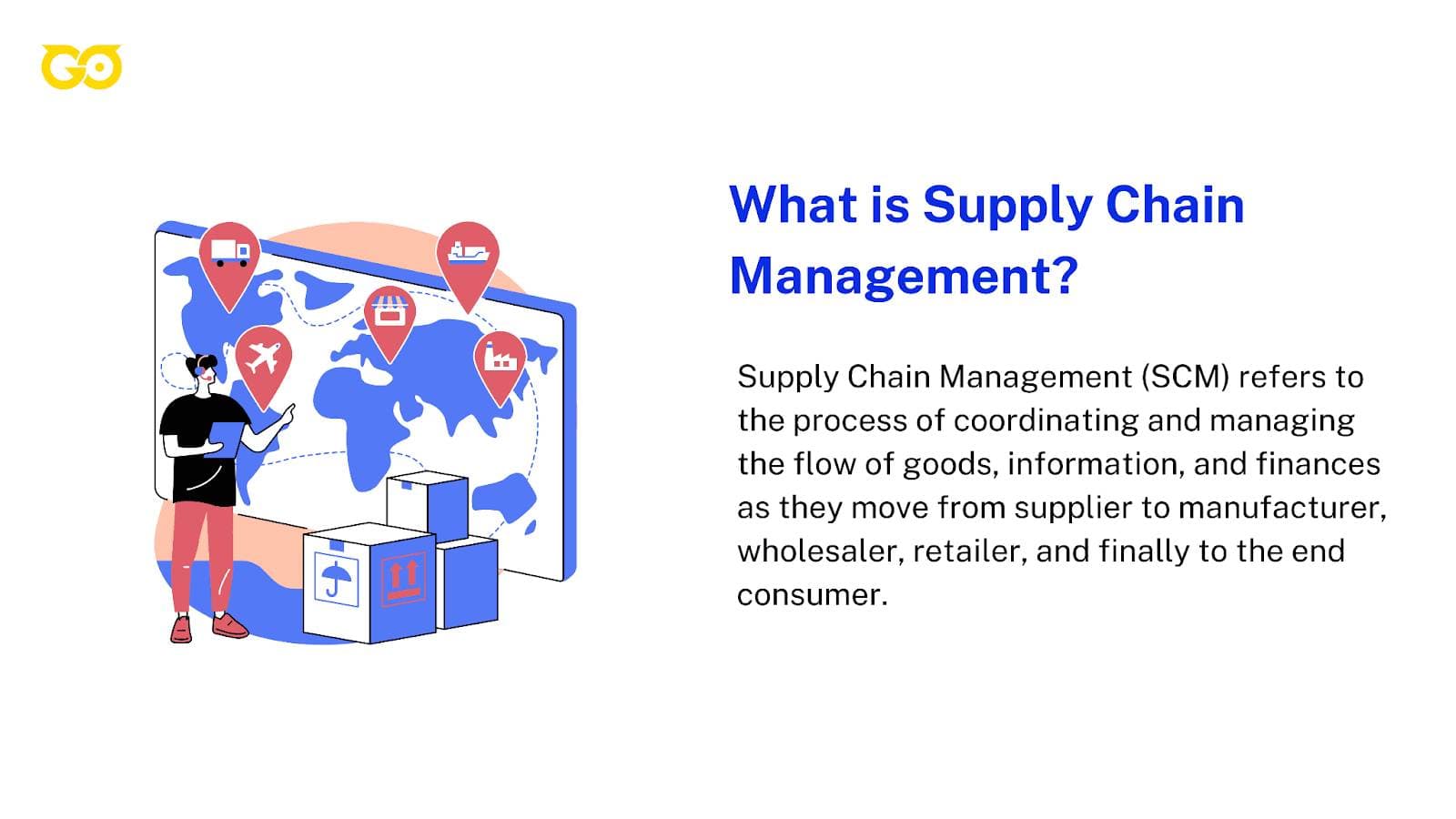
If you owned every link in the chain, that gap wouldn't matter. For most companies, though, a single finished product depends on dozens of external partners, any one of whom can introduce a delay that stays hidden until it lands on your loading dock.
Picture a consumer electronics company sourcing components from seven suppliers across four countries. One supplier ships a batch 72 hours late because a piece of machinery went down, but the manufacturer's internal dashboard still shows the order as confirmed, the procurement document was acknowledged, after all. By the time the delay surfaces, downstream assembly is already idled.
The handoff point, the instant those components left the supplier's facility, had no mechanism to report actual status. Three days of invisible delay. Every handoff without a feedback loop is a roll of the dice.
Key Characteristics
Interconnectedness means you depend on a long chain of players, suppliers, manufacturers, distributors, retailers, customers, each running on its own schedule. Complexity introduces elaborate procedures that multiply the number of points where a handoff can silently fail.
So how do you spot these fracture points before they turn into production stops? Map your own supply chain. List every partner that touches a single product from raw material to end customer, then mark every spot where responsibility shifts from one entity to the next.
Spend an hour walking through what actually happens at each handoff: what signal confirms completion, what systems the two parties use, and whether either side sees a gap between when the work finishes and when the other side knows it finished.
A global network with dozens of players creates handoff gaps at every node, and a relentless focus on efficiency strips away the buffer that would absorb them. Shorter lead times mean a two-day invisible delay now breaks the schedule. Dynamic conditions amplify the damage, because shifting demand or a transportation bottleneck converts a small gap into a cascading failure.
Key Components and Functionalities
Picture a dashboard where a supplier's shipment delay triggers an automatic reallocation across every store before a single customer sees an empty shelf. Every SCM capability is designed to close that visibility gap precisely at the handoff points.
Forecasting, planning, and tracking inventories aren't administrative busywork, they're mechanisms to detect a stockout brewing inside a supplier's operation before it becomes your production stoppage.
Real-time collaboration with manufacturing partners replaces the silent interval between order acknowledgment and actual shipment with a continuous signal. Sourcing tools scout and qualify suppliers so you aren't gambling on a partner whose performance record is invisible to your in-house platforms.
A furniture retailer running lean inventory on seasonal outdoor products illustrates the distinction. Their planning system forecasts demand across 87 store locations and tracks lead times from mills in North Carolina and Vietnam.
When one mill signals a production queue backlog, the system recalculates replenishment across every location, shifting allocation toward stores with higher sell-through and away from those that can absorb a later arrival. The forecast, the supplier status feed, and the internal allocation logic all run as one sequence.
Those functions cover product development, sourcing, production, logistics, and the information systems required to synchronize them, including deciding which partners to outsource or subcontract for specialized work or overflow.
History and Evolution
The concept of supply chain management solidified toward the end of the 20th century, as organizations started knitting together operations across functions and partners that had historically worked in silos. The phrase "supply chain" first appeared in the 1980s, and its importance grew alongside globalization and just-in-time manufacturing.
When production cycles shortened and buffer inventory shrank, the cost of an invisible handoff rose sharply: a missed shipment that once sat unnoticed in a warehouse for a week could now idle an assembly line inside a single shift.
Importance in Business Operations
SCM wrangles external dependencies, and its effectiveness is always capped by one thing: it can't see inside the business it serves. A supplier risk assessment that doesn't know your actual inventory levels, or a demand forecast disconnected from your production line's real capacity, produces recommendations that look sound on their own but fail the moment they hit the internal handoff.
The external view remains incomplete until it merges with internal truth. Without that merger, every recommendation is a potential mismatch with on-the-ground reality.
The Key Differences
You're a year into running a manufacturing line that depends on a dozen outside suppliers. The distinction between internal control and external flow stops being academic and becomes a line item on your P&L. You can survive one late payroll run because HR forgot to update a code. You cannot survive a missing shipment of custom-molded components from your sole injection-molding partner in Guangdong without halting production entirely.
It's not that one system matters more. It's that each fails in a different way, and the failure you feel first is determined by which half of your operations stack you left untreated.
Scope and Focus (Internal vs. External)
ERP looks inward: the tangible assets you control, raw inventory and cash, machine capacity on a floor you walk every morning. SCM faces outward toward the journey goods, data, and resources take from suppliers to end customers, supplier oversight and logistics routing along with distribution planning.
If this divide were just a tidy division of labor, the standard advice to buy both when the budget allows would hold. For a growing company with a single large customer and ten suppliers spread across three geographies, however, the external network usually snaps first, and it snaps quietly until a purchase order sits unfilled. The flow of goods breaks before the internal books do.
ERP pulls finance, HR, and manufacturing into one system where a journal entry in accounts payable is visible to the same platform that tracks production yield. SCM's scope stays confined to logistics, procurement, and delivery. One system runs the entire company; the other runs the thread that connects the company to everyone else.
Functional Differences
ERP serves every internal department: the controller reconciling month-end close, HR processing benefits, the production scheduler loading work orders into a capacity plan. SCM serves a narrower, jumpier group: procurement buyers negotiating contracts, logistics coordinators rerouting shipments around a port strike, planning analysts tweaking safety stock, supplier-facing teams managing vendor scorecards.
At a mid-tier consumer goods firm, when a logistics coordinator can't see that accounts payable has placed a 45-day hold on a key supplier's invoices, she's sourcing on bad data. The hold lives in the ERP; the supplier relationship lives in the SCM. Without integration, one hand optimizes a supply chain the other hand has already compromised.
Before you evaluate any feature list, grab a sheet of paper and write down the three most expensive disruptions your operation suffered in the past eighteen months. Circle whether each originated inside your organization or somewhere in your supplier network.
This takes twenty minutes and forces a sequencing decision: if two of the three are external failures, late deliveries, quality rejects at incoming inspection, freight cost overruns, the SCM purchase earns its spot first.
ERP's breadth covers financial reporting, payroll, and project tracking alongside supply chain operations, but that breadth matters most when your internal controls are what's breaking.
Data Management and Integration
ERP manages enterprise-wide data with real-time visibility into financials, HR, and supply chain simultaneously, so it carries the full picture of what the company can afford and when. SCM relies on data specific to a functional area: inventory levels at a given warehouse, supplier performance metrics like on-time delivery rate and defect percentage.

A standalone SCM system can tell you that switching to a lower-cost supplier in Vietnam would reduce per-unit cost by 12 percent, but it cannot see that your finance department doesn't have the cash flow to meet the new supplier's shorter payment terms. That recommendation becomes a gamble on internal conditions the system was never built to read.
Companies that choose standalone SCM systems often run into compatibility problems when they eventually link those systems to an existing ERP. The integration is technically doable, but rarely clean: data models differ, update frequencies clash, and the real-time insight ERP promises has to get reconciled against the batch-oriented movement data many SCM tools ship with.
A system that generates supplier scorecards from stale cost assumptions produces exactly the kind of optimization that looks correct on a dashboard and collapses the moment product hits the receiving dock.
Overall Business Impact
The SCM versus ERP decision is a bet on which failure mode hits you first. SCM primarily affects operational efficiency, cost reduction, and customer satisfaction, the metrics that light up when a shipment is late or a recurring order gets canceled. ERP impacts all areas of the business, from overall performance to scalability to the quality of strategic decisions.
Choosing SCM first means you accept internal inefficiency for a defined period in exchange for rapid external gains. Choosing ERP first stabilizes the organization's vital signs, giving you clean financials and a single source of truth before you optimize the flow of goods across a network you don't fully control. Map the failure modes you cannot afford to the system that prevents them, and sequence the purchase that way.
Key Similarities Between ERP and SCM
What does every operations leader actually want? To stop guessing. Both ERP and SCM were built to turn that instinct into data, automate workflows, cut redundant manual tasks, and deliver a single source of truth so managers decide on facts, not gut feel. The vendor slide deck for each makes the same pitch: fewer errors, lower operating costs, faster decisions.
Here's the catch. That similarity breeds a quiet, expensive assumption that integration will be a downstream checkbox, something the implementation partner handles in week six. What gets skipped is the unsexy work of defining a shared data model both systems respect: the same customer record structure, the same inventory valuation logic, the same definition of a fulfilled order.
Without that, the automation each promises stays locked inside its own database, and your single source of truth becomes two sources that disagree on Tuesday's shipment count.
That shared philosophy is exactly why buying them as separate initiatives costs more than the license fees suggest. The architecture call that matters isn't which vendor you pick first. It's whether the data model gets designed once or patched together twice.
How ERP and Supply Chain Management Work Together
A sudden massive customer order shows you exactly what breaks when internal plans and external execution live in different systems. You end up pulling from finance, inventory, production schedules, and supplier capacity all at once, and the chain snaps if the first link is missing.
A Milwaukee-based plumbing supplies distributor got a wake-up call when a hotel chain ordered 8,000 custom faucet sets on short notice. Without integration, their SCM recommended a lower-cost supplier. The problem? That supplier's net-45 terms would have drained cash reserves by the end of the quarter, a detail only the ERP's financial module surfaced.
The Role of ERP in Core SCM Functions
It starts with demand. The ERP pulls historical sales and live signals to generate supply and demand forecasts automatically. Overlay Material Requirements Planning (MRP) on those forecasts and the system lines up what customers are likely to buy with the materials the production floor needs. MRP keeps every vendor record in a single repository, tying purchase orders and requisitions right to the production schedule.
A standalone logistics tool might alert you to a shipment delay, but only the ERP can cross-check that delay against the actual production schedule and the customer's real deadline. A regional health-system pharmacy did exactly this: they connected their ERP's demand forecast to the SCM's supplier network and eliminated those panicked emergency orders for critical medications every flu season. No more annual scramble for Tamiflu.
After production schedules lock in, Distribution Requirements Planning (DRP) takes the wheel. DRP tracks each shipment, showing exactly what's on each truck and linking the shipping dock with customer support. A late truck doesn't stay a mystery until a customer complains.
Operations gets real-time sight of resource allocation, inventory positions, and production timelines, so they can troubleshoot bottlenecks before they jam capacity. The end result is a delivery schedule that mirrors actual production output, not a hopeful guess.
Breaking Down Departmental Barriers
A unified ERP gives you 360-degree visibility across the entire supply chain. Requisition approvals and compliance checks run automatically. Procurement, production, and logistics all read from the same data, so you can watch order fulfillment rates, inventory accuracy, and staff productivity on a single dashboard. If a bottleneck appears in the finishing department, planning adjusts the schedule before sales makes a promise it can't keep.
Managing order fulfillment, inventory control, and long-range forecasting on one shared platform transforms those dreaded monthly review meetings. Instead of finger-pointing and spreadsheet reconciliation over the weekend, you have working sessions where decisions get made on a Tuesday afternoon.
The discrepancies between the SCM's shipment log and the ERP's inventory count vanish because both systems pull from one truth. That seamless loop, internal reality steering external action, is why integration isn't a nice-to-have.
Key Benefits of Using ERP for Supply Chain Management
Visibility is where most teams start, and that makes sense. You can't fix what you can't see. But seeing something and doing something about it are two different capabilities, and treating them as the same is how you end up with a gorgeous dashboard and a warehouse team still working off a clipboard.
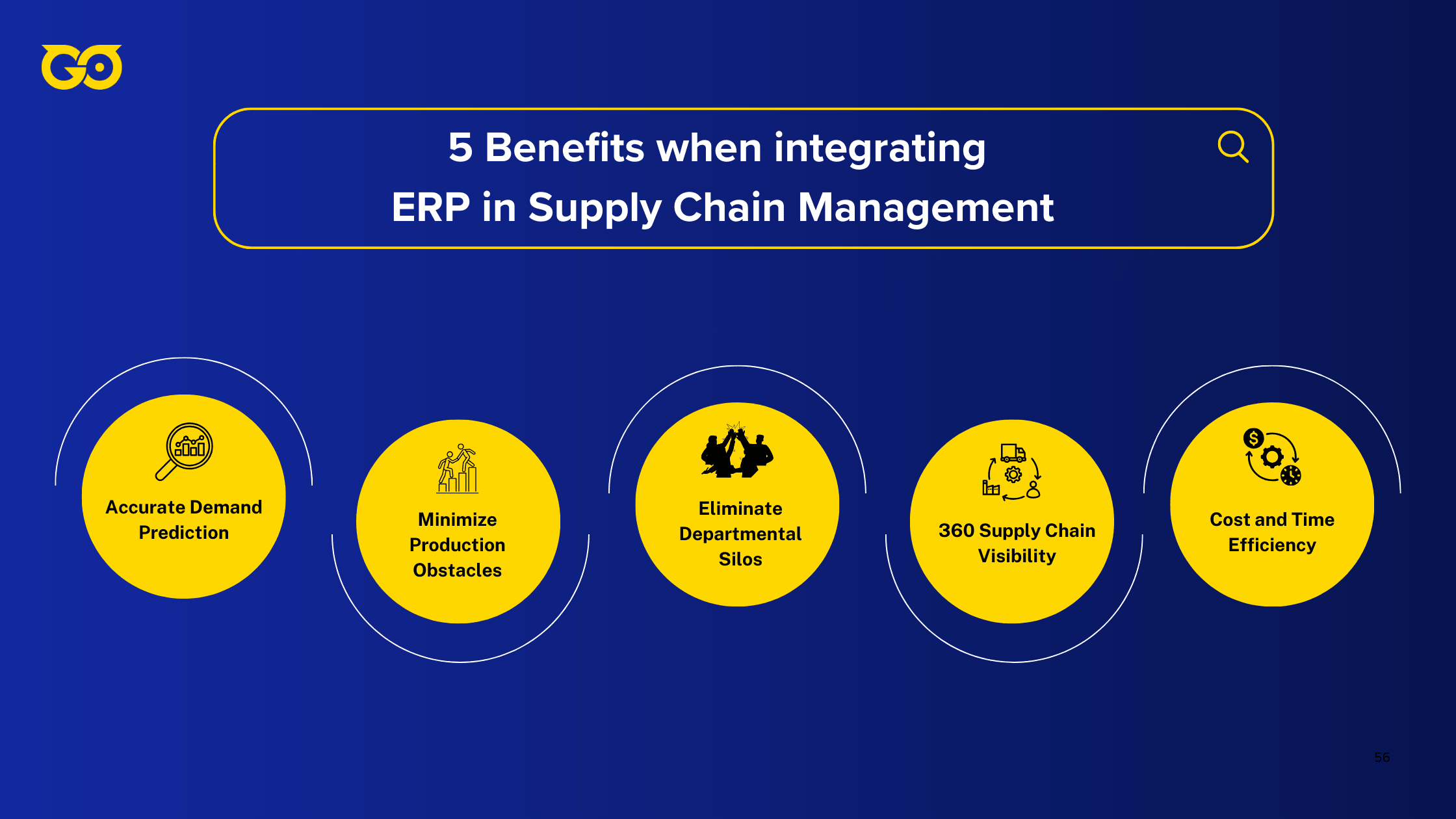
An ERP that just displays inventory levels is an expensive television. The real payoff arrives when the system watches the numbers and pulls the trigger before a person even knows there's a decision to make.
End-to-End Visibility and Faster Decision-Making
The playbook is not complicated. Tag every item with a scannable identifier so the system always knows where stock sits. Build views that refresh on live data, not a batch dump from last night's close. Track departure and arrival times, then set automated flags the instant a shipment blows past its promised delivery window. None of this requires a PhD. It requires refusing to accept lag as normal.
If your inventory count arrives in a weekly email, you are already operating on stale information. The gap between what the screen says and what's actually on the shelf compounds with every hour that passes.
The procurement side is arguably worse. Gartner's data shows 65% of procurement leaders have limited or no insight beyond their Tier-1 suppliers. More than a quarter of companies bleed over $5 million a year because their underlying data is wrong, and 7% report losses north of $25 million.
I spoke with a procurement director at a midwest manufacturer who learned their key packaging supplier had filed for bankruptcy three weeks after it happened. Production lines went quiet while buyers scrambled to qualify alternates, and the entire disaster traced back to a single missing alert that no human was responsible for generating.
All of this lands on the same tension: 95% of supply chains must respond rapidly to change, yet only 7% can execute decisions in real time. That gap makes no sense if you treat it as a technology problem. The sensors exist. The data pipelines exist. What does not exist in most shops is the wiring between a signal and an action. Live data that still requires a person to log in, interpret, and decide is just a faster horse.
Process Automation and Operational Efficiency
Automation's biggest win is stopping errors before they happen, though the headcount savings arrive as a side effect. Manual data entry in a complex supply chain carries a human error rate of 1% to 5%, and over 60% of invoice mistakes come from fingers on keyboards, not from flawed system logic.
The instinct is to add a review layer, another set of eyes to catch what the first set missed. That works at tiny scale. At any real volume, review layers compound delay without touching the root cause. An invoice exception that sneaks through takes an average of 8.3 days to resolve, and accounts payable teams burn close to 62% of their hours fixing exceptions rather than processing clean transactions.
A properly tuned ERP automates the repetitive rule-bound steps that spawn those exceptions. Purchase orders fire when stock crosses a reorder point. Invoices match against receipts without a clerk comparing line items. Incoming goods get recorded the moment they are scanned. Production schedules update in the same transaction train. Each manual handoff you strip out removes a place where the process can stall.
The labor math is not subtle. Automation trims manual effort for invoice processing by 70% to 80% and pushes invoices through three to five times faster than the manual path. The bandwidth that frees up lands exactly where you need it, on the exceptions that genuinely require a buyer's judgment or a planner's trade-off. A procurement team spending 62% of its week firefighting is not building supplier relationships or negotiating better terms. It is just trying to survive Tuesday.
Between a manual process and an automated one, the real difference is not speed. It is the difference between a process that fails quietly and one that refuses to let itself fail.
Inventory Optimisation and Cost Control
Inventory control is not a dashboard of stock levels. It is a set of rules that adjust orders based on what is actually selling. Anchor your replenishment logic to genuine consumption data, supplier lead times, and seasonal patterns, not to a safety-stock number nobody has revisited in eighteen months.
Inventory carrying costs eat up 15% to 25% of inventory value before you factor in obsolescence or warehouse square footage. Set reorder points the system enforces without a manual approval gate, and let the ERP pull purchase orders when those thresholds are breached. If your planners are still hand-reviewing every replenishment suggestion, you are paying people to second-guess arithmetic that runs correctly in milliseconds.
Stockouts punch a $1.2 trillion hole in the global economy every year, and 43% of shoppers will switch to a completely different brand when their first-choice item is absent from the shelf. Meanwhile, over $3.1 trillion stays locked in excess working capital, largely driven by elevated Days Inventory Outstanding. Companies over-order to dodge the stockouts that kill customer loyalty, and the buffer just keeps growing.
The ERP's optimization engine works against both forces simultaneously, tying replenishment to actual demand velocity and trimming the buffer without raising the risk of an empty shelf. Those carrying costs remain a permanent drag on working capital right up until purchasing logic becomes genuinely demand-driven.
Oversight Over Vendor Performance
In a manual environment, supplier performance is something you discover after the fact, typically during a quarterly review or when a production line stops dead. The ERP turns it into a continuous feed. Configure the system to log how many goods arrived, whether they showed up on time, and whether quantities matched the order.
Set a rule that flags any vendor whose on-time rate drops below your threshold over a rolling twelve-week window, and route that flag to the sourcing team automatically. Nobody has to remember to pull a report.
Suppliers who consistently deliver late stop getting purchase orders without a committee meeting, because the data already sits in the system and the trigger is already live. Reliable partners earn more volume. Unreliable ones get pruned. The decision gets made by the pattern, not by someone's memory of the last phone call.
Data-Driven Decision-Making
"Data-driven" is a hollow phrase until the data actually drives something without a human intermediary. A working ERP integration takes the analytics feed and uses it to adjust purchasing, inventory levels, and light manufacturing schedules in response to demand history and seasonal variation. It does not just populate a slide deck for the Monday morning review.
Set your forecasting parameters to consume real-time sales data and update replenishment logic on the fly. Pull detailed reports on financials, inventory, and customer interactions only after the automated triggers have already acted. At that point, the report becomes a tool for auditing the system's choices, not for discovering problems the system left untouched.
The output is not a better-informed meeting. The output is a purchase order a planner never had to touch.
Greater Supply Chain Resilience
When disruption hits, the gap between a company that responds in hours and one that scrambles for weeks comes down to whether the response logic already lives in the system. Only 22% of companies practice proactive supply chain management.
The rest run on reaction protocols that depend on someone noticing the problem, convening the right people, and manually assembling a fix. Building coordination tools, real-time monitoring, and demand forecasting into the ERP stack gives the business a comprehensive early-warning capability.
There is still no substitute for experienced judgment when a truly novel disruption arrives. The system handles everything short of that, shrinking the set of crises that actually require a war room.
Advantages and Disadvantages of Each System
Every system choice comes with a line item most teams never budget for: the organizational cost of getting different departments to agree on the same definition of a "customer," a "ship date," or a "cost." If you fall in love with a vendor's demo before mapping how many field-level arguments you'll have to referee, you're pricing only the license fees, not the real friction.

The standard advice to always buy an ERP first only works when your accounting, warehouse, and sales leaders already share one definition of inventory value. But if your current pain is a carrier blowing a delivery window, you put the ERP's political overhead on hold and let an SCM system fight the fire in front of you.
Advantages of ERP Systems
Forget the buzzword "data centralization." It's the forced consistency that lets you grow without multiplying mistakes. Purchase orders, inventory counts, and customer promises all sit in a single ledger, so the purchasing team can't order against a stock level the warehouse adjusted three hours ago.
That single source of truth eliminates the reconciliation spreadsheet that quietly becomes someone's full-time job once your order volume crosses a few hundred lines a day. It also turns sales and service reps from promise-makers who guess at capacity into people quoting directly from a live production schedule.
On the automation side, things get less theatrical. When a shipment status updates, that same event triggers the accounting accrual, the planner's reorder recalculation, and the customer portal notification, no forwarded email chains needed. The system that handles 500 daily transactions can handle 5,000 with the same workflow, as long as you paid the upfront price of aligning the data model.
Disadvantages of ERP Systems
What's the true cost of an ERP deployment? It's the organizational damage of forcing every department to surrender its own version of the truth. Before you sign anything, list every data field two different departments interpret differently right now, product classification, revenue recognition date, ship-to location hierarchy, and count the people who will need to redesign their daily routine around a single definition. Multiply that headcount by the weeks of lost productivity during the transition.
Allocate at least 18 months for a legacy ERP implementation, and during those months, budget your political capital as carefully as you budget the consulting fees. According to Gartner, up to 75% of ERP initiatives either fall short of their objectives or fail outright.
These projects carry a dual cost: you pay for the system and also pay for the complexity that unified data introduces. The learning curve is steep not because the interface is hard but because people's entire mental model of how work flows has to reorganize around cross-functional dependencies. The high implementation cost and organizational disruption are the price you pay to eliminate the data silos that quietly cap how far you can scale without errors.
Advantages of SCM Systems
Dedicated supply chain software earns its keep by solving the physical movement problems that ERP modules often treat as an afterthought. A manufacturer that tracks supplier lead times, freight costs, and distribution center throughput in one purpose-built tool can shave days, not weeks, off the order-to-cash cycle. During the 2021 container shortage, companies with mature SCM platforms rerouted shipments through alternate ports while their ERP-only competitors sat around waiting for purchasing reports to refresh.
SCM systems connect manufacturing straight to third-party distributors and resellers, creating a shared execution layer no general ledger can give you. Cost efficiency comes from waste reduction logistics teams can see and act on without waiting for month-end close; better delivery reliability feeds into customer satisfaction scores finance can't attribute to a system but definitely notices in reorder rates. The flexibility to absorb a supplier disruption comes from having alternative routings and inventory already modeled, not from scrambling after the fact.
Disadvantages of SCM Systems
A standalone SCM's blind spot opens the moment a logistics change needs financial context. The system can identify a cheaper expedited carrier, but it can't see whether your current cash position makes that option viable.
In the first quarter after going live, map every instance where the SCM suggests a logistics change, a faster lane, a larger minimum order, and trace that recommendation back to a finance team member for approval. If the approval loop takes longer than the transit time you'd save, the system is optimizing a parameter your business structure can't actually use.
That independence gets expensive: you have to license and maintain accounting, eCommerce, and sales platforms in parallel, each with its own integration upkeep. There are direct costs in software fees and indirect costs in the data reconciliation that lives in the gaps between systems.
A supplier delay notification that doesn't connect to production capacity or cash constraints forces a manual workaround that eats away the speed the SCM was supposed to create. You end up designing a triage process where every external alert above a certain dollar threshold gets routed to a human who can pull the internal numbers the SCM can't reach, a manual patch that scales terribly.
Risks of a Disconnected System
A warehouse picker reaches for an empty shelf, and three floors up someone is still updating a spreadsheet that says the item is in stock. Every fix turns reactive, no matter how fast your team scrambles.

What Happens When ERP Is Missing
Without a single source of truth, the supply chain breaks into a mess of Excel files, niche departmental tools, and email threads nobody fully owns. Any cross-functional call, how much to reorder, whether to redirect a shipment, which customer gets priority, starts with someone manually reconciling three or four versions of the same data. That reconciliation burns hours every week, introduces typos at every handoff, and by the time an inventory shortfall becomes obvious, the warehouse already missed the truck.
Walk through a typical flow. Sales forecasts and operations forecasts live in different spreadsheets, so demand signals rarely match. You over-order on one SKU while another gets ignored. Procurement, warehouse, and fulfillment pass orders along by hand, and a quantity typed as 500 in one system turns into 50 in another. Stock problems, late supplier deliveries, fulfillment backlogs all surface reactively, after a picker reaches for an empty shelf.
Costs pile up without a clear root cause: admin overhead climbs, corrective orders multiply, warehouse space fills with the wrong stuff. A five-person team can patch the cracks at low volume, but double the orders and the Monday-morning spreadsheet reconciliation bleeds into Tuesday afternoon.
The numbers bear this out. Despite massive spending on digital transformation, 81.1% of professionals still run Sales & Operations Planning through Excel. When items go out of stock, the average wait for replenishment stretches to 35 days, and nearly 18% of buyer-supplier disputes stem from order detail mismatches that originated in manual handoffs.
The Role of ERP in Mitigating Risk
An ERP can't predict the next supplier bankruptcy or a sudden weather event. What it gives you is one internal picture that lets your team absorb a shock before a customer notices. When procurement, inventory, production, and finance share a single data model, a supplier delay notification doesn't sit in someone's inbox until the weekly check-in. It triggers a cascade of visible adjustments: available-to-promise recalculates, production scheduling shifts, and the cash-flow impact appears on the same screen.
The disruptions that really rattle supply chains aren't the rare catastrophes. A Forbes survey of supply chain leaders shows the leading causes are mergers and acquisitions (66% of disruptions), extreme weather (41%), factory fires (37%), and business sales (33%), events frequent enough across a supplier base to hit most operations every few years. Yet organizations still fail to use the SCM tools already in place; they aren't connecting external alerts to internal capacity data quickly enough to act.
I know an ops manager who spent two years doing a Monday-morning ritual: reconciling three separate inventory spreadsheets before the weekly production meeting could start. When order volume doubled, that Monday reconciliation bled into Tuesday, the business started shipping late, and nobody could figure out why until a customer flagged the pattern from the outside.
How to Choose the Right Solution
Pain alone is a lagging indicator. What actually separates a smart buy from an expensive patch job is whether your current manual scramble can handle double the order volume without imploding. If a 100% demand spike lands next Monday, which system cracks first, and how much does each day of that crack cost you in real dollars?

Is ERP or SCM Better for My Business?
The question isn't which tool is "better" on paper. It's which one solves the failure mode most likely to blow up when volume doubles. Internal chaos from bad data and external friction from clumsy logistics are two different animals, and they need different weapons.
If your daily headache is inventory counts that never match reality, departments arguing over whose numbers are right, and a monthly close that somehow takes three weeks, go ERP first. You can't optimize how stuff moves until you have a single source of truth for what you own, where it sits, and what it actually cost.
I watched a mid-size distributor burn 14 months on meetings where warehouse and finance teams fought over whether stock matched the general ledger. They finally admitted the shared Excel reconciliation wasn't the backup, it was the problem. An ERP landed, and the close dropped from 19 days to 6.
Now flip the scenario. If your internal house is already in order but supplier delays are tacking 22% onto logistics costs and delivery windows keep sliding, prioritize SCM. The problem lives outside your four walls: freight lanes, carrier performance, port congestion, supplier lead-time variance your warehouse system can't even see.
A dedicated SCM gives you real, end-to-end control over those external variables rather than the lightweight logistics module bolted onto most ERP suites.
Use Cases: When to Prioritize Each
SCM tools fit manufacturers who live and die by logistics and end-to-end visibility, especially if you're running serious international operations with multi-leg freight and customs complexity. ERP tools fit the majority of SMB wholesalers and distributors who need warehouse management, accurate inventory, shipping and receiving workflows, and lot tracking without the overhead of a standalone supply chain system.
Before you spend a dollar on either, ask yourself bluntly: are you primarily a distributor, a manufacturer, or a service provider? If your focus is logistics optimization and supplier management, supply chain software pulls ahead.
If it's business-wide integration and data-driven decision-making, ERP is your answer. Grab a single sheet of paper, list your top three operational headaches, and mark each one as "internal data problem" or "external flow problem." The tally usually makes the call obvious.
A lot of businesses hit this fork when they finally admit they can't trust their own inventory numbers anymore. Surprise stockouts force emergency orders that carry 40% higher freight costs, and customer service starts apologizing for problems the system should have flagged a week earlier.
Identifying the Right ERP
For plenty of SMBs, the supply chain features packed inside a modern ERP are more than enough. But this only holds under one condition: consistency. The ERP has to be the only system anyone touches for inventory, purchasing, and fulfillment data. Zero shadow spreadsheets running on someone's desktop in parallel.
A regional food distributor learned this the hard way when they discovered three warehouse supervisors were each quietly maintaining their own stock sheets in Excel. Once the ERP reconciliation ran, it surfaced $47,000 in miscounted inventory spread across two locations. That number had been hiding in plain sight for eleven months.
Two conditions decide whether an ERP actually improves your supply chain or just becomes expensive shelfware. You must apply it consistently across every supply chain function, and review outcomes regularly against the KPIs the system surfaces, not against someone's gut feel or a manager's personal log.
The platform also has to be flexible enough to bend as your workflows change. A rigid system that needs months of consultancy just to accommodate a new supplier onboarding process isn't an enabler, it's a bottleneck.
The single most valuable ERP capability to demand is real-time, multi-location inventory tracking, ideally with integrated barcode scanning that kills manual entry errors at the source rather than catching them during cycle counts.
Key Considerations When Choosing
The factors that separate a useful system from an expensive mistake boil down to ease of use, cost structure, integration burden, data model coherence, and cloud architecture. If shipping, receiving, production, and accounting functions aren't dead simple to use, adoption craters across the user types who won't sit through a two-week training.
Traditional hosted deployments slam you with heavy upfront costs; cloud subscriptions bundle upgrades and storage into predictable monthly spend with a much faster time to value.
Manual custom integrations are brittle and bleed money; a unified SCM and ERP on a common platform shares a common data architecture and works natively, no middleware required. That common data model delivers a single source of truth and reclaims the productivity hours your team currently burns stitching information across disconnected systems.
When you're sitting across the table from a vendor, cut through the pitch with four questions:
- Show me a working integration with our existing key software, Shopify and QuickBooks, live and in production, not a slide deck promising it'll be fine.
- What's the typical implementation timeline for a company our size and complexity, and what are the three biggest roadblocks your customers actually hit? Not the sanitized version.
- What's the total cost of ownership beyond the subscription fee: implementation, training, ongoing support, and any limits on users or data volume that trigger price hikes?
- Demonstrate how quickly our operations manager can produce a focused report on a particular KPI, inventory turnover by SKU, without calling a developer.
If the demo needs a technical specialist to build the query, that system will own your team instead of the other way around.
Real-World Examples
Walmart's "Everyday Low Prices" wasn't a slogan they slapped on after the fact. It was the customer-facing result of a supply chain built from the ground up to deliver goods cheaper than anyone else could stomach. That's the through-line in every example that follows: the operational data itself became the weapon because internal truth and external execution weren't two separate conversations.
A system that just reports inventory levels is a fancy ledger. One that routes trucks, reorders stock, and pings suppliers the moment a shelf empties is the engine that runs the business.
Walmart's Integrated Strategy
The advantage doesn't come from how advanced the software is. It comes from how fast data turns into physical action. Walmart's ERP push started decades ago under Sam Walton's "Everyday Low Prices" commitment, and from day one the goal was to make every transaction at the register ripple straight into the supply chain.
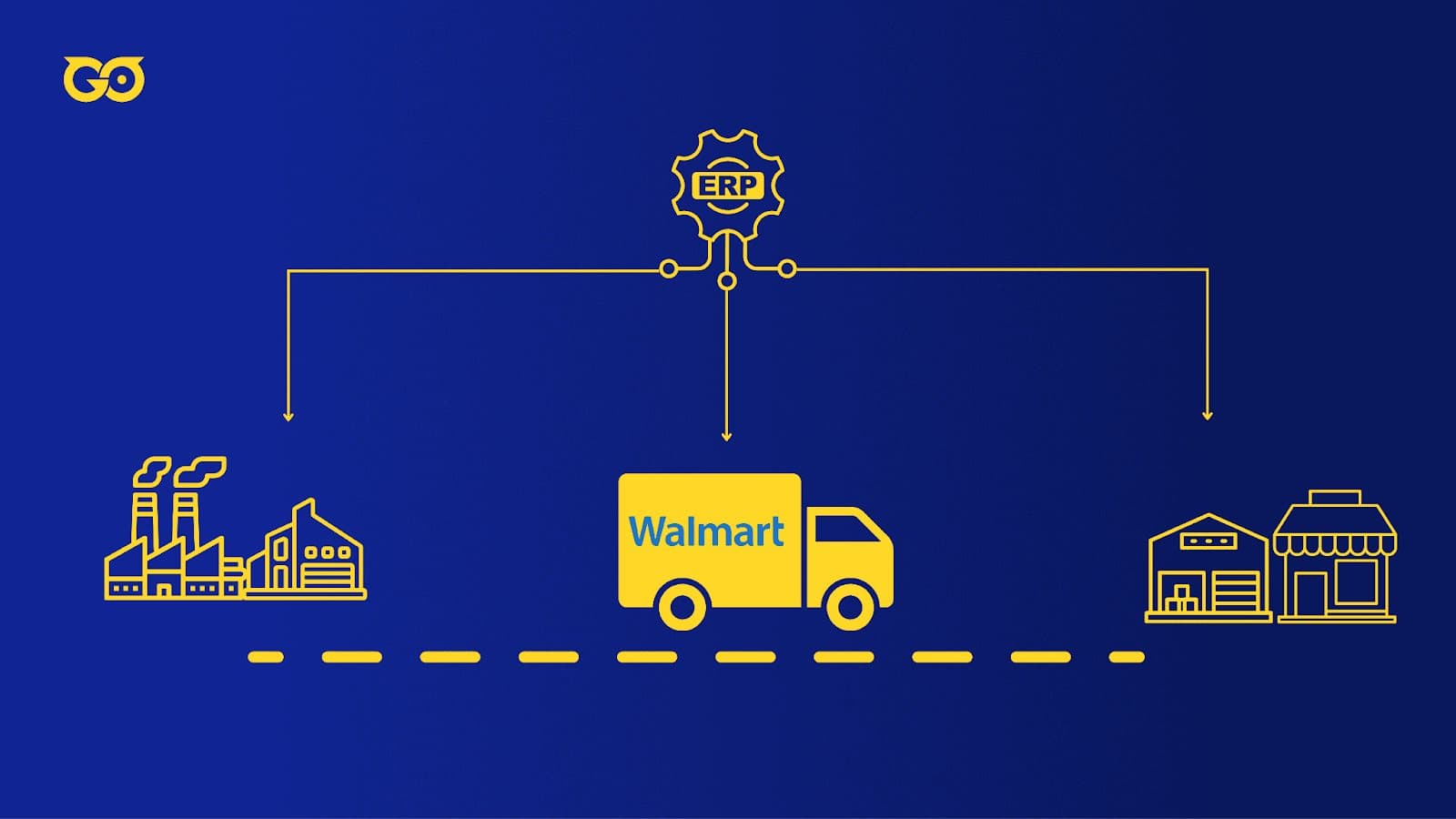
They cut out the middlemen entirely. Direct procurement from manufacturers meant no distributors marking up goods before they hit Walmart's shelves, which gave them the margin structure to support those low prices without bleeding out.
The cross-docking distribution system was where this thinking got physical. Trucks from suppliers pulled up to one side of the dock, workers sorted pallets by store destination right there on the floor, and outbound trucks rolled away on the other side. Nothing sat in a warehouse eating up time and money. Walmart treated inventory storage costs as optional, when most retailers treat them as a law of nature.
Behind all of it sat advanced information systems that shared point-of-sale data with every store, every distribution center, and every key supplier at the same time. Demand forecasts refreshed constantly instead of waiting for some weekly batch process.
Then they pushed further with Collaborative Planning, Forecasting, and Replenishment (CPFR). Walmart handed its biggest suppliers direct access to real-time sales data and store-level forecasts. Those suppliers, in return, committed to replenishment cycles so tight that stockouts became rare.
In a typical retail chain, the number on the screen slowly drifts away from what's actually on the shelf until somebody walks the floor with a clipboard. Walmart's loop stayed locked together because replenishment decisions fired off what was actually selling, not some static safety-stock formula pulled from a textbook.
Zara's Fast-Fashion Model
The old-school fashion playbook assumes you place big bets on trends months ahead and pray the lead times work out. Zara adopted the Odoo ERP platform and leveraged its AI capabilities, shrinking that feedback loop down to days.

Real-time inventory tracking gave design and production teams an exact read on every SKU in every store and warehouse. Spot a coat taking off in Paris during the first week? Shift production behind that style immediately.
Smart replenishment used AI to calculate order quantities from live sales velocity rather than historical averages, so each store's POS data turned into a production signal without a planner manually approving every batch.
The teamwork improvement was structural, not aspirational. The ERP connected design, production, and retail teams to the same data feed. When a London store sold out of a particular coat by Tuesday afternoon, the pattern-cutting room in Spain adjusted priorities by Wednesday morning. Nobody sent an email.
The analytics layer gave management direct line of sight into sales performance, shifting customer tastes, and operational efficiency across regions, no waiting for end-of-quarter reports assembled from a hundred spreadsheets.
Amazon's Supply Chain Excellence
Amazon sits at the far end of this spectrum, where the whole company operates as one integrated logistics machine. Every inventory movement, every pick, every pack decision, every route a delivery van takes runs on real-time demand signals, not forecast guesses.
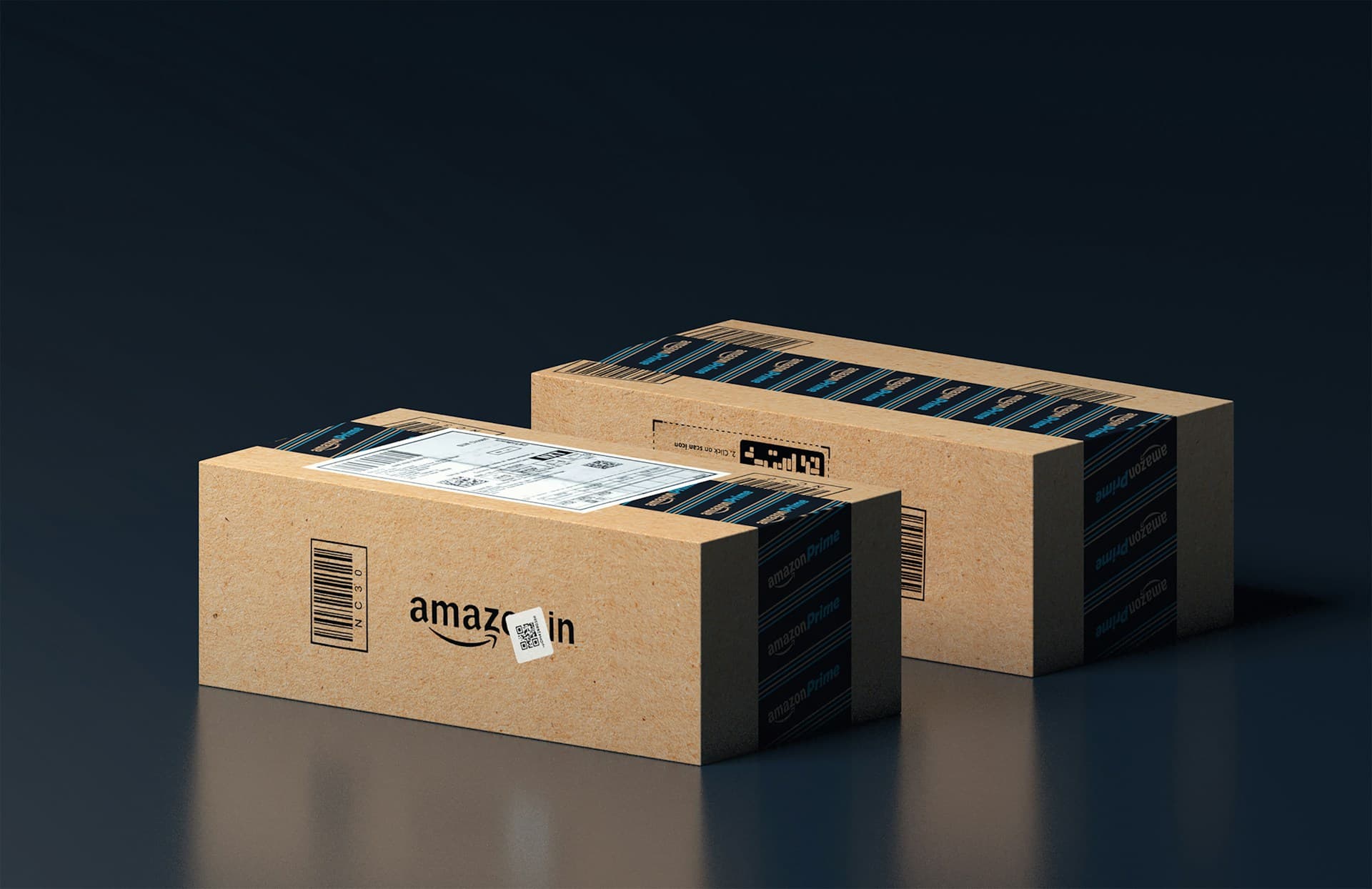
But the real lesson isn't the scale of the automation. It's that no step in the chain pauses for a human to read a report before the next step fires. The data drives physical work directly, and that closed loop is what separates an operations engine from a recording device.
Integrating ERP and SCM with Other Business Systems
When I consult with product companies, someone inevitably asks whether they can stop at two systems and call it a day. Internal truth in the ERP, external execution in the SCM, integration complete. It sounds clean until the first time a customer calls asking why their order is late and your sales rep has no answer.
The sales rep who can't see whether an order will ship on time makes promises the factory never agreed to. The customer detects that gap immediately when a delivery date slips without explanation. The system holding promises without a window into fulfillment is always the weakest link.
What Is CRM?
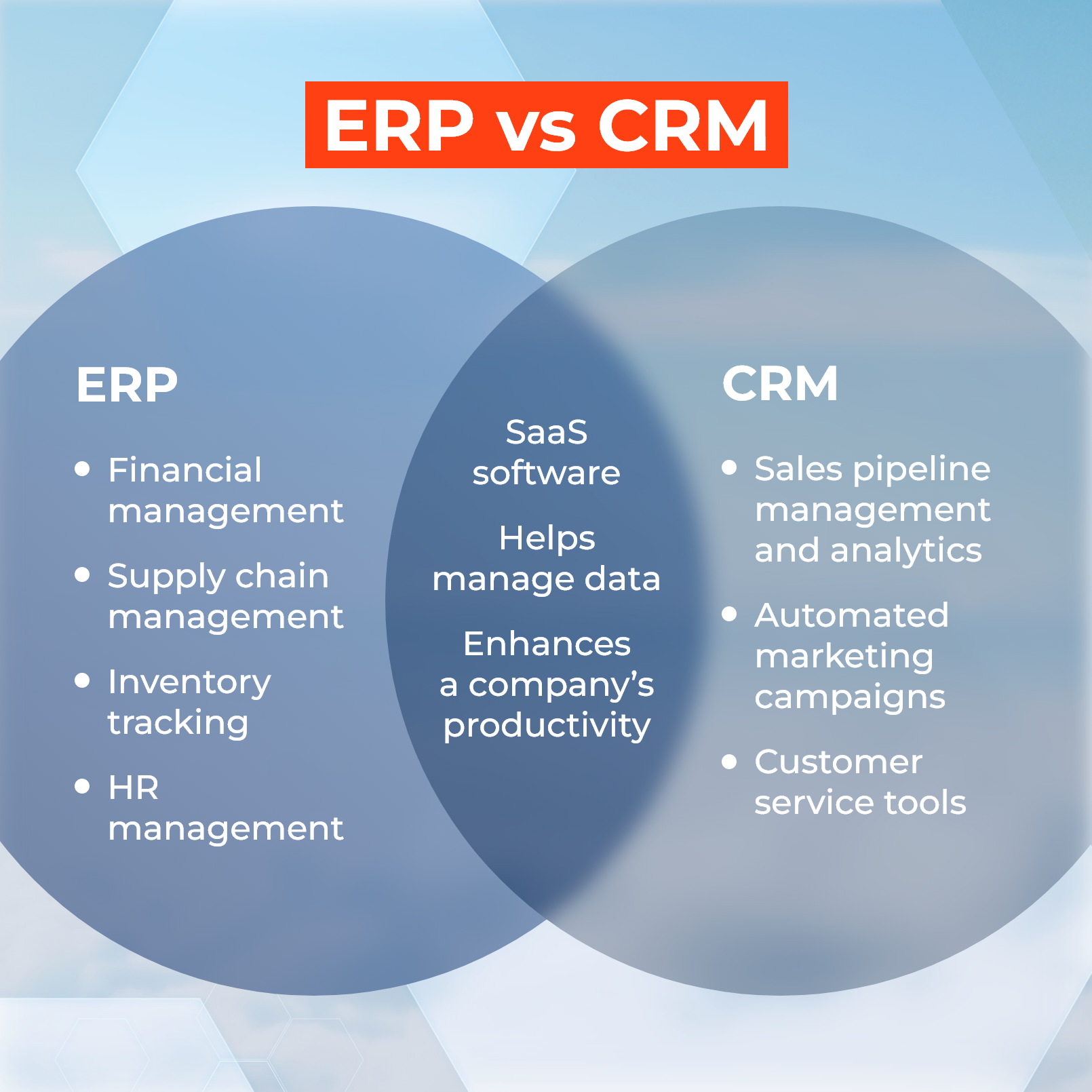
A Customer Relationship Management system centralizes every interaction a company has with its customers, from that first cold email through post-sale support tickets. It tracks sales activities, stores communication history, and automates marketing touchpoints.
Run it disconnected from ERP and SCM, though, and the CRM turns into a ledger of commitments the rest of the business cannot see. A warehouse manager staring at a production delay has no reason to notify the sales team, and the sales team has no mechanism to pull that information themselves. Two worlds running on different clocks.
Key Components of CRM
Those commitments live inside core CRM activities: managing contacts and accounts, tracking the sales pipeline from lead to close, and automating marketing and customer service communications. Before you link any CRM to your operations stack, figure out which of those activities generates the most customer-facing promises.
Those are the ones your fulfillment team will need to back with real-time data, so start your integration planning there.
Benefits of Integrating ERP, SCM, and CRM
Connecting all three eliminates the manual handoff where broken promises originate. Here's the flow: a customer places a large custom order through a sales rep working in the CRM, and that order immediately triggers an automatic capacity check inside the ERP.
If production slots and financial health align, the ERP instructs the SCM to purchase the raw materials and schedule inbound logistics. No email chain, no spreadsheet handoff, no "I'll circle back with ops."
The same sequence runs backward when the customer calls for an update. The sales rep opens the CRM record and sees live production status and shipping milestones pulled directly from ERP and SCM. The answer they give the customer is the same answer the factory floor would give.
A rep who once said "let me check with operations and get back to you" now sees the answer on the same screen, in the same moment, because all three systems exchange data without a human relay.
Frequently Asked Questions
Picture a buyer walking into the ERP versus SCM conversation with a list of feature questions. Can it track a container in real time? Will it generate a demand forecast? Those are reasonable things to ask, but they dodge the issue that actually decides whether the software earns its keep. A system's feature list is irrelevant if the people running your supply chain refuse to adopt the workflows those features require.
What is ERP in supply chain management?
It's the software layer that pulls core functions like sourcing, inventory, and manufacturing into a single shared database. Instead of each team maintaining its own version of the truth on separate files, you get one system where demand forecasts, purchase orders, and stock levels all live together.
That consolidation eliminates the hours of manual reconciliation teams burn through every week just to agree on what the numbers actually are.
What are the main components of ERP in supply chain?
Three major blocks: demand planning and production scheduling, procurement and inventory management, and warehouse and order fulfillment. Notice what happens when those three sit in separate spreadsheets.
That's the fragmentation that turns a routine replenishment into a full-blown fire drill, because nobody can see the whole picture without stitching together five different people's files first.
How does ERP improve supply chain visibility?
Demolishing data silos gives supply chains real-time visibility. Picture a company running without an ERP. The warehouse manager stares at a local inventory spreadsheet. Procurement works inside a completely separate purchasing tool.
The operations director gets a merged report three days after the numbers were accurate. Replacing that mess with a single database means any authorized user pulls the same live inventory count, the same order status, and the same production progress, no manual merging required.
Traditional ERP or a modern platform?
If you're a multinational juggling 50,000 SKUs and a supplier base that rarely changes, a traditional ERP like SAP or Oracle often makes sense. That organization values predictability over speed, and it has a dedicated IT team to manage a drawn-out implementation. Go with that if deep configurability is what you genuinely need.
But if your team needs to move faster and keep control over your data, a newer platform like Keel is built for shorter timelines and cleaner interfaces non-technical users can navigate without a certification track. The difference isn't a checklist of features. It's how many months pass before the system is live and people are using it for real work.
What happens to a supply chain without ERP?
Every department works from its own spreadsheet. Decisions happen reactively. Mistake rates in purchasing and fulfillment climb. And the whole operation gets more expensive as volume grows, because every new order adds another round of reconciliation work instead of flowing through an integrated system. Operating costs don't scale linearly when every transaction requires manual stitching.
Is the ERP system easy to learn?
Older platforms demand substantial training and dedicated administrators just to keep the lights on. Newer ones prioritize straightforward interfaces a warehouse supervisor or junior buyer can learn without disappearing into a six-week training program.
Can an ERP system manage SCM activities?
Open the module list of a typical ERP and you'll find SCM tools for procurement, inventory, and order management. For many businesses, that's enough. But if your supply chain depends on heavy, live coordination with dozens of suppliers and logistics partners, a dedicated SCM tool may still justify the extra integration cost. The built-in modules cover the standard stuff, not the edge cases that come with complex external coordination.
Do I need both an ERP and an SCM system?
If you're running a smaller operation with straightforward supplier relationships, an ERP that includes SCM features often does the job. Things shift when your business runs on complex, real-time coordination with a wide network of external partners. At that point, the cost of lagging supplier data starts to outweigh the cost of adding a second system.
Which system is better for real-time inventory management?
ERP, and for a structural reason: finance, sales, and the warehouse all query the same stock number. When everyone from the CFO to the picker on the floor sees identical inventory data, the debates about whose spreadsheet is right simply stop happening.
Can SCM be added after an ERP implementation?
Yes, but understand what you're signing up for. The integration work will be more complex and costly than running modules from the same vendor or building on a unified system from the start. Reconciling how each system defines a purchase order, a shipment, and a stock location eats weeks of engineering time. That's not a setup cost; that's a permanent maintenance burden you carry forward.
Can an ERP system include both SCM and CRM?
Yes. Data flows between supply chain, sales, and customer service without requiring separate integrations to stitch it together. When a customer order in the CRM triggers inventory allocation in SCM and simultaneously posts to the general ledger in the ERP, you get closed-loop visibility spreadsheets cannot come close to replicating.
The pattern running through every one of these questions is the same. The system's capabilities always matter less than your team's willingness to live inside the system. Before you evaluate any vendor, map the three workflows your team actually follows every day.
Compare the vendor's training estimate to your own team's track record for adopting new tools. Then build your implementation plan around the people who will use the system, because the greatest technology purchase in the world generates exactly zero return if the spreadsheets stay open.
Conclusion
Strip away the feature lists and the real question in ERP vs supply chain management is dead simple. If your logistics and procurement workflows are causing the headaches right now, tighten those first, that's supply chain management territory.
If the chaos is cross-departmental, where no one trusts the numbers other teams are working from, ERP is the starting point. There's no side to pick in a religious debate. Running a diagnostic is the only play.
The payoff lands in three connected buckets: visibility, automation, and inventory control. Visibility gives you cleaner data so decisions come faster and with more confidence. Automation strips out the expensive human errors that creep into daily ops, and inventory control puts real teeth into cost governance across your entire supply network.
But here's the part that doesn't get enough airtime. If your company is growing, the ERP's role should be expanding right alongside it. A platform that locks workflows in concrete instead of bending as the business bends means the integration never outgrows that initial project phase.
Treating it as a continuous operational discipline is what makes the returns compound instead of slowly leaking away after go-live. That shift, from one-time project to living system, is what separates a system that's technically online from one that's actually alive.
Share this page


Table of Content

Subscribe to Golden Owl blog
Stay up to date! Get all the latest posts delivered straight to your inbox