Move beyond break-fix support. Discover the true ROI of small business IT consulting, what to look for in a partner, and how to scale your tech strategy.


7 Types of Software: Definitions, Examples, and Functions (2026)
May 8, 2025
about 8 min read

Explore the main types of software in 2026, with definitions, real-world examples, and expert advice on how to choose the right software for business or personal use.
Understanding the different types of software, from system software and application software to programming tools, is essential for anyone working with computer software today. This guide covers all major software categories with definitions, real-world examples, and their key functions.
Software is the engine behind every digital interaction, from sending emails to managing global enterprises. In today's tech-driven world, a clear understanding of the various types of software is essential for both businesses and individual users. Explore the following article to grasp practical examples of computer software and gain valuable insights into selecting the most suitable software type for your specific needs!
What Is Software? Definition and Main Types
Computer software is a collection of instructions, data, or programs used to operate computers and perform specific tasks. It is the non-physical component of a computer system, as opposed to physical hardware. Understanding what software is and the different types of computer software is the foundation for choosing the right tools for any project.
Essentially, software acts as a bridge between the user and the hardware, translating human commands into actions that a computer can understand and execute. Every application, game, or website you use is a type of computer software. Without software, even the most powerful hardware becomes useless.
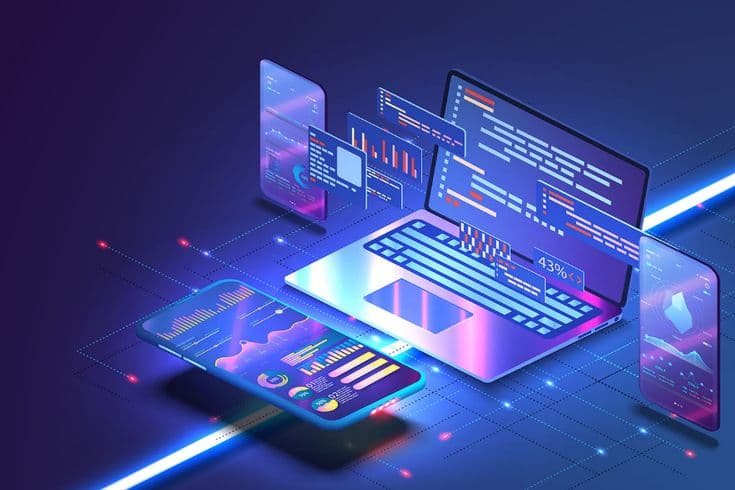
7 Types of Software
What are The 7 Types of Software?
The seven primary types of software are:
- (1) System Software,
- (2) Application Software,
- (3) Cloud Software,
- (4) DevOps and Automation Software,
- (5) Specialized Software,
- (6) Programming Software, and
- (7) Utility/Driver Software.
Each type of software serves a different function and is used across different computing environments — from operating systems that manage hardware to application software that end users interact with daily
1. System Software
System software is a type of computer software that manages and controls a computer's hardware, enabling all other software applications to run. Examples of system software include operating systems like Windows, macOS, and Linux, which act as the foundation layer between the user and the hardware.
- Operating System (OS): Manages computer hardware and software resources and provides basic services for computer programs. Common examples are Windows, macOS, Linux, Android, and iOS.
- Utility Software: Manage, maintain, and control computer hardware. Examples include file management tools, disk defragmenters, system monitoring programs, antivirus software, and backup utilities.
- Device Drivers: Help the operating system communicate with specific hardware devices like printers, graphics cards, and network adapters.
- Firmware: Built into hardware devices, it provides low-level control and starts up the system. Examples include BIOS/UEFI and software in embedded systems.
2. Application Software
Application software is a type of software designed to help users perform specific tasks — from word processing and browsing the web to managing business operations. Examples of application software include Microsoft Word, Google Chrome, Zoom, and Slack. Application software is the most widely used category of software in both personal and business computing.
- Productivity Software: Tools to help work better and stay organized. Examples include Google Docs, Google Sheets, Google Slides, Outlook, and Gmail.
- Business Software: Applications created for business purposes, grouped by specific functions. This includes CRM for customers, ERP software for business tasks, HRM for employees, and SCM for supplies. When CRM and ERP are integrated, businesses can easily link what happens with customers to their own work inside the company. It helps to increase the efficiency of the process.
- Communication Software: Helps people talk and work together online. Examples include chat apps like Zalo and Telegram, video call programs, and tools where many people can edit documents at the same time.
- Multimedia Software: Programs to make, change, and watch or listen to things like photos, videos, and music. For example, apps like Adobe Photoshop for photos, Adobe Premiere Pro for videos, and programs to edit sound. There are also apps to play music and watch videos.
- Educational Software: Helping with Learning and Teaching. They can be online learning websites or tools like Zoom and Google Meet that are used in schools.
- Entertainment Software: These are programs mainly for fun. This includes video games and apps for watching movies and TV shows.
3. Cloud Software
Cloud software is a fast-growing category of software that runs on remote servers and is accessed via the internet, eliminating the need for local installation. Examples of cloud software include Google Workspace, Salesforce, and Amazon Web Services (AWS).
- Software as a Service (SaaS): Google Workspace, Salesforce
- Platform as a Service (PaaS): Heroku
- Infrastructure as a Service (IaaS): Amazon Web Services (AWS)
4. DevOps and Automation Software
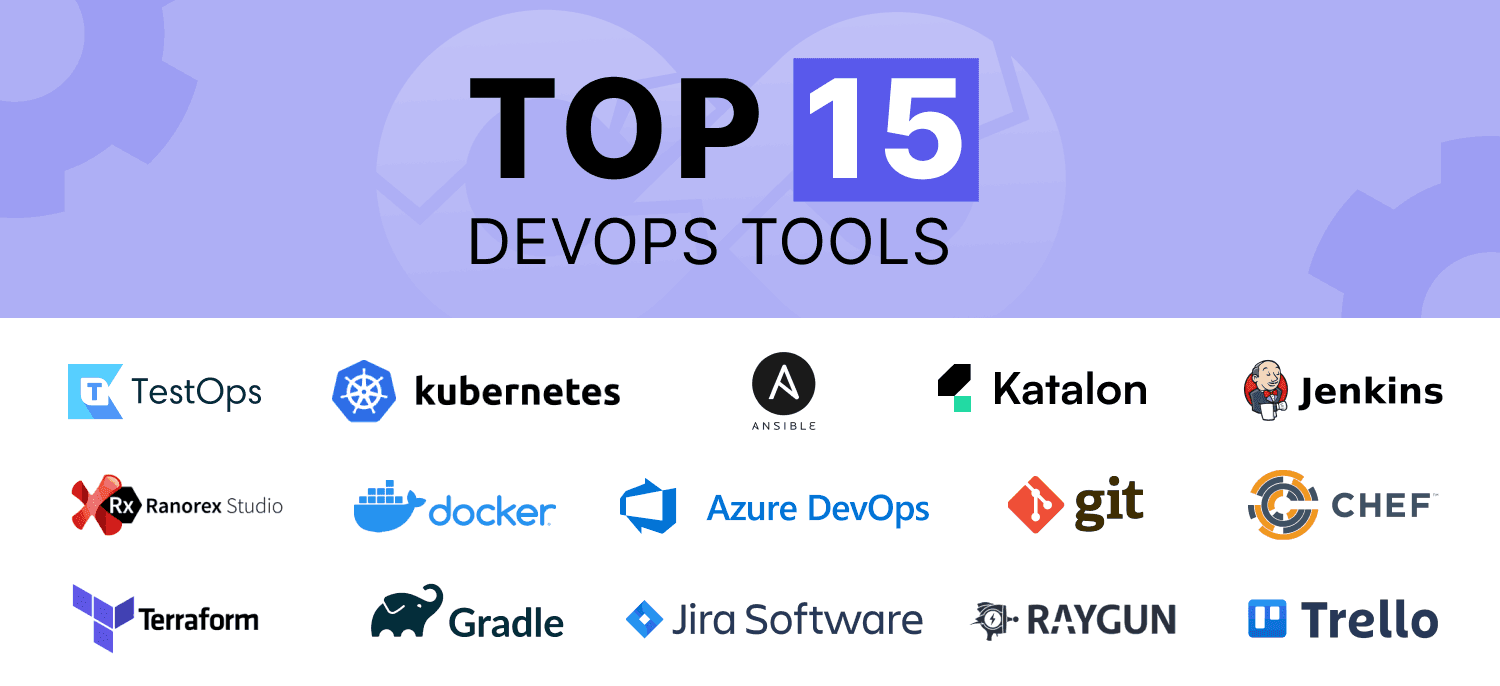
DevOps and automation software improve collaboration between development and operations teams, enabling faster software delivery and continuous integration. Common examples include Jenkins, Docker, Kubernetes, Ansible, and Selenium.
DevOps and automation software are key for companies wanting to use agile methods and reduce manual work.
5. Specialized Software
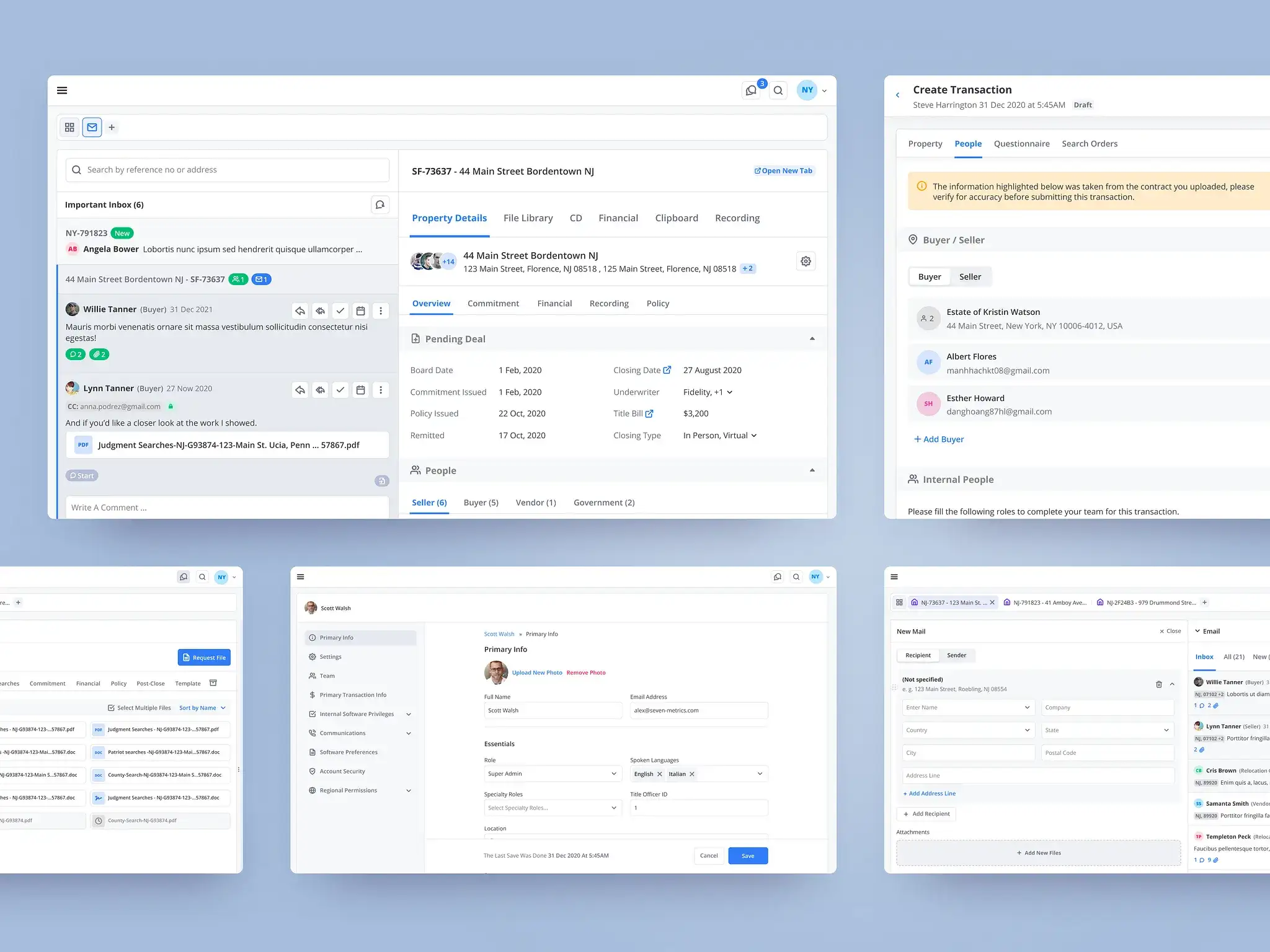
Specialized software is custom-built to address the unique needs of specific industries such as healthcare, retail, finance, and engineering. These solutions solve problems that general-purpose tools cannot.
- Retail POS Systems: The software that stores use to handle sales, keep track of what they have, and manage customer info.
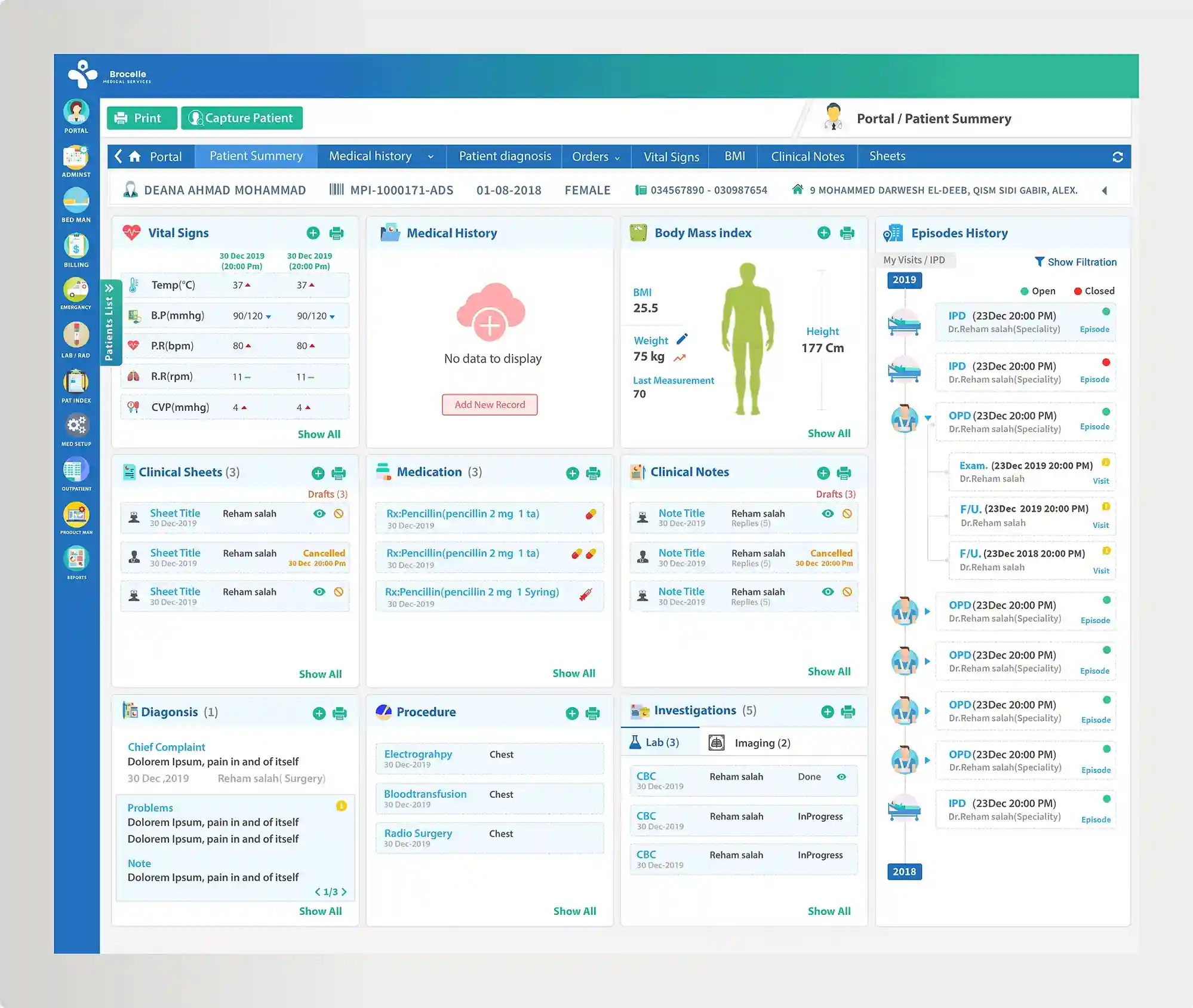
- Electronic Health Records EHR Software: Used in healthcare to manage patient information, medical history, and appointments.
- Computer-Aided Design (CAD) Software: Used by engineers and architects to make detailed plans and models.
- Financial Trading Platforms: Specialized software for making trades and analyzing financial markets.
- Logistics and Supply Chain Software: Applications for managing transportation, warehousing, and inventory flow.
6. Programming Software
Programming software consists of tools used by developers to write, test, and debug code. Examples include Visual Studio Code, Eclipse, and PyCharm, also known as Integrated Development Environments (IDEs). This category is essential for building all other types of software.
- Compilers: Convert source code written in high-level programming languages into machine code that the computer can execute.
- Interpreters: Like GCC, Python executes source code line by line without needing to compile it first.
- Integrated Development Environments (IDEs): Provide a comprehensive set of tools for software development, often including a code editor, compiler or interpreter, debugger, and build automation tools. Examples include Visual Studio, IntelliJ IDEA, and Eclipse.
- Debuggers: Help developers identify and fix errors in their code.
- Software Testing Automation Tools: Automate the process of verifying the functionality, performance, and reliability of software applications.
Types of Software and Their Functions (Summary)
To sum up, each type of software serves a distinct role, but together they form the foundation of how modern systems run, scale, and deliver value across industries.
Type of Software | Primary Function | Real-World Examples |
| System Software | Manages hardware and enables other software to run | Windows, macOS, Linux, Android |
| Application Software | Helps users complete specific tasks | Microsoft Office, Chrome, Zoom, Photoshop |
| Cloud Software | Delivers services over the internet, no local installation | Google Workspace, Salesforce, AWS |
| DevOps & Automation | Streamlines development, deployment, and testing | Jenkins, Docker, Kubernetes, Selenium |
| Specialized Software | Solves industry-specific challenges | EHR systems, CAD tools, POS systems |
| Programming Software | Tools for writing, testing, and debugging code | VS Code, Eclipse, PyCharm, Xcode |
Software Design and Development
The software development lifecycle (SDLC) is like a plan with steps for making software. It helps teams build good and working systems. It starts with planning and figuring out what people need and how they'll use the software. Additionally, detailed functional and non-functional requirements are defined.
Next is the design phase, where the defined requirements are transformed into a design blueprint. This is followed by the implementation, where developers convert the design into working source code. The software testing phase makes sure that the software behaves as expected. Finally, the maintenance helps the system operate smoothly over time through updates, bug fixes, and performance improvements.
Importantly, software design is an iterative process. As development progresses, software engineers continuously refine and adjust the design to ensure it aligns with user needs and technical goals.
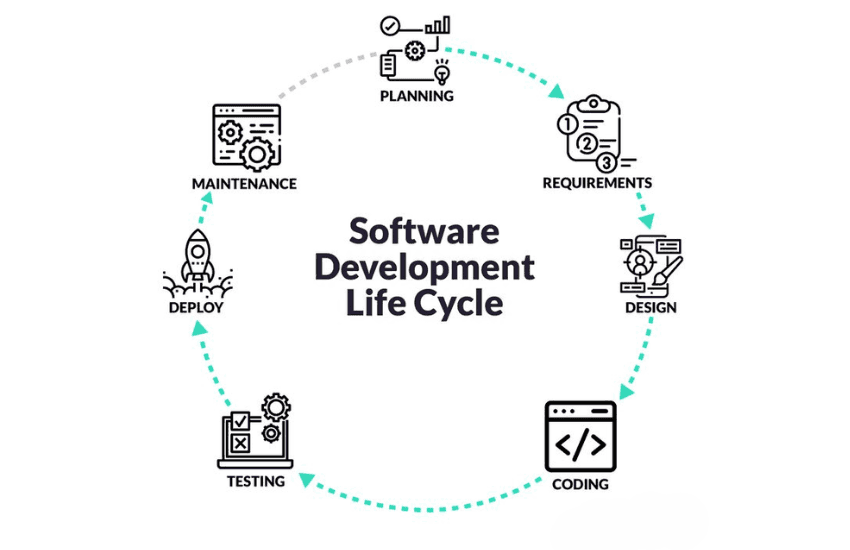
The software development process is how people make and give you software apps. They often make the work easier by breaking it into small steps. It also helps them design better and manage the software well.
Types of Software Design
- High-Level Design (Architectural Design): Shows the main plan of the software, focusing on the big parts and how they work together.
- Low-Level Design (Detailed Design): Breaks down the high-level design into more detailed specifications, focusing on how each module will function. It includes algorithm design, data structures, and interactions between modules.
- Object-Oriented Design (OOD): Identifies objects and their interactions, leveraging principles such as encapsulation, inheritance, and polymorphism. It is used to create flexible, maintainable, and reusable code.
- Functional Design: Describes what each function does (inputs, outputs) and how they work together in the system.
- UI/UX Design: Focuses on creating user interfaces that are intuitive and visually appealing.
The software development process can be iterative (like Agile) or sequential (like Waterfall). Agile is flexible with continuous changes, while Waterfall follows a fixed, step-by-step approach.
Knowing different types of software design helps you choose the right, flexible, and performant way to build software. Using both big and small plans makes strong software that's easy to grow and keep working.
Choose Your Right Software Development Providers
Selecting the most appropriate types of software involves more than knowing what functions are needed. It's essential to
- Align software with specific business goals
- Check the flexibility, security, and scalability of different software options
- Ensure proper vendor support and integration capabilities
Consulting with experienced providers can save time, reduce risk, and result in better outcomes. Golden Owl Solutions is a trusted name in custom software development. We helped many businesses with online apps, customer programs (CRM), HRM software, ERP software development, and special tools for different industries (healthcare, e-commerce, banking, etc). Because we have done this a lot, Golden Owl can help your business choose well and use the right types of software made just for you.
Conclusion
Learning about the different types of computer software helps everyone make good choices. Whether you're picking basic tools, online apps, or special programs for work, knowing what they do helps you succeed in the long run. Getting help from smart software companies makes sure you choose the right tech for what you need.
Understanding the different types of software — from system software and application software to cloud platforms and specialized tools — is essential for making the right technology decisions. Whether you're a business owner selecting the best computer software stack or a developer exploring software types for a new project, this knowledge forms the foundation for long-term success.
Consulting with experienced providers like Golden Owl Solutions ensures you choose categories of software made specifically for your goals. Get in touch with us today!
FAQs
Q1. What's the difference between online software and regular software?
Online software lives on the internet and you can use it from anywhere. Regular software is usually put directly on your computer or phone.
Q2. Can one software type serve many functions?
Yes, many modern tools are multifunctional and can include features from different types of software.
Q3. Why is software testing automation important?
Automatic tests make quality checks quicker. They keep performance steady and cut down on human mistakes when updating and releasing software.
Q4. How can I choose the right types of software applications for my business?
First, think about what your business needs to do. Then, decide what important things the software must have. Finally, talk to software experts, like the people at Golden Owl, to get advice made for you.
Share this page


Table of Content

Subscribe to Golden Owl blog
Stay up to date! Get all the latest posts delivered straight to your inbox