Navigate key decisions in iOS mobile app development. From budgeting and tech stacks to App Store launch, here is your practical roadmap.


How to Choose a React Native Mobile App Development Company
Jun 29, 2026
about 14 min read
Choosing a React Native mobile app development company? Learn how to pressure-test technical depth, evaluate pricing models, and avoid budget bleed.

If you're shopping for react native mobile app development services, the technology decision is actually the easy part. Most vendors can run a React Native demo. What separates a project that ships well from one that bleeds budget and time is whether the team behind it actually knows how to handle complexity, manage a real delivery process, and communicate when things go sideways.
This guide gives you the tools to figure that out before you sign anything: how to pressure-test a vendor's technical depth, what services to ask for by name, and the questions that separate teams who ship from teams who stall .
Basics of Mobile App Development with React Native
Before you can evaluate a vendor, you need to know what React Native is. You should understand what it’s good for and where it falls short. Many people start these talks without this background, which makes it easy to get stuck with vague promises.
What Is React Native?
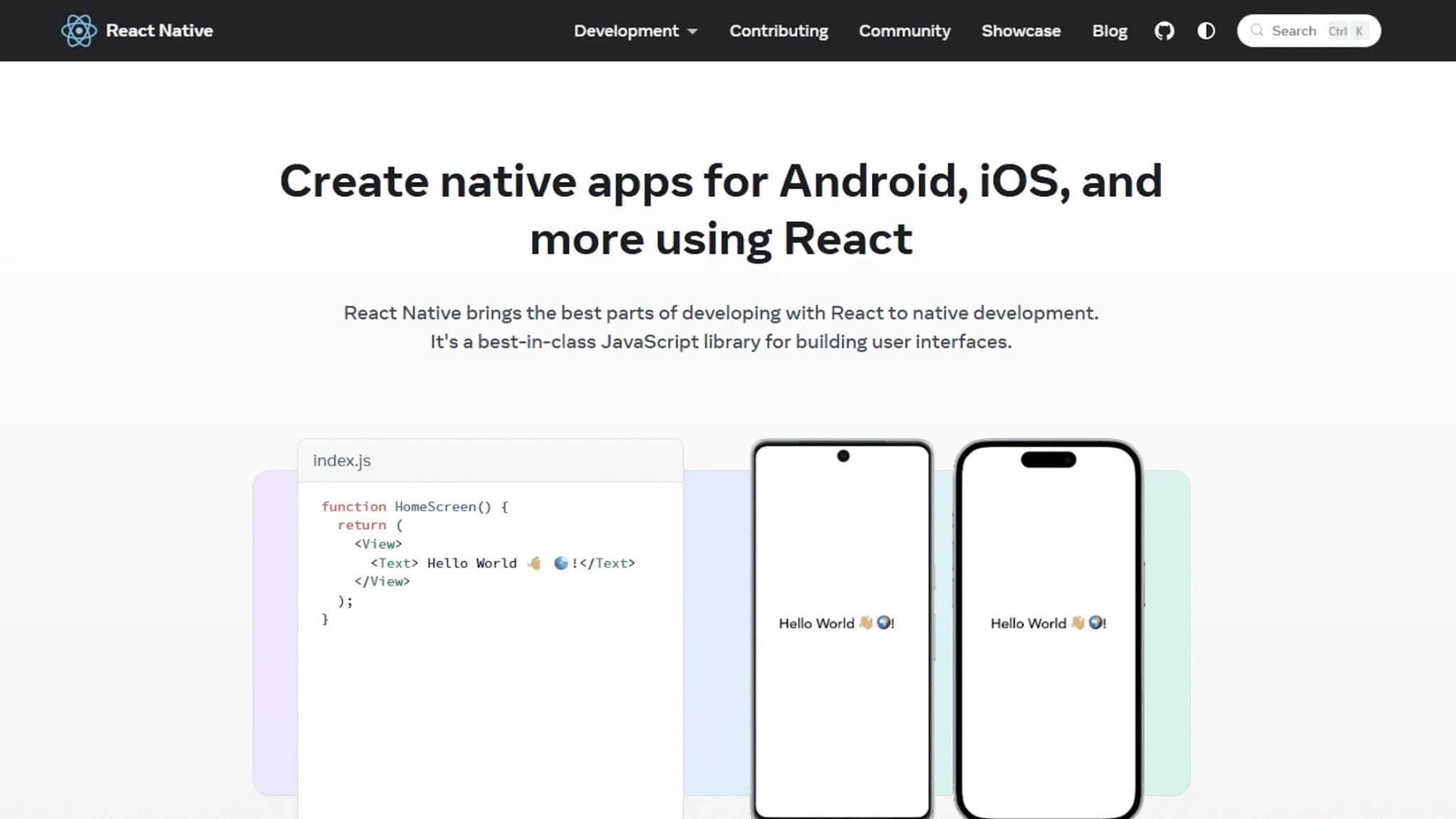
React Native is an open-source framework built on JavaScript, first released by Meta in 2015. It allows a team to build mobile apps for both iOS and Android from a single codebase. Instead of writing separate apps (using Swift for Apple and Kotlin for Android), developers write in JavaScript and TypeScript.
The framework then translates that code into the native user interface elements for each platform.
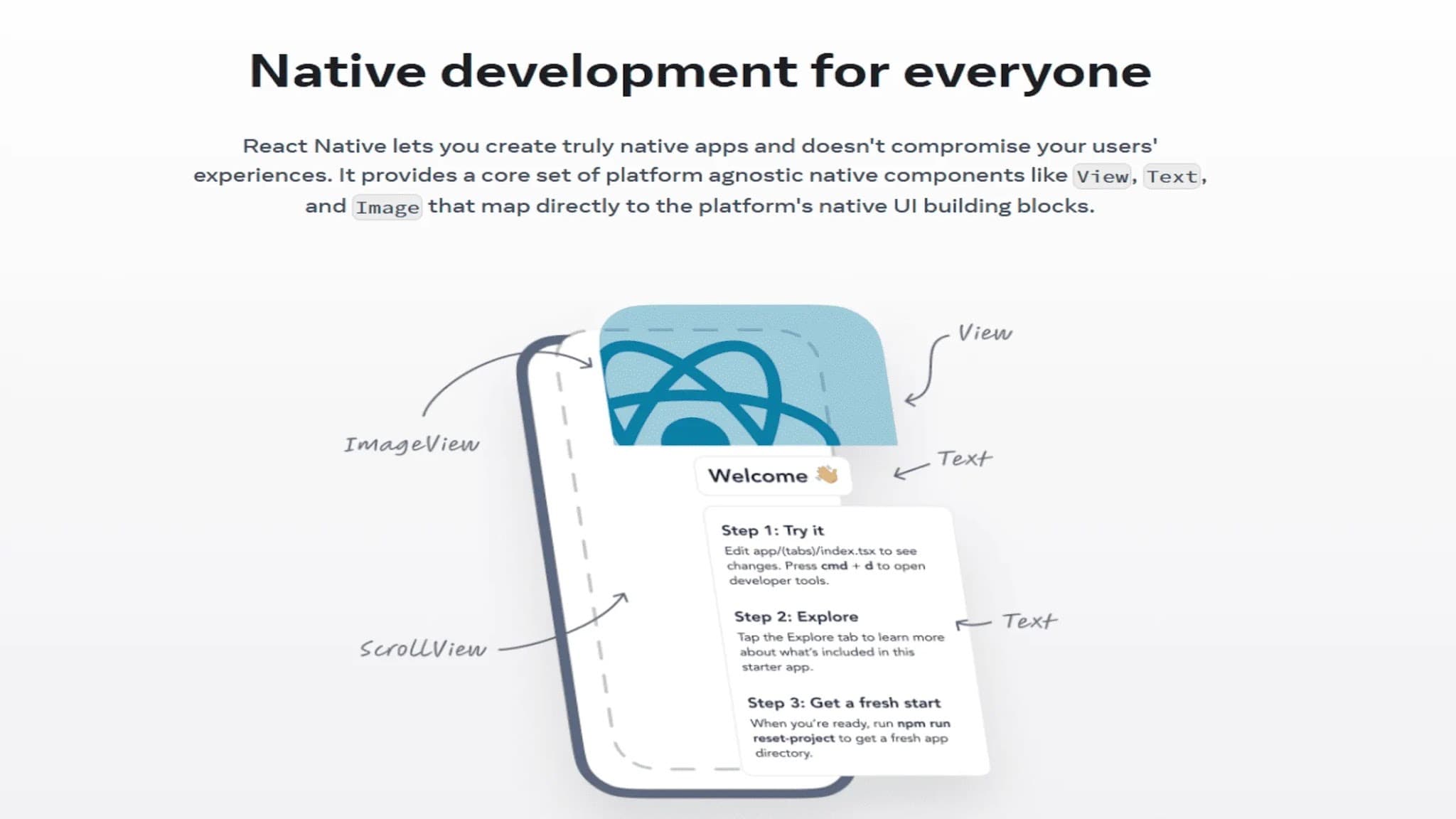
This is not just a website inside an app shell, which is what older tools like Cordova produced. React Native renders real native UI components, the final product feels much closer to a true native app. It has become a common choice for teams building cross-platform mobile apps.
Core Benefits: Speed, Cost, and Performance
React Native’s appeal generally comes down to three things.
A single codebase means lower costs. You are paying for one team to build one app, not two. Industry benchmarks show React Native costs are often 30 to 40 percent lower compared to building two separate native apps.
But, your actual savings will depend on the project’s complexity and how much platform-specific code is needed.
You also get faster development cycles. New features can be released on both platforms at the same time. A feature called Hot Reloading lets developers see code changes right away without a full restart, which cuts down build time.
Performance is near-native. The framework has improved a lot since its early days, and for most apps, users will not notice a difference. This is true for apps that rely on standard UI, API calls, and showing data.
Beyond those points, the large open-source community is another plus. It offers a huge ecosystem of libraries for common functions and means faster answers to problems. It also means a wide hiring pool for vendors.
Market Position and Popularity
React Native is one of the most-used mobile frameworks in the world. The 2025 Stack Overflow Developer Survey shows React at 44.7% usage among developers, and React Native is built on that same foundation.
This popularity has a very practical benefit. A large talent pool. When you pick a popular framework, your vendor has an easier time hiring. You also have more options if you ever need to switch partners or grow your team. Choosing a niche framework creates a real hazard.
You might not find developers to support it later.
React Native vs. Native Development
The choice between React Native and separate native apps for iOS and Android is a common one. Neither is always the right answer, it depends entirely on what your app needs to do.
Factor | React Native | Native (Swift / Kotlin) |
Development cost | Lower (single codebase) | Higher (two separate builds) |
Time to market | Faster | Slower |
Performance ceiling | High for most use cases | Higher for complex processing |
Team size needed | Smaller | Larger |
Platform-specific features | Requires native modules | Full access out of the box |
Long-term maintenance | Simpler | More complex across two codebases |
Native development is the clear winner for certain apps. This is true if your app depends on specific device hardware or needs complex background work. For most business apps, productivity tools, and marketplaces, React Native is a good fit. It offers more than enough performance at a much lower cost.
Core React Native Mobile App Development Services
Once you get the tech, you need to know what react native mobile app development services really include. Not every vendor offers all of these services. Knowing what to ask for will help you compare bids fairly.
Strategic App Consultation
A good react native mobile app development project starts long before anyone writes code. This early planning is about making choices that prevent budget overruns and delays.
This phase should cover four things. It defines the feature set and chooses the right backend design. It also finds third-party tools and maps out user journeys. None of this is code. But skipping it is the main reason, more often than not, first versions of products have to be rewritten.
Many teams rush past this stage. Teams that jump into building without clear needs will spend more time fixing things. You should ask any potential vendor how they handle this discovery phase. If they send a bid without asking about your business logic, that’s a red flag.
Custom App Development and MVPs
This service is where the actual app gets built. Custom development is the only way to get a product that truly fits your business and stands out.
MVP development is a focused version of this. A Minimum Viable Product is not a sloppy, half-finished app. It is a lean version built to test a single core idea with a small group of real users. A well-managed MVP build should take between eight and fourteen weeks.
If a vendor quotes you six months for an MVP, ask for a detailed breakdown of what they plan to build.
UI/UX Design for Cross-Platform Apps
Designing for React Native is more complex than it seems. You can share around 90 percent of the UI code between iOS and Android. But that last 10 percent is critical. It needs to be adapted for each platform.
Users notice when UI elements do not behave as expected. Things like date pickers, modal dialogs, and navigation gestures behave differently on each OS. On iOS, tab bars are at the bottom. Android uses system-level gestures for back navigation. These are not minor details.
A good design team creates a shared design system for consistency. But it applies platform-specific rules where they matter. That means following Material Design rules for Android and Cupertino guides for iOS. Getting this right makes an app feel native, not like a cheap port.
App Migration and Modernization
If you have a native app that’s expensive to maintain, migration might be a good option. Moving to React Native merges everything into one codebase. This lowers long-term costs and speeds up feature releases.
But before any code gets moved, the existing app needs a full audit. From there, a team can plan how to replace or wrap any platform-specific functions. The migration itself should happen in phases to keep the live product stable.
A team that promises a quick turnaround without an audit is likely underestimating the work.
Comprehensive QA and Testing
Quality assurance for a React Native project has to cover several layers of the app. Unit tests check that single functions work as expected. Integration tests ensure different parts of the app work together. End-to-end tests copy a real user’s journey through the app.
Security audits look for common flaws before the app is submitted.
Testing should happen throughout the project, not just at the end. When testing only starts after the build is done, problems are found too late. They cannot be fixed elegantly. Automated test coverage is also key. It reduces the risk of breaking something with every new update.
Multi-Platform Deployment and CI/CD
Getting an app into the App Store and Google Play is not a simple process. Both platforms have their own review guides, certificate rules, and submission needs. Apple's review process, in particular, can cause big delays if a submission is not prepared correctly.
A modern setup usually combines Fastlane to automate submissions with a build pipeline. This often runs on Bitrise or GitHub Actions. Before a public release, new builds are sent to internal testers. This is done through services like App Center or Firebase App Distribution.
With this kind of automation, a developer can push code and trigger the whole sequence. The build, test, and submission all run automatically. For teams that release updates often, this setup pays for itself very quickly.
Ongoing Maintenance and Support
An app that works perfectly on iOS 17 might crash on iOS 18. New Android versions often change how permissions and background tasks work. Post-launch support usually covers a few key areas.
It includes fixing bugs found by users in the live app. It also covers OS updates for new iOS and Android releases. Support means upgrading dependencies to fix security issues. It also involves monitoring performance and reviewing crash reports.
Finally, it can include small feature updates and user experience tweaks.
A vendor that does not offer a support plan after launch is just handing you a problem. You will be left with a maintenance issue the day the project ends.
How to Choose a React Native Mobile App Development Company
When you compare react native mobile app development services, choosing the right vendor is critical. But most people vet teams on the wrong criteria. These points should help you tell real partners from the agencies that just list React Native on their website.
Assessing Technical Expertise and Technology Stacks
Don’t just ask if a team “knows” React Native, the answer is always yes. Instead, ask them to defend the `package.json` from a recent large project. They should explain their choices for state management, navigation, and testing.
This reveals their actual depth. A strong team has opinions and justifies their tools, like TypeScript or Zustand, based on real trade-offs. You want specific experience with modern tools like Redux Toolkit and React Query. They also need core libraries for navigation (React Navigation, Expo Router) and testing (Jest, Detox).
A plan for native module integration for when JavaScript isn’t enough.
A team that uses the same stack for every project is probably just comfortable, not making good engineering choices.
Reviewing Portfolios and Industry Experience
A portfolio shows you what a team has shipped, so look for apps in production, not just mockups. It’s a good start. You should download their apps from the App Store or Google Play and see if their work is relevant to your industry.
But for testimonials, ignore the quotes on the vendor’s site. Go to platforms like Clutch. They publish independently verified client reviews that carry more weight. Seeing how a team handled project friction is more useful than a story where everything went perfectly.
The negative reviews are often the most useful part of this.
Understanding Engagement and Pricing Models
Everyone focuses on tech stacks and portfolios. The real point of failure, though, is usually the engagement model. Getting this wrong creates friction that can derail even a great team. There are three common structures.
A fixed-price project works when requirements are crystal-clear and will not change. It seems to put the financial risk on the vendor, but the price usually includes a buffer that makes it more expensive.
A dedicated team model means you get a team working only on your product, typically billed monthly. This is the right fit for longer-running products with changing needs. You get consistent, predictable output over time.
Staff augmentation is about adding individual engineers to your existing team. It works when you have strong product leadership but are missing specific technical skills.
The choice between these models will have more impact on the outcome than almost any other decision you make. This is based on your project’s clarity and your need for control.
The Typical Project Lifecycle
Understanding how react native mobile app development services are delivered helps you hold a vendor accountable. The contract you sign is going to shape every single stage of this process.
Discovery and Strategic Planning
The first two to four weeks should define goals, users, and technical limits. You should emerge with a product requirements document, a feature map, an architecture decision record, and a timeline with clear milestones. A team that rushes past this stage doesn't have a real plan.
UI/UX Design and Prototyping
Design has to come before development. A clickable prototype reveals structural problems when changes are still cheap to make. After coding starts, fixing those same problems can easily double a feature’s timeline, which is what happens when design and development overlap too soon.
Agile Development and Implementation
Two-week sprints are the standard for a reason. Each one should deliver working software that you can review and test. You should ask a potential vendor how they handle sprint reviews and what happens when work gets delayed. Their answer shows how they operate under pressure, and that's more important than a sales pitch.
Rigorous Testing and Quality Assurance
QA should happen continuously, not just at the end. Before any release, the team needs to run automated tests. They must check on a range of real devices and perform a regression check to make sure new work didn't break old features.
An app sent with known bugs will get hit with review delays and bad ratings that are hard to recover from.
Deployment and Post-Launch Support
The project isn't over at launch. The first weeks in production will always expose edge cases that testing missed. A reliable partner monitors crash reports and ships fixes quickly. That responsiveness right after launch is something, I find, most buyers underestimate.
This is how you find out the real quality of the vendor you chose.
Strategic Considerations and Future Outlook
Even with a great vendor, React Native isn't automatically the right tool. The choice isn't just whether to use the framework, it's about the specific way you use it. Getting that part wrong is where most projects fail.
When to Choose React Native for Mobile App Development
React native mobile app development services are a clear winner for shipping on both iOS and Android. You can do it from day one without funding two separate teams. It’s a natural fit if getting to market quickly is the priority, though it also works well if your features are standard and your team knows JavaScript or TypeScript.
This makes it a perfect choice for many kinds of projects. You can see why it’s popular for MVPs, consumer apps, and internal business tools.
When Another Technology Is a Better Choice
In some situations, choosing React Native will lead to problems that require a rewrite later on. If your app's core purpose is real-time graphics, native development is the honest choice. The same goes for deep hardware integration or low-level OS functions.
Anything built around specific hardware like Bluetooth and NFC, or custom audio pipelines. If you're building a game with 3D rendering, this isn't the tool.
At that point, the whole cost benefit of a shared codebase disappears. You end up writing so much platform-specific code that you just end up managing two separate projects within a single codebase.
Solving Common Performance and Framework Challenges
A classic example of where the cross-platform dream meets reality is with long, dynamic lists. The standard FlatList component starts to choke with more than 1,000 items. This causes noticeable frame drops and memory issues (especially on lower-end Android phones).
In a case like this, you can switch to a library like Shopify’s FlashList. It recycles items instead of keeping them all in memory. Its own benchmarks claim render time improves by over 70% on screens with heavy lists.
Dependency management is another area that ambushes teams. React Native is a mix of JavaScript libraries and native modules. Keeping them all compatible after a major version upgrade requires a plan. Experienced teams don't treat dependency audits as optional. They should be a required part of every release cycle.
Best Practices for App Optimization
A well-tuned React Native app is careful about its bundle size, rendering, and loading. Code splitting is used to keep the initial download small so the app feels fast. You can use memoization (with React.memo and useMemo) to prevent needless re-renders, a detail that has a huge impact on complex screens.
Lazy loading defers screens the user hasn't seen yet. For images, caching and progressive loading can make an app feel much faster on a slow connection. But the most critical choice is your state management library. Picking the right tool from the start is key.
This could be Zustand, Redux Toolkit, or a simple Context. It's what prevents a painful design refactor six months down the line.
The Future of the React Native Framework
The new Fabric design is a core change to React Native's rendering. It's designed to improve how JavaScript and the native side talk. This reduces layout bugs and adds support for concurrent rendering. Meta has been using it in production since 2022. Most key libraries now support it.
This is important. It proves the framework is being actively developed by a team with huge resources. The new JSI (JavaScript Interface) layer also makes it much easier to write your own high-performance native modules. This directly fixes one of the framework's oldest pain points, making it easier for JavaScript to talk to the native side.
Frequently Asked Questions
How Much Does a React Native App Cost?
The cost of react native mobile app development services depends on scope, complexity, and team location. A tight MVP might run from $25,000 to $50,000. A consumer app with a backend will likely be in the $75,000 to $150,000 range. For enterprise apps with complex workflows or compliance needs, costs often go past $200,000. A freelancer might seem cheaper.
That initial savings often disappears when you factor in the long-term costs of maintenance and scaling.
Is React Native a Good Choice for Cross-Platform Apps?
Yes. For teams evaluating mobile app development, React Native is among the strongest cross-platform options. Its architecture uses real native components, not web views. That is the key difference from older hybrid tools.
Code sharing between iOS and Android is commonly estimated at 70 to 90 percent, depending on how many platform-specific adaptations the project requires, a range supported by both community benchmarks and framework documentation. For most business use cases, the performance difference from fully native is small. The cost and speed benefits are real.
Should I Choose React Native or Flutter?
React Native uses JavaScript and TypeScript. This means most web developers can get up to speed in it very quickly. Flutter uses Dart. While a great language, fewer developers know it. The trade-off is that Flutter's custom rendering engine can produce very smooth animations more easily.
If your team is already a JavaScript shop, React Native is the practical choice. If silky-smooth animation is the core of your product, you should look at Flutter. A Flutter mobile app development company should be part of your review if your team is willing to learn Dart.
What Are the Key Limitations of React Native?
The framework has real limits you need to plan for. These aren't deal-breakers, but ignoring them is a mistake.
- Hardware Access: Anything complex with the camera, audio, or Bluetooth will require you to write native modules in Swift or Kotlin.
- App Size: The final app bundle will be a bit larger than a pure native build. This can matter in markets with slow networks or older devices.
- Upgrades: Major framework upgrades can and do break third-party libraries. This creates unplanned work if your dependencies aren't managed with care.
What Is the Difference Between Expo and Bare Workflows?
Expo is a managed environment layered over React Native. It handles native configuration automatically, which makes project startup faster and reduces the native expertise required early on. The Bare workflow removes that layer and gives full access to native code when a project needs custom native modules that Expo doesn't support.
Starting with Expo is almost always the right call. It keeps early complexity manageable. What actually matters is running a serious audit at the three-month mark to find out whether any planned features will require custom native modules.
Discovering mid-project that you need to eject from the managed environment can add several weeks of unplanned rework; four to six weeks is a reasonable estimate, depending on how far along the project is. Finding that out in month three is painful. Finding it out in month seven is worse.
How Do I Find Reputable React Native Development Companies?
Start with review sites like Clutch, which has verified client reviews. Then, actually download and use the apps in a company's portfolio. When you talk to them, ask the hard technical questions from this guide. Do this before you even get to price. Ask them about their views on Expo versus Bare workflows.
Our company can be a great start. You can check out the full breakdown of how we structure different project types on our mobile app development services page.
Conclusion
Evaluating react native mobile app development services properly takes more than comparing quotes. It means understanding the framework, knowing what a full engagement covers, and asking the right questions when you're sitting across from a vendor. The technology is mature and proven at scale.
What separates projects that succeed from ones that don't is almost always the team behind the build and how they run a project. If you're ready to build and want a team with real production experience, our team at Golden Owl Solutions is open to reviewing your requirements.
Share this page


Table of Content

Subscribe to Golden Owl blog
Stay up to date! Get all the latest posts delivered straight to your inbox