Why Don't I See ChatGPT 5? 10 Common Reasons and Fixes (2025)
Artificial Intelligence
Why Don't I See ChatGPT 5? 10 Common Reasons and Fixes (2025)
Nov 30, 2025
about 9 min read
i don't see chatgpt 5 even though it’s the default model, check login status, update your app, or adjust admin and region settings.
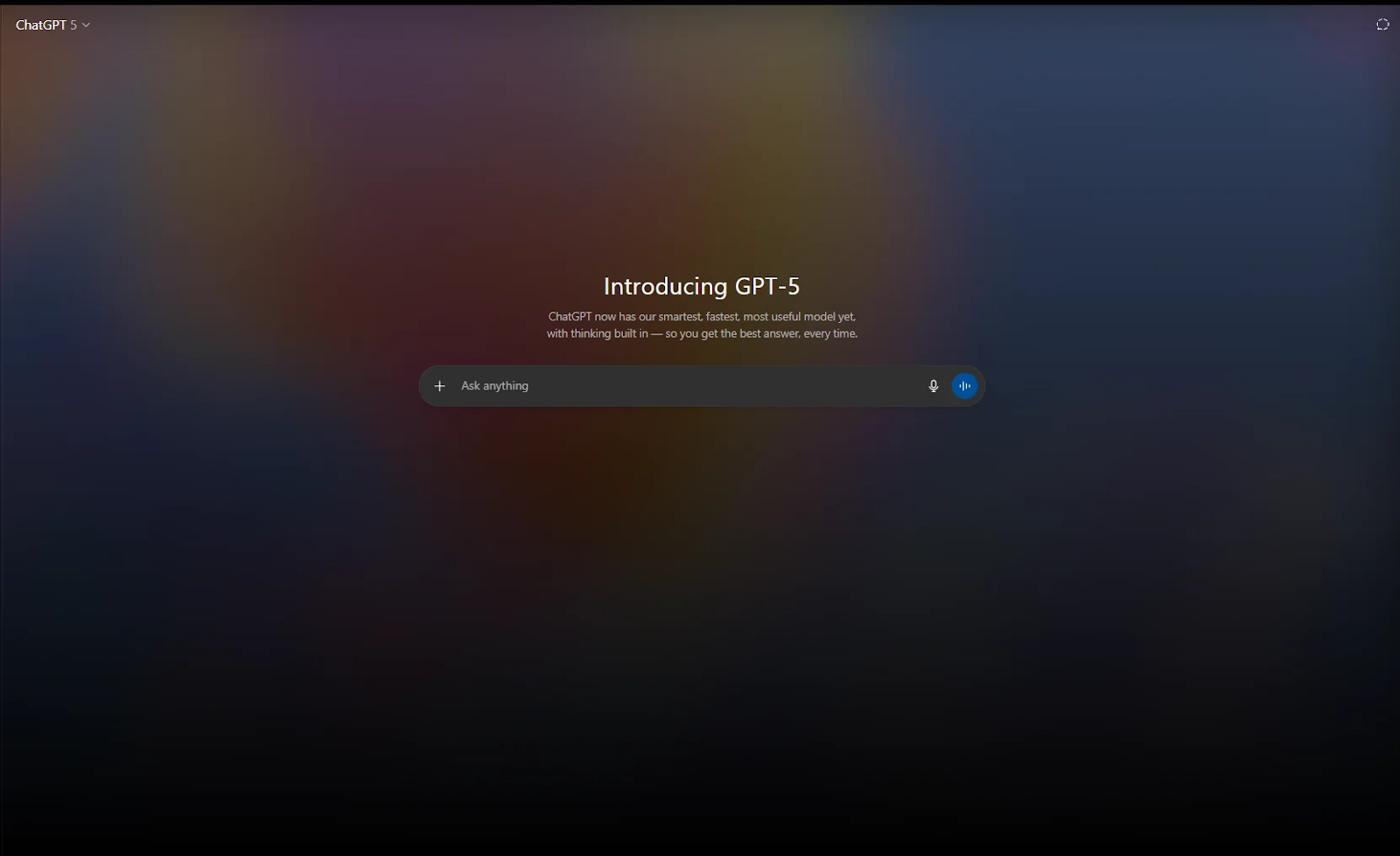
In 2025, GPT-5 rolled out to more than 700 million ChatGPT users and became the new default model for all signed-in accounts, fully replacing GPT-4.x. Yet many users still search “i don't see chatgpt 5” because the model doesn’t always appear in the interface. Our blog explains why GPT-5 may not show up, how to check its availability, how to enable it, and what to do if it remains hidden on your account.
Key Takeaways
GPT-5 is the default model in 2025, but it may not appear if you're not signed in or using an outdated app.
Workspace admins can disable GPT-5, so Enterprise, Team, and Education users may not see it until it's enabled.
Region rollout delays or network restrictions can hide GPT-5 from the model picker.
Cache issues, old chats, browser extensions, and app versions often cause GPT-5 to “disappear.”
If GPT-5 still isn’t visible, alternatives like Gemini 2.5 Pro, Claude 4.1 Opus, DeepSeek-V3, eesel AI, or Cursor can fill the gap.
Common Reasons GPT-5 Isn't Visible
Most users who search “I don’t see ChatGPT 5” aren’t facing a technical error. In most cases, GPT-5 is available, but the interface, account settings, or rollout timing prevents it from appearing. Below are the most common and reliable reasons GPT-5 doesn’t show up for users:
1. You’re Not Signed In
GPT-5 only appears for logged-in users. Guests get o-series or legacy models, even if they previously used GPT-4.x. If you see “o1-mini,” “o3,” or a generic “ChatGPT” label, you are likely not signed in.
2. Your Workspace Admin Disabled GPT-5
GPT-5.1 is disabled by default for Enterprise, Team, and Education workspaces. Admins must manually enable GPT-5 in the Admin Console → Models & Permissions. If you use SSO or a corporate login, your company may restrict advanced models for compliance or cost-control reasons.
3. You’re Using an Outdated App
Older versions of the ChatGPT mobile or desktop apps do not display GPT-5. Updating the app instantly resolves:
Missing model options
Incorrect “Default model” labels
Old chats locked to GPT-4.x
Stale browser sessions and expired cookies create the same problem.
4. You’re Searching for “ChatGPT 5,” but It’s Labeled Differently
Users often expect to see “ChatGPT 5,” but the interface shows:
GPT-5
GPT-5.1
GPT-5 Auto
GPT-5 Fast
GPT-5 Thinking (for extended reasoning)
If you’re scanning for the wrong name, it may look like GPT-5 is missing.
5. Region-Based Rollout Lag
OpenAI releases new models in waves to maintain system stability. If someone else has GPT-5 and you don’t, your region may still be in the queue. Rollout delays also happen when:
You’re traveling
You recently changed IP/location
You’re on a VPN route with a restricted region
6. You Hit a Usage Limit (Free Tier)
Free-tier users can see GPT-5, but during peak demand, OpenAI may temporarily route heavy requests to smaller models. This can feel like GPT-5 “disappeared,” when in reality you just hit a session cap. Reloading or starting a new chat often restores access.
7. Corporate Firewalls or SSO Restrictions
Some organizations block advanced models for:
Security reasons
Data retention rules
AI governance policies
Budget control
Firewalls, proxies, and SSO rules can silently hide GPT-5 from the model picker.
8. Model Picker vs. Default Model Confusion
In some plans, GPT-5 is the default model, but doesn’t always appear as “GPT-5” unless you open the model picker. In older chats, you may still be locked to GPT-4.x unless you manually switch.
9. Cached Interface or Browser Extensions
Privacy extensions, ad blockers, and stale browser cache can:
Hide the model dropdown
Load an outdated UI
Fail to refresh the available models
Signing out and in, or switching browsers, usually fixes it.
10. Temporary System Load or Incidents
During the GPT-5 launch window, some users saw:
Model not found
GPT-5 temporarily unavailable
Timed-out requests routed to o-series
These are short-lived issues caused by demand spikes, not account problems.
How to Check for GPT-5 Availability
If GPT-5 isn’t showing up, you can confirm availability with a few quick checks. These steps help you determine whether the model is enabled for your account, your region, or your device.
alt: Check for GPT-5 Availability
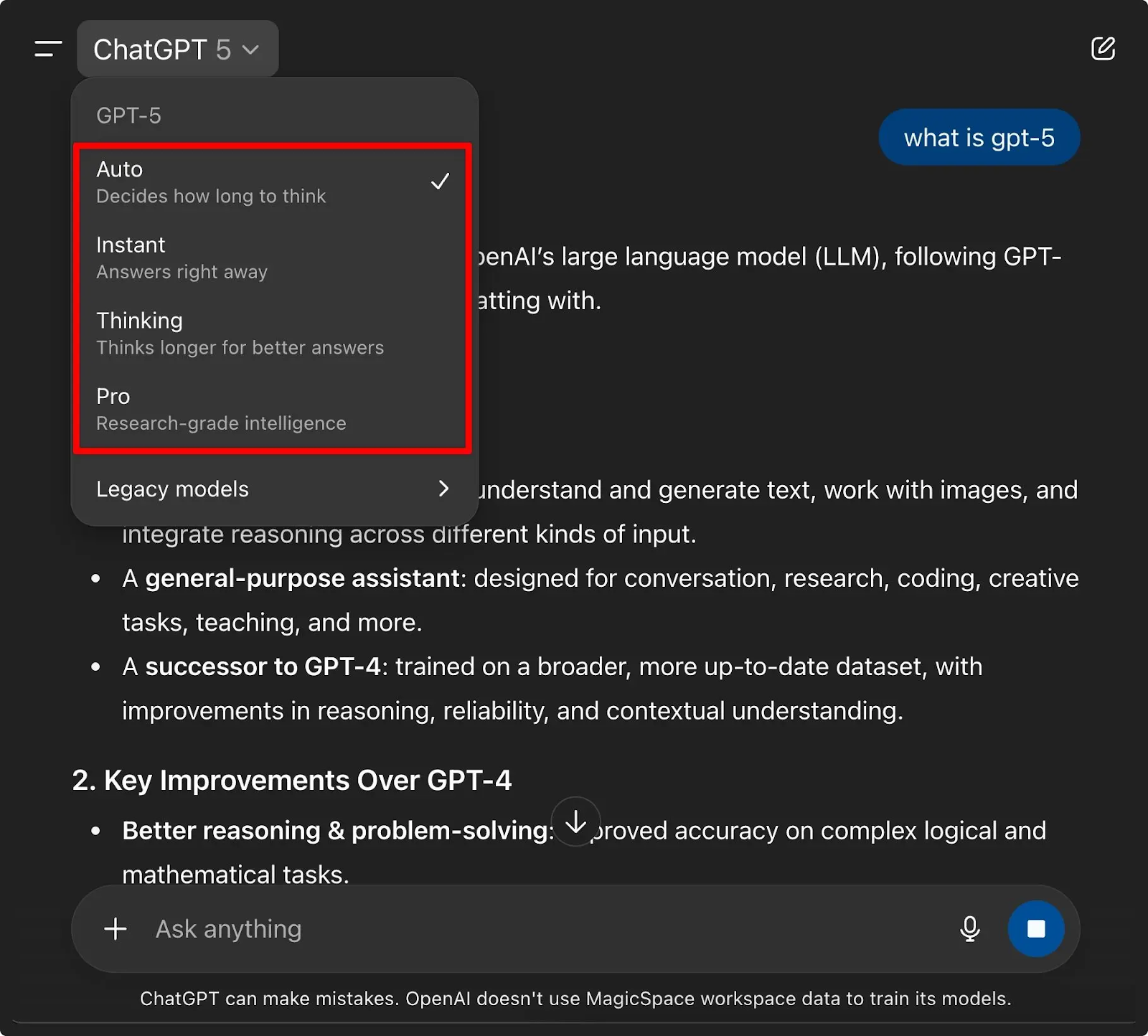
1. Open the Model Picker
Start by checking the model selector.
On web, look at the left sidebar under “Models.”
On mobile, tap the model name at the top of the chat to open the menu.
If you see GPT-5, GPT-5.1, GPT-5 Auto, or GPT-5 Fast, the model is available for your account.
2. Check “Legacy Models” and “All Models”
GPT-5 occasionally appears in different sublists depending on your plan and interface version. Look under:
All Models
Advanced Models
Legacy & Experimental
If it’s not immediately visible, expand every category.
3. Verify Your Plan (Free, Plus, Pro, Team, Enterprise)
GPT-5 is available on all plans, but it behaves differently by tier.
Free users get GPT-5 Auto with usage caps.
Plus and Pro get GPT-5.1 and GPT-5 Thinking mode.
Team and Enterprise get GPT-5.1, but access depends on admin settings.
Your plan determines which version appears, not whether GPT-5 is supported.
4. Check Admin Console for Enterprise/Edu
For Enterprise, Team, and Education, GPT-5.1 is not enabled by default. Admins must go to: Admin Console → Models & Permissions → Enable GPT-5.1 If GPT-5 doesn’t appear, your workspace may have it turned off.
5. Update Your App
The latest models require the newest app version. If you use:
Outdated mobile apps
Older desktop versions
Cached browser sessions the UI may hide GPT-5 entirely.
Updating usually fixes it instantly.
6. Confirm You Are in a Supported Region
GPT-5 rolled out globally, but some regions experience slight delays.Access may be restricted if:
You are traveling
You are using a VPN
Your IP is routed through a restricted region
Switching networks or disabling VPN can immediately reveal GPT-5.
What to Do If Chat GPT 5 Isn't Showing Up
If GPT-5 still doesn’t appear after checking availability, a few targeted fixes usually resolve the issue. These steps address the most common causes: outdated apps, cache conflicts, admin restrictions, and rollout delays.
alt: Chat GPT 5 Isn't Showing Up
1. Sign Out and Sign Back In: Many users stay stuck in a cached session tied to older model settings. A full sign-out resets your model list and restores the GPT-5 picker.
2. Update Your App or Refresh Your Browser: GPT-5 requires the latest interface.
Update the mobile or desktop app.
On web, refresh with Ctrl + Shift + R (force reload).
If the UI was loading old assets, GPT-5 appears immediately after the reset.
3. Clear Cache or Try a Private Window
Browser cache, extensions, and privacy blockers can hide the model dropdown. Try:
Private/Incognito mode
Clearing cache
Temporarily disabling extensions like ad blockers or script filters
If the model list loads correctly here, your browser settings are the cause.
4. Switch Networks or Disable VPN
GPT-5 may be hidden if your IP routes through an unsupported region.
Turn off VPN
Switch to mobile data
Try a different Wi-Fi network
Network changes often fix missing GPT-5 options instantly.
6. Start a New Chat
Some old chats are locked to older models. Starting a new chat refreshes the model picker and allows GPT-5 selection.
7. Wait for Rollout Completion
If GPT-5 is still rolling out in your region, you may simply be in the next batch.These rollouts sometimes stagger by:
Region
App version
Account type (Free/Plus/Team/Enterprise)
If everything else checks out, it may be a timing issue.
8. Check OpenAI’s Status Page
Service spikes, outages, or throttling can temporarily hide GPT-5. If the status page shows a model issue, the problem isn’t on your end.
What Are the Alternatives if You Can’t Access GPT-5?
If GPT-5 isn’t available in your region, plan, or workspace, several strong AI systems can fill the gap. Each alternative serves different use cases from support automation to coding, multimodal analysis, or full model self-hosting. Below are the most reliable GPT-5 substitutes available today:
1. Google Gemini 2.5 Pro
alt: Google Gemini 2.5 Pro
A multimodal powerhouse with an unmatched 1 million token context window for long documents, codebases, and video inputs.
Gemini 2.5 Pro processes text, code, images, audio, and large datasets in a single request. It’s ideal for enterprises analyzing long PDFs, legal documents, financial records, or large repositories.
Pros
Best-in-class context window.
Strong multimodal capabilities.
Backed by Google’s infrastructure and reliability.
Cons
API only, requires engineers and integration work.
Costs can stack quickly depending on token usage.
Pricing plan
Gemini Free
Gemini Advanced: $19.99/month
2. Claude 4.1 Opus (Anthropic)
alt: Claude 4.1 Opus
A premium model known for extreme accuracy in code generation, reasoning, and multi-step problem solving. A direct competitor to GPT-5 in enterprise settings.
Claude 4.1 Opus excels at multi-file code refactoring and long reasoning tasks. It delivers clean, reliable outputs and outperforms most models on coding benchmarks such as SWE-Bench.
Pros
Industry-leading accuracy and reasoning.
Excellent for large, complex coding tasks.
Strong safety and reliability for enterprise workloads.
Cons
One of the most expensive APIs in the market.
Requires a development team to build usable applications.
Not plug-and-play.
Pricing plan
Free plan: $0
Pro plan: $20/month or $17/month
Max plan: $100/month
3. DeepSeek-V3
alt: DeepSeek-V3
An open-weight model for companies needing full control, customization, and self-hosting. Perfect for privacy-sensitive or highly specialized use cases.
DeepSeek-V3 competes with top proprietary AI models in reasoning and coding. Because it is open-weight, you can run it on your own servers and fine-tune it with proprietary data to build custom solutions.
Pros
Free to use; pay only for computers.
Full control over model, data, and deployment.
Custom fine-tuning for domain-specific systems.
Cons
Requires advanced engineering expertise.
Needs powerful hardware (multi-GPU servers).
Not suitable for teams wanting a plug-and-play solution.
Pricing plan
Model is free
Compute costs vary: self-hosting often costs $1,000–$6,000+ per month depending on workload.
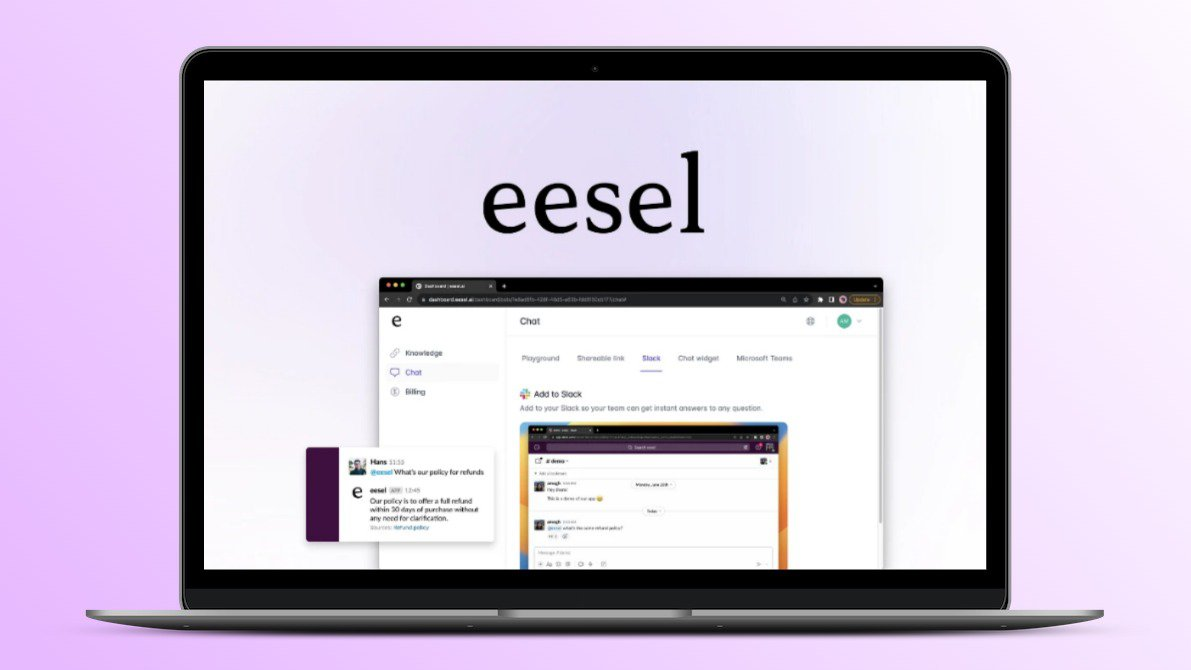
4. eesel AI
alt: eesel AI
A ready-made support automation platform built on top-tier AI models. Ideal for companies that want instant deployment without engineering work.
eesel AI connects directly to tools like Zendesk, Intercom, Confluence, Google Docs, Slack, and even your past support tickets. It drafts replies, automates frontline support, handles internal Q&A, and builds workflow automations without forcing your team to migrate systems. Setup takes minutes, not months.
Pros
Launch in minutes with zero engineering.
One-click integrations with all major support & knowledge platforms.
Simulation mode lets you test on past tickets safely.
Predictable subscription pricing (no per-ticket surprises).
Fully customizable workflows.
Cons
Designed for support and internal knowledge—not a general-purpose AI API.
Not suitable if you need to build custom apps from scratch.
Pricing plan
Team Plan: $299
Business Plan: $799/month
5. Cursor
alt: Cursor
An AI-native code editor that acts like an “AI coding coworker.” Built for developers who want productivity gains without managing APIs.
Cursor is an IDE that understands your entire project. It edits files, generates code, fixes bugs, and manages context across the whole repo something raw APIs can’t do easily. It’s one of the fastest ways to accelerate engineering productivity.
Pros
Full-project awareness (far better than isolated API calls).
Seamlessly integrated into the developer workflow.
Excellent for refactoring, debugging, and complex edits.
Cons
Only for software development.
Not suitable for building general-purpose AI apps or automations.
Pricing plan
Pro: $20/month
Pro+ $60/month
Ultra $200/mo
Teams$40/user/month
ChatGPT 3.5 vs ChatGPT 4 vs ChatGPT 5 - Key Differences
ChatGPT has evolved quickly across three major generations. Each version brings significant improvements in reasoning, accuracy, multimodality, and reliability:
alt: ChatGPT 3.5 vs ChatGPT 4 vs ChatGPT 5
ChatGPT 3.5: Fast but Limited
ChatGPT 3.5 was designed for speed and lightweight tasks. It is efficient for simple conversations but struggles with deeper reasoning or multi-step logic.
Key Characteristics
Very fast but shallow reasoning
Not fully multimodal
High hallucination rates on complex queries
Weak at coding correctness and long workflows
Best for quick drafts, simple Q&A, and basic productivity
3.5 became outdated as soon as GPT-4 and GPT-5 introduced stronger reliability and task depth.
The GPT-4 family brought major upgrades in reasoning, safety, and multimodality. It significantly reduced hallucinations and enabled more accurate coding, analysis, and problem solving.
Key Characteristics
High reasoning accuracy
Supports multimodal input and output (text, images, audio, video – depending on variant)
Better reliability and task follow-through
Stronger coding performance
Better long input comprehension
More consistent for business use cases
4.1 and 4o refined this further, offering faster speed and improved efficiency.
ChatGPT 5 / 5.1: The New Default and the Most Capable (2025)
GPT-5.1 officially became the default ChatGPT model for all signed-in users in 2025, replacing GPT-4.x. It delivers the most advanced reasoning, planning, accuracy, and consistency available in consumer and enterprise AI.
Key Characteristics
Built-in Thinking Mode for long, multi-step reasoning
Greatly reduced hallucinations
Much higher accuracy in coding, debugging, and analysis
Stronger long-context handling and memory
More reliable task planning and multi-step execution
Consistent results across complex workflows
Multimodal unification: text, vision, audio handled in a single system
GPT-5.1 is engineered for real productivity workloads, not just conversation.
Feature
ChatGPT 3.5
ChatGPT 4 / 4.1 / 4o
ChatGPT 5 / 5.1
Reasoning
Weak
Strong
Deep (with Thinking mode)
Multimodality
Limited
Full multimodal
Unified multimodal
Accuracy
Low
High
Highest
Hallucinations
Frequent
Reduced
Very low
Coding Quality
Basic
Strong
Enterprise-grade
Long-Context Handling
Limited
Good
Excellent (improved long-context engine)
Speed
Fast
Fast/Moderate
Fast with higher precision
Best For
Simple tasks
Reliable business tasks
Advanced workflows & analysis
Conclusion
GPT-5 is now the default model for most ChatGPT users, but it doesn’t always appear automatically. In many cases, the issue is not availability, it’s sign-in status, app version, admin settings, region routing, or simple UI confusion. By following the checks and fixes in this guide, most users can enable GPT-5 within minutes.
If you need help choosing the best AI model or implementation path for your business, this guide gives you the clarity to move forward with confidence.
FAQs
Why isn't GPT-5 available in my region?
GPT-5 may still be in a staged rollout for your location, or your network routing (VPN, corporate firewall, carrier-grade NAT) may be sending your traffic through a region where GPT-5 isn’t active. Signing out/in, disabling VPNs, or switching networks usually resolves it.
How can I get early access to GPT-5?
There is no “early access” program. GPT-5 is already live for all signed-in users, but Enterprise/Edu admins must enable GPT-5.1 in the admin console. For individuals, the fastest way to ensure access is: update the app → sign in → check the model picker.
Will GPT-5 automatically replace GPT-4?
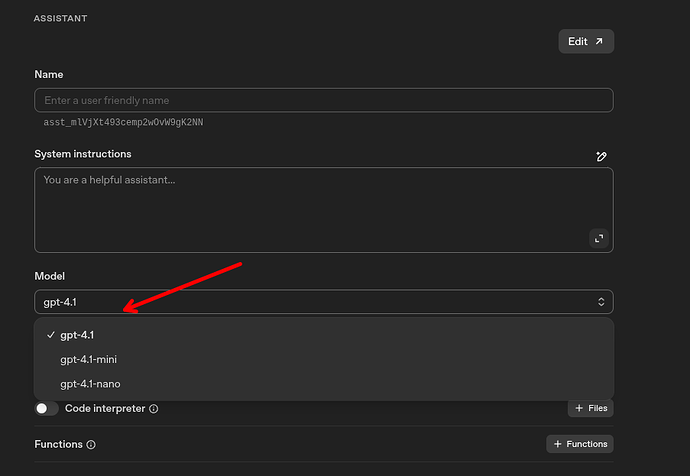
Yes. GPT-5 is now the default for new chats on most plans. GPT-4 models still appear under “Legacy Models,” but OpenAI routes general usage to GPT-5 unless you manually choose another version.
Can I switch between GPT versions?
Yes. Open the model picker and select GPT-4, GPT-4o, GPT-5, or GPT-5.1 manually. Paid plans have full version control; free users may see fewer options due to usage limits.