Stop treating your store like a brochure. Learn how to budget, evaluate costs, and choose the right ecommerce website design company.


The Complete Guide to WordPress Website Development
Jun 10, 2026
about 17 min read
Planning a WordPress website development project? Learn how to choose a strategic partner, understand real costs, and avoid critical post-launch risks.
WordPress website development covers a wider range of work than most clients expect when they start looking for a developer. A basic brochure site and a custom membership platform are both built on WordPress, but they require different skill sets, different budgets, and different questions to ask before signing a contract.
This guide helps business owners and marketing teams figure out what they actually need, what it should cost, and how to tell a capable partner from one who will cause problems six months after launch.
How to Choose a WordPress Website Development Company?
Picking the right team matters more than picking the right plugins or the right page builder. A strong WordPress website development company does more than write code. They ask the right questions, push back on weak ideas, and keep the project tied to your goals. This section covers what to look for before you sign anything. This section covers what to look for before you sign anything.
Evaluating Technical Expertise and Reliability
A polished portfolio tells you little about technical quality. A professional team may have reviewed projects that looked great on the surface but turned out to be disasters beneath the surface. Developers have seen 10-second load times, 50+ active plugins, and themes built with copy-pasted tutorial code. The site looked great in screenshots. In production, it was a liability.
Here's a better test. Ask a candidate agency to walk you through the backend of a project they've delivered. Have them explain three decisions:
- Why did they choose each major plugin over the alternatives
- How they handled a specific performance problem, a slow database query or a large media library
- What custom code did they write versus what they handled with existing tools
A strong WordPress website developer answers these questions with specifics. A weak one pivots back to front-end design. Their technical credibility is found in the details of their process, not just in how their portfolio looks.
Beyond the portfolio, you should look for a full-time team over a loose network of contractors. Clear ownership is the goal. You need to know who writes the code, who reviews it, and who is accountable when something breaks. You can check this by asking about their process for key stages, like handoffs and support, before you sign.
Working with a single freelancer can seem cheaper upfront. But a project with no peer review, no staging site, and no formal accountability carries a real risk. Often a much higher one. A team with established processes will almost always get a better result.
The Importance of Social Proof and Client Reviews
Then there's social proof, which is where most buyers get misled. Testimonials on an agency's own website are the weakest signal. Everyone has five-star quotes on their homepage, but you should treat that as marketing, not objective evidence.
You want verified, third-party reviews that the agency could not edit. Platforms like Clutch and G2 publish these, but the star rating, while prominent, is often a distraction. You should look for patterns in what the reviewers actually write. An agency with 20 reviews that all mention "clear communication" tells you something useful, whereas a handful of vague five-star ratings doesn't tell you much.
The same logic applies to case studies. A good case study isn't just a description of what was built, it also explains the business problem and the measurable outcome. A weak one just describes the work without explaining why it mattered or what changed.
Finding a Strategic Partner, Not Just a Coder
The best WordPress website development agency relationships feel less like vendor contracts. They feel like working with a senior member of your own team. Your partner should tell you when an idea won't work (and why), then offer a better path.
Signs of a strategic partner:
- They ask about your business model and goals before discussing features
- They challenge the scope rather than accepting everything you ask for
- They raise performance, SEO, and security without being prompted
- They think about what happens after launch, not only the launch itself
A coder delivers what you specify. A strategic partner shapes what you should specify. For a business website that needs to generate leads or support sales, that distinction matters.
Getting a Custom Quote
Every project has a different scope, stack, and set of requirements. The only way to get a realistic number is to talk through your situation with a team that can assess it. A professional custom web development services team will review your requirements and give you a grounded, honest estimate, no vague ballparks and no pressure.
Understanding WordPress Development Costs and Pricing Models
After you find a partner, the talk turns to budget. The bigger question is about how you'll actually pay for it. There is no single price for a WordPress website development project, the cost depends on scope, complexity, team location, and the payment model you choose.
Key Factors That Influence Project Cost
The final price swings on a few key variables, especially developer rates which can be $100–$200/hour in the US. This includes the scope of work (like pages, features, and content types). It also covers the design approach and technical needs, such as API links or custom e-commerce logic. A tight timeline also raises costs.
Developer Rates and Engagement Models
WordPress website developers work under one of three models. Each carries different risks and costs for the client.
Fixed-price: This model seems safest. You get a single number for a defined scope. For anything but a simple brochure site, this approach can be problematic. The model can misalign incentives from day one. When needs inevitably shift, the developer is pushed to cut corners to protect their margin. You end up in a cycle of costly change orders. A site that meets the SOW but fails the real business need. Vague terms like "reasonable revisions" are a major red flag.
Time-and-materials (T&M): Here, you pay for the hours worked. This model is better for complex projects where the scope will evolve, though the budget risk does shift to you. It gives you far more control over priorities as the project unfolds. It is vital to work with a partner who communicates clearly and flags scope changes early.
Retainer: This model is for an ongoing partnership. You pay a fixed monthly fee for a set number of hours. This is ideal for maintenance, post-launch fixes, and adding new features over time. It removes the friction of scoping every small task.
For most custom WordPress website development services engagements, a hybrid approach works well. Use a fixed price for discovery and design, then T&M or retainer for development and ongoing work.
Engagement Model | Best For | Client Risk |
Fixed Price | Fully scoped, stable projects | Change orders on scope drift |
Time & Materials | Evolving or exploratory projects | Budget overrun if unmanaged |
Retainer | Ongoing development and support | Low, predictable monthly cost |
What to Expect from Professional WordPress Website Development Services
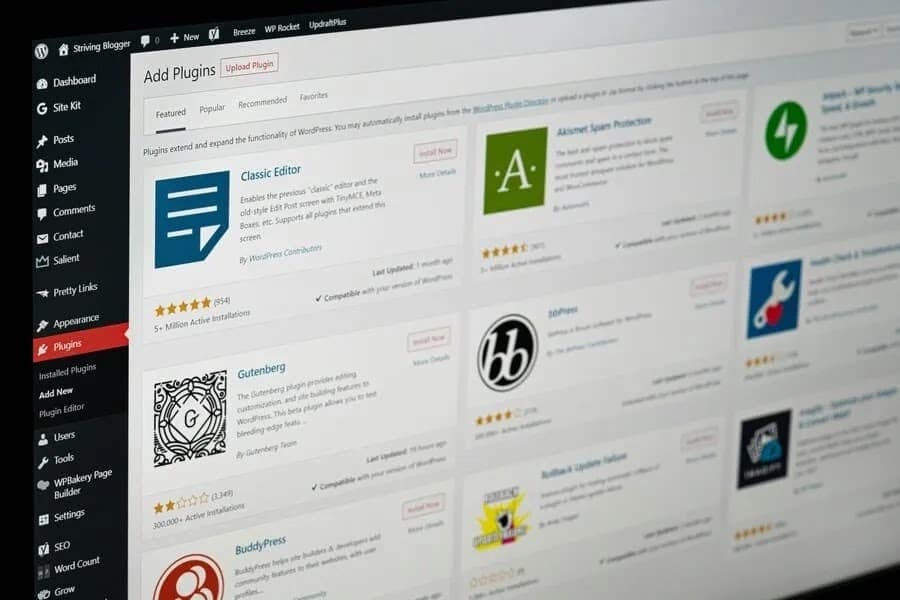
Knowing what a professional agency delivers helps you scope your project and check proposals. Golden Owl's web development services cover the entire process, from initial UX design through post-launch maintenance.
WordPress Website Design and Development for Custom UX
WordPress website design and development starts with your users. Who are they? What do they need to do? A custom UX is not just about looks. It is about structuring the site to guide visitors toward a specific goal (a purchase, a form fill, a call). This involves everything from wireframes and user journey maps to, eventually, high-fidelity mockups and responsive design.
Template-based designs are faster and cheaper. But they impose hard limits on layout, performance, and differentiation. For businesses where the website drives revenue, custom UX is worth the cost.
Custom WordPress Website Development for Themes and Plugins
Custom WordPress website development at the theme and plugin level is where real technical work happens. Off-the-shelf themes are built for broad compatibility, not your specific requirements. They carry code for features you'll never use. That adds page weight and creates security exposure.
A custom theme is built from scratch to include exactly what your site needs. You get cleaner code, faster load times, and no dependency on a third-party developer who may stop maintaining the product.
Custom plugins solve specific problems. If a required feature doesn't exist in the plugin library, a custom plugin fills the gap with precision. The development team builds custom plugins for booking integrations, pricing calculators, API data feeds, and post-type management systems.
E-commerce and WooCommerce Solutions
WooCommerce is the dominant e-commerce layer for WordPress. It handles simple product catalogs and scales up to support multi-currency pricing, subscription billing, and tiered wholesale pricing.
Our e-commerce and WooCommerce development work covers:
- Product catalog setup and custom product types
- Payment gateway integrations (Stripe, PayPal, and regional processors)
- Shipping rule logic and third-party fulfillment integrations
- Custom checkout flows built for conversion
- Subscription and membership billing systems
WooCommerce updates require careful management. Running a core update on a live store without testing first is a common mistake. We cover this in the risk section below.
Integrated Search Engine Optimization
Search engine optimization must be built in, not bolted on. A professional build uses clean, semantic HTML with proper heading structures. It also includes structured data markup that search engines can easily parse.
Performance is also a ranking factor. Core Web Vitals scores directly impact your position in Google, so speed is a core part of the build. The technical base is finished with a properly set up SEO plugin, XML sitemaps, and crawl-friendly URLs.
This is exactly the kind of base work that gets cut when a fixed-price project goes over budget.
Ongoing Maintenance, Hosting, and Support
A WordPress site needs active maintenance. Within months, old plugins become security risks. Traffic growth slows performance. Old theme code breaks during core updates.
Standard professional custom WordPress development services often include post-launch support. This typically covers:
- Regular updates to WordPress core, themes, and plugins (tested in staging first)
- Security monitoring and hardening
- Uptime monitoring and performance checks
- Managed hosting with daily backups and one-click restore
- A defined SLA for response time on critical issues
Monthly maintenance retainers range from $300 to $1,500, depending on site complexity. For any site that handles transactions or active traffic, this is non-negotiable.
Why WordPress Is the Right Platform for Business Growth
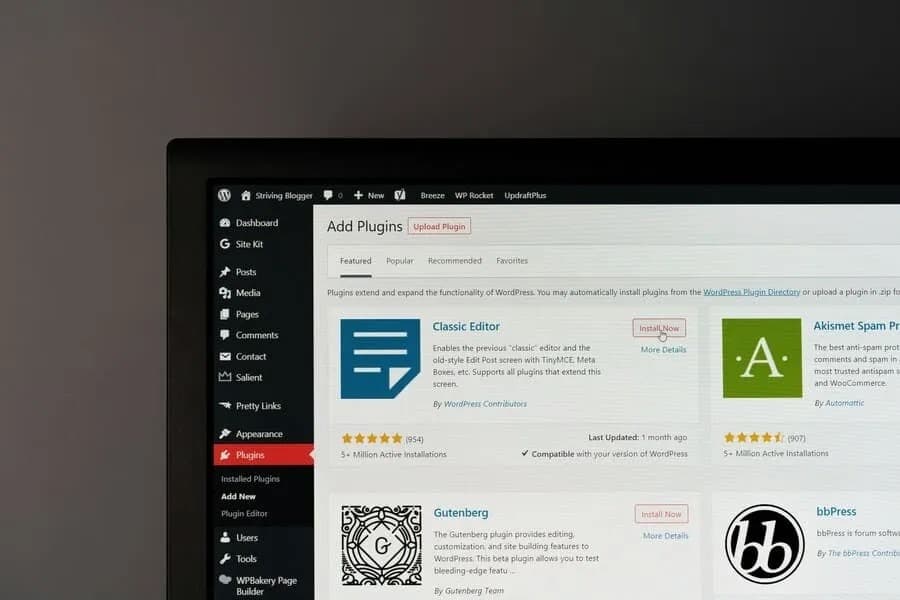
WordPress earns its market position through a combination of flexibility, ecosystem depth, and a content management layer that non-technical teams can actually use without developer support.
Unmatched Flexibility for Any Business Model
WordPress powers over 42.2% of all websites on the internet (and 59.6% of all sites with a known CMS).
That dominance reflects one simple fact. The platform adapts to any use case. A startup brochure site, a multi-author news portal, a membership community, a WooCommerce store, and even a nonprofit organization's web presence are all viable WordPress builds. The same CMS handles all of them.
This flexibility matters when your business evolves. You don't have to migrate to a new platform when requirements change. You extend what you already have.
Scalability to Accommodate Your Growth
A 10-page info site can grow into a platform with e-commerce or member portals without a rebuild because WordPress is modular by design. Its infrastructure scales well on managed cloud setups (like AWS or Google Cloud) that handle traffic spikes. The platform itself is rarely the bottleneck, poorly written code is almost always the problem.
Superior Content Management and Ease of Use
The WordPress admin is a mature interface. For teams that publish often, a well-configured WordPress CMS cuts developer dependency significantly. CMS website development services cover how the right CMS setup affects both publishing speed and long-term maintenance cost.
Your marketing team can publish posts, update pages, add products, and manage media without writing a line of code.
The block editor (Gutenberg) has matured since its launch. It gives non-technical users real control over page layout without a page builder plugin. For teams that publish often, this cuts developer dependency and keeps the content pipeline moving.
Open-Source and Supported by a Global Community
WordPress is open-source software maintained by a global contributor community. There is no vendor lock-in. There are no licensing fees for the core software. No single company can change the terms of your agreement.
The plugin and theme ecosystem holds over 60,000 free plugins in the official repository. Most common functionality has been solved, tested, and documented. Your development budget goes toward customization and integration, not rebuilding standard features.
SEO-Friendly by Design
WordPress makes clean HTML and allows for flexible URL structures. A plugin like Yoast SEO or Rank Math provides a strong technical base for search. The real benefit is letting non-technical teams use SEO best practices during publishing. They can manage meta descriptions and focus keywords without needing a developer.
Built-in Responsive Design
Modern WordPress themes are responsive by default. They adapt to desktop, tablet, and mobile screens. For custom constructions, the development team codes responsive behavior from scratch using CSS grid and flexbox. We test on real browsers and real devices. Responsive design is not a tick-box – it’s a quality issue throughout the build.
Extensive Monetization and E-commerce Options
WordPress has many more ways to make money than just WooCommerce. Membership plugins like MemberPress handle the subscription access and content gate. Display advertising is handled via ad management plugins.
Software, ebooks, and digital products are examples of digital download plugins. With a single WordPress deployment, several revenue streams are possible. This is a definite benefit over more niche platforms.
Understanding Core WordPress Concepts
This section covers the platform’s technical basics. More importantly, it explains the key difference between using WordPress and truly developing for it. This difference matters when you are hiring a developer, since it helps you judge proposals and ask the right questions.
Development Environments and Setups
Professional WordPress development never happens on a live site. It unfolds across at least two, and usually three, separate environments. Any developer who tells you otherwise is not a professional.
Local development is the first stage. Using tools (like LocalWP or Docker), a developer runs a full instance of WordPress on their own machine. This is where changes are built and tested in total isolation, they never touch a server at this point.
The staging environment is a private, exact mirror of your live site. It’s used for final testing of updates, new features, and third-party code. This is for the final round of testing. Production is the live site, and it only gets changes after they have been fully tested in staging.
This three-layer structure is the minimum standard, it is required for a platform where one update can cause a system-wide failure.
The WordPress Dashboard and Core Components
The admin interface can give an illusion of simplicity. It presents a series of clean, easy controls.
- Posts and Pages: These are the two main content types. Posts are for news or blogs. Pages are for static content (like About, Services, or Contact).
- Media library: A central bin for all your uploaded images, documents, and files.
- Themes: These control the site's visual look and layout.
- Plugins: This is how you extend the site’s features beyond what WordPress offers out of the box.
- Users: A panel to manage roles and permissions for administrators, editors, and authors.
- Settings: The control room for site-wide setup, like permalinks or reading settings.
The block editor, known as Gutenberg, is the default tool for building content. Its extension is Full Site Editing (FSE). It aims to give you block-based control over the whole site, including headers and footers, but it also creates more complex ways for a site to break.
This removes the need for a separate page builder plugin and offers more power.
Technical Essentials for Custom Development
Custom WordPress website development requires proficiency across several areas:
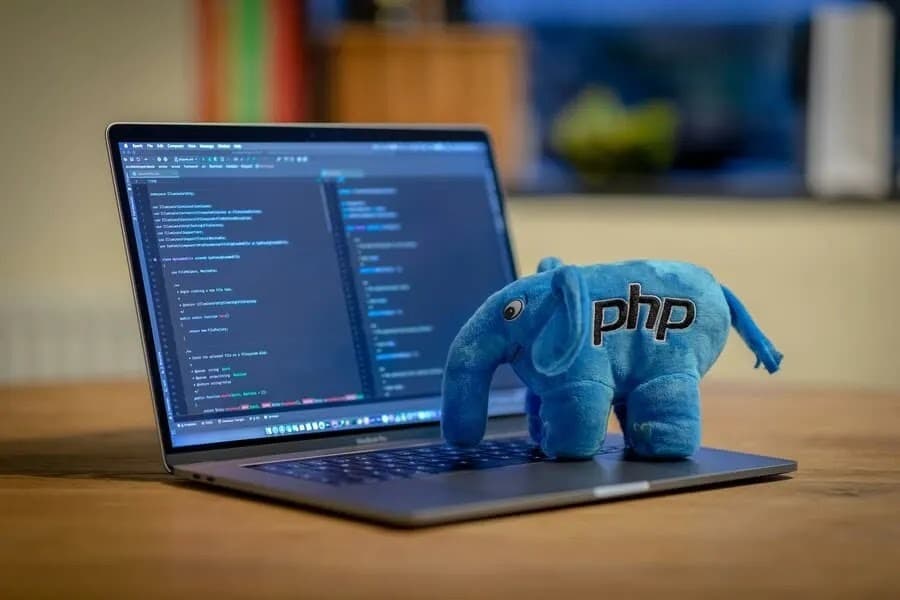
- PHP: the server-side language WordPress is built on. Custom themes and plugins are written in PHP.
- HTML and CSS: structure and styling for all front-end output
- JavaScript: client-side interactivity, including React for block editor extensions
- MySQL: the database layer that stores all content, settings, and user data
- REST API: allows WordPress to communicate with other systems (like mobile apps or CRMs) to share data.
- WP-CLI: a powerful tool developers use to manage the site quickly and efficiently from the server, speeding up tasks like updates or migrations.
A developer who works across all these layers can build virtually anything on WordPress. One limited to theme customization and plugin configuration cannot.
Potential Risks and How a Professional Partner Mitigates Them
All popular platforms carry inherent risks, and WordPress is no different. Most WordPress-related problems are not platform problems; they're process problems. Here's how a professional team handles each one.
Proactive Security Management
WordPress’s popularity makes it a target. But security breaches rarely exploit the core software. They exploit third-party plugins, weak passwords, and old code.
A good team has a clear security process. Every plugin is checked before it is installed. The team checks its install count, update rate, code quality, and any known CVEs. Login hardening is standard. This includes two-factor authentication, limited login attempts, and changing default admin URLs.
A web application firewall is set up at the hosting or CDN layer. Automated scans watch for new threats. On the server, file permissions are hardened and unused PHP functions are turned off.
Security is an ongoing discipline. A site can be perfectly secure at launch. It can be dangerously open three months later if no one is managing updates and watching for threats.
Managed Updates and Compatibility Testing
WordPress core, theme, and plugin updates are released often. Each update is a potential source of compatibility conflicts. Running updates on a live site without testing first is one of the most common causes of site breakage.
A proper update process follows these steps:
- Clone the live site to a staging environment
- Apply all pending updates to the staging clone
- Run functional QA across key areas, navigation, forms, checkout, and API integrations
- Check for visual regressions on mobile and desktop
- Resolve any conflicts before proceeding
- Deploy the tested, conflict-free update to the live site
Consider what happens without this process. A client's previous developer ran a WooCommerce update on a live store during a flash sale. The update conflicted with a custom checkout plugin. The checkout broke. No orders went through for several hours. The revenue loss ran into the thousands.
A staging environment and a basic QA checklist would have prevented all of it.
Performance Optimization to Avoid Bloat
A slow WordPress site is almost always a problem you create yourself. The causes are easy to predict. Too many plugins, large images, no caching, and a bloated theme loading unused code.
A professional team builds for speed from the start. This means a lean plugin list, standard image sizing and lazy loading, and many layers of caching. This includes server-side caching (with Redis or Memcached) and page-level tools like WP Rocket.
A CDN is used for static files, and database queries are tuned for sites with heavy traffic.
A poor user experience drives away customers, and poor search rankings reduce traffic. Google’s Core Web Vitals are a real ranking factor, so a slow site loses on both fronts.
The Collaborative Process with a WordPress Website Development Agency
Understanding how to develop a WordPress website from the client's side helps you ask better questions and avoid the miscommunications that cause delays. Here's what a custom WordPress engagement looks like (phase by phase) when you work with a professional WordPress website development agency.
Discovery and Strategy
Discovery is where projects are won or lost before a single line of code is written. It covers:
- Business goals and success metrics for the website
- User personas and what they need the site to do
- Technical requirements: integrations, performance targets, and content volume
- Competitive landscape and positioning context
- Information architecture, how content is organized and navigated
The output is a project brief and technical specification. This document serves as the anchor for all subsequent decisions. Without it, projects drift.
UI/UX Design and Prototyping
Designers build wireframes first. These are structural layouts that define information hierarchy without visual styling. They are reviewed and refined before any visual design begins. Moving to high-fidelity mockups too early locks in costly-to-reverse decisions.
Here's a practical tip on design reviews. Spend at least 60% of your feedback time on the mobile wireframes. Most clients focus on the desktop view because it shows more detail. Fixing a flawed mobile user journey during development costs roughly 10× more than fixing it in the Figma stage.
Review mobile first. The desktop version is easier to adjust.
Once the wireframes are approved, high-fidelity prototypes are created. They define the styling of color, font, graphics, space, and components. Client sign-off on mock-ups before development is needed – not optional.
Custom Development & Integration
Developers implement the custom theme and any required plugins on a staging server using the authorized designs. This phase is done during two-week sprints, with regular client check-ins and a shared project board.
In this phase, third-party integrations (CRMs, booking systems, payment processors, email platforms, analytics tools) are established and tested. API integrations are a common cause of scope creep. Define them in the discovery document before development begins.
Content Population and Quality Assurance
With development complete, the content is loaded into the new site. This is the phase that most often delays launches. Content is often not ready when development finishes. Plan for it.
QA runs in parallel with content population. A thorough QA process checks every page and template across Chrome, Firefox, Safari, and Edge, including mobile and tablet rendering at common device sizes.
All forms are tested end-to-end: submission, validation, confirmation emails, and CRM routing. Checkout flows get the same treatment. Page speed scores and Core Web Vitals are measured against targets set during discovery, and a final pass covers broken links, missing meta descriptions, and image alt text.
Budget time for QA. It is not a fast phase, and cutting it short is one of the more reliable ways to launch a broken site.
Launch and Post-Launch Training
After the client signs off, the site goes live. DNS is updated, SSL is verified, and a post-launch check confirms everything works in production.
Post-launch, the agency trains your team. This covers how to create pages, manage products, publish blog posts, and handle common admin tasks. Good training documentation cuts support requests. It empowers your team to manage content without developer involvement.
FAQ About WordPress Development
Should I build my own site or hire a WordPress website developer?
For a personal blog, a do-it-yourself approach is often feasible. For a business website, however, you are likely just building up technical debt. A professional WordPress developer isn't just faster; they build a site to load fast, stay secure, and convert visitors. Avoiding the hidden costs of amateur mistakes.
The time you spend learning the system is also time you're creating problems that a developer will have to fix later. That difference in quality ends up costing real money.
When is WordPress the best choice for a project?
WordPress excels for most content-driven sites (corporate sites, news portals, e-commerce stores, portfolios, membership communities, and nonprofit groups). Its strengths are mature content management and a large developer community, this flexibility is also its main risk. It allows you to build things incorrectly.
It is poorly suited for specialized application logic, so a real-time trading platform or a complex IoT dashboard is better served by a custom-built app. For businesses running marketing on a dedicated CRM, HubSpot website development is an alternative worth checking.
What is the difference between Full Site Editing and page builders?
Full Site Editing (FSE) is the native WordPress method for controlling the entire site layout without a third-party plugin. Page builders like Elementor or Divi offer a similar drag-and-drop feel, but this convenience comes at a price. They create a plugin dependency that results in heavier, harder-to-maintain code. For performance and long-term financial health, the professional standard is FSE or custom theme development. Choosing a page builder just means you are choosing future maintenance bills.
Is it necessary to learn code for custom designs?
For a business owner hiring a developer, no. For the WordPress developers doing the work, yes, absolutely. A real custom design needs at least custom CSS to reflect a brand's identity, and it often needs custom PHP for theme templates. While pre-built themes and page builders can mimic a design, they impose rigid limits. Custom code removes those limits and prevents you from being trapped by a theme's constraints.
What is the best WordPress website development course?
This guide is for hiring professionals, not for people trying to become one. For a business, the key skill is not learning WordPress, but learning how to vet an expert. For aspiring developers, the official WordPress developer handbook is the best source. Structured courses are on various platforms (Udemy, LinkedIn Learning, freeCodeCamp), and the WordPress Stack Exchange is a vital resource for specific technical questions.
Is free WordPress website development possible?
The WordPress software is free and open-source. That's the extent of "free." A professional website also requires:
- A domain name ($10–$20/year)
- Web hosting ($10–$200+/month depending on requirements)
- Premium themes or plugins ($50–$300+ one-time or annually)
- Professional development labor for anything beyond a basic self-configured site
WordPress development website projects range from a few thousand dollars for a basic build to $50,000+ for complex custom applications. The software being free is a starting point, not a budget.
Most WordPress website development projects that go wrong do not fail because of the platform itself. They fail from a series of easy choices that create long-term problems. This could be a vague scope, an under-skilled team chosen for a low price, or a budget that ignores future costs. Getting these things right is more important than any single plugin or theme.
The partner you choose is the single most important factor in your site's success. It really does determine the outcome. You should be buying technical depth, a transparent process, and a clear model for post-launch support. These are your defense against crippling technical debt.
You should define the scope clearly in writing. You need to understand the full pricing model before you commit. Treat the site's launch not as the end of the project, but as the beginning of its working life.
Share this page


Table of Content

Subscribe to Golden Owl blog
Stay up to date! Get all the latest posts delivered straight to your inbox