
Learn how to hire forward deployed engineers in 6 steps: define the role, benchmark pay, source candidates, screen for delivery and run a four-round loop.


What AI Agent Can Do
Nov 9, 2026
about 6 min read

See what an AI agent can do, where agents fall short, and how to choose between an agent, a chatbot, and plain automation for a workflow.
An AI agent keeps going after the first prompt: it picks the next step and does it in real software, like sending the email instead of drafting it. That’s the core of what AI agent can do. Whether it can safely keep going with nobody typing the next instruction depends on the job. A task that looks easy in a chat window gets harder once the agent is acting inside your other software, where each action needs limits and checks. If every step and branch can be written down ahead of time, fixed automation will do; agents are worth it when the input is messy and the path changes from case to case.
We’ll start with what agents do and where they break. After that, how to tell whether a workflow needs an agent, a chatbot or plain automation, and what to set up before one gets near your software and data.
Core capabilities and what AI agent can do
You give an AI agent a task, not a list of steps. It works out how to do the task, for a person or another system. What it can do is limited by the tools you’ve given it.
A large language model (LLM) does the thinking. It’s the kind of AI that runs chatbots. Around it sit memory, tools and a reasoning loop, and the loop connects the other parts.

Perception
An agent starts by noticing what’s going on: signals from websites, apps or connected devices like sensors (often called IoT). Because it can read those, it doesn’t need someone directing every step, and customers can get smoother, more personal service. It reads the signals alongside whatever it remembers, then chooses what to do next. Often that means using a tool; it might also look something up first, or wait for more input. A fixed rule can’t make that choice.
Planning and reasoning
With an AI assistant, you usually have to say what comes next. An agent doesn’t: it looks at the goal, cuts it into subtasks and puts together its own workflow. Big jobs get easier when the agent works through one small step at a time. If one task needs the result of another, that task goes first. Getting the order right keeps multi-step work on track and makes an agent more flexible than a script.
The reasoning loop follows this sequence:
Receive input → Think → Use a tool → Observe the result → Think again → Respond.
This is also called the ReAct loop (Reason + Act).
So it acts, looks at what happened and uses that to decide the next move. If something unexpected comes up, AI agents can often think their way around it instead of waiting for a person.
Tool execution
An agent takes action through tools. Sending an email is a tool. So is updating a customer record in your CRM, querying a database or calling an API (the connection one program uses to ask another for something). Each has a name, a description and a function to run. The LLM picks which one, and when. That’s what people mean by agentic AI: the system makes its own decisions and acts on them.
People often assume an agent can run any code it likes on a live system. It usually can’t. In a business, it can generally only call the functions it’s allowed to use, with fixed API formats and checked inputs. Inside those limits the agent chooses which tools fit the goal and how to combine them.
Memory
Short-term memory is the current conversation, sent back to the LLM with every message. Long-term memory sits in a vector database (it finds things by meaning rather than exact words) and gets pulled up when it seems relevant.
Some agents get better over time from feedback, because they remember past interactions and adjust. The AI model underneath isn’t being retrained, though. What changes is the stored history of old actions, conversations and outcomes. With it, the agent can refine later plans, skip approaches that failed and carry work from one session to the next. There’s a cost. Large amounts of retrieved history may slow the agent down or pull it away from the task at hand.
Human handoff
AI agents need a person watching, or ready to take over, when reliability or risk is beyond what they can safely handle alone. Today’s foundation models (the large AI models agents are built on) aren’t reliable enough to run fully on their own in many real situations. That may change as people learn more about what AI agent can do. For most business work today, someone still has to watch and step in.
Operational limits
Ask the same question twice and an LLM may give two different answers. The models behind many assistants and agents also get things wrong. Sometimes they make facts up, which people call hallucinations. Change a prompt or the input data a little and results can turn unpredictable, or the task can fail.

An agent that can’t build a workable plan, or judge its own progress, can get stuck repeating the same actions and never finish. It leans on outside apps, services and data sources too, and a change in one of them can break a workflow that ran fine. Harder tasks need careful design, testing and setup. Agents can also take longer than AI assistants to finish a job, and they can cost more to deploy and run.
Decision criteria for agents versus chatbots and automation
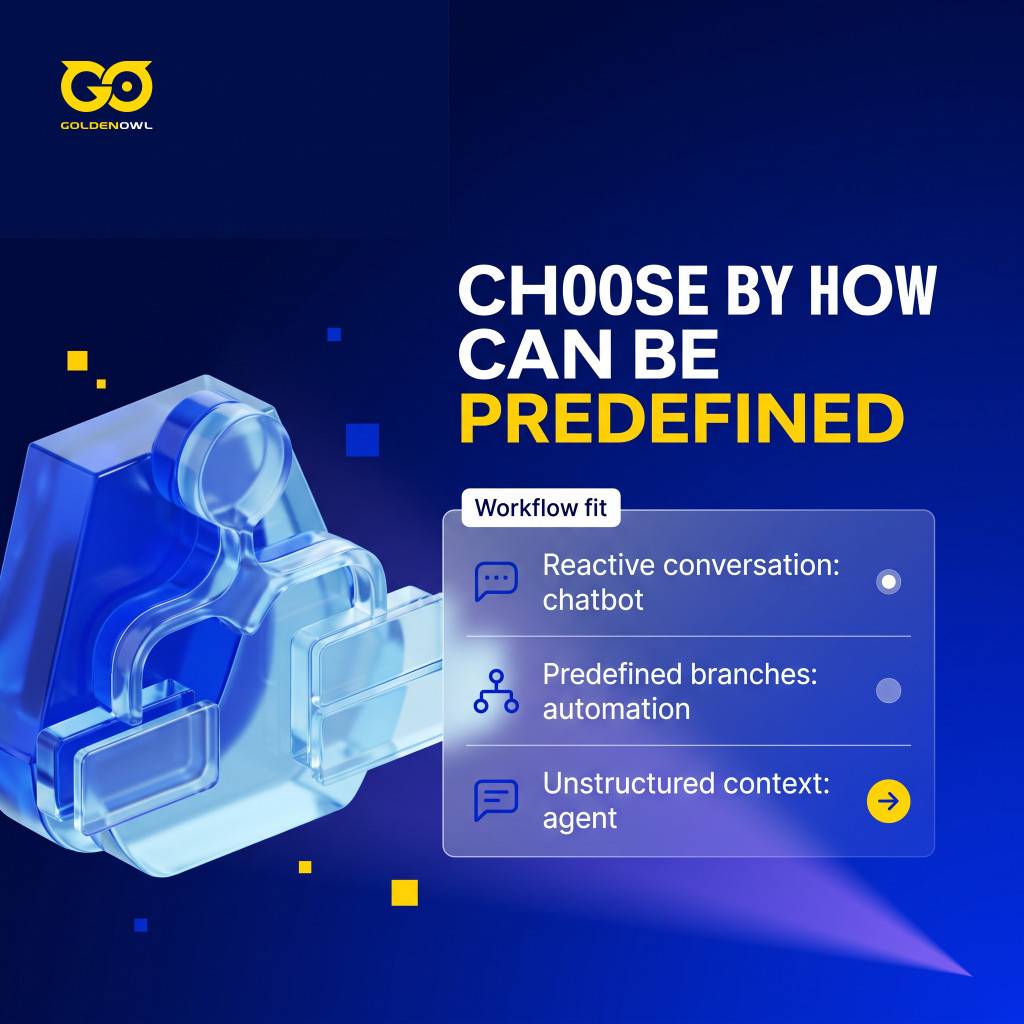
Choose an agent when the workflow can’t be fully defined in advance and has to adapt as things change. An agent can reason through new data or conditions as they show up and change its next step on its own. AI automation can’t do that. It usually sticks to predefined rules and can’t adjust in real time.
A chatbot just reacts. Nobody types, nothing happens; when someone does, it answers from a fixed script or a narrow set of questions.
Take a phone queue. Here’s how plain automation, AI automation (fixed steps that run when triggered) and an agent would each handle it.
| The Distinction Between Automation, AI Automation and AI Agents | ||
|---|---|---|
| Automation | AI Automation | AI Agents |
| If A, then B | If A, then follow steps 1-3 | Based on Goal A, use the best process to achieve it |
| If someone calls, put them in the hold queue | If someone calls, put them in the hold queue. Then notify their brand rep that they have called the help line. Then send an automated message to another department. | Monitor the hold queue and address callers based on the urgency of their issues |
So it comes down to how much of the workflow you can define ahead of time. Every condition and branch mapped? Then deterministic workflow automation (fixed rules that run the same way every time) is enough. If the system has to make sense of unstructured information (emails, scanned forms, free-text requests) and pick its path as it goes, that’s agent work. Try drawing the workflow on a whiteboard. If every branch fits, you probably don’t need an agent.
Frequently asked questions
Can AI agents integrate with existing software and systems?
Yes, though older (legacy) technology can make it harder. Before you pick an AI solution, check its APIs and built-in connectors and whether it works with the platforms you already use. That helps the agent fit into your setup with less disruption.
How do AI agents handle sensitive business data securely?
Security comes from the controls around the agent. The right ones depend on the agent, your industry, the data and how it’s used. The usual protections are encryption, access controls (rules on who can see what) and following your industry’s standards. Go through the privacy and compliance rules for all sensitive information the agent will touch while you’re setting it up, not after.
So whether an agent makes sense also depends on two things: can it plug into the software you already run, and can it handle sensitive data under the right controls?
Share this page


Table of Content

Subscribe to Golden Owl blog
Stay up to date! Get all the latest posts delivered straight to your inbox