
An AI legal assistant does the first pass of legal work. See what it can and can’t do, and which legal AI tools fit research, contracts, or practice management.


How AI Agent Security Solutions Reduce Enterprise Risk
Oct 22, 2026
about 9 min read

How do AI agent security solutions reduce enterprise risk? Learn the layered controls and a four-step plan for agent identity, access, and approvals.
How do AI agent security solutions reduce enterprise risk? Mostly by controlling what an agent is allowed to do, not only what the model says. That matters because one ordinary request can lead an agent to change records or cloud settings on its own. That same access is also how hidden instructions get into live systems.
Below: where the risk gets in, which failures tend to stack up when something goes wrong, and a four-step plan to keep every agent action visible and under control as more agents go live.
Enterprise risks introduced by autonomous agent deployments
Security teams have long relied on one boundary: the part that decides is not the part that acts. Normal software follows fixed rules, and people make the judgment calls. An agent does both, at machine speed, and often no human review sits between its decision and the action. Brave Software showed what that looks like. A user asked Perplexity’s Comet browser agent to summarize a Reddit page, and hidden instructions in a comment on that page led the agent to act across the user’s logged-in accounts without review.
So the risk lives in what the agent does at runtime (while it is actually running). The model is only one link. Someone gives an instruction (a user, or another system), and the agent pulls in context, reasons about it, picks a tool and an identity, calls an API, and changes something in production. The failures below sit at different points along that chain.
Real incidents tend to mix several of these failures. They are rarely isolated bugs.

- Prompt injection: An attacker hides instructions in content the agent reads, such as a web page, ticket, or email, and the agent follows them toward the attacker’s goals.
- Excessive agency: Permissions and limits are too broad, so the agent can act beyond the job it was given.
- Data leakage: A retrieval or tool call lets sensitive information leave the environment.
- Overprivileged identity: An agent that holds standing credentials does far more damage once it is compromised (security teams call this the blast radius).
- Tool and plugin abuse: Trusted tools carry out actions nobody intended.
- Data poisoning: Corrupted context pushes the agent’s reasoning toward unsafe decisions.
- Untraceable behavior: Without a record of each action, teams can’t reconstruct an incident.
Take a customer service agent that pulls up a support ticket with hidden instructions in it. If it takes those instructions as real context, it may call an outside API and send recent chat logs to an unknown server. One ticket, and three of the risks above show up together: prompt injection, tool abuse, and data leakage.
How AI agent security solutions reduce enterprise risk
The practical answer to “how do AI agent security solutions reduce enterprise risk” is four layers of control around each agent: knowing it exists and who it is, tight permissions, checks while it runs, and a person for the big decisions. The first is knowing which agents exist. That means an inventory, kept current, with each agent’s owner, its purpose, and how risky it is. Risk reviews, policies, and incident response all build on that list.
Each agent also needs its own identity and its own credentials (not a shared human account, a shared service account, or a broad app credential). Then every action traces back to one agent, and that agent is easier to shut off if it acts strangely. At Uber Engineering, the identity part works like this: each agent is registered to a workload with its own cryptographic identity, and a token service issues short-lived, audience-scoped tokens only to the authorized agent. Uber moved to this after generic service identities made it hard to tell which engineer was responsible, and left gaps in audits. The check is fast, too: the token-exchange API is “consistently below 40 milliseconds” at P99 (for nearly all requests).
Identity tells you which agent acted. It doesn’t limit what that agent can do. For that, each agent gets only the permissions its task needs, scoped to where it works - broad access shouldn’t be the default. Use short-lived credentials, managed per agent, instead of permanent API keys. If an agent is manipulated, misconfigured, or compromised, the damage is limited to what that one credential allowed.
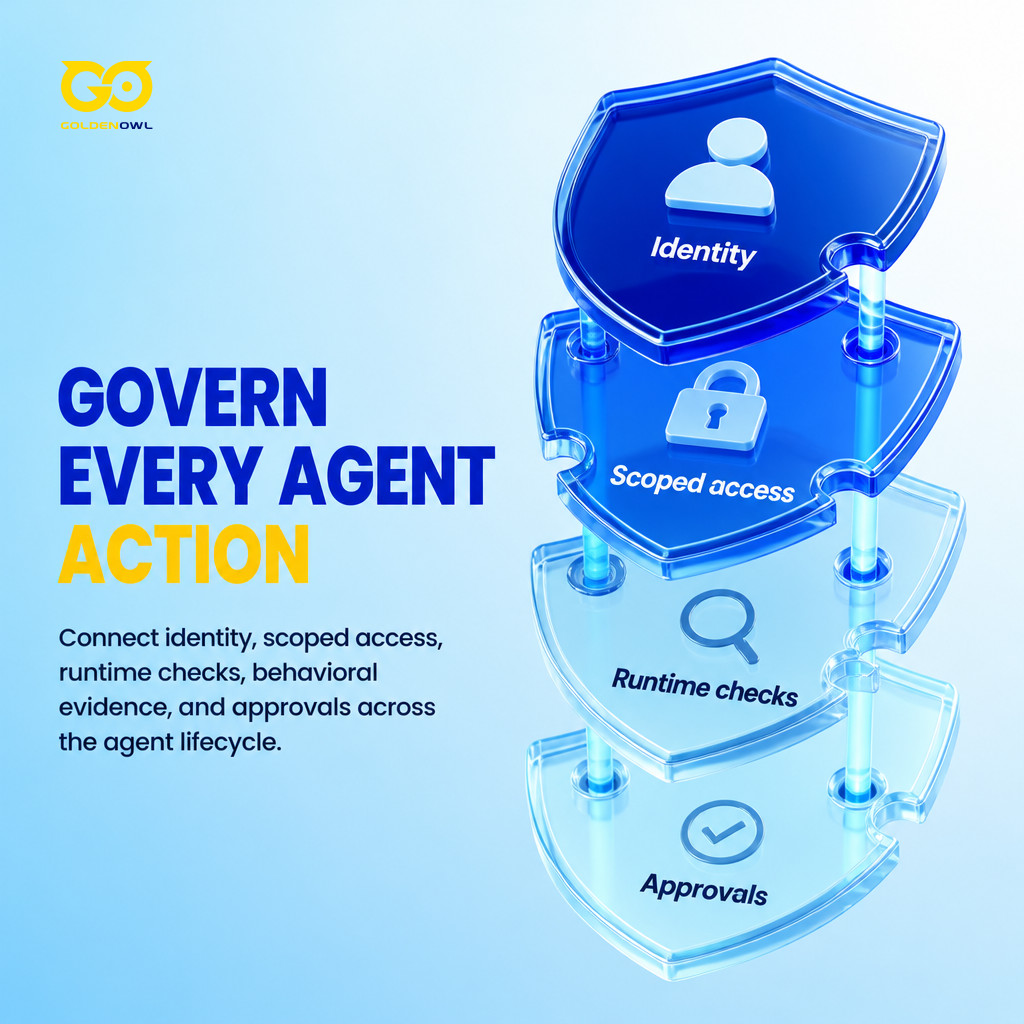
Permissions still can’t make a live action safe. That is the job of runtime controls, which check untrusted inputs and sensitive tool calls before they run. For sensitive calls, an agent can use only approved tools with approved parameters, and anything unsafe or unapproved stays blocked by default. Monitoring records what each agent does and why, which leaves a trail for the people who handle incidents and audits. Once you know an agent’s normal routine, anything that breaks from it can be flagged as a sign of misuse or a break-in. A log only records harm, though. It has to sit next to controls that can stop a harmful action before it happens.
For high-impact actions, the last layer is a person. The action waits until someone approves it, and the record keeps enough context to explain later what the agent did and why it was approved. Testing comes before any of that: agents get attacked on purpose in a sandbox (a walled-off test copy) before launch and again after every update, where unintended actions can’t hurt live systems. Clean sandbox results still don’t remove the risk in production. Keep a kill switch that can stop an agent when a new attack or strange behavior shows up.
Phased implementation blueprint for securing enterprise agents
A Gravitee survey of more than 900 executives and technical practitioners puts the gap in numbers: 80.9% of technical teams had moved into active testing or production, while only 14.4% said all their agents went live with full security or IT approval. A phased rollout helps close that gap while agents keep moving into use. The governance decisions come before an agent goes live, not after it is already in use.
Run the four steps as a repeating cycle of measuring, analyzing, and adjusting. KPIs (the numbers you track for each control) show whether the controls are cutting risk and whether they keep working over time.
Step 1: Pilot and map active agent identities
Start by finding every active agent. For each one, note who owns it, which systems and data it can reach, and which identities or credentials it uses. Put that in the shared inventory, and have teams update it whenever an agent is added, changed, or retired. Next, pick one team or use case for a focused pilot - somewhere agents offer a clear upside and carry a clear risk. The pilot is where you confirm the inventory really captures the identities and access paths that matter.
A small start leaves room to test the process and fix workflows while the stakes are low. Microsoft’s IT organization piloted AI agents with about 100 internal users in a dedicated Windows 365 Cloud PC environment. The pilot found issues that product teams had not surfaced in a lab, before the wider rollout. A pilot like that also gives you lessons for the next phase, a business case for scaling, and a small-scale test of the risk management platform you plan to use more widely.
The inventory matters because identities pile up fast. Agents, sub-agents, service accounts, API keys, plugins, automated workflows: each one collects keys and access rights, and before long no one can track them all. A manipulated or hacked agent can then inherit access from every system it is linked to. With weak identity boundaries, an attacker can use that trusted agent as a go-between to reach those systems.
Step 2: Enforce zero-trust credential and tool boundaries
Zero trust means no agent gets trusted just for being inside the network. This step enforces the identity layer described above: signed tokens prove each request is real, and tool access is controlled. Then secure gateways enforce least privilege (the agent can do only what it is explicitly allowed to do).
Action items:
- Give every AI agent its own identity and defined roles.
- Authenticate with client certificates and signed tokens.
- Keep permissions fine-grained, with least privilege as the rule.
- Send access through secure gateways and identity-aware proxies.
- Rotate credentials on a schedule, and audit identity settings.
Tools and APIs are how agents get work done, which also makes them a way in for attackers. Every API call should pass through a secured interface with strict authentication, rate limits, and parameter validation (a check that the values an agent sends are values it is allowed to send). Keep tools on scoped permissions and away from sensitive systems. A proxy layer in front can filter requests before anything connected sees them.
Action items:
- Put every API call behind a secured interface.
- Require strict authentication, rate limits, and parameter validation.
- Scope tool permissions and keep tools away from sensitive systems.
- Filter requests through a proxy layer or mediation service.
- Watch integration logs to track usage and catch anomalies.
A stricter option is a single-task execution lifecycle: each task runs with its own short-lived access, so a compromise has less reach into the systems downstream. It takes engineering work: the team needs a dedicated token brokering service (a service that hands out and tracks those short-lived tokens).
Step 3: Deploy runtime monitoring and human approval checkpoints
Every agent execution needs a complete trace, and high-impact actions need approval before they run. The trace should cover:
- The initial prompt and context
- The tools it called and the parameters it used
- The memory or state changes
- The final output and downstream actions
Under zero trust, an agent isn’t assumed safe just because it is running: every action gets logged, and every run can be traced.
Manual review belongs on the risky actions, not on every action: messages that leave the company, production data changes, running code, permission changes, financial transactions, regulated data access, and decisions with legal, safety, or business consequences. Those stop and wait. Everything low-risk runs automatically. When an action is held, the reviewer should see what the agent wants to do, with which data and which tool, plus what it expects to happen.

Real-time monitoring helps catch unsafe or unexpected behavior before it does damage. Tool limits help too. Debenedetti and colleagues restricted agents to the tools a task needs before they read untrusted data, and attack success in AgentDojo (their test set of attacks on agents) fell from 57.69% to 6.84%. The filter didn’t help when the tools a task needed couldn’t be planned in advance: one layer, then, not a full safeguard. Keep logs of prompts, outputs, and API calls. Anomaly detection can flag whatever strays from normal patterns, and a SIEM platform (the security team’s central system for logs and alerts) puts those logs and alerts in one view for investigating and containing an attack quickly.
Step 4: Validate boundaries through adversarial simulations
The last step is to attack your own agents with prompt-injection scenarios that match how they are actually used. When an injection works, it does more than change an answer: it can make the agent use its tools and identities for the attacker. Three forms need testing.
- Direct injection: An attacker with input access sends instructions that override the agent’s intended task.
- Indirect injection: Malicious instructions are hidden in a document, email, or web page that the agent later retrieves and obeys.
- Tool-based injection: A compromised or spoofed tool returns responses designed to steer the agent’s next decision.
Several layers of control make these attacks harder to pull off. A checkpoint, run by a person or by another agent, can assess or approve an action, spot behavior that doesn’t fit the task, and limit the harm.
Strengthen supply-chain and code governance: Code that AI writes, or that an agent changes, needs the same SecDevOps controls as any other code. Check it for vulnerabilities, and watch for hallucinated or typosquatted dependencies (package names an AI made up, or fakes named to look like real ones).
Conclusion
The answer to “how do AI agent security solutions reduce enterprise risk?” is to control each thing an agent does, from who it is to what gets approved at runtime, instead of treating agents like normal software. Start with the inventory and a small pilot. Then add scoped credentials, gateways, traces, approval checks, and attack tests as more agents go live. Along the way the KPIs tell you whether the controls still work, and you end up with a record of every agent’s identity, permissions, actions, and approvals.
Share this page


Table of Content

Subscribe to Golden Owl blog
Stay up to date! Get all the latest posts delivered straight to your inbox