
How to use AI in real estate: automate lead follow-up, speed up valuations and marketing, and keep every step compliant with Fair Housing rules.


How to Choose the Right AI Chatbot Solution for Ecommerce
Oct 13, 2026
about 8 min read

Choosing an AI chatbot solution for ecommerce? Compare support bots and shopping agents, plus costs, integrations and a rollout plan for your store.
The right AI chatbot solution for ecommerce depends on which questions your customers ask most, so start there before you open any vendor’s feature list.
These bots are one part of broader ecommerce ai solutions. Here you can compare three platforms, check whether their workflows and costs fit your store, and see what each vendor counts as success. Pay special attention to that last check, because some platforms count a chatbot as successful once a shopper stops replying.
Choosing an AI chatbot solution for ecommerce
AI agents
Agentic AI goes past preset rules. The bot reads the situation, decides what to do, and then acts, either for the customer or inside company systems, with no person stepping in.
Three main jobs
An online-store chatbot has three core jobs: help shoppers buy, support them after the sale, and give them a reason to come back.
Two tiers
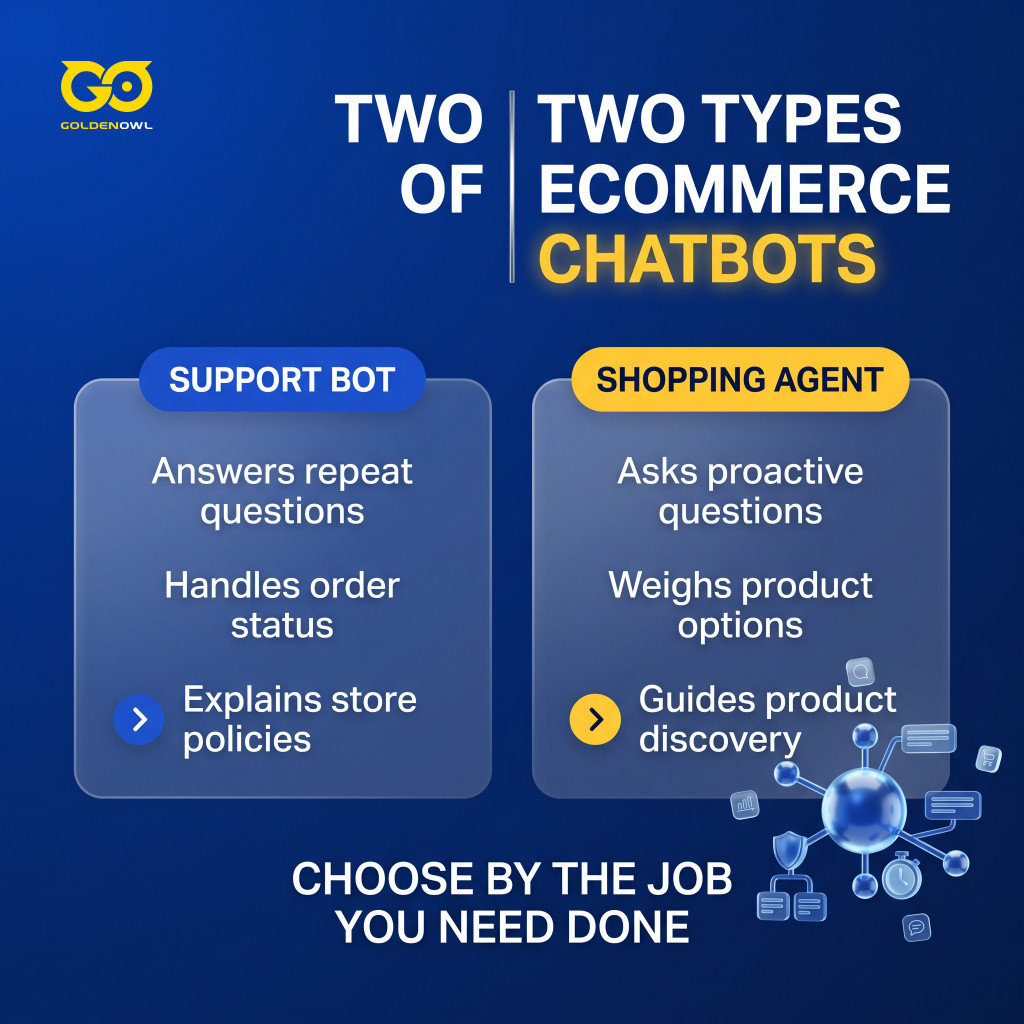
Two kinds of bots handle those jobs differently. A support bot answers repeat questions about orders and policies, including returns. A shopping agent asks questions and weighs options across a broad product range to point shoppers to the right item.
Ada
High-volume customer service
Ada is an enterprise chatbot platform built for high-volume customer service teams. Its AI-first bots work through each incoming question as it arrives instead of following a fixed script, and Ada says the goal is replies that stay accurate and consistent.
Connected knowledge sources
Ada uses large language models (LLMs) to handle customer questions in real time, drawing on connected knowledge sources and acting inside company systems. In a single conversation, it can answer questions about order status, returns, or product details, update account information, or trigger a refund, all without handing the customer to a human agent.
Omnichannel deployment
Ada works across live chat, email, voice, and social messaging, and its Trust Center lists SOC 2 and GDPR, among other frameworks. Its features also include:
- Playbook feature encodes complex support SOPs into repeatable AI-driven workflows
- Multilingual support for global ecommerce brands
Cost and complexity
Ada’s trade-off comes down to cost and complexity. Implementation often takes weeks to months, according to reports. Premium pricing may put it out of reach for smaller ecommerce teams or those that need to move quickly.
Pricing: Ada sets enterprise prices through custom quotes. Reports vary, but annual contracts are commonly said to start around $30,000, and large-scale deployments reach six figures. Ada does not publish a self-serve trial.
Tidio
Live chat and automation
Tidio puts live chat and automated customer support in one platform. Its main AI product, Lyro, is a conversational agent that Tidio says is built on Anthropic’s Claude.
Support-content training
Lyro learns from your support content and answers questions as they arrive, without fixed scripts or preset flows. It handles common ecommerce queries about orders, product availability, and shipping rules. Lyro Actions goes a step further: Lyro can check an order’s status directly in Shopify, so it does more than answer questions. Tidio quotes a 67% average automated resolution rate; treat that as a marketing figure and test it on your own tickets.
Omnichannel coverage

Tidio brings Shopify, WooCommerce, Instagram, Facebook Messenger, WhatsApp, and email into one dashboard for ecommerce teams. The platform also offers:
- Visual Flows builder for cart abandonment recovery, lead generation, and engagement
- Direct human agent handoff with customizable escalation rules
- Multilingual support across 45+ languages
Pricing: Tidio’s free plan includes a one-time allowance of 50 Lyro conversations. Paid plans begin at $29/month.
The Lyro add-on starts at $39/month for 50 Lyro conversations a month, separate from the free plan’s one-time allowance. You pay for both, so your first bill runs above the base plan price, and the add-on tier climbs as your conversation volume grows.
Octane AI
Octane AI draws on zero-party data (answers shoppers give you on purpose) and interactive quizzes to tailor product discovery, helping customers pick the right SKU for their preferences.
Rather than leave visitors to browse on their own, Octane AI asks them to answer interactive questions. Its chat-based AI uses those replies to suggest product sets tailored to each shopper, with the aim of lifting conversion rates and average order value.
Octane AI is a stronger fit when shoppers need help narrowing product choices based on their preferences. It is a different kind of tool from Ada or Tidio, so ask whether quiz-led discovery, rather than support, is the job you need done.
How to evaluate a conversational AI chatbot solution for ecommerce
A platform that looks good in a demo can still be a poor fit for your stack. Judge it on how it fits your setup, connects to your systems, handles customer data and uncertain answers, and charges for its work. The same criteria help compare conversational ai software solutions.
- Ease of setup: Ask how fast you can go live. Favor tools you can set up yourself, or that give you a clear, step-by-step path.
- Integration power: Check whether it connects to your helpdesk and knowledge sources, including internal Google Docs and old support tickets. The best tools slot into the workflow you already have. For complex integrations, brands can partner with an ai solutions company.
- Customization and control: Find out whether you can make the bot sound like your brand and choose which questions it answers or leaves to your team. Check whether it can use real-time order and customer data, such as order status, and take actions such as starting a return.
- AI intelligence: Assess whether the platform can learn from your business data, including thousands of past support tickets, to give accurate, on-brand answers.
- Transparent pricing: Look for a model you can predict. The pricing section below shows why: the same word, “resolution,” can mean different things on each bill.
Beyond setup and control, check the chatbot’s performance in these areas:

- Ecommerce platform integration: How smoothly the tool connects with Shopify, BigCommerce, or Adobe Commerce to retrieve real-time inventory and order data.
- Natural language understanding (NLU): Whether it can understand complex, multi-part customer queries without failing or routing the customer back to the start.
- Personalization: How well it uses customer history, including reviews and loyalty status, to tailor interactions.
- Omnichannel breadth: Whether it supports communication across web chat, SMS, email, and social messaging platforms.
- Operational efficiency: The average deflection rate (the share of chats that never reach an agent) alongside agent satisfaction scores during complex handoffs.
Quick replies won’t help if you can’t spot a wrong answer. Before choosing a platform, check what it does when the AI shouldn’t answer on its own. Does it send low-confidence replies for review and keep a record of each answer and its reasoning? And does it hand requests that need human judgment to a person instead of automating them?
Vendors often package these safeguards as a governance layer. It flags replies that may be inaccurate or off-brand, logs each AI decision with a timestamp for troubleshooting and compliance, and lets your support team pause the AI instantly without losing its configuration. Ask every vendor whether it has all three, whatever name it gives the feature.
To see what a chatbot changes for your store, hold some similar visitors back and compare them with the ones who can use it. Without that holdout group, a rise in sales could come from the season, a promotion, or the bot, and you couldn’t tell which.
Your catalog should guide the technical choice, too. If it changes often, with flash sales that start and end fast, rank live API sync above template flexibility. A compact, static product line is different: there, guardrail setup and conversational tone matter more.
Pricing models and actual cost structures
Seat-based pricing is easy to compare. Per-outcome pricing is not, because each vendor decides for itself what counts as a billable conversation. Four examples show how far the definitions drift apart:
- Intercom’s Fin counts a conversation as resolved if the customer confirms the answer helped, or says nothing for 24 hours after Fin’s last reply. Intercom calls silence an assumed resolution. If the customer comes back for more help, the charge is removed; if the customer simply leaves, Fin can still bill $0.99.
- Gorgias counts an interaction as automated when the customer does not need a human agent within 72 hours. Each interaction also counts as a helpdesk ticket and uses part of your ticket allowance.
- In May 2026, Zendesk changed its reporting: its automated resolution rate now includes “contained” conversations alongside “verified” resolutions, though it bills only for verified ones.
- HubSpot charges for every conversation its Customer Agent resolves without human involvement, according to its pricing page.
Four definitions make vendor rates hard to compare: a shopper who leaves without replying can still be counted, and billed, as a success. Before you sign, ask each vendor how it defines a resolution and whether that matches yours. A fee per resolution tells you the bot closed a conversation, not that the shopper’s problem was solved.
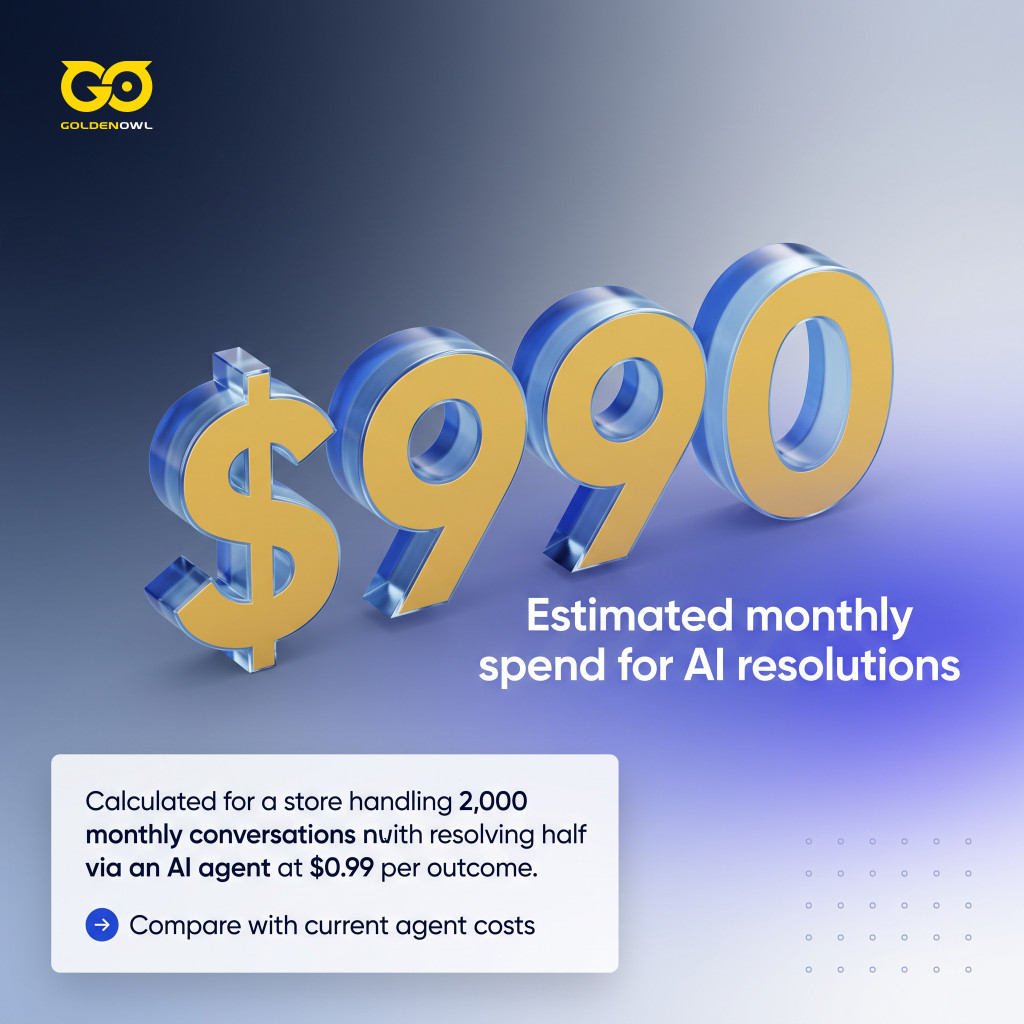
Here is the math for a store with 2,000 conversations a month. If the AI agent resolves half of them, that is 1,000 outcomes.
At Fin’s rate of $0.99 each, that comes to about $990 a month, before the helpdesk subscription. Then price the agent time those same conversations take today. The gap between those two numbers, not the rate alone, tells you whether the bot pays for itself.
Frequently asked questions
How do you prevent an AI chatbot from giving wrong answers?
Limit the bot to approved information about your products and policies, trace each reply to its source, and run a test set of sensitive questions before every update.
What’s the difference between containment, resolution, and deflection?
Deflection keeps a customer from reaching an agent, while containment keeps the customer talking inside the bot; resolution means the customer leaves with the problem actually solved.
Do you have to tell customers they’re chatting with an AI?
Yes, in the EU, unless it is obvious: the AI Act’s transparency rules require chatbots to tell people they are talking to AI. Those rules have applied since August 2, 2026. Rules elsewhere vary, so check your main markets, and being upfront avoids surprising customers wherever you sell.
Can an AI chatbot reply in other languages?
Yes, AI chatbots can reply in many languages, which can help stores selling internationally; test the languages your customers use most, since policy wording and sizing terms may not translate cleanly.
Can small ecommerce brands use these advanced AI tools?
Yes. A self-serve plan is a solid place to begin. Tidio’s paid plans start at $29 a month and its Lyro add-on at $39, while enterprise platforms like Ada are priced by custom quote.
Conclusion
Test any AI chatbot on your own conversations before you trust a vendor’s demo. Compare answer accuracy, reporting metrics, AI disclosure, and language support against your policies and customers, and read each vendor’s definition of a resolution before you read its price. Then match the tool to the store: Ada suits high-volume support teams, Tidio gives a small store a place to start, and Octane AI fits a store whose problem is choosing a product, not answering tickets.
Share this page


Table of Content

Subscribe to Golden Owl blog
Stay up to date! Get all the latest posts delivered straight to your inbox