
An AI legal assistant does the first pass of legal work. See what it can and can’t do, and which legal AI tools fit research, contracts, or practice management.


Top AI-Driven Social Media Video Editing Solutions for Marketing Teams
Oct 1, 2026
about 12 min read
The top AI-driven social media video editing solutions for marketing teams should leave marketers with time to shape the message.
The top AI-driven social media video editing solutions for marketing teams should leave marketers with time to shape the message.
This comparison helps marketing teams choose the right AI video editing tools by showing how each fits their production workflow.
Top AI-driven social media video editing solutions for marketing teams
The top choices are AI video tools for long-form repurposing, social-ready clips, brand consistency, team collaboration, and scaling output. AI video tools serve different production jobs, from editing recorded footage to generating new scenes and scaling social clips. Marketers often want more videos without losing brand consistency or spending hours in a timeline.
We evaluated AI video editing tools by the workflows they support: repurposing long-form content, making social-ready clips, enforcing brand standards, collaborating across teams, and scaling output without adding headcount.
Riverside
Riverside fits production models built around structured remote sessions, where steady, high-quality recording matters more than detailed post-production. Teams recording interviews, discussions, and panels can use its controlled setting for audio and video sessions.
Riverside also serves podcasters and content creators who make studio-quality video podcasts. Its AI tools improve video and audio quality, while 4K recording gives podcasts a professional look. Multi-track recording lets you edit each participant’s audio separately, and the simple interface helps you produce high-quality content.
Its main strengths and limits include:
Pros:
- Multi-track audio editing
- Automatic transcription for show notes
- High-quality audio and video recording
Cons:
- Requires a stable internet connection
- Limited to podcasting features
VEED
VEED is an online editing platform for creators who need efficient transcription. Its AI transcribes video automatically, which helps creators, educators, and marketers who need quick, accurate text. VEED’s AI subtitle tool is fast and accurate, with control over style and timing. It also offers background removal, auto-translation into 100+ languages, brand kit management, and a script-to-video workflow for much of the social content teams make.
Because VEED runs in a browser, its performance depends on connection quality. Teams working on longer or more complex projects may see lag or freezing.
Adobe Firefly
Adobe Firefly pairs generative AI with a platform for making visual stories. It works with Adobe’s suite of tools, and its generative AI supports quick content production for marketing teams, social media managers, and digital agencies. With prompt-based editing, users can refine video elements and create new scenes within the workflow. Firefly also connects with Adobe Premiere for advanced editing.
Camera motion control and video upscaling can improve picture quality and give it a cinematic feel, supporting high-end production efficiently.
Generative Extend on the timeline: Firefly’s Video Model adds realistic frames to extend clips directly in Premiere Pro. Editors can use 4K support to fix timing gaps without leaving the timeline.
On-device Media Intelligence: AI visual and audio search analyzes footage locally. Media stays off the cloud for model training, giving teams a privacy-conscious way to find the right shot quickly.
Brand-safe content generation: Firefly uses licensed content, including Adobe Stock, to reduce the intellectual property risk that can come with other generative AI platforms.
CapCut
CapCut is a mobile-friendly video editing tool favored by social media influencers and content creators. Its AI features help users make videos on mobile devices, so they can edit while on the go. A single tap adds auto-captions in animated styles, and templates fit trending TikTok and Reels formats.
Background removal, speed ramping, and color filters work instantly. The mobile app supports editing on location, while the desktop app gives users more control over polished content. CapCut brings scripting, editing, captioning, and publishing into one accessible workflow. Social media teams and individual creators use it to make short-form content at scale.
Available on web, desktop, and mobile, it combines hands-on editing with AI automation and generative tools. ByteDance, TikTok’s parent company, owns CapCut. For enterprise organizations with strict compliance requirements, this may raise data handling concerns.
InVideo
Invideo AI turns written prompts into finished videos within minutes, which suits marketers, content creators, and small businesses that need a high volume of polished output without dedicated editing specialists. It offers 70+ video generation models and text-based editing.
Its main creation features include:
- Text-to-video generation: Scripts, blog posts, or short prompts become complete videos with AI-selected stock footage, music, and transitions. A 500-word blog post becomes a roughly 2-minute video in under 10 minutes.
- AI voice generation: Create professional voiceovers in multiple languages without recording, with styles ranging from conversational delivery to formal narration.
Automatically selected footage can miss the intended context, so teams with precise visual standards may need to replace it manually.
Adobe Premiere Pro
Premiere Pro suits professional editors who want maximum control and already work in Adobe’s ecosystem. Its AI tools, including auto reframe and scene detection, help, though the software remains a manual editor at its core.
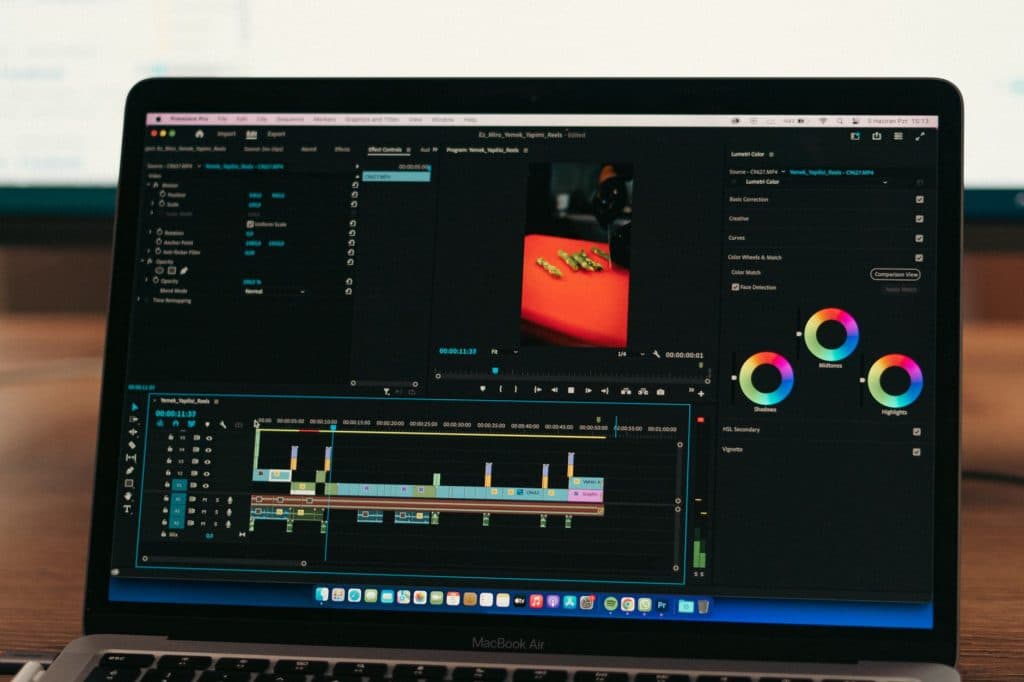
Adobe Premiere Pro is professional-grade editing software with AI tools designed to improve editing precision and efficiency. Auto-captions and text-based editing speed up parts of the workflow. Auto Reframe uses AI scene analysis to crop horizontal footage into vertical format.
A timeline interface supports detailed video edits, while multi-cam editing works for projects with several camera angles. The software also supports a wide range of video formats, giving users flexibility in how they edit.
Its strengths and limitations include:
Pros:
- Professional-grade color grading
- Extensive format support
- Advanced AI editing tools
Cons:
- High system requirements
- Steeper learning curve for beginners
Runway
Runway helps teams move beyond faster routine edits by transforming existing footage, generating new video, and applying effects that might otherwise take larger production resources. Creative agencies, studios, and brand teams can experiment without reshooting scenes or rebuilding them from scratch. Its Aleph model edits uploaded footage in context.
Runway is an AI-powered video editing platform for creative professionals and artists, with advanced tools for video effects and editing.
- In-context video editing with Aleph: Remove or replace objects, change lighting, and generate alternate scene angles in existing footage. These edits can shorten post-production without extra shoots.
- Text-to-video generation: Gen-4.5 creates video clips from text descriptions, supporting concept visualization and pre-viz before filming begins.
OpusClip
OpusClip turns long-form recordings into a stream of short, social-ready clips. Tasks that might take hours of manual trimming and reframing can be done in minutes. Built for social teams and content marketers, its multimodal AI reads visuals, audio, sentiment, and transcripts. A built-in Virality Score helps teams choose which clips to publish first.
The platform is made for content creators focused on social media, with AI tools for producing engaging clips in different formats.
- Multimodal AI clip extraction: OpusClip’s ClipAnything model reads each frame for visual, audio, and sentiment cues, not just speech, to find engaging moments across video types, including content beyond talking-head formats.
- Auto-captioning and multi-platform formatting: The platform creates animated captions with customizable styles and resizes clips for TikTok, Instagram Reels, YouTube Shorts, and LinkedIn. AI-adjusted framing keeps speakers centered.
Wondershare Filmora
Wondershare Filmora offers a broad AI editing toolkit in desktop software that remains approachable for non-experts. It sits between consumer simplicity and production-ready output, appealing to beginners, solo creators, and small businesses.
Key features include:
- AI Mate editing assistant: Built into the timeline, this conversational, context-aware assistant lets team members use natural-language prompts to edit, find features, or create content. It reduces menu hunting and speeds up early-stage production.
- AI audio suite: Automatic audio ducking, noise removal, voice enhancement, a music generator, and a vocal remover cover the audio workflow without manual engineering. Teams can deliver polished sound from footage recorded in almost any environment.
- AI Smart Cutout and motion tracking: Subject isolation, background removal, and automatic reframing across aspect ratios create polished compositions from basic footage, without a green screen.
Filmora centers on desktop editing, so it is less suited to remote teams that need real-time collaboration.
Descript
Descript makes video editing work like document editing: teams edit from a transcript rather than beginning with a traditional timeline. That approach suits podcast producers, course creators, and marketers. Its AI co-editor, Underlord, builds on it by handling multi-step edits, scene design, and clip creation from one prompt.
- Text-based editing: Delete words from the transcript, and they disappear from the video. Anyone comfortable revising a document can edit without timeline expertise.
- Studio Sound and filler word removal: AI audio enhancement improves recordings made outside a studio. Automatic filler word detection removes “ums” and “ahs” with one click.
Canva Video
Canva Video brings the template and brand kit system used in Canva’s social media design into video. Brand fonts, colors, and logos apply automatically to social videos, and templates cover every social format. Auto-captions and basic editing tools are among its AI features. For teams already using Canva for graphics, video fits into the same workflow.
- Brand kit integration with AI editing assists: Pre-loaded brand colors, fonts, and logos apply automatically to video content. One-click features such as Beat Sync, Auto Captions, Background Remover, and Enhance Voice handle labor-intensive edits.
- AI dubbing and translation: Integrated AI dubbing apps can localize video into 30+ languages, making production across regions more practical.
Vizard AI
Vizard AI turns long-form recordings into a steady flow of short-form clips for vertical platforms. It automatically finds shareable moments, then reformats them for channels such as Reels, Shorts, and TikTok. Content marketers, podcasters, and producers can use it for speed and prompt-based control over which moments surface.
- AI-powered clip detection and prompt mode: Vizard’s Spark 1.0 model finds highlight moments automatically using speech patterns and engagement signals. Teams can also use natural-language prompts to search a video for a key quote or product demo.
- Speaker detection and auto-reframing: The platform tracks speakers in real time and adjusts framing for vertical formats, keeping faces centered across Reels, Shorts, and TikToks without manual keyframing.
Pictory
Pictory focuses on repurposing content, especially turning written material into finished video. Content marketers and educators can turn blogs, articles, and scripts into branded assets at scale. SOC 2 and ISO 27001 compliance also meet a higher governance bar for enterprise and L&D teams.
- Blog-to-video and script-to-video conversion: Articles and written scripts become videos with AI-selected visuals, turning existing content into new video formats without extra production work.
- Text-based video editing: Upload a video to get an AI-generated transcript, then edit the footage by changing the text. This can remove filler words, cut sentences, or condense long recordings into highlight reels.
Movavi Video Editor
Desktop editing
Movavi Video Editor is a strong desktop option for marketers and educators who want reliable AI-assisted editing without a steep learning curve. Available on Windows and Mac, it offers a classic timeline with practical AI tools.
Practical AI tools
Silence detection, motion tracking, background removal, and AI subtitles are designed to work on the first try, without prompt engineering or technical setup.
Pricing
A free trial is available. Paid plans start at $19.95/month or $59.95/year.
HeyGen
Digital presenters
HeyGen is a leading platform for AI avatar video in 2026, suited to teams that need personalization and multilingual production at scale. Compared with Synthesia, it pairs realistic avatar quality with real-time interactive avatars for sales and customer-facing use cases. Its strong API also connects to broader content workflows.
Translation and localization
Teams can make a custom avatar from a short video recording, then create personalized video messages in multiple languages with accurate lip-sync. That makes HeyGen useful for sales teams and global marketing programs, not just demos.
Essential AI video editing features
The essential AI video editing features include automated captioning and transcription, customizable caption styling, flexible exports, translation, and language coverage. After translation and localization, pick an AI video editor that clears repeat tasks from your team's plate, so you can create at full capacity; flashy automation can wait.
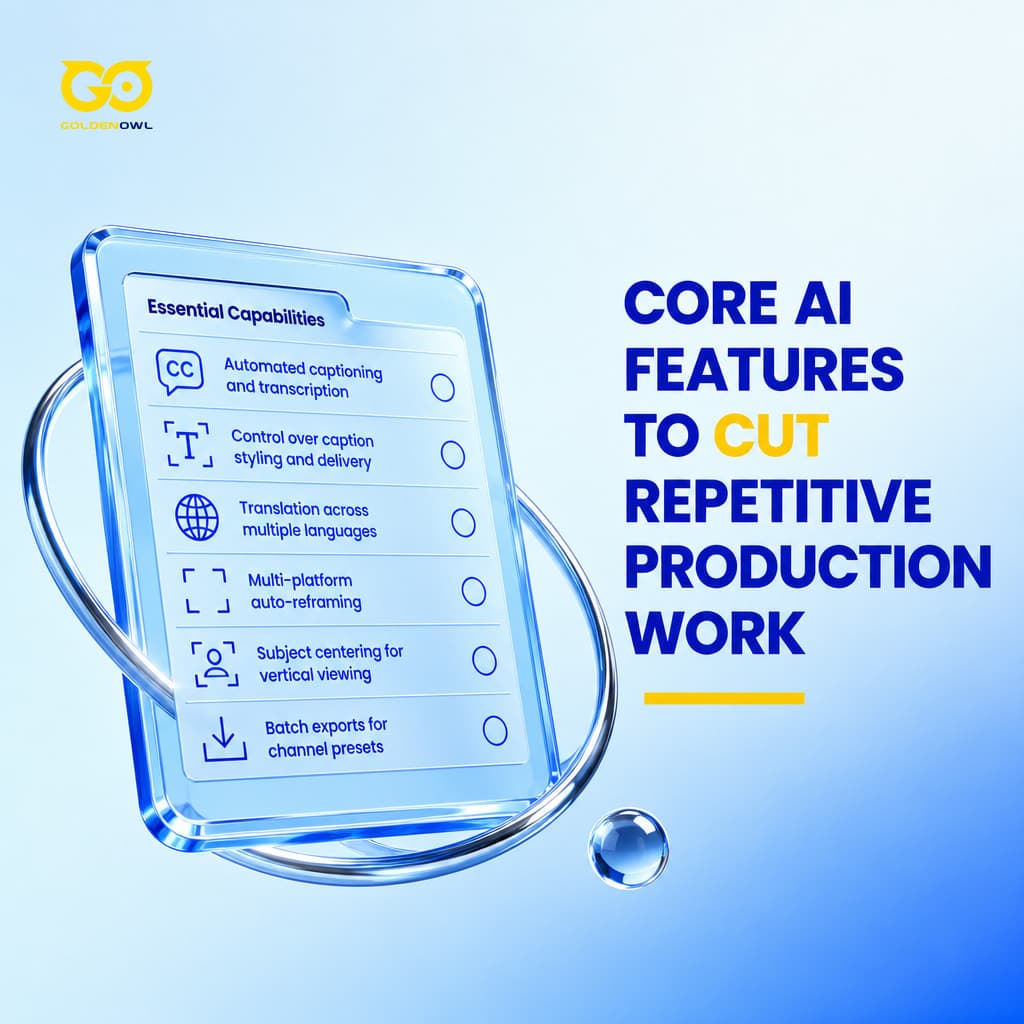
Automated captioning and transcription
When viewers watch with the sound off, captions make videos more accessible and searchable, and can help the content perform. Facebook's internal testing found that captioned video ads increased view time by an average of 12%, according to Social Media Today.
Styling and delivery
Look for accurate transcription and real control over caption style and delivery. Custom formats shape how captions look, while flexible exports should fit how your team shares content.
Language coverage
Translation options can widen a video's reach, while language coverage makes the feature more useful in one step.
Multi-platform auto-reframing
Multi-platform auto-reframing adapts footage to vertical, horizontal, or square formats for different platforms. For YouTube, Instagram, LinkedIn, and other platforms, each version has its own aspect ratio and publishing standards. Making every version by hand takes time.
Keep subjects centered
The feature keeps subjects centered, so your team doesn't have to handle that work by hand.
Publish across channels
Use channel-specific presets and batch exports to create once, then publish widely without repeating the effort.
Building a social media video workflow
Give each production stage its own tool instead of asking one tool to do every job. Brand and agency teams should keep footage in a platform, refine sequences in a professional timeline editor, then make quick versions with a social editor or template tool. Solo creators can make daily content in CapCut, then add Opus Clip to turn long-form video into social posts; together, the pair covers 90% of solo creator needs.
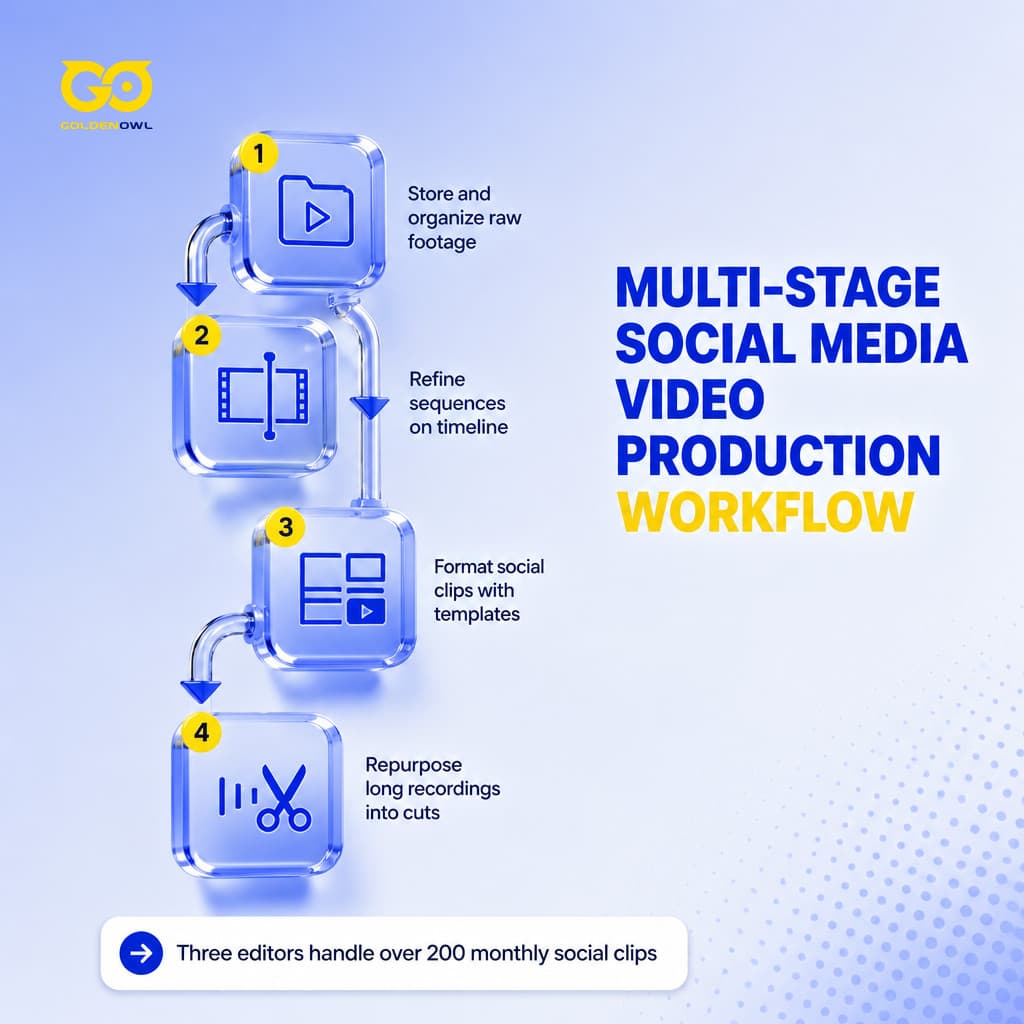
That agency setup lets three editors handle over 200 social clips a month across eight brand accounts, work that used to take eight editors. Repurposing teams can use Opus Clip for volume clipping, while Descript makes a 30-minute search a 2-minute task. One client moved from three social clips a week to fifteen, without adding headcount.
Choosing the right AI video editor
Match an AI video editor to your content, monthly volume, and workflow; these 4 steps can help your team compare platforms and choose the right fit for its production needs.
Core use case
Look first at the task your team does most: cutting webinars into short social clips or turning written scripts into explainer videos. Since platforms are built for different workflows, a close match can remove friction near the start of production.

Detailed editing control
If your main requirement is detailed editing control, a text-to-video tool is likely to frustrate you. Name that requirement before comparing platforms, and you'll narrow the field to tools that address the right problem.
Video editor pricing models
The pricing models shown here are Free, Personal, Business, and Enterprise plans. Compare plan types by average price and commonly included features, with editing control already defined.
| Plan Type | Average Price | Common Features |
|---|---|---|
| Free Plan | $0 | Basic editing tools, limited exports, and a watermark on videos. |
| Personal Plan | $5-$30/month | Access to templates, basic AI features, and standard video quality exports. |
| Business Plan | $30-$80/month | Access to templates, basic AI features, and standard video quality exports. |
| Enterprise Plan | $500-$2,500/month or custom | Custom integrations, unlimited exports, a dedicated account manager, and enhanced security features. |

Plans run from $0 for limited free access through $5-$30/month and $30-$80/month, up to enterprise plans at $500-$2,500/month or custom.
Frequently asked questions
What processes can AI reliably handle in video editing?
AI reliably handles repetitive video-editing tasks, including transcription generation, background-noise removal, and reframing clips for different social media formats.
Are there free AI video editing platforms?
Yes, many platforms offer free plans, though those plans often come with watermarks or export restrictions. Teams producing video at scale usually move to paid tiers for professional quality and features.
How do AI video editors connect with my work platform?
Some AI video editors connect directly to your work platform; others use third-party connectors or custom setup, while AI agents can link tools to core workflows, automate handoffs, and centralize approvals without heavy configuration.
What are the main limitations of AI video editing?
AI can miss storytelling nuance, and its edits may not match the polish of a skilled professional. Use it to speed up repetitive tasks, leaving your team more time for creative vision.
Can AI video editors integrate with my existing tools?
Yes, many AI video editors integrate with popular non-linear editing software and cloud storage services already used in your workflow.
Can the AI video editor maintain our brand style across multiple videos?
Many platforms save templates, presets, and brand assets, keeping projects aligned across different formats and aspect ratios.
Are AI video editors suitable for beginners?
Platform choice matters: some AI video editors offer guided workflows and structured onboarding, while others expect you to have prior editing experience.
What should I consider when evaluating AI video editor security?
Prioritize tools with data encryption and access controls, and check for compliance with security standards that protect your content throughout editing.
Key takeaways for building an AI video workflow
Good video tools should do more than shave off a little time; they should support the work around editing, from managing and assembling footage to formatting clips for social and repurposing them. For modern content teams, AI video editing is an essential ai marketing solution.
- Choose for both the creative work and the coordination that keeps it moving.
- To move social content through each stage quickly, pair an AI agent for footage management and assembly with a quick-turn editor for social formatting, then use a repurposing tool to maximize distribution.
- A tool teams adopt quickly because it feels intuitive can beat features that power users unlock only after weeks of training.
- AI video tools work best when they take repetitive tasks off editors’ hands, so editors can make the creative decisions that call for human judgment.
Give each stage of video production a tool built for that job: recording, creating, polishing, and scaling don't all have to happen in one editor. For social content, the process can run from managing footage and assembling it to formatting clips for social and repurposing them. Let the top AI-driven social media video editing solutions for marketing teams handle repeatable tasks and distribution, while people guide the message and creative choices.
Share this page


Table of Content

Subscribe to Golden Owl blog
Stay up to date! Get all the latest posts delivered straight to your inbox