
An AI legal assistant does the first pass of legal work. See what it can and can’t do, and which legal AI tools fit research, contracts, or practice management.


How to Choose AI Solutions for Business
Sep 9, 2026
about 16 min read

Modern enterprise teams use AI business solutions to run labor-intensive operations, generate predictive insights, and personalize user interactions across their core workflows.
Modern enterprise teams use AI business solutions to run labor-intensive operations, generate predictive insights, and personalize user interactions across their core workflows.
Before you choose any platform in this expanding space, start by locking down clear business goals, then map your execution directly to specific technical architectures.

Business decision makers planning an AI strategy on a whiteboard in a modern office · Pexels / Yan Krukau
Top AI Business Solutions
Enterprise software suites give your business managed model training, elastic computing power, and day-to-day workflow automation. Take a close look at platforms like NILG.AI, IBM Watson, and Google Cloud AI to see how modern tooling handles predictive analytics, ingestion bottlenecks, and everyday operational tasks across production environments.
Microsoft Azure AI
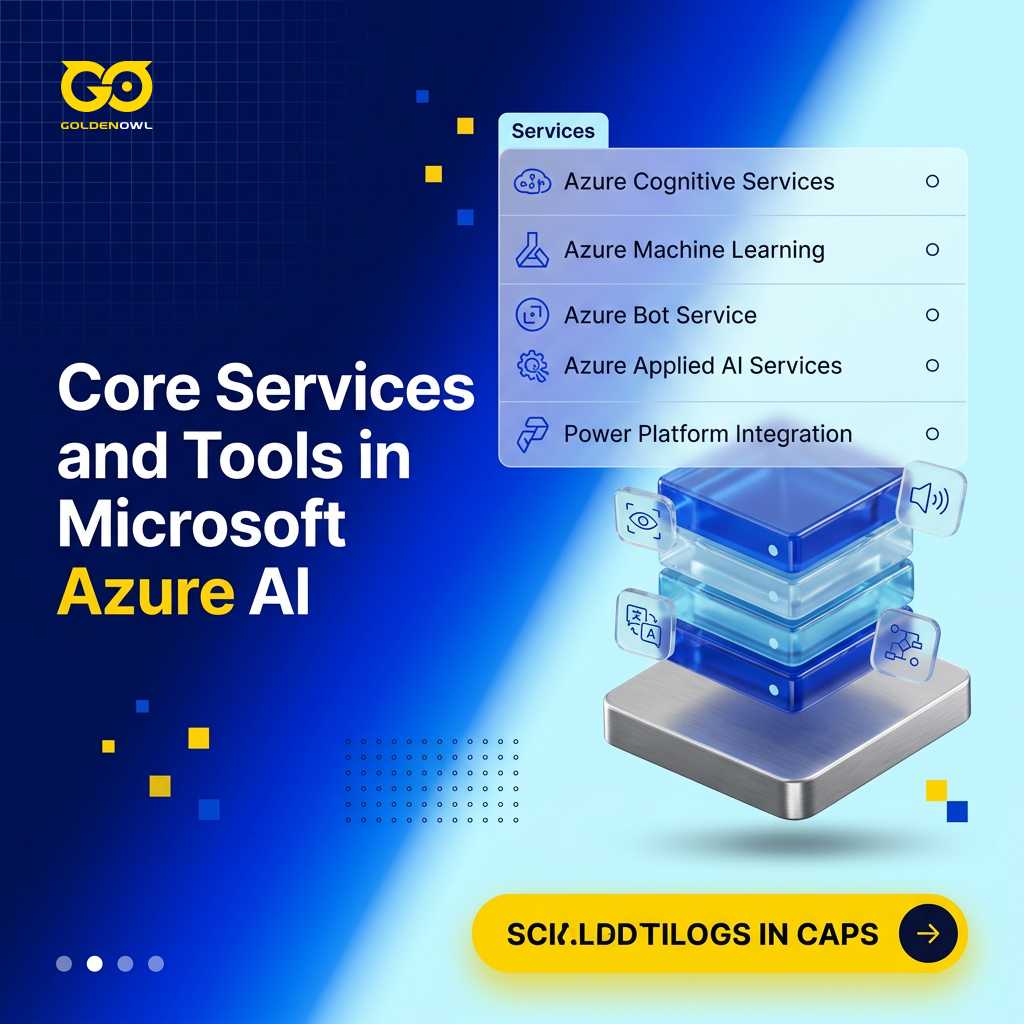
Engineering teams tap into Microsoft Azure AI to build internal tools using a unified suite of cloud services. You get ready-made cognitive APIs alongside scalable machine learning environments for training and launching proprietary models at scale. If your business already runs on Microsoft infrastructure, you can plug these services directly into your existing Azure environment without friction.
- Azure Cognitive Services: Pre-configured service endpoints process computer vision, speech transcription, language translation, and automated operational decision rules.
- Azure Machine Learning: Technical teams build, train, and deploy proprietary machine learning models using common open-source frameworks like TensorFlow and PyTorch.
- Azure Bot Service: Integrated development environments simplify the process of designing and deploying structured conversational interfaces.
- Azure Applied AI Services: Packaged AI workflows target specific repetitive business tasks to accelerate deployment across distinct industry verticals.
- Power Platform Integration: Low-code tooling gives non-technical operations staff the ability to build and maintain automated business workflows.
Google Cloud AI
Google Cloud AI bundles proprietary research infrastructure into a dedicated machine learning platform for technical staff. You can launch pre-trained models for speech, vision, and translation right away, or train custom models from scratch using distributed compute clusters.
- AutoML: Non-technical domain experts can train custom predictive models on business data without needing a PhD in data science.
- Pre-trained APIs: Ready-to-use interfaces handle image recognition, language translation, and audio transcription directly out of the box to reduce internal engineering build cycles.
- Vertex AI: A consolidated machine learning environment provides professional data scientists with tools to build, train, evaluate, deploy, and scale complex predictive models.
- Document AI: Automated ingestion pipelines parse unstructured files and structured forms to extract core business fields without requiring manual data entry.
Amazon SageMaker
Amazon SageMaker gives your developers a fully managed platform to clean data, build predictive algorithms, and run live production endpoints in one cloud ecosystem. The system works just as well for veteran data science teams as it does for engineers launching their first machine learning project.
- SageMaker Studio IDE: This integrated development environment consolidates your modeling toolchain in one interface, letting you build, train, debug, and monitor models without switching between tools.
- SageMaker Autopilot: Automated modeling features inspect raw tabular data, evaluate candidate algorithms, and train the most accurate model while preserving full visibility into the code.
- Built-in Algorithms and Frameworks: Select pre-tuned native algorithms from an extensive built-in library, or write custom training scripts using popular frameworks like TensorFlow and PyTorch.
- Distributed Training: Distribute large training jobs across clusters of compute instances to reduce total model turnaround time.
- Model Monitoring and Management: Track live inference endpoints continuously to detect performance degradation, capture data drift, and maintain production accuracy over time.
AWS Bedrock
AWS Bedrock gives your engineers unified access to top foundation models through one API, letting you build custom applications on Claude, Llama, and Mistral.
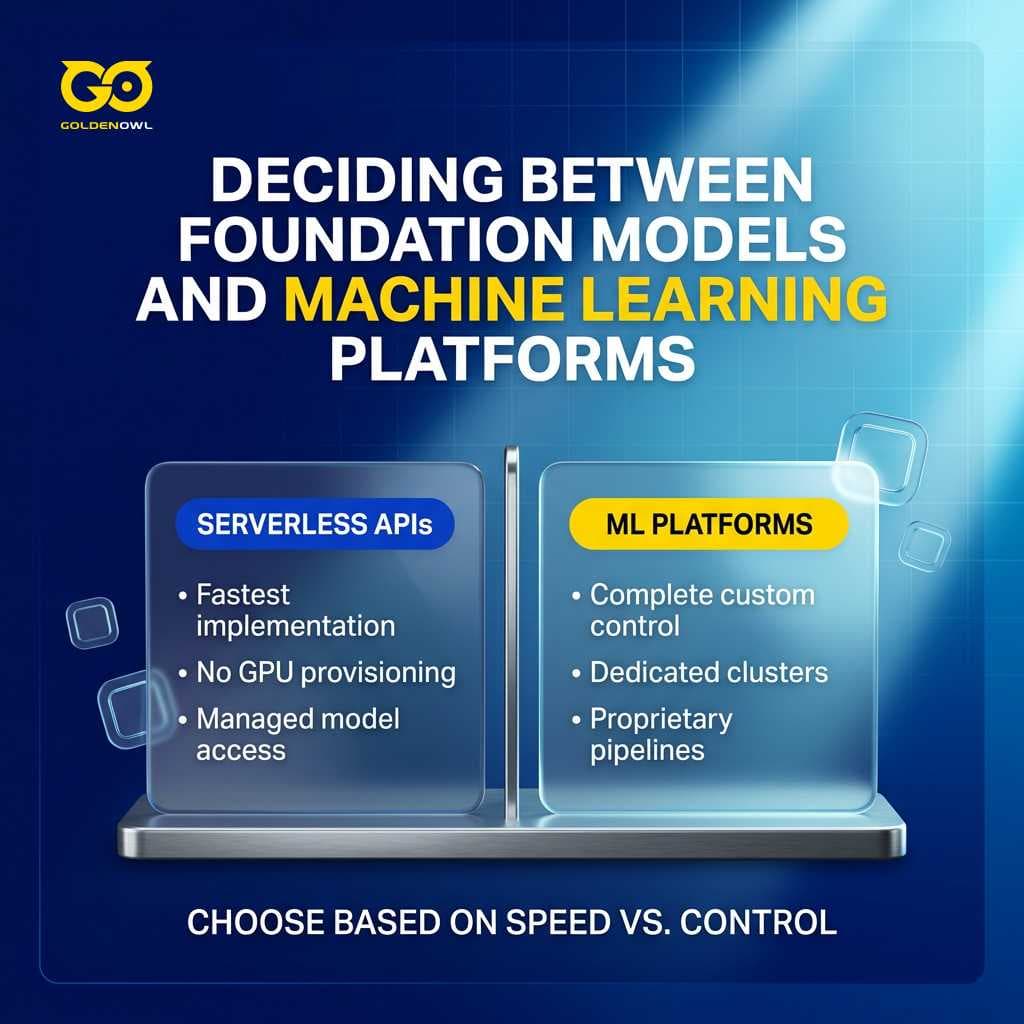
If your team requires direct access to leading foundation models without provisioning GPU hardware, using managed serverless endpoints represents the fastest implementation route. But when your organization demands complete control over custom training clusters and specialized data pipelines, building on dedicated machine learning platforms remains the superior path.
OpenAI Enterprise AI
OpenAI Enterprise AI delivers high-capacity language models that help corporate teams generate documentation, write production code, and automate repetitive internal tasks.
- AI Chatbots and Agents: Automated conversational agents handle customer support tickets and execute routine operational tasks across internal departmental teams.
- API Integration for Apps: Dedicated enterprise endpoints allow software engineers to embed advanced language models directly into existing internal tools and customer-facing software.
- Multimodal AI: Unified multimodal processing pipelines accept and analyze text, images, and other media types within single automated workflows.
- Custom Internal GPTs: Internal teams assemble and deploy private versions of ChatGPT configured with specialized departmental documentation and distinct operational instructions.
IBM Watson
IBM Watson provides a modular set of analytical tools and cognitive services built to clear operational bottlenecks in large organizations. The platform handles computer vision, predictive analytics, and natural language processing across heavily regulated sectors.
- Natural Language Processing (NLP): Parse unstructured text records to extract sentiment, evaluate inbound customer feedback trends, and automate document processing across high-volume operational workflows.
- Watson Assistant: Design and deploy conversational assistants capable of managing multi-turn customer inquiries and routing complex support requests to human staff.
- Watson Discovery: Search and extract structured operational insights from enterprise data repositories, including internal documents, web pages, and databases.
- Visual Recognition: Classify images and locate specific objects across visual assets for catalog organization, automated product tagging, and security.
- Industry Solutions: Deploy specialized pre-trained models tailored to address domain-specific workflows in regulated vertical markets like finance, customer service, and healthcare.
Salesforce Einstein
Salesforce Einstein runs directly inside Salesforce CRM, analyzing historical customer records to generate automated pipeline forecasts, lead scores, and recommended actions for sales and support teams.
- Predictive Analytics: Forecast deal closing probabilities, identify customer accounts showing churn signals, and flag revenue risks before they impact quarterly targets.
- Einstein Discovery: Surface hidden statistical patterns in business records to deliver actionable operational recommendations without requiring a PhD in data science.
- Natural Language Processing (NLP): Evaluate customer sentiment across inbound emails, live chat threads, and social channels to identify urgent complaints and address client concerns proactively.
- Automated Lead Scoring and Opportunity Insights: Rank prospective deals by their statistical probability of closing, allowing sales representatives to concentrate their daily prospecting efforts on the highest-yield pipeline opportunities.
- AI-Powered Recommendations: Deliver targeted product recommendations and relevant content suggestions to buyers based on individual transaction histories and previous platform engagement.
Getting value from these native analytical capabilities requires running your core operations completely inside Salesforce CRM.
Salesforce Agentforce
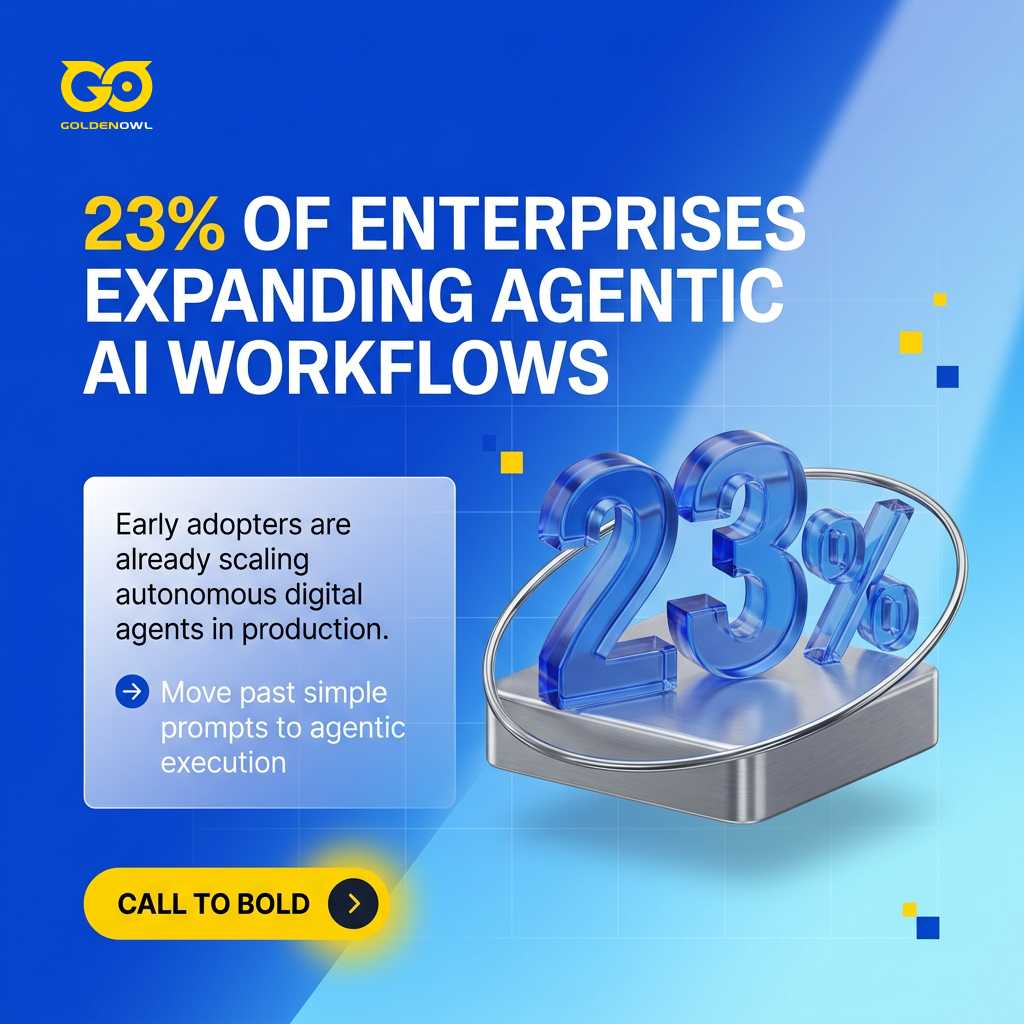
Salesforce Agentforce puts autonomous digital agents to work across sales, service, and marketing pipelines within Salesforce CRM. Instead of just answering basic prompts, you can assign these agents complex jobs like updating tickets and reconciling client invoices. According to McKinsey, 23 percent of enterprises have expanded agentic AI workflows into specific business areas, whereas 39 percent are actively running trials.
SAP AI Core
SAP AI Core integrates natively across the SAP application environment, handling the entire machine learning lifecycle from model training through live deployment.
Key features include:
- Centralized Repository: Store and manage all machine learning models and code artifacts in a single directory to enforce rigorous version control.
- Automated Pipelines: Automate repetitive model training and deployment workflows, allowing your technical team to focus their engineering time on high-impact operational problems.
- SAP Integration: Connect directly into enterprise SAP applications to build end-to-end AI workflows without introducing data silos or maintaining external synchronization connectors.
- Framework Support: Build, train, and test custom predictive algorithms using standard open-source machine learning frameworks like TensorFlow and PyTorch.
- Enterprise-Grade Security: Maintain strict compliance through built-in governance rules, granular access controls, and security standards designed for enterprise deployments.
DataRobot
DataRobot automates model development and operational deployment, helping teams launch predictive systems across different business units with minimal manual overhead.
- Automated Machine Learning (AutoML): Automated model building is DataRobot’s bread and butter, testing dozens of algorithms to identify the top performer for your dataset.
- Time Series Forecasting: Predict future product demand, optimize supply chain inventory levels, and evaluate market trends using specialized time series modeling tools designed for operational planning.
- Computer Vision: Train vision models on business image and video datasets to automate quality inspection and asset tagging.
- MLOps (Machine Learning Operations): Centralize model deployment, monitor live prediction accuracy, and manage infrastructure health across all production endpoints from a unified interface.
- Explainable AI: Inspect prediction drivers and feature importance charts to understand why individual models generate specific analytical outcomes.
H2O.ai
H2O.ai offers an open machine learning platform designed to put automated modeling software into the hands of non-tech companies.
- H2O AutoML: Automate algorithm selection, feature transformation, and hyperparameter tuning so your team can focus on deploying models into production.
- Driverless AI: Accelerate model development with automated feature engineering and built-in model explainability, which provides the technical documentation needed for strict regulatory compliance.
- H2O Wave: Build custom web applications and visual analytics dashboards for machine learning models using clean, straightforward Python scripts.
- Flexible Deployment: Deploy trained models as lightweight scoring pipelines for real-time inference endpoints or high-throughput batch scoring jobs.
- Multi-Language Support: Build and execute machine learning workflows in your preferred programming language, including R, Python, or Java.
Commercial licenses unlock advanced enterprise features alongside a free open-source version.
C3.ai
C3.ai provides a comprehensive platform to build, launch, and operate enterprise software across industries like manufacturing, utilities, finance, and healthcare.
- Pre-built SaaS Applications: Companies can deploy turnkey SaaS applications configured for specific vertical industry requirements.
- C3 AI Suite: Technical teams use model-driven architecture and integrated development tools to design and customize complex enterprise software.
- Data Integration: Unified data pipelines aggregate disparate records from enterprise systems and databases into a single conceptual data image.
- Model Operations and Management: Built-in operational tooling oversees production deployments, validates model health, and tracks live inference metrics.
- Edge-to-Cloud Deployment: Processing components extend from central cloud environments to edge hardware for real-time analytics in IoT environments.
Unified Multi-Model Workspaces
AISuites brings multiple distinct language and media models into a single operational workspace, eliminating the hassle and expense of managing separate software subscriptions.
- Unified AI Workspace: The environment brings together several independent foundation models under one single user management and billing interface.
- Integrated AI Tools: Teams gain access to chat interfaces, web search, writing assistants, and generation engines for images, video, and synthetic voice.
Microsoft 365 Copilot
Microsoft 365 Copilot automates everyday work like drafting memos and summarizing call transcripts, freeing up your team to focus on higher-priority business goals.
- Productivity Assistance: The assistant drafts written communications, summarizes long documents, answers internal questions, and supports everyday desktop office work.
- Automated Reporting: The software compiles weekly sales performance summaries and routes updates directly to leadership teams.
Automated Customer Messaging Platforms
Customer support channels offer the fastest, clearest ROI for smaller companies adopting AI, using conversational chatbots, automated ticket routing, virtual agents, and real-time sentiment analysis tools.
Key capabilities include:
- Automated responses handle routine queries immediately, reducing first-response time from hours to under 60 seconds.
- AI-powered virtual assistants can handle 25-30% of routine service contacts without human involvement when deployed with properly structured knowledge bases.
- AI chatbots can respond to customer inquiries accurately and efficiently based on your company data.
- These tools can also suggest technical solutions and assist in selecting suitable licensing models.

Evaluating AI Solutions for Business
Enterprise software choices set the ceiling for your team's operating speed, so smart evaluations start with operational requirements instead of flashy vendor sales pitches.
Scoping an AI Business Solution
Map your daily workflow bottlenecks before you open a single sales deck or book a product demo. You have to pin down the exact operational friction you want to eliminate before you commit any capital.
Anchor your vendor evaluation around three specific written answers:
- What specific process are you trying to improve, such as reducing time-to-first-response for customer support from 6 hours to under 30 minutes?
- What does success look like in hard numbers, like resolving 30% of support tickets without human intervention at a 90%+ customer satisfaction score?
- What historical data exists to train the system, given that providing 12+ months of records significantly accelerates time-to-value versus starting from scratch?
Strong automation candidates usually share three characteristics: task volume exceeding 50 repetitions per week, structured inputs like forms or contracts, and deterministic rule-based outputs like tagging, routing, or approval.
Architecture Compatibility
Checking how cleanly a new system plugs into your CRM and ERP stacks prevents painful workflow breaks and protects your existing software spend.
Operators observe a consistent pattern in regular practice: AI tools that integrate tightly with existing systems like CRM, ERP, and email outperform standalone tools by a meaningful margin.
Vendor Reliability
Vendor maturity varies wildly across the market, which means you should filter heavily for providers with proven track records in your specific sector.
- Market Reputation: Review an organization's commercial track record, release cadence, customer service quality, and long-term business health before signing contracts.
- Support Responsiveness: Direct access to technical implementation specialists and support teams ensures prompt troubleshooting during deployment and user onboarding.
- Sector Expertise: Specialized experience, such as a vendor providing clinical decision support and patient records systems in healthcare, ensures tools match strict industry realities.
Total Cost of Ownership
Software pricing models differ widely across platforms, so you need to balance upfront licensing fees against ongoing maintenance costs, efficiency gains, and net savings.
- Solution Type: Off-the-shelf software assistants carry predictable per-user monthly subscription fees, whereas partnering with a specialized ai solutions company for custom engineering requires additional integration, infrastructure, and technical support budgets.
- Change Management Allocation: Deployments that reserve 20-30% of total project capital for workforce training and change management consistently achieve higher user adoption than projects managed purely by IT staff.
Hosted endpoints change your cost profile. While managed commercial APIs can remove initial setup friction, their ongoing per-token query fees quickly surpass the expense of dedicated infrastructure as usage scales up.
Data Security Governance
Machine learning models demand huge volumes of company data, making the protection of confidential business and customer records completely non-negotiable.
- Data Encryption: Technical teams must configure strong encryption standards for sensitive information both in transit and across storage environments.
- Access Control: Granular identity verification and role-based permissions must govern who can query and interact with internal models.
- Regulatory Compliance: Systems must adhere to data protection mandates like GDPR, ensuring proprietary corporate data is never used to train public commercial foundation models.
Phased Implementation Framework
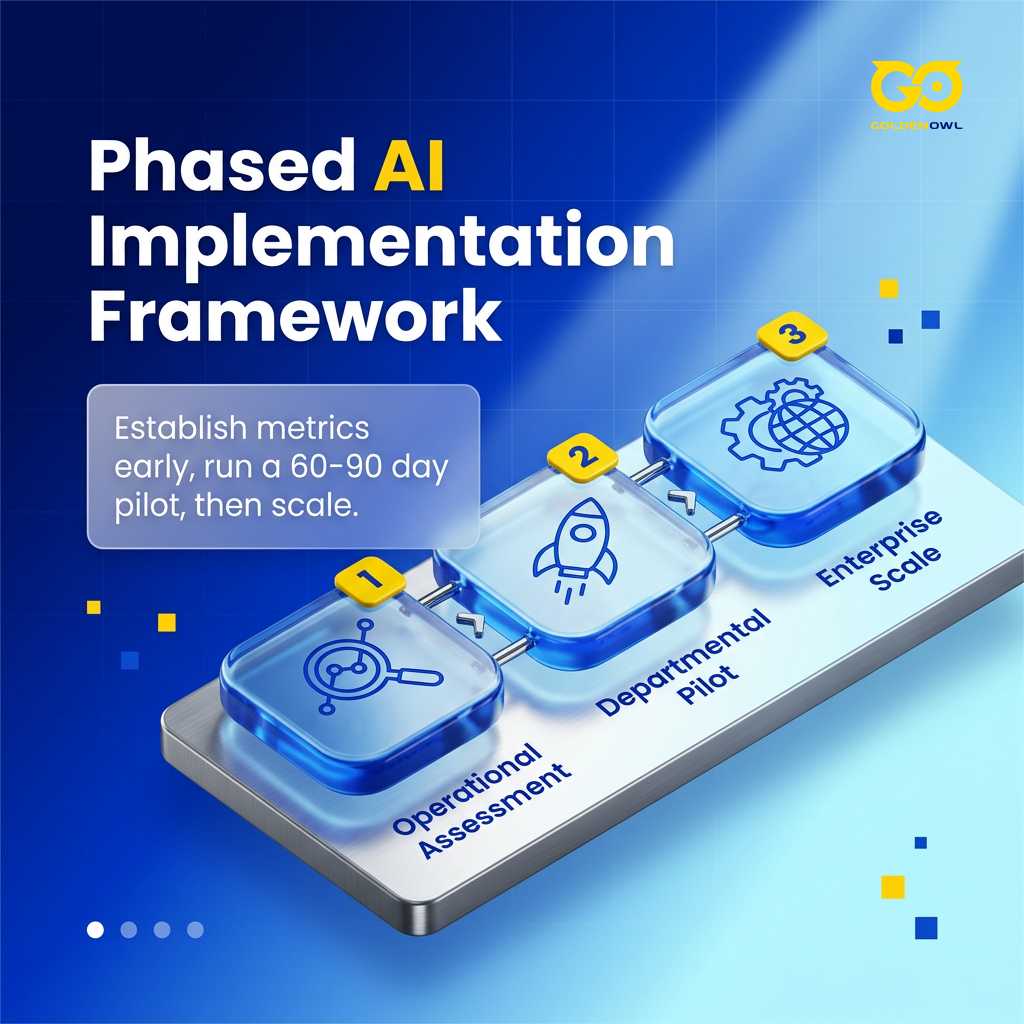
A structured three-stage sequence of assessment, piloting, and enterprise rollout keeps your financial risk low and proves business value before you spend real capital. Teams that rush directly into full rollouts face runaway costs, weak user adoption, and far more abandoned projects than groups that run structured 60-90 day trials first. Stick to this assess, pilot, and scale path. Lock in your baseline metrics early, run a tight 60-90 day pilot, and expand only from verified field data.
Operational Assessment
Map out your actual operational workflows and define clear success targets during this initial discovery phase before looking at vendor tools. Rushing through this preliminary stage causes automated software pilots to fall short of expectations, whereas a proper foundational review takes one to four weeks.
Raw data quality, access permissions, and table structures directly govern what an artificial intelligence system generates, so organize these core pipelines early because machine learning models need rich historical records to learn properly. Gathering 12+ months of clean data drastically cuts your time-to-value.
Deliverables from Phase 1 include:
- Process inventory: List every workflow you want AI to touch, ranked by volume (how often it occurs) and pain severity (how much time or money it currently costs).
- Data audit: Map what historical data exists, assess quality across completeness, consistency, and timeliness, and identify gaps that need filling before the pilot.
- ROI model: Estimate time and cost savings against implementation investment using conservative, baseline, and stretch scenarios.
- Vendor shortlist: Select 3-5 candidates that match your defined requirements instead of the most heavily advertised options.
Departmental Pilot Testing
Why risk enterprise-wide disruption on unproven software when you can confine your evaluation to a single team or specific workflow? A controlled 60-90 day pilot gives the software enough runtime to clear early setup friction before leadership commits to wider expansion.
Baseline vs. AI performance Track task duration, error frequency, and total volume processed under identical conditions before and during the trial to build a clear, direct baseline comparison.
Adoption rate Measure the share of your target group actively using the tool, because engagement falling below 60% points to poor onboarding or broken processes rather than bad software.
Unintended consequences Log model output errors, rare edge cases where accuracy degrades, and unexpected downstream disruptions affecting adjacent internal systems.
A structured trial reveals whether lagging numbers come from the tool itself, dirty data, flawed workflows, or poor employee coaching. That diagnostic clarity lets leadership decide whether to fix the setup and move ahead, or swap vendors before spending heavy capital on broad rollouts. Departmental trials validate core workflows in isolated environments, but they won't show how response latency and API rate limits survive heavy concurrent traffic.
Enterprise Scale Deployment
Successful departmental pilots provide the validated architecture you need for scaling robust enterprise ai solutions across broader organizational units instead of starting over. That establishes a realistic expansion window that runs from month four to month twelve.
Before greenlighting a company-wide rollout, make sure your team verifies every item on this checklist:
- Pilot ROI met or exceeded projections
- Staff adoption rate above 70% and trending upward
- No unresolved data privacy or compliance issues
- Integration points are stable and require minimal manual intervention
Today, 88 percent of businesses run artificial intelligence inside at least one internal team. Yet only about one-third manage to scale tools company-wide, and a mere 6 percent capture major financial returns. Driving enterprise adoption demands clear data governance policies and ongoing staff coaching to keep software dependable across functional groups.
Implementation Challenges
Rolling out AI tools across company operations presents immediate operational friction, even when efficiency gains look obvious on paper. Teams routinely hit walls with siloed data, steep implementation expenses, thin internal skills, and staff resistance to unfamiliar workflows. Most enterprise programs stall because groups struggle to move isolated experiments into live production environments, not because the core math failed.
Data Architecture Readiness
Internal company information is your core asset, and machine learning models depend directly on this foundation to generate useful output. Clean your tables and scrub out duplicate or broken records so you know your databases are reliable before launch. Launching with 12+ months of structured data gets you to clear operational returns fast, whereas thin history means you'll spend 6+ months just waiting for workable utility.
Workforce Change Management
Great software falls flat when your team refuses to use it, especially if people feel uneasy about job security or find complex tools intimidating.
Winning buy-in starts when you bring respected skeptics into the rollout right away. Partner with them to deliver a visible, rapid win that eliminates an annoying manual task. Leverage their peer influence to organically drive team-wide adoption.

Automation definitely cuts out specific manual tasks, but it also opens up functional roles that didn't exist five years ago:
- Prompt Engineers: Specialists trained in designing effective queries for generative AI tools.
- AI Trainers / Human Feedback Specialists: People who guide and fine-tune AI systems by reviewing outputs, ranking quality, and providing human context to help the AI learn.
- Ethical AI Officers / AI Governance Analysts: With growing concern about bias, privacy, and transparency, companies are hiring specialists to guide AI policy, ensure compliance, and audit outputs.
- AI Change Managers / AI Adoption Specialists: Internal champions responsible for guiding teams through AI implementation, improving usage rates, and helping employees build confidence in the tools.
- AI-Assisted Content Creators / Designers: Writers, marketers, and designers now need to understand how to co-create with generative tools.
- Data Labelers and Curators: Critical for supervised machine learning. These workers classify and tag datasets so AI systems can train with accuracy and nuance.
Algorithmic Bias Mitigation
Untested models introduce serious liability by baking bias into hiring decisions or credit approvals, alongside hallucination errors where conversational systems invent confident nonsense.
Protecting against these failures means picking auditable tools, setting up human oversight loops, and establishing clear operational ownership on day one. Using explainability dashboards lets managers see why a model made a specific prediction, giving leadership confidence to back operational decisions with real data.
When you vet commercial vendors, probe for hidden algorithmic bias by asking direct questions:
- "What datasets was this model trained on? How do you ensure that data was representative?"
- "Can you show me the 'explainability' feature? For a given decision, how does the tool show us why it made that choice?"
- "What processes do you have for customers to report and correct biased or unfair outcomes?"
- "How does the system handle edge cases or demographic groups that are underrepresented in the training data?"
The Pilot Deployment Trap
AI initiatives usually die in the messy gap between a sandbox prototype and daily production. When rough integrations force employees to run legacy workflows alongside new systems simultaneously, the duplicate workload leads to team burnout and abandoned tools within the first twelve months.
Teams often mistake a successful proof of concept for a finished product, forgetting that the ongoing work of handling edge cases, detecting data drift, and maintaining daily pipelines requires as much effort as building the model itself.
Measuring Return on Investment
Measure the bottom-line impact of artificial intelligence by tracking hard operational efficiency gains and direct revenue growth across your workflows. Before you install any software, set concrete performance benchmarks and compare existing operating expenses against the hours you expect to save. Gauge your progress against clear targets for staff productivity, customer satisfaction, conversion rates, and total sales.
Broad market forecasts highlight the massive financial upside of automated workflows and customized tools. Research from the McKinsey Global Institute projects that artificial intelligence will generate between $2.6 and $4.4 trillion every year in total cross-industry value. Looking further out, worldwide economic contributions from the technology could climb to $15.7 trillion by 2030.
Baseline Performance Metrics
Clear baseline numbers prove whether your team is actually moving faster. Pinpoint the exact operational bottleneck you need to fix, then grade prospective vendors across five core areas: data readiness and security, compatibility with your existing stack, compliance governance, total cost, and your team's internal technical capabilities. Put down clear milestones showing what complete success looks like at three months and at 12 months. Starting with an easy, high-leverage project builds real organizational momentum far better than tackling your most complex workflow first.

Frontline support data shows that connecting virtual assistants to well-organized internal docs lets software handle 25-30% of standard customer inquiries without human help. If your team handles 500 tickets per week, that setup automatically clears 125-150 tickets every single week.
Small Business Economic Viability
Modern cloud subscriptions allow adopting accessible ai solutions for small business to automate routine tasks and go toe-to-toe with established market leaders. When you begin scoping out realistic rollouts, you will generally run into a few direct financial and technical considerations:
- Affordable Entry Points: Commercial software pricing extends from $20/month for entry-level automation tools to more than $100,000 for enterprise systems, with providers offering low-cost cloud pricing tiers tailored directly to small firms.
- Typical First-Year Costs: First-year expenditures for most SMBs run between $5,000 and $20,000 across software licenses, technical setup, and initial staff training. The base subscription generally accounts for 40-60% of outlays, making total spending roughly 1.5-2x the headline software fee.
- Fastest ROI: Implementations focused on customer service and operational workflows yield the fastest returns for SMBs, typically within 1-3 months, while sales tools and analytical platforms require 2-6 months to produce their larger overall returns.
- Designed for Non-Technical Teams: Standard functional options like conversational bots, marketing automation tools, and AI-enabled CRMs require no heavy custom technical setup, allowing non-technical business teams to manage everyday configurations directly.
Picking the right AI business solutions comes down to matching platform tools or API integrations directly to your day-to-day operations rather than chasing abstract benchmark scores. You have the blueprint to track baseline output, control integration overhead, and tie operational improvements to hard financial milestones. Put your initial budget toward major operational bottlenecks where software can chew through routine work and pay for itself within months. Keep a tight grip on onboarding expenses, force vendors to show clear proof of value, and expand your rollout only after your team logs verified efficiency gains in production.
Share this page


Table of Content

Subscribe to Golden Owl blog
Stay up to date! Get all the latest posts delivered straight to your inbox