
How to use AI in real estate: automate lead follow-up, speed up valuations and marketing, and keep every step compliant with Fair Housing rules.


Deploying Enterprise AI Software Development Solutions
Sep 21, 2026
about 17 min read

Under three years was enough for experimental ai software development solutions to evolve into standard software development practice
Under three years was enough for experimental ai software development solutions to evolve into standard software development practice, changing how teams write, test, review, and deploy software. Adoption alone, though, doesn't ensure better results.
AI-generated code can quietly bring in security gaps, licensing questions, and maintainability debt, while subtle failures slip past review. Teams often uncover those problems only after adopting the tools while leaving the surrounding processes unchanged.
The biggest gains come when teams treat AI-generated output as a first draft from a capable collaborator who can still make mistakes. Review and test that output, holding it to the same standards as code a human wrote.
Building Custom AI Software Development Solutions
Custom software development is expected to grow from $53 billion in 2025 to $334 billion by 2034, according to Precedence Research, a 22.71% CAGR driven as companies connect AI to hard-to-differentiate workflows.

McKinsey's 2025 global survey found AI use in 88% of organizations across at least one business function, versus 78% the prior year and 55% in 2023. Adoption keeps climbing.
IBM's CEO study found enterprise-wide AI scaling at just 16%, while 25% of AI initiatives achieved the ROI they were expected to deliver. Implementation remains the bottleneck.
Technology and budget matter, but integration, change management, talent gaps, and unclear ownership shape results more when partnering with an ai solutions company for bespoke development. Start with focused, high-impact AI integrations, and choose an off-the-shelf tool when the workflow is standard, the data isn't sensitive, and configuration handles the job without new software.
Before you commission a custom build, run this quick test:
- Choose custom development when proprietary data or business rules sit outside generic tools.
- Choose custom development when the solution must connect with ERP, CRM, CMS, or databases.
- Choose custom development when you need control over deployment, auditability, permissions, or data residency.
- Prefer an off-the-shelf tool when the workflow is standard, the data is non-sensitive, and configuration solves the problem.
Modern Technology Stack Architecture
A sample application for ai software development solutions can combine OpenAI's API with TypeScript, React, Next.js, and PostgreSQL, while the system is built for both intelligence and maintenance.
Infrastructure adoption
Public repositories show how quickly the infrastructure is changing. More than 1.1 million public repositories use LLM SDKs, and TypeScript has passed Python and JavaScript as GitHub's most-used language, partly because typed languages support more reliable agent-assisted development. Demand for typed languages is also identified as one driver.
Teams building AI-integrated platforms can look to ai infrastructure solutions as one example of this maturing ecosystem.
Self-hosted options
When data egress is a hard constraint, self-hosted models provide another path. Ollama, vLLM, and private deployments of open-weight models have narrowed the capability gap with cloud-hosted models.
Architecture choices
Base the architecture on data sensitivity, model capability, and your team's ability to operate the infrastructure. Cloud APIs usually cut operational overhead, while private deployments give stronger control over data movement, leaving the team to maintain serving, updates, monitoring, and capacity.
Local tools run on a developer’s machine using client-side hardware. Private-cloud deployments instead use private cloud infrastructure, such as an enterprise AWS or GCP cluster, to serve open-weight models across the engineering team without external data egress.
Data movement
Cloud-based AI coding tools commonly send code to external APIs. That becomes a serious issue when the codebase holds trade secrets, customer data, or anything else that can't leave the infrastructure.
Enterprise plans may include data residency commitments or training opt-outs. Confirm those terms in writing rather than taking marketing pages at face value.
Human-in-the-Loop Validation Layers
Every AI-generated change headed for production still requires human review, and developers report spending extra time debugging AI-generated code. Direct production merging is prohibited, with changes reaching production only after verification.
Seventy percent report spending extra time debugging.
- Maintain manager-to-engineer ratios of 1:8 or better to preserve review capacity.
- Use checkpoint reviews in which senior engineers validate AI outputs before integration.
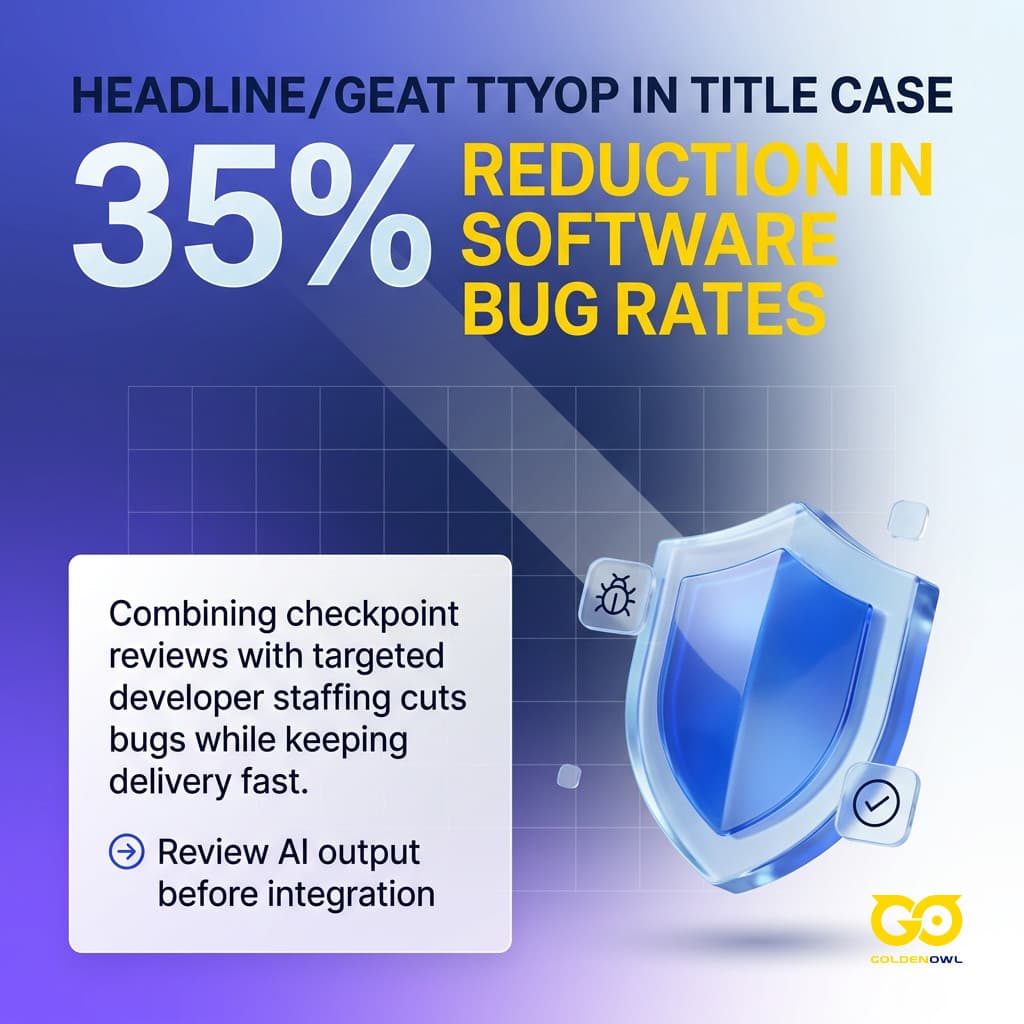
- Combine staffing and validation practices to cut bug rates by 35% while maintaining development velocity.
- Apply line-level AI usage diff mapping to identify the specific AI-touched commits and PRs.
- Use that visibility to focus human attention through targeted review processes.
- Integrate SAST tools such as Semgrep, Bandit, and Snyk into pull request validation pipelines.
- Use Cisco’s Project CodeGuard, which provides model-agnostic security frameworks and community-driven rulesets for insecure defaults, missing input validation, and hardcoded secrets.
The security evidence supports that review structure: compared with human-written code, AI-generated code contains 2.74x more vulnerabilities, while Veracode found OWASP Top 10 vulnerabilities in 45% of samples from testing over 100 LLMs, including flaws in the resulting code.
Keep certain areas outside unsupervised AI generation. Write cryptographic implementations, authentication flows, anything handling PII, and financial transaction logic by hand.
In regulated industries, you can permit AI-generated boilerplate for internal tooling, but authentication, payment, and customer-data workflows still require manual implementation and review. Treat automated code proposals like pull requests from an eager junior contributor, with a senior engineer independently checking logic and edge cases before production.
The final review changes the result. Harvard Medical School News reports ~92% accuracy when AI worked alone and 96% when a human pathologist worked alone while detecting cancer in lymph node slides. With AI flagging candidate areas and the pathologist making the final calls, accuracy reached 99.5%. Dr. Andrew Beck of Harvard Medical School / BIDMC said, “Combining these two methods yielded a major reduction in errors.”
Software Development Lifecycle Integration
Connecting the lifecycle stages makes AI-assisted development more useful than treating code generation as a standalone task; begin with repeatable work that leaves evidence and remains simple to verify.
Use a controlled workflow before widening adoption.
- Start with documentation, test scaffolding, or boilerplate generation as a low-risk pilot.
- Move into code review and security scanning once acceptance criteria and CI checks are established.
- Introduce agentic implementation only after engineers can review changes quickly and roll them back safely.
- Keep novel business logic, authentication, payments, and sensitive data flows under tighter human control.
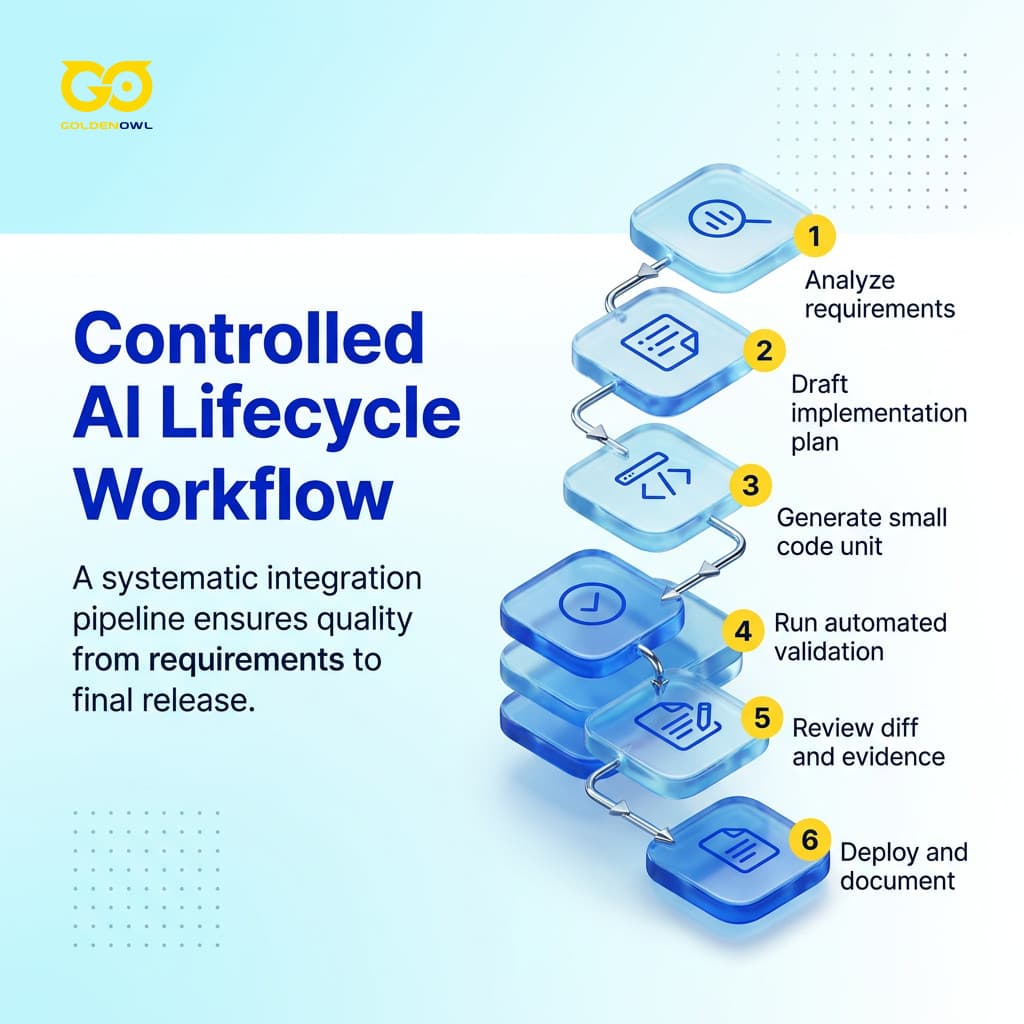
Run the linked workflow in order.
- Analyze requirements and find ambiguous acceptance criteria.
- Draft the implementation plan and define tests before generating code.
- Generate or change one small, reviewable unit of code.
- Run behavioral, security, and dependency checks in the pipeline.
- Have an engineer review the diff alongside the test evidence.
- Deploy through the existing release process and update documentation from the approved implementation.
Moving from AI copilots to AI agents marks software development's largest workflow change since cloud infrastructure. Agents can research, execute, iterate, and validate multi-step tasks, and adoption has reached 57%.
Industry surveys report that 57% of organizations now rely on multi-step AI agent workflows during development, putting usage at more than half. These pipelines analyze requirements, generate code, write and run tests, fix failures, and prepare deployment artifacts.
Code now arrives ahead of people's ability to review it, test it, or deploy it securely, leaving enterprise systems with brittle code.
Earlier AI coding tools could produce a function or finish a line within seconds or minutes. Anthropic's report says agent task horizons now stretch to hours and even days, as agents build features, run test suites, and manage complex refactoring with minimal human intervention.
Automated Test Generation
Quality assurance has adopted AI more strongly: 72% of QA professionals use it to create tests and optimize scripts, 82% call it critical to testing's future, and the market may reach $112.5 billion by 2034.
At 63%, generative AI holds the top spot among quality-engineering skills, surpassing traditional automation expertise.
Teams reporting rigorous testing see 70% better code quality compared to those relying on AI-generated tests alone.
Check AI-generated code as you would any other code; it handles boilerplate testing infrastructure well, but placeholder data can create “paper tests” that pass even when the logic is broken.
You still have to design integration tests and tests tied to external state. Spell out edge cases, expected inputs and outputs, and failure modes, then wire automated testing into GitHub Actions and pre-commit hooks.
For production teams, AI-powered testing may be the highest-ROI application across the full development lifecycle.
Pull Request Review and Turnaround
AI tools have shortened several stages of pull request review and turnaround.
- Pull request turnaround fell from 9.6 days to 2.4 days for teams using AI coding tools, a 75% reduction.
- Developers who use AI tools daily merge roughly 60% more pull requests than developers who do not.
- AI assists with PR descriptions, code review suggestions, and automated test generation, compressing the review cycle.
- Teams using AI code review report 40-60% less time spent on reviews while improving defect detection rates.
- CodeRabbit is the most widely installed AI code review app on GitHub and GitLab, with 2M+ repositories connected and over 13M pull requests processed.
- Qodo, which recently raised $70M in Series B funding, runs 15+ automated agentic workflows for bug detection, test coverage, documentation, and cross-repo dependency checks on every PR.
AI Software Development Tools and Platforms
When choosing a tool, match it to the work your team needs done.
- Choose GitHub Copilot or Cursor for in-editor completion and cross-file changes.
- Choose Claude Code or Devin when work needs terminal access, multi-step execution, and autonomous iteration.
- Choose ChatGPT or Claude for architecture discussion, debugging explanations, and requirements clarification.
- Choose Qodo or CodeRabbit for test-oriented review and pull request feedback.
- Choose Snyk Code or SonarQube for security and static-quality gates.
- Choose Lovable, Bolt.new, Replit Agent, or v0 for prototypes before normal engineering review.
Don't use brand recognition as your filter. Compare where each tool runs, how much repository context it sees, autonomous tool use, review paths, and data controls. GitHub Copilot suits individual completions; agents and specialist reviewers handle multi-file edits, testing, security, and pull request management. Your workflow sets the tool mix for ai software solutions.
In 2025, the market was valued at $7.37 billion and is projected to grow to $23.97 billion by 2030. Developers use an average of 2.3 tools, so platforms compete less on exclusivity and more on workflow position.
Early 2026 pushed the market from assistants toward autonomous agents, leaving teams to choose between tools that help you code and agents that code for you.
GitHub Copilot
Enterprise deployment
Across VS Code and the wider GitHub ecosystem, GitHub Copilot has the widest enterprise deployment.

By July 2025, GitHub Copilot had 20 million cumulative users, after the addition of 5 million users over three months. By January 2026, it had 4.7 million paid subscribers, up 75% year over year.
More than 50,000 organizations now use GitHub Copilot, including 90% of Fortune 100 companies; its 37 to 42% enterprise market share leads deployment by headcount.
Cursor
AI-native IDE
In three months, Cursor doubled revenue and surpassed $2 billion ARR in Q1 2026, while it entered talks for a $50 billion valuation.
As an AI-native IDE, Cursor leads commercially at $2B ARR, offering multi-file context and agent-mode edits within a VS Code fork.
Claude Code
Developer satisfaction
Anthropic launched Claude Code in May 2025; it became the most-loved AI coding tool, with 46% developer satisfaction versus Cursor's 19% and Copilot's 9%.
Claude Code works in the terminal as an agentic coding tool, and its satisfaction rate reached 78% by Q1 2026.
Good direction and careful review of AI output now matter more than writing every line by hand.
OpenAI Codex
Following the February desktop app release, OpenAI Codex tripled its user count and exceeded 2 million weekly active users by March 2026. The system performs multi-step tasks autonomously inside a cloud sandbox and has crossed 2M weekly active users.
Governance, Compliance, and Data Privacy
Regulatory and risk exposure
At 38%, regulatory compliance ranks as Deloitte’s leading generative AI deployment challenge; risk management follows at 32%, with implementation hurdles at 27%.
Put every AI tool in the vendor register; shadow IT sits outside policy coverage, while secure AI-assisted development starts with knowing where source code and prompts get processed.

Before you share source code or production data, ask the provider these questions:
- Does the provider use customer code to train or improve a shared model?
- Where are prompts, repositories, logs, and generated outputs stored?
- How long are those records retained, and who can access them?
- Which subprocessors handle model inference, hosting, monitoring, or support?
- Can the project run in a private cloud, self-hosted environment, or air-gapped network?
- What evidence supports the provider’s security, access-control, and incident-response claims?
Review the vendor’s data usage terms before approving the tool.
Compliance Frameworks and Vendor Registers
Audit requirements
AI use increasingly appears in audits spanning SOC 2 and ISO 27001, with HIPAA included.
Security gates
Veracode tested over 100 LLMs and found OWASP Top 10 vulnerabilities in 45% of code samples generated by AI; to reduce this risk, add gates for Static Application Security Testing (SAST) and Software Composition Analysis (SCA) within CI/CD pipelines.
High-Risk Domain Restrictions
Write a policy that separates code by risk and gives each AI-assisted change different treatment.
- Prohibit unsupervised generation for cryptography, authentication, payment, and personal-data controls.
- Require manual implementation and senior review for code that can create financial, safety, privacy, or access-control harm.
- Permit AI-assisted drafting for lower-risk internal tooling when testing and review remain mandatory.
- Record exceptions so the organization can explain who approved the use and how the output was validated.
Critical Risks and Failure Modes
The broader you deploy AI, the more pressure lands on the engineering system. You’re asking teams to learn new tools and update old systems while handling shifting network threats without proven road maps. Shortages of energy, talent, and capital leave little time for delay.
Healthcare, finance, government, and other regulated teams need firm boundaries around AI-assisted development. Add automated security scans and require human review for business-critical logic; compliance checks should run through the CI/CD pipeline.
Logic Hallucinations
Plausible-looking code can still break when it touches an uncommon library, an edge case, or an internal system the model hasn’t seen. A reviewer may approve a function that quietly loses records once it reaches production.
AI-generated code was 1.75x more likely to introduce logic and correctness errors, 1.64x more likely to create code quality issues, 1.57x more likely to contain security findings, and 1.42x more likely to cause performance issues. Standard unit tests check only the conditions the author anticipated. The biggest frustration, cited by 66% of developers, is handling “AI solutions that are almost right, but not quite,” while another 45% say debugging AI-generated code takes more time than writing it manually.
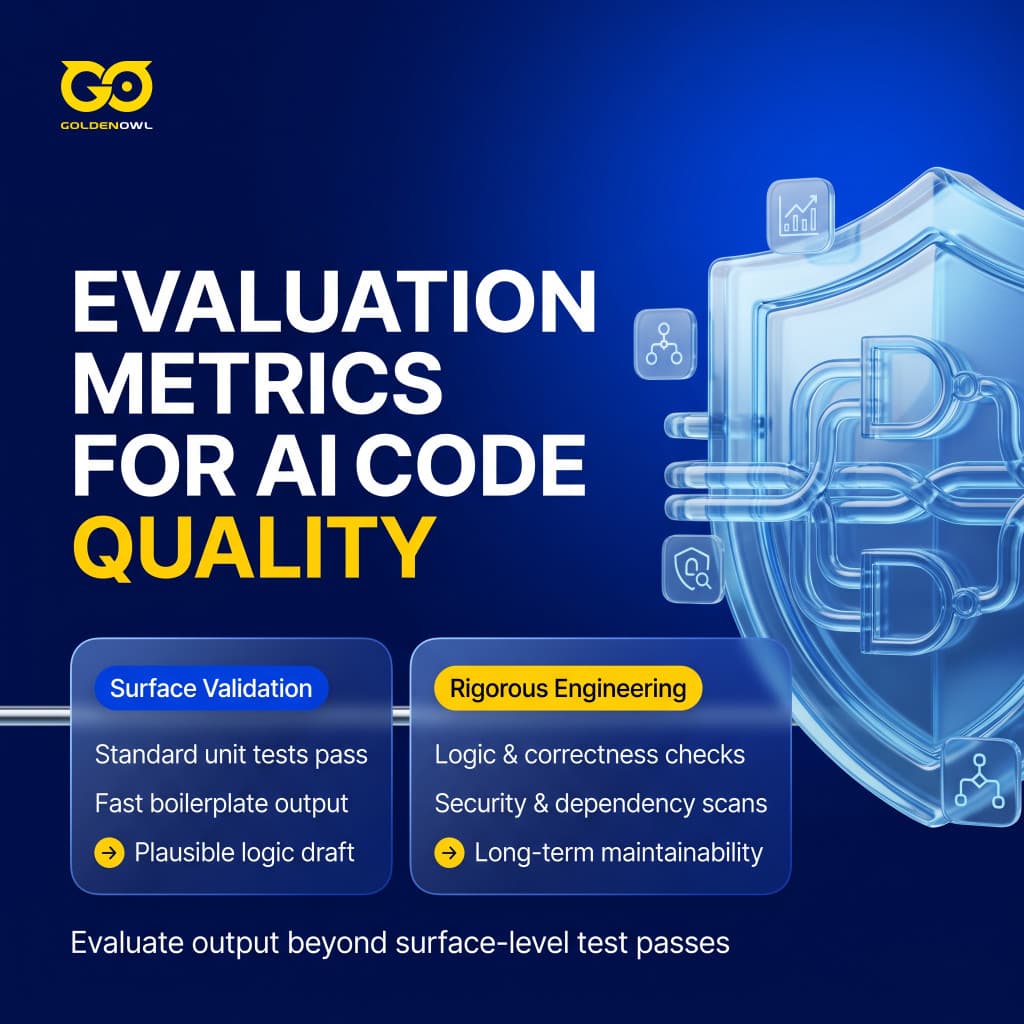
Standard unit tests cover the cases the author expected. Code can pass every existing test and still fail silently on domain edge cases the model did not comprehend.
Package Hallucination and Supply Chain Attacks
A made-up dependency can create a direct supply-chain opening. An assistant may invent an import for a package with a convincing name that isn’t present in public registries, then someone can publish that name with malicious code. Check each dependency before installing it, because skipping that step can turn a hallucinated library into a malicious typosquat on PyPI or npm.
Intellectual Property and Licensing Uncertainty
Code produced by AI may resemble copyrighted training material, so its legal status can remain unclear. If your product relies on protected intellectual property, write the policy before you deploy AI coding tools at scale.
Maintainability Degradation and Technical Debt
Comments and abstractions
Fast completion often wins over useful context in machine-written code. Future readers may encounter sparse comments and abstractions chosen for speed rather than clarity; naming can also be generic.
Churn rates
Churn rates reached 41% under ad-hoc coding approaches.
Developer Overreliance and Skill Atrophy
Make AI the default for every task and your ability to judge its answers can fade. The model gets things wrong at a non-trivial rate, and spotting those mistakes relies on judgment that weakens when you stop practicing it. Don’t hand over that judgment by habit.
Developer trust
Stack Overflow's year-over-year survey data records a steady drop in positive sentiment toward AI tools, from over 70% in 2023 to 40% in 2024 and just 29% in 2025. Survey results also show that 46% of developers do not trust AI output accuracy, making surface-level test success a poor basis for acceptance.
Productivity friction
Among these developers, AI tools were linked to a 19% slowdown, with a confidence interval ranging from +2% to +39%. Their own estimates pointed in the opposite direction: they estimated that AI made them 20% faster, even though their measured pace was slower.
Engineering Best Practices for AI Workflows
Match AI capabilities to the parts of the workflow they actually fit, and keep seasoned developers involved wherever judgment matters. Counting tools tells you very little.
McKinsey reported that AI workshops and coaching reached 57% of top-performing organizations, but only 20% of bottom performers, helping explain the productivity gap.
Monitor code influenced by AI for 30+ days, then examine incident rates and assess how it holds up during rework and maintenance.
Plan Before Coding
Write down the planned architecture and integration points before coding, then define the criteria for success. Together, those details become the specification baseline. Teams using the most tools are not necessarily the most valuable.
Plan.md checkpoints
Escalation-based planning
Modular Task Iteration
Split complex work into smaller components so AI-generated code stays safer; modular iteration also delivers 55% faster completion than monolithic generation.
Run agentic loops for each task in the order Analyze → Plan → Implement → Test:
- Analyze the task and define the next manageable component.
- Plan that component before implementation.
- Implement a small unit of working code.
- Test the result and validate the iteration independently.
Set a version control checkpoint after each iteration so you can reverse course when trouble appears. Keeping batches small makes rollback workable and gives you fast feedback before AI errors spread through a large codebase.
Contextual Prompt Engineering
Prompt engineering changes development output because even small shifts in context and specificity can produce different results.
Technical context
Build every prompt from technical context and user-story requirements, while accounting for integration constraints. State the expected output format as well.
The prompt should also state:
- The tech stack and the shared code base that has to be reused, including global variables, styles, and utilities.
- The constraints that have to be considered during development.
- The expected output format.
- What to avoid.
Few-shot prompting
Few-shot and chain-of-thought prompting cut errors by 30% relative to basic prompts. The former supplies examples; the latter directs AI to work through complex logic step-by-step.
Prompt libraries
Prompt libraries can cover API integrations and database queries, while also supporting test creation. Use role-based directions such as “serve as an experienced Python engineer,” then add self-review guidance to raise code quality.
Active Human Oversight
Treat AI output as a first draft, and have a reviewer read it before the code can ship.
Reviewers should inspect the output at set checkpoints and down to the line level. Human review stays inside the workflow.
Rigorous Behavioral Testing
Define test requirements as behavioral specifications before you request implementation.
Put Automated testing in GitHub Actions and pre-commit hooks. Test suites should cover immediate functionality and the long-term behavior patterns of AI-generated code.
Automated Security Scanning
Use security checks to stop unsafe code produced by AI from moving through the development pipeline.
- SAST tools: Semgrep, Bandit, and Snyk identify security issues.
- name: Run security scan
run: semgrep --config=auto
Engineering Analytics and ROI Measurement
Scaling AI-assisted development becomes difficult when teams lack the measurement infrastructure needed to evaluate it properly.
Traditional developer analytics platforms such as Jellyfish can take 9-month setup cycles while tracking only metadata. They can't tell AI-generated code apart from human contributions, so leaders struggle to prove AI coding ROI.
The gap between traditional analytics and code-level measurement appears below.
| Platform | Setup Time | AI ROI Proof Level | Code-Level Analysis |
|---|---|---|---|
| Jellyfish | 9-month setup cycles | Cannot distinguish AI-generated code from human contributions, leaving leaders unable to prove AI coding ROI to executives | Tracks only metadata |
| AI vs Non-AI Outcome Analytics | Not stated | Compares AI-touched and human-only contributions | Compares cycle times, defect rates, and long-term incident patterns |
AI vs Non-AI Outcome Analytics examines long-term cycle time alongside defect and incident trends, separating AI-touched contributions from human-only contributions. At the code level, it shows whether those two groups ultimately produce different outcomes.
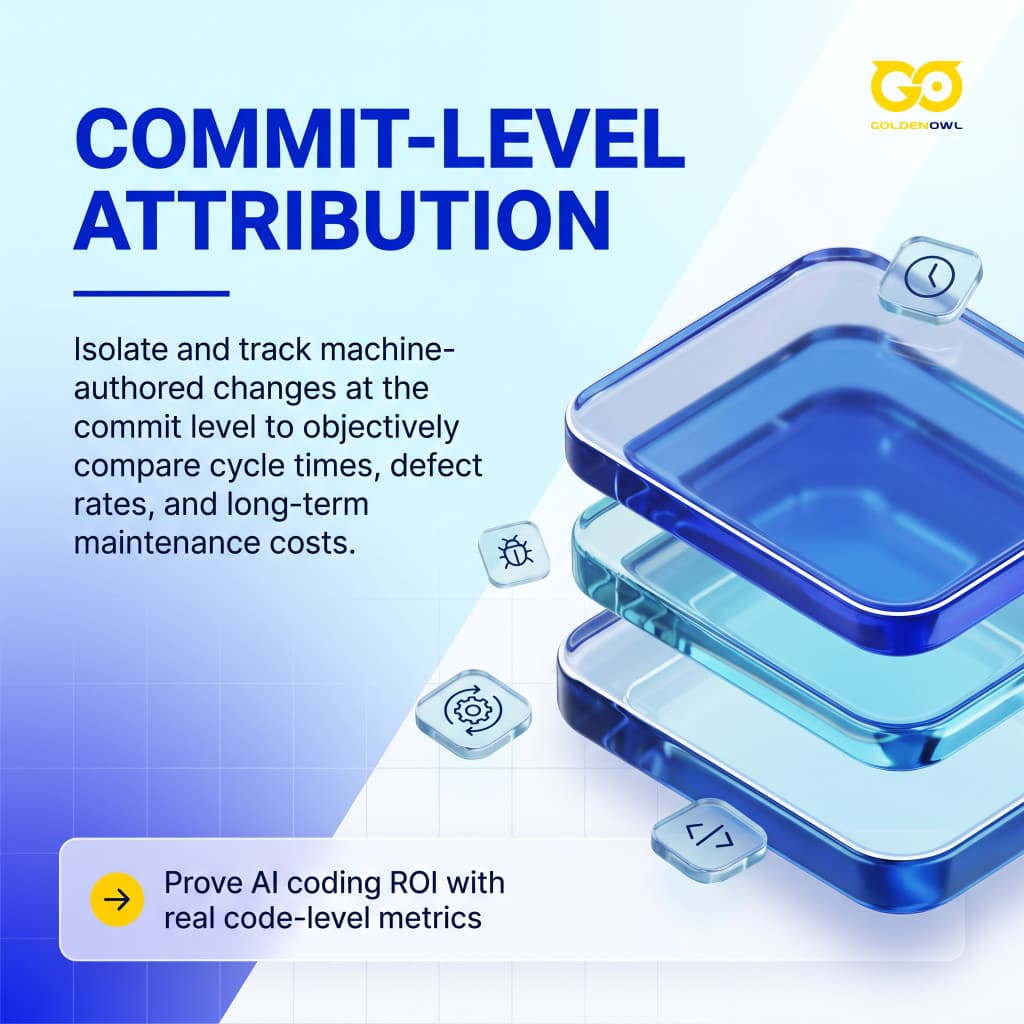
Commit-Level Diff Attribution
AI Usage Diff Mapping
AI Usage Diff Mapping connects AI involvement to individual commits and PRs, then follows their outcomes over time. It enables teams to assess cycle-time gains, quality metrics, and long-term maintainability by comparing code touched by AI with contributions produced solely by humans.
Coaching Surfaces
Coaching Surfaces tell managers what specific action to take next, offering usable guidance instead of merely reporting what already happened.
Executive Value Demonstration
Reviewing individual commits and PRs ties AI usage to business outcomes, so teams can prove AI coding ROI. It attributes measurable productivity and quality improvements, as well as cost savings, to AI tools.
Follow AI-generated code for 30+ days to learn whether it keeps meeting quality standards or starts creating technical debt.
The investment is real, but many organizations still need to figure out whether their development teams can absorb and operationalize the AI tools leadership is buying.
Market Adoption and Organizational Reality
In 2024, generative AI adoption reached 71% across company functions, up from 33% in 2023.
That speed of change means you’ll have to rebuild operating models from within, since new technology alone won’t clear the barriers.
Developer Tool Adoption
By 2025, AI-assisted development had entered mainstream use, as routine use and planned adoption expanded while AI-written code spread through developer workflows.
- According to the JetBrains State of Developer Ecosystem 2025, 85% of professional developers regularly use AI tools, while 62% rely on at least one AI coding assistant daily.
- Stack Overflow's 2025 Developer Survey reports that 84% of developers use or plan to use AI tools, up from 76% in 2024.
- The gap between experimenting and using AI daily is closing quickly: 51% of professional developers now use AI tools every day.
- Over 46% of newly written code is AI-assisted, and that figure is projected to reach 60% by end of 2026.
Productivity Gains versus Familiar Codebase Friction
Reported speed gains

GitHub found that developers completed their tasks 55% faster when using Copilot.
Familiar-codebase friction
Deep repository familiarity can create friction when AI enters the process. METR tested 16 experienced open-source developers on repositories averaging 22,000+ stars and 1 million+ lines of code, with and without AI permission. Prompting and reviewing AI output can take longer than the tool saved when corrections are needed.
Developer Output Trust Deficit
Reportedly, 46% of developers don’t trust AI output accuracy.
Enterprise Scaling Bottlenecks
Nearly 78% of organizations plan to raise total AI spending this fiscal year, yet more spending doesn’t erase deployment’s practical limits.
Transformers in many markets now carry lead times beyond two years. Worldwide, more than 2,500 gigawatts of energy projects remain in grid queues, waiting for connections that may be years away.
Data centers can go up faster than the transmission lines, substations, and transformers that supply them. Infrastructure remains the slower part of the build.
Frequently Asked Questions
How is AI used in software development?
Across software development, AI can assist at many stages, starting with code generation and autocomplete and extending to automated testing, test creation, code review, bug detection, documentation, and CI/CD pipeline optimization. Match each tool to the workflow stage where it fits.
Will AI replace software developers?
AI is more likely to augment software developers than replace them. The skill mix is shifting, and developers who direct AI tools and review their output are more valuable than those who write every line manually.
What percentage of developers use AI coding tools?
Daily use of AI coding tools is becoming common, and most developers use them or plan to.
- JetBrains State of Developer Ecosystem 2025 reports that 85% of professional developers regularly use AI tools for coding and development, while 62% rely on at least one AI coding assistant daily.
- Stack Overflow's 2025 Developer Survey reports 84% using or planning to use AI tools, up from 76% in 2024.
- Daily use is reported by 51% of professional developers, showing that experimentation is moving into daily workflows.
- More than 50,000 organizations use Copilot, including 90% of Fortune 100 companies.
How much does AI improve developer productivity?
Results depend on both the task and the codebase. Deloitte's 2026 Software Industry Outlook projects 30% to 35% productivity gains across software development.
METR's randomized controlled trial provides the strongest counterpoint because it uses true experimental methods instead of self-reported surveys.
What are the biggest risks of AI-generated code?
AI-generated code can introduce security findings, logic failures, invented dependencies, and a legal gray area.
- Security ranks as the top concern, with 51% of tech leaders naming it the biggest challenge in software development.
- Compared with human-written code, AI-generated code was 1.75x more likely to introduce logic and correctness errors, 1.64x more likely to create code quality issues, 1.57x more likely to contain security findings, and 1.42x more likely to cause performance issues.
- Dependencies or libraries that do not exist are frequently hallucinated by models.
- AI model output can mirror copyrighted training data, creating a legal gray area.
Is AI-generated code getting more secure over time?
Newer, larger models do not produce more secure code.
Because the security problem is structural rather than temporary, review remains essential before any production deployment.
Deploy ai software development solutions inside a reviewed engineering system. Keep the useful automation, document the plan, protect private data, and test behavior before release. Measure developer productivity by task and codebase, rather than relying on one headline percentage. The result is a system where developers direct the tools, review the output, and can show what improved.
Share this page


Table of Content

Subscribe to Golden Owl blog
Stay up to date! Get all the latest posts delivered straight to your inbox