
How to use AI in real estate: automate lead follow-up, speed up valuations and marketing, and keep every step compliant with Fair Housing rules.


AI Infrastructure Solutions: Components, Deployment and Costs
Oct 8, 2026
about 13 min read

Compare AI infrastructure solutions: core components, deployment models, workload needs, implementation steps and cost governance for running AI at scale.
A single training job with a misconfigured setup can rack up thousands of dollars in idle GPU hours before it even finishes. Even the fastest processors will stall if your storage or networking cannot feed them data quickly enough. Building effective ai infrastructure solutions means matching the underlying architecture directly to the workload. By balancing compute, data, and latency requirements, you can determine exactly where your models should run, which orchestration tools will keep them stable, and how to track the costs of bringing them to production.
Tools for Managing AI Infrastructure
The infrastructure management layer covers capacity planning, resource allocation, cost control, security, and performance monitoring. AI spend requires the same financial rigor as traditional cloud spend—98% of FinOps practitioners now manage AI costs according to the FinOps Foundation's 2026 report—but with AI-specific visibility and allocation capabilities. Together, these tasks keep AI systems running efficiently and help prevent the budget from getting burned through.
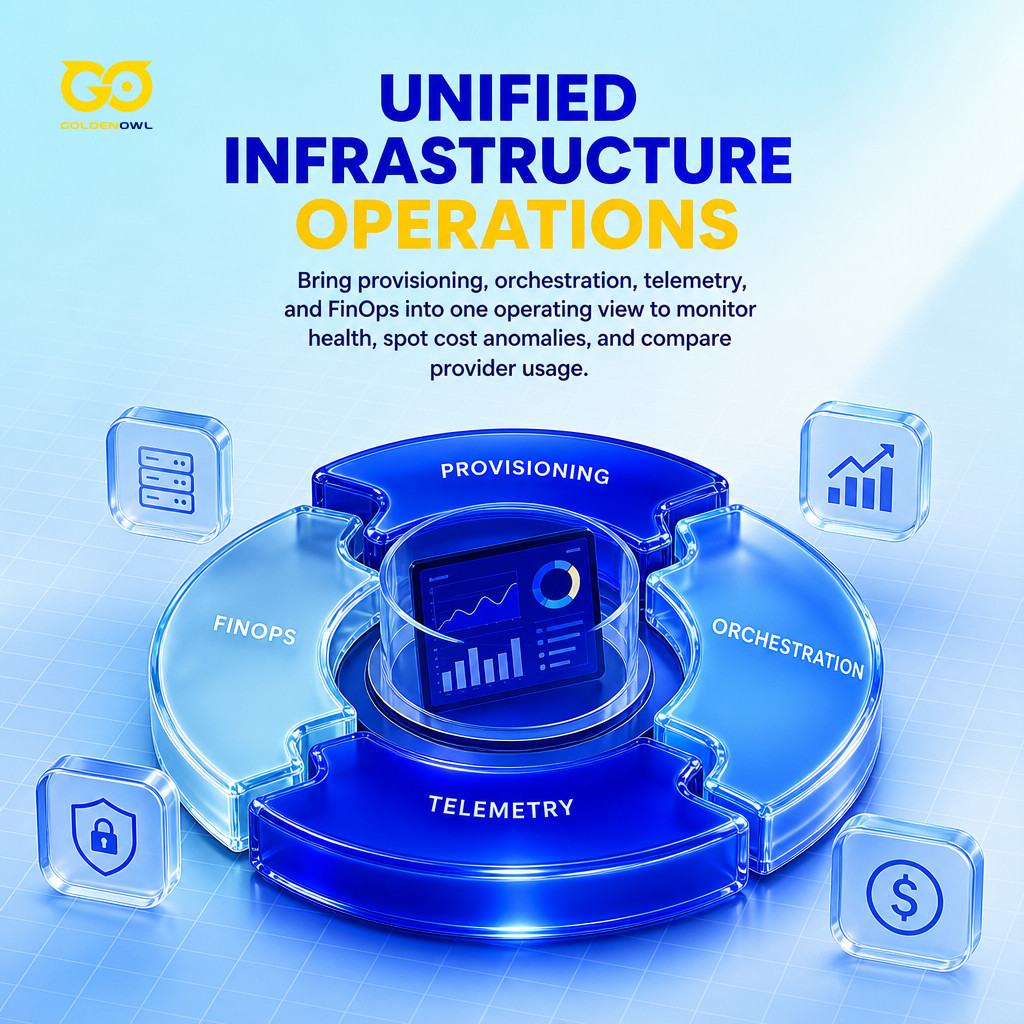
As AI infrastructure spending climbs, managing these operations takes more effort. IDC puts the 2025 total at $318 billion, after spending more than doubled.
Cloud Compute Providers
Provider tools
When evaluating commercial AI infrastructure solutions, major cloud compute providers like AWS (EC2, SageMaker), GCP (Vertex AI), Azure (Azure ML), and OCI offer services ranging from raw GPU access to fully managed ML pipelines. You should compare these options based on your workload's specific compute, data, and latency needs. Each has native cost tools, but those tools usually don't show usage across providers. To bridge this gap, FinOps platforms provide cost visibility, allocation, and optimization across cloud and AI spend.
On-demand resources
Teams can access high-performance computing on demand through AWS, Azure, and Google Cloud, with virtually unlimited scale and no upfront hardware costs. Managed AI services reduce operational overhead, freeing teams to spend more time developing models rather than maintaining hardware.
Compute costs
When training is the focus, compute often takes the biggest share of AI infrastructure spend, sometimes reaching 60-80% of total costs.
Cloud pricing offers choices for workloads with different needs:
- Pay-per-use, which gives flexibility for variable workloads.
- Reserved instances, which offer discounted rates in exchange for longer-term commitments.
- Spot instances, which can deliver significant savings for workloads that can handle interruptions.
Budget increases can also come from charges that are easy to miss. Data moved out of cloud platforms can trigger data egress fees, and idle resources keep accruing charges even when they aren't delivering.
Pipeline Orchestration Tools
Pipeline orchestration tools link model deployment and versioning with workflows and computational resources throughout the AI lifecycle.
- Kubernetes, MLflow, Kubeflow, and Airflow handle model deployment, versioning, and pipeline orchestration.
- Orchestration platforms such as Kubernetes coordinate AI models, data pipelines, and computational resources so they work together as a unified system.
- Organizations use MLOps, a set of practices combining ML, DevOps, and data engineering, to automate and simplify workflows and deployments across the ML lifecycle.
- Auto-scaling adds complexity: misconfiguration can waste resources or degrade performance.
Core Components of AI Infrastructure Solutions
Five key elements make up AI infrastructure, and each supports the wider system as part of an effective AI ecosystem:
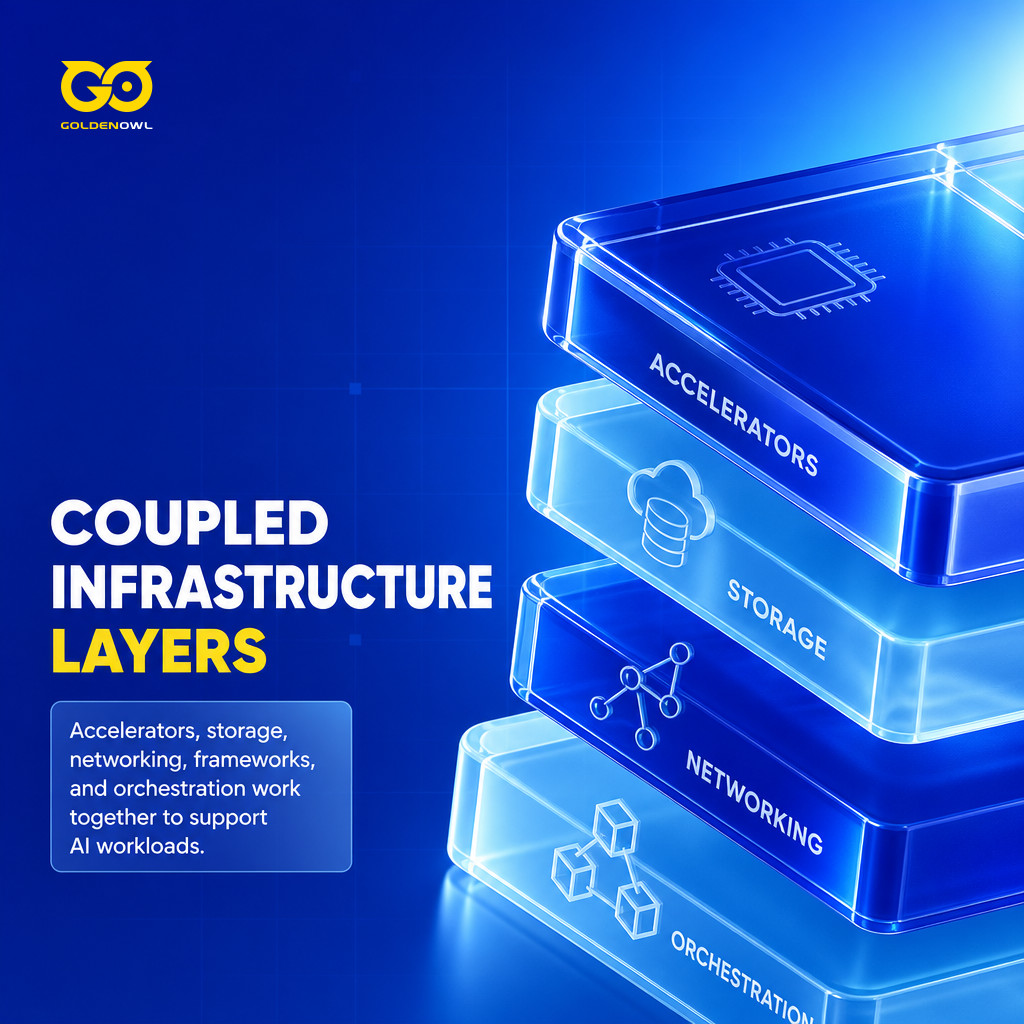
- Hardware accelerators
- Storage solutions
- Networking and connectivity
- Software frameworks and tools
- Orchestration and management platforms
Hardware Accelerators
GPUs
GPUs handle many operations at once through massive parallel processing, which speeds up complex computations in AI and machine-learning workloads. They train and run AI models far faster than conventional CPUs.
NVIDIA leads the GPU market, with Advanced Micro Devices as the second major manufacturer.
TPUs
Google’s tensor processing units, or TPUs, are ASICs built for AI computation demands. They focus on tensor operations, the operations neural networks use to learn patterns and make predictions, and a fundamental part of deep learning algorithms.
For large-scale AI model training, multislice training allows workloads to expand to tens of thousands of TPU chips.
CPUs
CPUs are general-purpose processors, suited to general-purpose tasks rather than specialized AI computation.
Storage Solutions
Storage solutions for AI infrastructure include object storage, block storage, data lakes, and high-speed options like NVMe. Storage and data management need extremely high-throughput access to large datasets, so AI infrastructure can avoid data bottlenecks and keep work moving.
Object storage is widely used for AI and is where most enterprise data sits, according to a survey by MinIO, since it holds the large amounts of structured and unstructured data these systems need. It scales easily.
Block storage costs more, but gives fast, efficient, and reliable access for transactional data and small files that need frequent retrieval. Databases, virtual machines, and high-performance applications often use it.
Many organizations use data lakes, centralized repositories that store large amounts of data with object storage and open formats. They process all data types, including unstructured and semi-structured images, video, audio, and documents.
For large training datasets, high-speed storage solutions like NVMe can prevent bottlenecks. To handle expanding datasets, new workloads, and versioning without frequent re-architecture, plan for growth of five to 10 times.
High-Speed Networking for AI Workloads
Networking moves data between compute and storage; fast processors can still stall when data cannot reach them quickly.
Data movement
AI workflows rely on networks to move huge datasets quickly and efficiently between storage and compute. That movement helps prevent data bottlenecks from disrupting work. For distributed training, where multiple GPUs work together on one model, and real-time inference, where a trained model draws conclusions from brand-new data, low-latency connections are required. Teams can leverage ai driven networking solutions to manage congestion across distributed interconnects.
High-speed connections
InfiniBand, a high-performance interconnect standard, and high-bandwidth Ethernet enable AI systems to communicate with speed, dependability, and room to scale.
Machine Learning Frameworks
Pre-built components
TensorFlow and PyTorch offer pre-built components and structures that make building, training, and deploying ML models simpler and faster.
Hardware complexity
These frameworks abstract away much of the complexity of working directly with hardware.
Developer packages
Developers use software frameworks to create AI models and algorithms. Developer packages include TensorFlow, PyTorch, LlamaIndex, CrewAI, and LangChain, with each offering its own focus and resources for creating a particular kind of AI algorithm.
The tools also help manage and clean the data used in these processes.
Model Context Protocol Tooling
As agentic applications join the stack, the Model Context Protocol (MCP) and similar standards are becoming part of the toolchain. They provide models and agents with a uniform method for accessing external data sources and tools. By standardizing these connections, MCP reduces the custom integration work needed to tie models to internal systems, letting teams swap out data sources or upgrade underlying models without constantly rewriting the access logic.
Distributed Data Processing Engines
Distributed data processing frameworks handle large datasets and complex transformations, using distributed processing to speed up data preparation.
These frameworks also support distributed computing, letting AI algorithms run in parallel across multiple nodes to use resources well and speed up model training and inference.
In-memory databases and caching mechanisms help reduce latency and improve data access speeds.
Container Orchestration Platforms
Kubernetes and other orchestration tools manage containerized AI applications through their lifecycle and optimize resource use across clusters. When moving beyond simple single-model deployments, these platforms become essential for scheduling intensive compute jobs, scaling rapidly during traffic spikes, and maintaining high availability.
Orchestration and management platforms also control the deployment of completed AI models into production. Automated routines reduce manual server configuration and related management work.
MLOps Platforms
MLOps provides the operational layer for deploying, monitoring, and maintaining ML models in production, with CI/CD pipelines, model versioning, and inference serving tools.
MLOps workflows support:
- Version control for models
- Automated training and deployment pipelines, including unsupervised learning techniques
- Model performance tracking
- Collaboration between different roles
Continuous evaluation metrics track model performance and help keep models effective over time.
Pairing MLOps with DevOps security practices and tools, and using CI/CD, streamlines the processes for building, testing, and deploying. These processes also support AI model development.
Deployment Architectures
AI infrastructure gives you three deployment choices: cloud, on-premises, or hybrid. Match them to your AI goals, workload patterns, budget, compliance requirements, existing infrastructure, and the benefits each option offers.
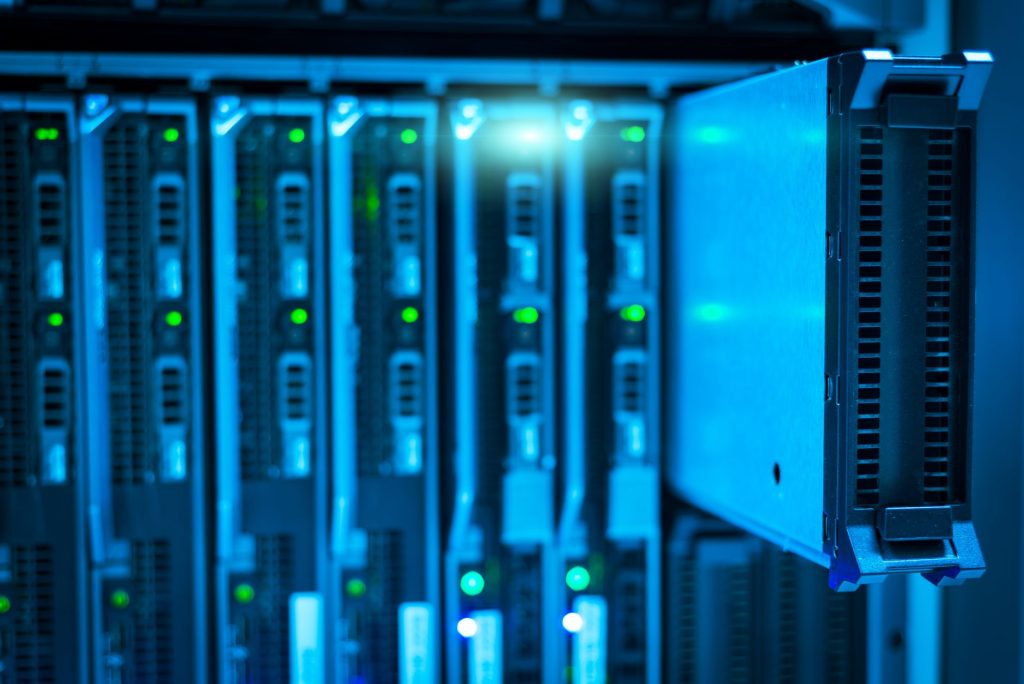
When avoiding the public cloud entirely, running strictly on-premises gives you greater control and stronger security, while predictable, steady-state workloads can cost less when they fully use hardware you own.
Scaling on-premises capacity the traditional way means adding stacks of storage devices and hiring staff to manage them.
On-Premises and Hybrid Deployments
Keep data on-premises when core workloads require strict data residency or run constant baselines. When workloads face unpredictable spikes or require rapid iteration, burst compute into the public cloud.
Many organizations pair local infrastructure with cloud resources for flexibility. You can use the cloud to scale when needed or reach specialized services, while sensitive or regulated data stays on-site.
Kubernetes and other orchestration tools let AI model development use the same build, test, and deployment processes across workloads hosted in on-premises data centers, edge locations, and public cloud providers. Keeping visibility and governance unified across those environments remains a challenge.
Workload-Specific Infrastructure Requirements
AI jobs call for different amounts of compute, storage, and network capacity, so each needs infrastructure suited to its demands.
Frontier Model Training
Frontier model training requires specialized infrastructure, including clusters of GPUs or accelerators, high-performance storage, advanced orchestration, and high-bandwidth networking. A training run’s duration depends on compute capacity and other factors; network latency and checkpoint storage speed can also shift its total wall-clock time. Compute is not the only determinant of a training run’s duration.
Large training runs call for their own infrastructure:
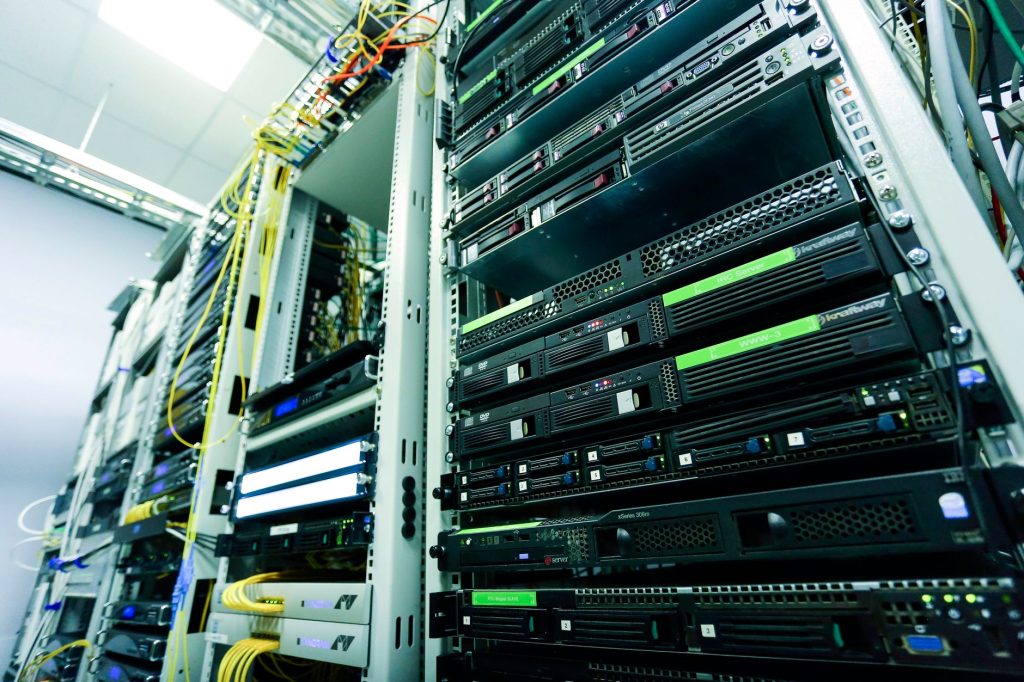
- Training workloads need extremely high compute power because large models process massive datasets. A single training cycle can take days or even weeks. These workloads rely on clusters of GPUs or specialized accelerators, plus high-performance, low-latency storage to keep data flowing.
- Generative AI and large language models (LLMs) may contain billions or even trillions of parameters, the internal variables models adjust during training to improve accuracy. Their size and complexity call for specialized infrastructure, including advanced orchestration, distributed compute clusters, and high-bandwidth networking.
Real-Time Inference Serving
Computation per request
Each inference request takes much less computation than a training job, though inference runs at high volume. Where responses are expected in sub-second time, real-time applications often call for high availability, low-latency networking, and efficient model execution.
CPU use
Some inference jobs can run on CPUs, depending on model size and latency demands.
Step-by-Step Implementation Guide
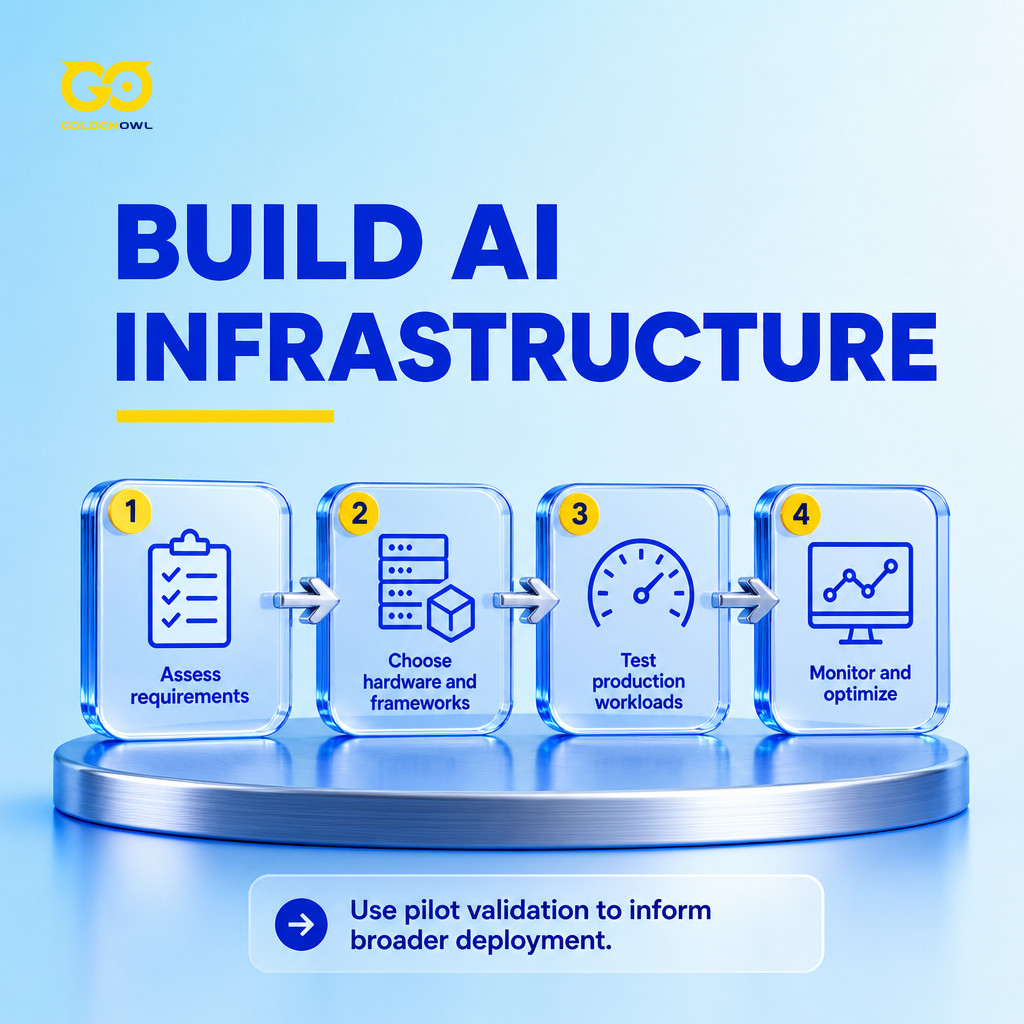
Build AI infrastructure by assessing the workload, planning the work, and carrying it through. Depending on project complexity, the effort may take a few weeks or around a year or more.
Assessing Workload Requirements
Assess requirements: Start with how you plan to use AI; those AI use cases set your architecture needs. Estimate compute and storage needs, set clear budget expectations, and include realistic timeline expectations in your plan.
Include operating costs in that assessment: small projects may cost about $5,000 monthly, whereas enterprise systems can exceed $100,000 a month.
Selecting Hardware Accelerators
High-end accelerators can shorten training time and reduce latency, but committing too soon can tie up budget and leave hardware idle if smaller instances already run your models well enough. GPUs are designed for massive parallel processing power.
The table groups GPU and TPU options by architectural focus, AI workload, and dominant vendors, including Google.
| Chip Category | Architectural Focus | Optimal AI Workload | Dominant Vendors |
|---|---|---|---|
| GPU | massive parallel processing power | gen AI training | NVIDIA; Advanced Micro Devices |
| TPU | tensor operations | machine learning tasks |
GPU and TPU chips fit different needs, so compare their architecture and workload fit before choosing dedicated hardware.
Selecting Development Frameworks
Pick a framework for the tasks it handles well. Common options include TensorFlow, PyTorch, LlamaIndex, CrewAI, and LangChain. Use these frameworks when building custom ai software development solutions.
- Task fit: No single AI framework handles every AI need out of the box; different frameworks work well for different tasks.
- Expert input: Choosing a framework and its related orchestration system calls for input from seasoned experts who understand the differences among available options.
Implementing Security Controls
Security threats
AI platforms face threats including data poisoning, model theft, inference attacks, and the creation of polymorphic malware.
Prioritize security and compliance: Data protection helps maintain trust and meet legal duties. Use strong encryption and access controls, and account for regulations such as GDPR or HIPAA.
AI tools can automate specific compliance tasks, but human oversight remains essential. For instance, HSBC used Google Cloud's AI to score transactions, cutting alerts by 60% and finding up to four times more suspicious activity, while its investigation teams still review every flagged case. This can make compliance more efficient and secure.
Stress Testing Production Workloads
Test infrastructure under expected demand before putting a model into production. Run workloads that mirror real-world use, and exceed that level when appropriate. Put the system under load to check whether it can scale and maintain performance. Build the infrastructure, verify that its components work together, connect it to existing systems, and run performance and compatibility tests.
Continuous Performance Monitoring
Keep an eye on AI workloads in real-world use. The right metrics show what’s working and where you may need to make improvements.
- Monitor performance: Track GPU utilization, training time, inference latency, and overall costs.
- Monitoring tools such as Datadog, Prometheus, and Grafana show performance and utilization.
- AI models trained for observability can monitor system data and analyze it for errors and inefficiencies. Some advanced AI automation can pinpoint root causes and trigger mitigations to quickly restore performance or security. For example, Meta built a root cause analysis platform that runs automated analyzers when alerts fire and can take actions like creating pull requests, dropping mean time to resolution by 20 to 80 percent.
- If performance begins to lag, reevaluate the infrastructure decisions and consider changes to improve performance and efficiency.
Financial Governance for AI Infrastructure
Financial governance for AI infrastructure involves approaches like unified spend aggregation to manage costs across providers. Unpredictable, high-velocity AI spending makes cost control difficult, and industry research found escalating costs were a key factor in at least 50% of GenAI projects abandoned after proof of concept.
Unified Spend Aggregation
Native cloud tools leave teams to reconcile multiple dashboards manually because they do not provide unified visibility across providers. Comparing spend across AI providers and cloud services is also difficult because each uses its own billing format.

Virtual Tagging for Cost Attribution
Virtual tagging works as an accounting overlay: you assign infrastructure costs to business units without physically splitting shared compute clusters.
When finance and engineering share visibility, finger-pointing can decrease and cost-aware decision-making can improve. However, without spend allocation, accountability is practically impossible; a 2026 survey by Harness found that 52% of organizations lack a clear owner for AI costs, meaning these unattributed expenses cannot be effectively optimized.
Key Challenges in AI Infrastructure
Key challenges in AI infrastructure include unpredictable compute expenses and expertise gaps. AI infrastructure depends on skilled people to help organizations achieve their AI goals; internal training, managed services, and consultants can fill expertise gaps.
Unpredictable Compute Expenses
AI costs are famously hard to forecast, creating unexpected spikes that ripple through the business. In fact, a survey by Mavvrik found that 89% of enterprises missed their AI cost estimates by more than 10%, which often led to board-level escalations, spending freezes, or canceled projects.
Because inference costs rise and fall with usage, budgeting stays a moving target, especially when teams test new models or features.
Fragmented Multi-Cloud Visibility
Each AI provider and cloud service uses its own billing format, so teams end up reconciling separate dashboards by hand to see total spend across providers.

Resource Underutilization
A forgotten GPU instance can cost hundreds of dollars per day.
Budget can be wasted when GPU instances keep running after training jobs end or when inference capacity is over-provisioned.
In its 2022 State of the Cloud report, Flexera found that survey respondents estimated 32% of their cloud spend is wasted.
Regulatory Compliance Gaps
International coverage
Several global bodies address international coverage of AI legal issues. The United Nations, OECD, Council of Europe, and European Parliament acknowledge the importance of human rights and human language in AI development and deployment.
Issues of privacy and data protection
As AI technology advances, legal challenges include privacy and data protection, intellectual property rights for AI-generated works, and liability for AI innovations.
How AI Infrastructure Operates and Creates Business Value
Servers, GPUs, and the algorithms that run on them are only part of AI infrastructure; other elements must work together as a cohesive whole. If any element is missing or underperforming, the AI ecosystem may run below full efficiency or may not function at all.
The scale of AI infrastructure depends on its purpose: a chatbot like ChatGPT needs thousands of interconnected GPUs, high-bandwidth networks, and tightly tuned orchestration software. A typical web application, by contrast, can run on a small number of computer processing units (CPUs) and standard cloud services.
Operational Lifecycle
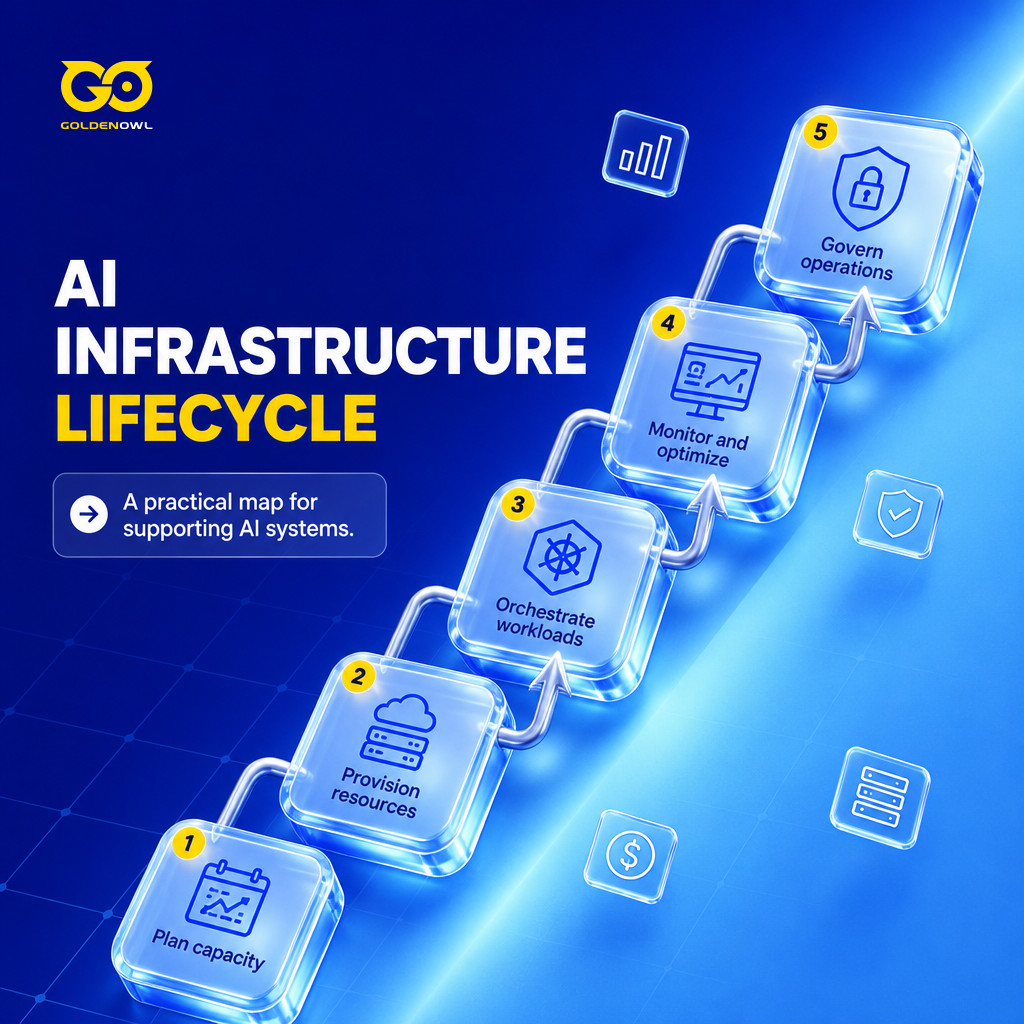
Day-to-day management moves from planning to ongoing optimization through six connected activities:
- Planning: Forecast capacity for training and inference based on model complexity and usage patterns.
- Provisioning: Deploy compute, storage, and networking with infrastructure as code tools like Terraform.
- Orchestration: Use Kubernetes to schedule and automatically scale containerized AI workloads.
- Monitoring: Track performance, utilization, and cost in real time.
- Optimization: Rightsize resources, eliminate idle capacity, and use commitments for steady workloads.
- Governance: Enforce security policies, allocate costs to teams, and maintain compliance.
Strategic Business Value
AI factory
AI infrastructure acts as an AI factory, supporting the full lifecycle of AI strategy development, from model training through continuous improvement. Organizations building dedicated enterprise architecture can partner with an ai solutions company.
Scalability and flexibility
As demands change, AI infrastructure adapts while AI models and datasets grow.
For commercial entities
Commercial entities can use AI infrastructure to maintain a competitive advantage, drive innovation, and create new market opportunities.
Security from the outset
AI infrastructure platforms are designed with security in mind from the outset, while traditional infrastructure may need constant security patches. These platforms include controls to mitigate risks across the AI lifecycle—though the National Institute of Standards and Technology cautions that no defense is completely foolproof—and help teams maintain compliance with data regulations.
Frequently Asked Questions
What is an AI infrastructure solution?
An AI infrastructure solution brings hardware and software together for artificial intelligence and machine learning workloads, supporting efficient data processing and decision-making across AI and ML projects.
What is the difference between AI infrastructure and IT infrastructure?
IT infrastructure supports general business applications, while AI infrastructure is built for AI workloads and uses hardware accelerators such as GPUs and TPUs, high-throughput networking, and large-scale data storage. These components handle the intense parallel processing and data movement required for training and inference.
What are the core components of AI infrastructure?
The five core components are hardware accelerators such as GPUs and TPUs, scalable storage, high-speed networking, software frameworks such as TensorFlow and PyTorch, and orchestration platforms for deploying and managing models. A weak link can bottleneck the entire AI pipeline.
What role does cloud computing play in AI infrastructure?
Cloud computing provides a platform for processing large datasets, with scalable, flexible, and cost-effective options for data storage and processing.
Does AI infrastructure require GPUs to run?
Most AI training workloads require GPUs or specialized accelerators for parallel processing; some inference workloads can run on CPUs, depending on model size and latency requirements.
What is the difference between AIOps and AI infrastructure management?
AIOps uses AI and machine learning to automate IT operations, including incident detection and remediation. AI infrastructure management covers the broader work of provisioning, operating, and optimizing the hardware and software that power AI workloads.
Across these choices, the workload shapes the infrastructure. AI and ML projects use hardware, storage, networking, frameworks, and orchestration platforms to support data processing and model work. Cloud computing provides scalable, cost-effective options for storage and processing. Most training workloads use GPUs or specialized accelerators, while some inference workloads can run on CPUs, depending on model size and latency requirements. AIOps and AI infrastructure management cover distinct operational tasks, while effective AI infrastructure solutions bring the underlying components together.
Share this page


Table of Content

Subscribe to Golden Owl blog
Stay up to date! Get all the latest posts delivered straight to your inbox