
How do AI agent security solutions reduce enterprise risk? Learn the layered controls and a four-step plan for agent identity, access, and approvals.


Top AI solutions for small business
Sep 11, 2026
about 28 min read

Deploying practical AI solutions for small business gives lean teams high-level operational capabilities without taking on the extra payroll
Deploying practical AI solutions for small business gives lean teams high-level operational capabilities without taking on the extra payroll that once kept these systems exclusive to massive corporations. Solve individual operational bottlenecks in sequence to build sustainable success, instead of rolling out several platforms all at once. Securing a positive long-term return on investment demands steady human oversight, clean workflows, and direct software integration over unguided autonomous execution.
Top AI solutions for small business
A modern three-person shop commands the analytical muscle of a Fortune 500 firm, simply because modern software levels access across every industry.
Adoption has climbed so quickly that approximately 58% of small businesses now use generative tools weekly, expanding to twofold what was recorded in 2023.

Looking at current users, chatbots like ChatGPT, Claude, or Gemini account for 84% of small businesses running these systems, making an assistant your clearest starting point.
Nearly 62% of small business rollouts concentrate in customer service and marketing work, pinpointing the exact functions where dedicated software creates immediate leverage.
Once you move past a general assistant, purpose-built platforms tackle specific tasks like drafting, graphic design, call notes, sales tracking, and automations, usually offering capable free plans to test.
Foundation AI tools
Think of a foundation model as an experienced sous chef that preps ingredients and chops vegetables all morning without ever setting the dinner menu. You'll get far more leverage by mastering one or two core applications with daily operational discipline than by chasing every new release.
Cross-platform automation
By linking disparate software into unified processes, Zapier connects over 7,000 apps to build the quiet operational infrastructure behind your entire day.
ChatGPT
Most operators treat ChatGPT like a digital utility knife, pulling it out to draft messages, outline proposals, summarize dense memos, and answer routine operational questions across the business.
The platform starts with zero understanding of your business until you feed it clear context and explicit guardrails. Left to itself, its draft copy drifts into bland phrasing that requires careful editing before anyone outside your company sees it. Check every client email yourself so it never sounds synthetic. While teams usually hit the limits of the free tier within four weeks, paid subscriptions unlock faster processing, generous volume caps, and current flagship releases.

Even the free edition includes GPT-4o, handing you enough horsepower to sketch job listings, draft social updates, evaluate customer feedback, and turn dense industry regulations into plain language.
Research that used to take an hour takes five minutes.
Upgrading to ChatGPT Plus runs $20/month, while budget-conscious shops can grab the lighter Go tier at $8/month to manage routine, lower-volume workloads without overspending.

Claude
Professional service outfits working through heavy documentation lean on Claude because it digests massive source files with unmatched precision. The system stands out for complex reasoning, long-text synthesis, and natural conversational writing, even though its library of third-party plugins stays leaner than competing tools. You can buy Claude Pro for $20/month on standard billing, or lock in $17/month with an annual commitment.
Gemini
Companies already organized around Google Workspace naturally turn to Gemini, where seamless hooks into Docs and Sheets eliminate friction across daily administrative routines. Having native integration makes Gemini Advanced an easy pick, priced around ~$20/month through the Google AI Pro plan.
Jasper
Tailored specifically for commercial copy, Jasper memorizes your brand guidelines to keep articles, client emails, and campaign messaging aligned with company style. When you upload product specs and voice guidelines, the platform cranks out working drafts for newsletters, ad creative, and social promotions that reflect your business. View the software as a tireless junior writer who needs a strong creative brief and a ruthless final review before anything ships. Splitting the labor that way cuts drafting time roughly half across standard promotional campaigns. Those productivity gains matter enormously if your team spends 10 hours or more each week creating marketing assets.
Copy.ai
Built directly for short-form sales writing, this platform quickly outputs product copy, social blurbs, and focused outreach scripts that drive transactions.
Grammarly
The desktop assistant operates inside Google Docs, Slack channels, browser tabs, and customer emails, where Grammarly flags typos, suggests cleaner phrasing, and dials in your tone right where you type.
Standard proofreading is free, though the premium tier adds sentiment detection to flag whether a reply sounds defensive or a pitch reads as uncertain. Polishing every single sentence would be fine if every email demanded boardroom formality, but in daily client work, your natural voice has to carry through clearly. Reach for the tool to catch embarrassing mistakes without sterilizing your voice. For full team consistency and structural rewrites, Grammarly Pro costs $12/month on an annual subscription.
Don't let Grammarly flatten your voice.
Canva
Lean marketing teams can handle complex graphic workflows through Canva's built-in creative features:
- Background removal, text-to-image, and AI-powered layout suggestions are all there.
- For businesses creating social media posts, presentations, and marketing materials, it eliminates the need for a separate AI image generator.
- Canva Pro runs $13-15/month and offers functional design capabilities for lean marketing teams.
For non-designers, Canva remains the benchmark standard, packaging over 25 AI tools directly inside its Magic Studio editor so you can erase backgrounds, create graphics from text prompts, and adapt banners across social channels in seconds. Upgrading to Canva Pro costs around $15/month, giving small crews the power to turn out polished visual assets in minutes.
Midjourney
When custom marketing initiatives need high-impact visual artwork, Midjourney produces photorealistic imagery that serves as standout creative assets across ad campaigns and landing pages.
Synthesia
Commercial video productions chew through massive budgets, but Synthesia generates high-quality presentations using synthetic avatars. That structure allows your company to build customer tutorials, internal training clips, and marketing videos without hiring on-screen talent or renting studio equipment.
Otter.ai
During everyday client meetings, Otter records, transcribes, and condenses discussions live, ensuring vital commitments never fall through the cracks.
Action item synthesis and summaries
Paying for an Otter.ai Pro plan grants you 1,200 minutes of monthly transcription alongside automated discussion recaps and task lists.
Meeting transcription and capture
To maintain operational momentum, Otter tracks team accountability and stops deliverables from slipping during frantic project cycles. While its unpaid plan offers 300 minutes each month, Otter.ai Pro costs $8.33/month on an annual billing schedule, quickly racking up major time savings for anyone running daily client meetings.
Fireflies.ai
With its searchable conversation index, Fireflies.ai integrates with video conference apps to capture calls, letting team members hunt down specific customer statements or project details in seconds.
Fathom
Can an automated recorder transcribe customer calls without charging a dime? Fathom captures core discussion milestones and beams clean summaries directly into Slack channels or client records.
Generous entry plans from ChatGPT, Canva, and Fathom offer practical jumping-off points for tight budgets. If you only want zero-cost transcripts, Fathom's free tier or Otter's 300 free monthly minutes get the job done. But if your workflow requires automatic field updates synced straight into Salesforce or HubSpot, reach for Fathom or Fireflies.ai to kill manual data entry.
Notion AI
With so many small companies hosting company wikis, meeting logs, and client briefs inside Notion, Notion AI lives right inside that central hub. The assistant lets you pull up project facts, query your shared workspace, and compress lengthy specifications without constantly switching browser tabs.
Company knowledge splinters the moment project updates, customer histories, and product specs end up scattered across old chat threads and orphaned spreadsheets. Before rolling out automated search, set up a strict folder hierarchy and spend 15 hours training your core staff on proper documentation hygiene. That deliberate upfront effort turns chaotic team notes into a reliable, searchable archive of your entire company's institutional knowledge.
Instead of reading through 10 pages of meeting notes, you ask it to summarize the decisions.
Asana
Project leaders can lean on Asana's native AI to flag emerging roadblocks before target deadlines slip, draft status reports, and summarize sprawling ticket comment threads.
ClickUp
The platform connects tasks, files, and teammates, allowing anyone to query company accounts using everyday language, like asking for current launch statuses, and pulls immediate answers straight out of existing workspace records.
Buffer
Buffer takes over the repetitive mechanics of distributing social updates across company profiles. You can write your announcements once a week, load the queue, and let it publish during peak traffic windows, with its complimentary option supporting three channels and up to 10 posts per channel.
Automated scheduling
Skip the platform's automated text generator, which produces fairly bland copy, and focus entirely on its queue automation and post performance tracking to stay consistent without thinking about it daily.
Audience activity timing
Beyond suggesting occasional headline tweaks, the software analyzes past audience interactions to recommend the best posting windows for maximum reach.
Zapier
Operators can knit independent software together by building straightforward multi-step automation chains:
- A new lead comes in through HubSpot CRM.
- Zapier triggers a ChatGPT-powered welcome sequence and logs the interaction in your CRM.
- Zapier automatically notifies your team on Slack.
Bridging over 7,000 apps, Zapier acts as the connective tissue joining specialized tools with your daily operational software, providing a workable entry option alongside paid plans starting at $19.99/month billed annually.
Shopify AI
Whether you need high-converting product listings or promotional newsletters, Shopify's native intelligence assists with daily e-commerce operations, analyzing store performance metrics and serving up actionable tweaks based on your real customer traffic.
Since that intelligence lives inside Shopify itself, purchasing trends inform inventory forecasting while catalog updates feed promotional emails without friction. You'll extract the greatest return here by pairing storefront intelligence with dedicated customer help software that resolves shipping updates and routine return questions on autopilot.
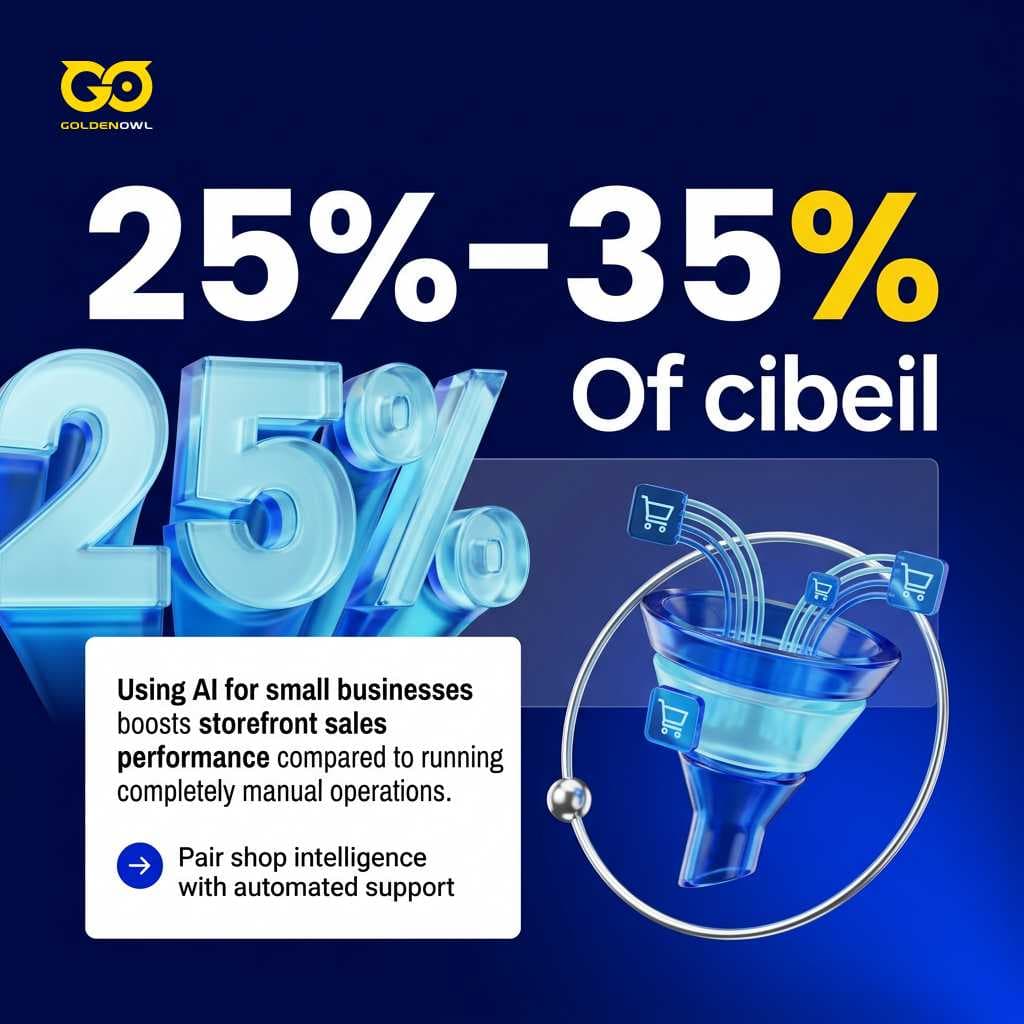
Small online retailers using AI for small businesses see 25% to 35% higher conversion rates compared to stores running manually.
Predictive lead scoring CRM
Machine learning lets small teams dig into patterns buried in stale spreadsheets, sorting through operational numbers at speeds no human can match so you can make confident tactical decisions. Embedding these models inside your sales database turns a dormant address book into a dynamic pipeline engine that evaluates buyer sentiment and logs interactions. The system scores which prospects will actually buy and prepares tailored notes to move transactions forward.
HubSpot Breeze AI
Core agent operations
Woven straight into your sales pipeline, HubSpot's Breeze AI uses four specialized agents to automate administrative overhead like drafting check-in emails, researching prospect details, and ranking accounts primed to close.
Platform pricing structure
The platform delivers clean contact summaries and quick message drafts within a simple interface, anchored by a free foundational CRM tier alongside Starter options priced per seat per month.
Zoho CRM
Zoho equips small firms with an automated copilot called Zia, providing predictive analytics that spotlight deals most likely to close while gauging customer sentiment across incoming messages.
Contextual customer service platform
Managing customer conversations as one continuous relationship unlocks several clear operational advantages:
- Customer history is consolidated into one continuous thread across email, chat, SMS, and phone.
- Past orders, notes, unresolved cases, and customer preferences remain visible in seconds without repetitive questioning.
- Routine questions are resolved automatically, cutting 45 hours per week of support tasks down to 15 hours and buying back 30 hours of team time.
- Complex or sensitive issues escalate intelligently to human agents when empathy and human judgement matter most.
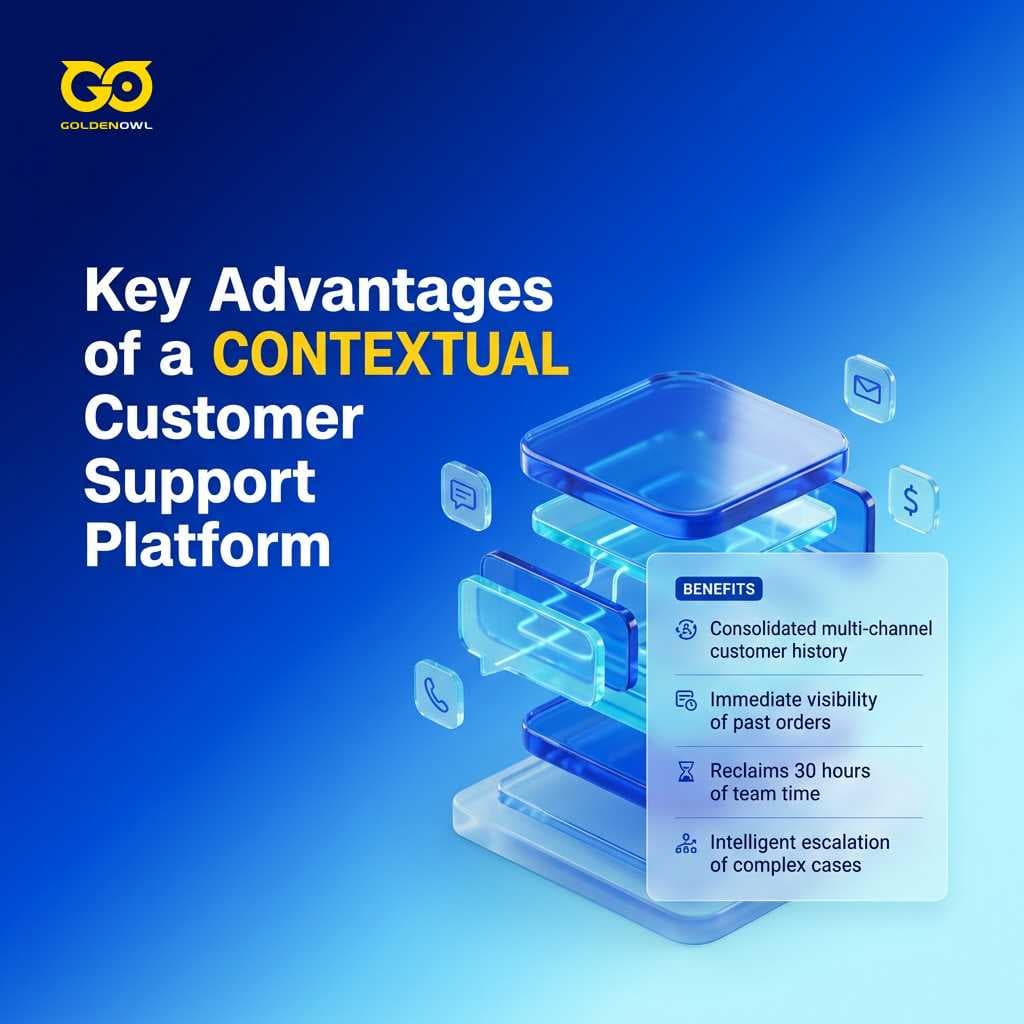
Legacy helpdesks slice customer relationships into disconnected tickets. When Sarah asks about an order, she becomes ticket 47392; when she texts two days later regarding delivery, she becomes ticket 48105; when she calls next week, she has to explain the entire history from scratch. That disjointed approach burns buyer goodwill and forces your staff into endless triage. A contextual platform scraps isolated tickets entirely, keeping Sarah's complete purchase history and ongoing conversation front and center.
Tidio
The software pairs live chat tooling with an automated agent called Lyro, giving budget-conscious teams an accessible helpdesk solution that resolves everyday customer inquiries directly from existing knowledge base articles.
ManyChat
Brands selling directly across social platforms can deploy ManyChat across Facebook Messenger, WhatsApp, and Instagram, automating answers to routine questions and filtering prospective leads instantly.
Software evaluation framework
Polished vendor demos constantly trip up operators, leaving them stuck with pricey subscriptions that nobody touches six months later. Evaluating AI solutions for small business through strict operational requirements ensures you fix an actual daily bottleneck rather than chasing shiny technology.
Business problem alignment
Does your prospective tool address a genuine operational bottleneck, or does it merely solve an imaginary problem? Effective selection begins by identifying what costs the company the most time. Start by asking what eats up your team's schedule instead of wondering how to sprinkle AI into the company. Before signing up for trial accounts, audit your operations to spot where hours get chewed up. Focus on helpdesk ticketing systems if support backlogs are mounting, or evaluate prospecting engines if lead flow has dried up. Successful rollouts target sharply defined pain points, like losing 15 hours a week replying to repetitive customer inquiries, rather than chasing vague operational upgrades.
Software ecosystem integration
Since 63% of small businesses depend on external software instead of internal proprietary builds, checking operational compatibility right away is essential. Companies built on Google Workspace should look closely at Gemini, whereas Microsoft 365 shops usually get more out of Copilot. Standalone platforms fall flat when they cannot sync records directly with your ledger or inbox, and manual export routines will wipe out any efficiency gains immediately. When systems refuse to communicate seamlessly, employees revert to manual copy-pasting to move information between platforms.
Team usability
Set aside real calendar time for team training because software delivers only as much value as the person operating it. Daily usability matters far more than sprawling vendor feature matrices. Premature evaluations during initial trials misinterpret early awkwardness as tool failure. If your staff pushes back against using a system, your actual return lands at zero.
Total cost of ownership
Software subscriptions sneak up on your balance sheet as individual user licenses multiply across departments. Expenses accumulate before the organization has confirmed a single hour of saved labor. Handing one person a $20/month seat costs an affordable $240/year, but extending that license to ten people totals $2,400/year. Combining three separate tools runs your outlay up to $7,200/year before you have validated a single minute saved. Run company-wide budget projections first.
Scalability limits
As a business scales, it requires flexible software setups that grow alongside operations without triggering painful platform migrations down the line. Make sure prospective vendors provide tiered plans capable of handling expanded customer record counts and advanced features as your seat count climbs.
Pilot testing
Test prospective software on targeted workflows through two-week pilot runs using free tiers, because early setup friction often warps your judgment. Unlocking real productivity gains takes two to four weeks of deliberate practice, which is the main reason only 6% of organizations capture measurable value from these tools. Hand a single repetitive chore to one team member so you can uncover hidden friction like sync errors or messy export formatting within three days of testing. Staged sales demos never show you those headaches.
Data security
Data security worries trouble 38% of small businesses introducing machine learning tools, making it critical to trace where your operational records actually go. Some software vendors feed your customer records, team emails, and chat logs into shared models that help your direct competitors, which makes reviewing commercial contracts essential. Ask: "Are customer inputs and uploaded files used in any way to train foundation or shared models?"
Ask prospective vendors two blunt questions before signing any paid contract: do you use customer files and prompt logs to train shared models, and do your commercial tiers come with a zero-data-retention agreement? If a sales rep points you toward standard retail terms, your business records are likely fair game for training. Protecting sensitive files requires paid commercial agreements or custom administrative controls rather than standard consumer logins.
Vendor lock-in
Review data portability policies prior to purchase so you know exactly how you can extract proprietary files if you ever cancel. Walk away from vendors that lock down your company records whenever your business outgrows their product.
Model adaptability
Off-the-shelf software engines spit out generic drafts for everyone because they lack your company's operational context and history. Practical tools adapt to your day-to-day operations over time, absorbing your product catalog, prior client interactions, and distinct communication style.
Technical support accessibility
Language models will hallucinate, lose track of context, or return broken formatting during busy workdays. LLMs occasionally misinterpret project context or produce completely fabricated outputs. Resolving operational disruptions requires reaching specialized human engineers immediately rather than battling an unhelpful troubleshooting bot.
Phased implementation roadmap
Sequential implementation roadmaps build momentum through steady, low-risk operational wins. You should start by picking one foundation assistant during month one on a modest budget up to $20 to tackle your highest-volume task, add a specialized tool across months two and three, and tie systems together with automation by month four.
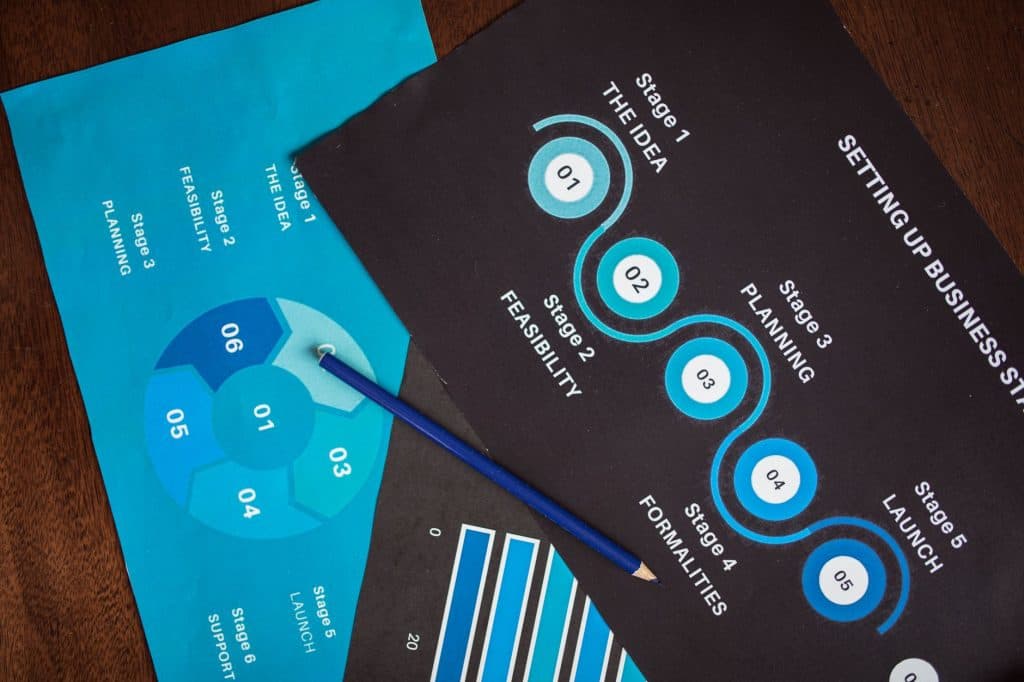
Instead of gambling on an overnight overhaul, you don't need to reinvent everything at once; operators get the best results by targeting obvious workflow bottlenecks and steadily shaving friction off daily routines. That disciplined progression turns open-ended tinkering into actual working capacity, banking small operational victories that build trust across your entire team. Right now, roughly 51% of small businesses linger in the exploratory stage by trying platforms without fully committing.
Here is how the performance milestones, monthly tool budgets, and time savings break down across each rollout phase:
| Phase | Timeframe | Action | Monthly Budget | Expected Outcome |
|---|---|---|---|---|
| 1 | Month 1 | Pick ONE foundation tool (ChatGPT, Claude, or Gemini). Use daily for your highest-volume task. | $0-20 | Familiarity, first time savings |
| 2 | Months 2-3 | Add ONE specialized tool based on biggest remaining pain point. | +$8-20 | Function-specific efficiency gains |
| 3 | Month 4+ | Add automation (Zapier) to connect tools into workflows. | +$20 | Compounding returns, reduced manual handoffs |
Reaching for commercial foundation tools puts your internal operations in lockstep with where enterprise capital is actually moving. Across that broader market, corporate spending on generative AI surged 3.2x from $11.5 billion in 2024 to $37 billion in 2025. Buying ready-made software now makes up 76% of business deployments instead of building models from scratch, rising from 53% in 2024. Total AI infrastructure outlay jumped 2.0x over that exact same window from $9.2 billion to $18 billion, with foundation model APIs claiming $12.5 billion in 2025. Tapping into those hosted models lets you plug directly into state-of-the-art capability without footing custom engineering bills or dealing with technical maintenance.
Running an effective basic software toolkit requires a total investment of $20-60/month. What does that small cash outlay actually buy you? Active users report reclaiming 5.6 hours of working time every week, meaning the modest software spend pays for itself within seven days across most operations.

Take Daniel Hatke, who operates two e-commerce storefronts while squaring off against well-funded rivals with six-figure budgets for outside consultants. He openly noted that Procter & Gamble needs this work too, knowing he could never outspend corporate giants as a self-described tiny minnow. Instead of writing massive checks, he tapped off-the-shelf software to systematically expand his operational capacity, securing the exact same baseline capabilities without paying enterprise consulting fees.
Foundation tool deployment
Every functional setup starts by picking a single general-purpose assistant among ChatGPT, Claude, Gemini, or Copilot to anchor routine administrative operations:
- Pick ONE foundation tool (ChatGPT, Claude, or Gemini).
- Use daily for your highest-volume task.
- Allocate a monthly budget of $0-20 to establish familiarity and first time savings.
Functional tool specialization
Phase two introduces a task-specific platform for an added $20 per month to handle support inquiries alongside marketing operations, which together represent 62% of small deployments:
- Add ONE specialized tool based on biggest remaining pain point during Months 2 to 3.
- Layer purpose-built tools onto customer service and marketing workflows, which represent 62% of small business AI implementations.
- Allocate an additional $8-20 per month to secure function-specific efficiency gains (+$8-20).
- Target repetitive operational drag across administrative departments before expanding software licenses.
Look at Michelle Savage, who manages operations as a fractional COO across five separate businesses without getting buried under administrative friction. Rather than grinding through weeks of back-and-forth communication with individual clients over marketing copy, she turns out 50 pages of marketing text and client email drafts in roughly an hour. That massive speed advantage didn't come from chasing a single all-in-one platform. She simply assembled a software stack mapped directly to her daily workflow, using targeted tools deliberately to clear out each specific bottleneck.
End-to-end workflow automation
Once an inbound lead lands in HubSpot, Zapier serves as the connective tissue that ties your software stack together. You can configure it to trigger a ChatGPT-drafted welcome message, update the customer record, and alert your team in Slack automatically. Lean operations eliminate serious drag across daily tasks (think document sorting, CRM updates, invoice processing, and meeting summaries) by letting basic automations handle the manual handoffs.
If a workflow follows strict conditional logic with predictable outcomes, trigger automations handle it reliably. If the process requires interpreting ambiguous requests or subjective decisions, keep a human operator in the loop.
Wiring up these background workflows in month four connects your tools to produce compounding efficiency gains. For an extra +$20 monthly spend, that automation brings your complete software investment to roughly $40-60/month while cutting out repetitive manual handoffs across the business.
Autonomous agent integration
Working around the clock, Salesforce's Agentforce Service Agent functions as an autonomous support tier that answers questions and references live customer records without human oversight. It keeps communication grounded and authentic across all routine service conversations.
Inside the Starter and Pro Suites, the Employee Agent acts as a contextual conversational partner that updates sales opportunities, edits email drafts, or logs client calls from plain text prompts. Along the same lines, Gladly resolves routine inquiries by drawing upon each customer's complete history. It recalls past user preferences, quotes prior discussions, and hands conversations over to human staff whenever an issue requires genuine personal empathy.
Autonomous agents operate effectively within tightly bounded procedural roles, but they should not be granted unmonitored execution authority over financial transactions or sensitive client disputes.
When deploying complex custom virtual agents across sensitive client touchpoints, consulting an ai solutions company often saves you expensive mistakes.
Implementation best practices
Building lasting momentum with AI tools means pairing technical capability with clear human judgment across your day-to-day operations. Put these programs into action where they directly back up what your team already does well. Experienced leadership, hard-earned trade knowledge, and genuine customer care stay completely non-negotiable while the tech simply accelerates the baseline speed and efficiency of that foundation. Smart operators don't fall for false choices between empathy and efficiency or personality and scale; they roll out disciplined systems that protect both sides of the company.
Human oversight
Tight human oversight over your drafts stops automated text from sounding generic and matching everyone else:
- AI output without human editing produces generic work that sounds like everyone else; AI output is a draft, not a deliverable.
- Treat automated text like input from a capable but uninformed team member who needs your direction and editing.
- Software handles routine data analysis and drafting, but humans must provide empathy, strategy, and creative judgement.
A paired Human + AI setup matters because software should support your staff rather than replace them across your daily routines. Straightforward customer service inquiries can easily run through automated queues, but complex and sensitive concerns must escalate directly to real people on your team. The critical choices that establish your brand tone, your core commercial standards, and the hard judgment calls reflecting your company character must never transfer to an automated algorithm.
Workflow cleanup before automation
Since software magnifies whatever habits your company already has, dropping automated tools into teams with messy communication or vague procedures only enlarges those defects instead of fixing them.
Automating an unstandardized procedure is like placing a high-speed engine into a vehicle with broken steering; it only accelerates operational failure.
Prompt engineering training
Team training investment Any software tool stays only as capable as the person running it, which means company leaders must carve out deliberate calendar hours to teach their employees how to build prompts and evaluate generated responses. Team adoption jumps sharply once individual staffers gain confidence writing clear instructions and auditing automated drafts on their own. Guide your team through hands-on practice in clear stages so individual gains multiply across the entire organization, instead of relying on a top-down decree telling everyone to adopt AI. Visible, practical wins create the lasting daily routine.
To keep daily execution consistent, tell your team to follow this straightforward 4-part prompting framework:
- Role: 'Act as a small business marketing specialist'
- Task: 'Draft three follow-up email options for inbound leads'
- Context: 'We sell accounting software to local dental practices'
- Constraint: 'Keep under 100 words, avoid buzzwords, and end with a single question'
Deliberate practice period Pulling measurable returns from any new process takes between two and four weeks of deliberate practice, yet executive impatience throughout this trial phase accounts for only 6% of enterprises actually capturing tangible value from AI. Don't judge an employee on their very first shift. Give your automated tools that same grace period to prove their worth before pulling the plug.
Leadership accountability
Irreplaceable human leadership While applied automation expands daily execution capacity, company leaders must still shoulder hard decisions, nurture direct relationships with clients and staff, and enforce internal standards personally. Software backs up healthy operational habits, but it cannot manufacture strong leadership where none exists in the first place.
Pragmatic friction removal Rather than chasing fully autonomous companies, seasoned managers take a pragmatic view of AI across their everyday operations. Their main focus centers on eliminating operational friction, lightening administrative loads, and helping employees execute their daily duties far more effectively across the board.
Common adoption pitfalls
When small companies stumble with AI tools, the breakdown usually comes from three operational mistakes: buying software on hype rather than operational demand, rolling out too many platforms at once, and publishing raw drafts without editing.
Since 63% of smaller companies rely on outside AI software instead of building internal code, vetting vendor platforms demands the exact same rigor applied to any traditional purchase. Pinpointing a real friction point across operations before choosing technology prevents the primary failure mode of spending money on software that solves problems your company doesn't have.
Data from McKinsey in their State of AI report shows that only about 6% of organizations capture meaningful returns from artificial intelligence. That gap opens up when software gets disconnected from routine operations, leaving 51% of smaller firms idling in the Explorer phase, testing tools without committing to actual deployment.
Tool sprawl
Keep your operational stack lean by enforcing a strict consolidation rule before adding software. If an incoming tool duplicates features already sitting in your existing systems, shift those tasks into your core software before buying more seats. Stacking three extra subscriptions across your team quickly burns $7,200/year without saving an hour, so master one platform before you expand.
Stack three tools across your team and you're looking at $7,200/year before you've measured a single hour saved.
Run a consolidation check in Google Workspace before purchasing any new license:
- Does our current office suite (Google Workspace or Microsoft 365) already include this exact feature?
- Does our CRM offer built-in generative drafting for this specific workflow?
- Can a general assistant with a saved prompt accomplish 80% of this task without an extra dedicated subscription?
Unedited draft distribution
Sending unedited machine text directly to audiences damages professional credibility:
- Copy-paste syndrome: AI output without human editing produces generic work that sounds just like everyone else.
- AI output is a draft, not a deliverable. Treat it like input from a capable but uninformed team member who needs your clear direction and editing.
- AI tools break in weird ways. They give wrong answers. They misunderstand operational context. They hallucinate facts.
- A typo in a customer email costs you trust. A confusing product description costs you sales. A rambling proposal costs you the entire deal.
- Customer-facing content can sound robotic if you're not watching it closely.
Treating machine drafts as finished deliverables exposes operations to repeated errors. Software is built for drafting and data processing, while human team members supply the empathy, strategic perspective, and judgment that anchor real communication.
Strategic value of artificial intelligence for small teams
Operational multiplier Machine intelligence operates as an operational multiplier for lean setups, handling repetitive tasks, parsing complicated records, and delivering personalized customer experiences at scale.
Operational time savings
Repetitive daily tasks drain hours that should back core operations:
- AI tools save small business employees an average of 5.6 hours per week, with managers reclaiming 7.2 hours and individual contributors gaining back 3.4 hours.
- 58% of current AI users save over 20 hours per month.
- A task that used to take hours can be completed in minutes. Meeting notes are summarized automatically, ensuring repetitive administrative work stops slowing down employees who should be focused elsewhere.
- Consider the effort spent summarising long customer records, drafting routine emails, or preparing for meetings. These tasks are necessary but do not directly drive revenue, whereas AI assistants help process these workflows much faster.
- Michelle Savage works about 30 hours a week across five companies and produces 50 pages of email and marketing content in roughly an hour.
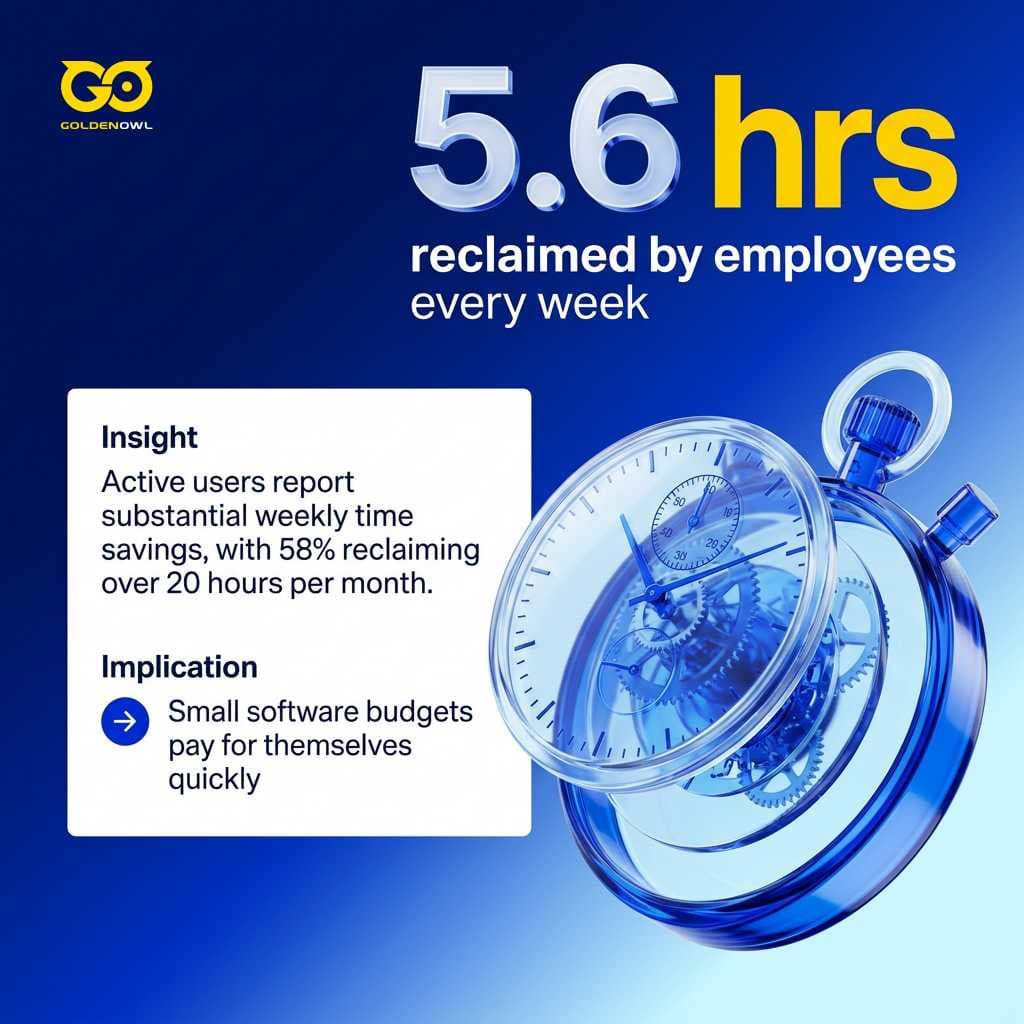
Smart tooling restores usable working hours by speeding up tedious manual duties across your team.
Data-driven decision making
Operational speed and analysis Modern software quickly condenses market findings, tracks direct rivals, sorts heavy data piles, and outputs clean operating updates. Lean executive teams make faster calls without padding payroll or burning out their staff.
Information review and consistency Underwriters process incoming files faster and catch errors much earlier by letting software review raw documentation. Other businesses tap into algorithmic tools to streamline internal communication, synchronize workflows, and resolve stubborn bottlenecks that used to demand extra hires on payroll.
Customer interaction improvements
Contextual support systems produce clear, measurable gains across everyday customer touchpoints:
- Instant customer context: AI tools can summarise past conversations, notes, and unresolved support cases in seconds, allowing representatives to jump right into solving the problem without making the customer repeat themselves.
- Reclaiming team capacity: with contextual AI, routine support questions are resolved automatically, cutting 45 hours per week of support tasks down to 15 hours and buying back 30 hours of team time.
- Around-the-clock availability: AI-powered chat tools and support assistants help businesses respond to inquiries faster, route requests more efficiently, and maintain consistent communication outside normal business hours. Simple implementations improve responsiveness without increasing staffing costs.
- Storefront sales conversion: small online retailers using AI for small businesses see 25% to 35% higher conversion rates compared to stores running manually.
Overhead cost reduction
Direct operational savings Roughly 66% of users pocket an extra $500 to $2,000 every month, though capturing those returns demands disciplined rollout rather than just buying software. Assembling an effective setup carries a modest ongoing subscription fee of $40-60/month, an expense that often covers itself within the very first week through reclaimed working hours.
Reduced administrative hiring Automated marketing tools and back-office software reduce the pressure to hire extra administrative help as order volumes climb. Expanding companies usually hit operational logjams long before having the budget for fresh hires. Tightening daily workflows and cutting down mistakes shrinks overhead expenses, turning steady efficiency gains into healthy bottom-line profit.
Headcount expansion correlation Consider one telling metric: 82% of small businesses adopting machine intelligence expanded their workforce over the past year, firmly contradicting standard assumptions that software cuts payroll.
Enterprise capabilities at lean scale
Lean operations have always survived through shared infrastructure. You tapped into vendor networks, captive setups, and external partnerships to secure capabilities you could never build in-house, and software now plays that exact operational role. Small teams suddenly deploy systems once locked inside Fortune 500 balance sheets, standing toe-to-toe with enterprise rivals who burn six-figure budgets on corporate advisors.
While large organizations are slowed down by bureaucracy and fragmented systems, lean companies can test useful tools and adapt much faster.
Roughly 82% of small operators view AI adoption as essential today. Yet 74% of small businesses admit they would adopt AI much faster with clearer proof of return, showing how adopting tailored ai business solutions gives lean teams enterprise capabilities without enterprise-sized invoices.
AI-mediated customer discovery
Because algorithmic discovery tools now filter how customers research, evaluate, and choose vendors, commercial leverage shifts away from standard sales pitches toward mastering the platforms directing buyer attention.
Frequently asked questions
Operators evaluating new software usually run into identical questions around cost, baseline data security, and real team adoption.
How much does AI cost for a small business?
Foundation assistants
General foundation assistants like ChatGPT Plus, Claude Pro, and Gemini Advanced charge $20/month per user across the board. Running tighter team budgets leaves you with options like the recently released $8/month Go tier from ChatGPT.
Specialized operational software
Specialized seats add predictable line items, including Canva Pro at $13-15/month, Grammarly at $12/month on an annual plan, and Otter.ai at $8.33/month billed annually. Connecting workflows requires Zapier at $19.99/month billed annually, while core customer records on HubSpot Starter run $9-20 per seat per month.
Total stack expenditure
Most AI tools cost between $0-20/month per user. Assembling a basic operational setup costs $40-60/month, while a typical functional stack runs $40-100/month total, with entry CRM platforms managing core customer relationships without upfront expenditure.
What percentage of small businesses use AI?
Roughly 55-60% of small businesses in the United States deploy generative AI tools as of 2025. Market numbers reveal adoption doubled from 2023 levels after surging 41% in twelve months, leaving 57% of small business operators actively allocating capital toward these deployments. Even with 51% of firms remaining in the Explorer phase testing preliminary software, 82% of small businesses view adopting this software as mandatory for remaining competitive.
Should small businesses choose ChatGPT or Claude?
ChatGPT
Selecting between these platforms comes down to whether your day-to-day workflow emphasizes rapid marketing volume or complex narrative analysis. For marketing-heavy operations, ChatGPT dominates through rapid ideation, flexible copy generation, and the software industry's widest marketplace of integrated plugins and custom tools. Give your team seven days on the free tier to evaluate actual creative output against standard marketing campaigns. Uncalibrated prompts yield generic marketing drafts, but the raw brainstorming speed remains exceptionally difficult to match.
Claude
Service companies reviewing lengthy contracts, vendor agreements, and client proposals get far superior performance from Claude. The system processes massive contextual files and maintains structured reasoning cleanly, compensating entirely for a noticeably smaller third-party plugin ecosystem.
Are free AI tools good enough for a small business?
Free packages from ChatGPT, Claude, and Gemini provide fully viable workspaces for drafting routine correspondence, summarizing memos, and brainstorming. The no-cost tier of ChatGPT includes GPT-4o access, while standalone products like Canva and Fathom maintain generous entry allowances that support daily office administrative chores. Operators master core software mechanics on zero budget, expanding into paid tiers only after daily operational demands hit the ceiling.
Starting your rollout at the zero-dollar level yields genuine operational leverage across frontline administrative functions rather than just casual software experimentation. A benchmark study of 540 small business decision-makers managing 1-100 employees and $100K, $9.9M in revenue tracked adoption reaching 55% in 2025, representing a 41% jump from 39% in 2024. Review where the 63% daily users concentrate their computing time. Workflows target data analysis at 62%, content generation at 55%, and chatbots at 46%, letting 58% save over 20 hours per month while 66% pocket between $500 and $2,000 every month.
Production workloads run directly into restrictive usage caps, slower response times, and locked access to the newest models once your team relies on them daily. Most teams upgrade within one to three months.
Is AI worth the investment for small businesses?
Measurable time savings
Across frontline deployments, measured production returns confirm the investment pays off for most businesses whenever you implement the tools around specific administrative bottlenecks. Adopting firms save an average of 5.6 hours per week, with managers gaining 7.2 hours, staff reclaiming 3.4 hours, and 58% of active users banking over 20 hours per month.
Tangible financial returns
Financial audits confirm that 66% of small businesses pocket $500 to $2,000 every month in cost reductions. Balancing a $20-60/month software invoice against a few recovered labor hours per week yields an immediate payoff, though realized gains always reflect operational discipline rather than software choice alone.
How much does AI customer support cost for small businesses?
Entry-level tools
Frontline support software incurs zero initial expense, with modern providers packaging introductory tiers that deliver functional conversational assistants alongside automated email drafting and ticket summarisation directly inside your CRM records. Budget live chat installations pull straight from internal support documentation, resolving standard inbound customer inquiries without pulling staff away from complex escalation tickets.
Integrated customer service suites
Expanding into fully integrated service environments requires per-seat subscriptions, with Starter tiers running $9-20 per seat per month. Dedicated platforms built around unified conversation threads test your workflows under real inquiry volume by providing a 30-day trial without requiring credit card registration prior to full operational rollout.
Can small businesses compete with enterprise companies using AI?
Agile teams routinely deploy artificial intelligence to neutralize the historical resource moats established by large corporate competitors. Today, an ambitious three-person startup exercises the exact same computational and analytical reach as an established Fortune 500 company. Software vendors build advanced models directly into standard business platforms, enabling independent operators to deploy sophisticated analytical workflows without needing to write a single line of code.
Shared-scale arrangements like captive operations, outsourced infrastructure, and strategic vendor alliances historically gave lean teams capabilities they could never build internally. Roll out accessible tools incrementally across your active workflows to establish technological parity without signing punishing enterprise service agreements. The operational playing field levels without bloated corporate software price tags.
Massive enterprises isolate clients behind systems built around disconnected tickets and deflection, opening room for small teams to deliver contextual, high-touch service. Lean companies pair contextual AI response drafting directly with personal executive touch and direct customer access. Unencumbered by corporate bureaucracy and fragmented databases, nimble operators test tools and adjust within days.
Do I need technical skills to use AI tools?
By design, modern productivity platforms cater specifically to operators who possess zero engineering background or software development experience. Interfaces built on natural language processing accept standard directions delivered in plain English, allowing entrepreneurs to deploy sophisticated analytical workflows without needing to write a single line of code. Rigorous operational thinking consistently beats prompt engineering, leaving tool selection down to practical business utility.
Can AI replace human employees in a small business?
Workforce augmentation
Practical tools augment existing team members by stripping away low-value, repetitive tasks that consume valuable working hours. Treat your primary language model like a competent sous chef that handles tedious chopping and measuring under your direction, preserving your capacity for tasks demanding genuine empathy, taste, and executive judgment. The assistant prepares the station, but it cannot invent the menu.
Headcount expansion trends
Workforce data contradicts displacement narratives, showing 82% of AI-adopting small businesses actually grew their total headcount last year. Leadership teams make faster, higher-conviction decisions with current staff, expanding capacity without burning out key performers.
Is my business data safe when using AI tools?
Platform security protocols vary significantly depending on the specific product tier you select. Commercial enterprise agreements isolate customer records completely, whereas free consumer models routinely incorporate unencrypted prompts into public training sets.
Surveys show 38% of small business operators worry about privacy risks, making it mandatory to audit terms of service and select commercial agreements providing clear compliance documentation before loading operational files. Require vendors to document data retention, file export mechanics, and post-cancellation record deletion in writing.
Consumer-facing models routinely ingest customer correspondence, internal email records, and operational conversations, utilizing your confidential business data to train commercial algorithms that directly assist your market competitors.
What is CRM and how does AI enhance it?
Core CRM functionality
Customer Relationship Management, or CRM, serves as the central operational database that logs every buyer touchpoint, communication history, and active commercial opportunity across your business. All accounts live in one system.
AI enhancement capabilities
Layering intelligence onto a CRM transforms static contact cards into an active selling engine that predicts deal closure likelihood, populates pipeline stages automatically, and drafts personalized outreach to prospects. The system reads, summarizes, and updates pipeline records in real time. Conversational agents interpret account context during inbound calls, logging client action items and adjusting pipeline stages without manual administrative entry.
Key takeaways
Intelligent software implementation across a growing company balances automated workflows with real human expertise:
- Focus on specific operational friction: Deploy a single foundation tool against your highest-volume task before expanding into multi-tool workflows, because businesses getting the most value solve a specific operational problem rather than overhauling everything overnight.
- Maintain human editorial oversight: Output without human editing sounds like everyone else because AI cannot replace judgment. Software handles routine data analysis and initial drafting, but human operators must supply strategic direction, brand voice consistency, and final ethical responsibility.
- Reclaim capacity while expanding teams: Adopting AI saves small business employees an average of 5.6 hours per week, allowing lean teams to operate beyond their physical size. 82% of small businesses adopting machine intelligence increased their workforce, disproving assumptions that technology inevitably reduces headcount.
- Evaluate integration and data governance: Because a great tool in isolation is a mediocre tool in practice, ensure prospective platforms integrate natively with your existing office software, forecast per-seat subscription expenses across your full team, and verify explicit enterprise privacy agreements to keep proprietary customer records protected.
Lasting operational muscle develops by rolling out modern tools with deliberate restraint. When lean teams start with small, focused pilot workflows, executing a practical ai business solutions roadmap delivers clear time savings, keeps monthly software expenses under control, and protects genuine personal relationships as the company expands.
Implementing pragmatic AI solutions for small business protects your budget while stabilizing your core team structure. Success comes down to basic sequencing: outline your manual bottlenecks first, hand repetitive mechanical chores to low-cost software, and reserve human judgment for tricky edge cases. Genuine operational leverage emerges through steady compounding across daily workflows, rather than purchasing every new platform that hits the market.
Share this page


Table of Content

Subscribe to Golden Owl blog
Stay up to date! Get all the latest posts delivered straight to your inbox